
P5 Outdoor Full-Color LED Sign
5.0Editor score
Dense P5 pixel performance
Full-color multimedia support
IP65 weatherproof housing
WiFi and USB updates
A digital sign board can transform a blank storefront, reception desk, restaurant counter, or event space into an attention-grabbing information hub. The best model depends on viewing distance, ambient light, available mounting space, content requirements, and how often the display needs to be updated.
This guide compares ten distinct signs using their published specifications, listed features, ratings, control options, and intended applications. It covers flexible LED panels, outdoor message boards, portable illuminated writing boards, countertop menu displays, floor-standing kiosks, and compact media-player solutions.
Each review explains who the product suits, what makes it useful, and where its compromises may matter. The badges identify three standout choices, while the comparison and buying guide help narrow the field. Prices and availability can change, so confirm current details before purchasing.
5.0Editor score

4.6Editor score

4.2Editor score
As an Amazon Associate we earn from qualifying purchases.
The comparison below highlights the major differences among the ten featured signs, including display format, control method, weather protection, content capabilities, and likely commercial use.





The KJOY Bright Large Programmable LED Sign is a 77-by-8-inch flexible panel intended for storefront windows, schools, hotels, shops, events, and other locations that need a long scrolling message. Its 4.4 rating reflects broad appeal, while the combination of a narrow flexible format and app-based programming makes it useful when a conventional rigid sign would be difficult to mount.
We may earn a commission when you buy through this link, at no additional cost to you.
The upgraded 24-volt system and high-brightness lamp beads are designed to produce clear patterns, and the manufacturer also emphasizes low heat and low power consumption. The panel can be bent or folded, which expands placement options around windows or architectural features. Adhesive installation and included 3M tape remove the need for suction cups and make repositioning more practical.
Content flexibility is the strongest feature. The Bluetooth app supports text, images, animations, logos, borders, font sizes, colors, angles, and playback speed. Users can add multiple tasks for looping, select their order, and choose from scrolling, flashing, stacking, and directional movement. A built-in microphone also enables music-responsive effects, while password protection helps prevent accidental or unauthorized changes.
The main limitation is that a long, low-profile LED panel is optimized for scrolling messages rather than close-up photography or detailed video. The 77-inch span also requires a clean, unobstructed mounting area and careful alignment. Buyers should also confirm that the supplied power arrangement and installation method suit the intended location. For businesses wanting an eye-catching, programmable window display, this is a versatile and practical recommendation.
Because the panel is thin, light, and bendable, it can fit along broad storefront windows without requiring a deep enclosure. This makes it especially useful for narrow visual spaces where a boxy sign would obstruct natural light or customer visibility.
Multiple loop tasks, adjustable playback modes, and password protection support repeated daily operations. These controls are valuable when several messages, promotions, or schedules need to rotate without someone editing the display every time.
We may earn a commission when you buy through this link, at no additional cost to you.
The 45-inch diagonal WiFi scrolling LED sign provides a 40-by-14-inch P10 display for shops, restaurants, events, exhibitions, and personal messages. Its 4.2 rating and straightforward WiFi programming make it a practical middle ground between small menu boards and very large outdoor panels.
We may earn a commission when you buy through this link, at no additional cost to you.
The sign supports full-color scrolling text, multiple backgrounds, effects, adjustable brightness, and adjustable playback speed. Content can be managed with Windows computers, Android phones, or iPhones, while USB transfer provides another way to load material. Its multilingual software includes English, Spanish, French, Portuguese, Arabic, Russian, and Chinese, which is useful for diverse audiences.
The listed IP45 rating provides resistance to rain, sunlight, and heat for suitable indoor and outdoor applications. It is also FCC and UL listed, and the power supply supports the standard voltage used in the United States. The operating guide and tutorial materials make initial setup more approachable for first-time programmable-sign users.
Compatibility deserves attention. The control software does not support Apple MacBook or iMac computers, so buyers in an Apple-only workflow may need another editing device. IP45 is also less protective than the IP65 construction offered by several heavier outdoor alternatives. Overall, it is a sensible choice for smaller commercial locations that need colorful remote messaging without a floor-standing kiosk.
WiFi connectivity lets authorized users revise messages from supported phones or Windows computers. This is particularly useful for daily specials, opening notices, event announcements, and rotating promotional content.
The 40-by-14-inch format is large enough to catch attention but more manageable than an oversized billboard. It can serve indoor retail areas or covered outdoor locations, depending on the installation and exposure conditions.
We may earn a commission when you buy through this link, at no additional cost to you.
The MWE 43 Inch Indoor Floor Standing Digital Signage display is one of the most versatile products in this guide. Its 4.6 rating, 43-inch vertical touchscreen, and Android ecosystem make it suitable for shopping centers, restaurants, malls, hospitals, hotels, airports, and corporate interiors. Unlike simple message boards, it can present polished images, video, branding, directories, and mixed information zones.
We may earn a commission when you buy through this link, at no additional cost to you.
The FHD IPS panel is described as producing crisp, vibrant imagery with a wide 178-degree viewing angle. Slim bezels give the unit a modern appearance, while stable open-cell technology is intended to reduce heat and support long operating periods. An Android system allows app installation, and the built-in media player supports automatic playback, remote operation, timed on-and-off behavior, Wi-Fi, and network connectivity.
Its strongest professional feature is the flexible split-screen function. Images, videos, and animations can be resized, repositioned, and oriented within separate layout areas, allowing several messages to run together. The display also accepts media-player boxes or PCs through HDMI, while compatibility-design provisions allow additional player hardware and internal power connections.
This is an indoor solution rather than a lightweight outdoor billboard. Businesses should consider floor space, electrical access, mounting security, and the need to keep the screen within its intended environment. The listed three-year warranty, installation resources, manual, and online technical support add useful reassurance. For a premium indoor presentation with polished imagery and sophisticated layouts, it is the strongest all-around premium choice.
Split-screen layouts let operators combine product promotions, welcome messages, videos, schedules, and brand elements. This makes the kiosk more useful than a simple full-screen player when communication goals vary throughout the day.
Automatic playback, scheduling, network access, and app support reduce the need for daily manual intervention. For retail and hospitality environments, these management features can support a more consistent presentation.
We may earn a commission when you buy through this link, at no additional cost to you.
The Rayhome Large Programmable LED Sign is a 77-by-8-inch flexible scrolling panel marketed for stores, bars, schools, and hotels. It earns a 4.3 rating and offers a long indoor display surface. The product resembles the KJOY option in overall format, but it includes a physical controller and a timing function that can simplify routine operation.
We may earn a commission when you buy through this link, at no additional cost to you.
Bluetooth app control permits customization of text, patterns, animations, font size, color, and playback speed. Multiple tasks can be grouped for looping, and the available motion styles include laser, slide, snowflake, scroll, and several directional movements. The included controller can handle brightness, displayed content, and display length, giving users a convenient option when they do not want to reach for a phone.
The panel is described as producing stronger brightness and clearer patterns while maintaining low heat and low power consumption. Its flexible construction makes it suitable for wide windows, counters, and other long, shallow spaces. The timed control is useful for business hours, while password protection reduces the chance that visitors or staff will accidentally alter the programming.
This model is specifically identified for indoor use, so buyers should not treat it as a direct substitute for a sealed outdoor panel. The low physical resolution also favors scrolling words and simple graphics over close inspection of small imagery. For an indoor venue seeking a highly visible animated message band, remote brightness control, and scheduled operation, it remains a capable choice.
The handheld controller offers quick access to brightness, content, and display length, while the Bluetooth app handles deeper design customization. Combining both approaches can make daily changes faster for staff with limited technical experience.
The timing function can structure display use around defined operating periods. That makes the sign easier to integrate into a regular store, classroom, bar, or hotel routine.
We may earn a commission when you buy through this link, at no additional cost to you.
The 18.5-inch Digital Signage Display is a compact commercial menu board designed for cafés, restaurants, reception areas, retail counters, waiting rooms, and similar environments. Its 3.8 rating is the lowest among the featured products, but its feature set is well matched to businesses that want remote content management in a small footprint.
We may earn a commission when you buy through this link, at no additional cost to you.
A 700-nit panel is intended to keep menus and promotions visible in bright commercial interiors. The display runs on Android 12 with 2GB of RAM and 32GB of storage, while the 720P HD panel and wide viewing angle suit text, branding, and promotional graphics. The included desktop stand can be used in either landscape or portrait orientation.
The built-in lifetime free cloud CMS is the key distinction. Users can upload content from a PC, tablet, or smartphone, create playlists, schedule playback, manage multiple displays, divide the screen, and update promotions in real time. USB plug-and-play is also supported, providing a quick way to make local changes when cloud access is inconvenient.
Connectivity includes HDMI, LAN, TF card, USB 2.0, USB 3.0, and DC power, giving operators multiple ways to connect and transfer content. The trade-offs are the modest 720P resolution and a compact screen that will not command attention from across a large room. The product also carries a three-year warranty and reinforced wooden packaging. Overall, it is a focused countertop solution for businesses prioritizing remote management and flexible orientation.
The included lifetime cloud CMS is unusually valuable for a compact display. It supports remote uploads, playlists, scheduling, promotions, split screens, and multi-display management without requiring a paid CMS subscription for the listed CMS functions.
The reinforced stand and selectable orientation suit checkout areas, reception desks, cafés, bakeries, salons, clinics, and waiting rooms. These placements bring dynamic content close to customers where purchase decisions and questions often occur.
We may earn a commission when you buy through this link, at no additional cost to you.
The P6 Programmable LED Sign is a 40-by-17-inch outdoor panel designed for business advertising, scrolling messages, stock-ticker-style content, and event displays. Its 4.4 rating reflects a strong balance of construction and capability, while the P6 pixel pitch specifically targets visibility across relatively long viewing distances.
We may earn a commission when you buy through this link, at no additional cost to you.
The panel uses a W160-by-H64 resolution, high-quality RGB chips, and more than 16 million available colors. Full-color text, animations, images, and video are supported, and brightness and speed can be adjusted. The manufacturer notes that video and images are not optimized for close-up inspection, making this model more appropriate for broad, distant impressions than detailed content at arm's length.
A built-in WiFi module allows control from a phone or Windows laptop within approximately nine meters. IP65 nano waterproof technology supports operation in harsh weather, and intelligent indoor/outdoor brightness switching is included. The sign can store 100 programs, retains programmed data after power loss, supports global languages, and offers two-year warranty coverage with lifelong technical support.
The obvious limitation is pixel density. The listing recommends a P3 model when close-range high-definition pictures or video are essential. Buyers should also account for the limited wireless range when planning remote updates. Even so, this is an effective option for roadside promotions, mobile advertising, weddings, storefronts, and other settings where distance and weather resistance matter most.
The six-millimeter pitch and large panel dimensions make the display more visible across open spaces. It is a strong option for passersby and motorists, where quick recognition of a short message is more important than fine photographic detail.
The ability to store 100 programs and retain content following a power interruption simplifies recurring displays. Users can build a library of messages rather than repeatedly recreating each campaign.
We may earn a commission when you buy through this link, at no additional cost to you.
The VEVOR 32-by-24-inch LED Message Writing Board combines a writable illuminated surface with neon-style lighting effects. It is a budget-friendly alternative for restaurants, cafés, retail counters, classrooms, and events where a person needs to change the message quickly without opening an app or editing a playlist.
We may earn a commission when you buy through this link, at no additional cost to you.
Users can write with the included eight fluorescent chalk markers and illuminate their work in 16 colors. Four flash modes and five brightness levels provide visual variety, while the infrared remote lets an operator change the lighting without approaching the board. These controls make it easy to coordinate the display with music, promotions, or changing business conditions.
Power can come from an AC 110-to-220-volt plug or USB, and the board also supports a power bank or battery box for more portable outdoor use. Its tempered glass is described as more than five times harder than ordinary glass, with added resistance to impact, bending, and high temperatures. The writing surface wipes clean and avoids the chalk dust associated with traditional boards.
This is not a remotely managed media display, so its strongest advantage is also its main constraint. Updating content requires writing or erasing, and complex animations or scheduled campaigns are outside its format. Nevertheless, for temporary specials, daily menus, directional notes, event messages, and creative displays, the board is flexible, approachable, and less complicated than a programmable electronic sign.
The fluorescent writing surface allows staff to modify menus or notices in seconds. That immediacy is useful when prices, availability, or event instructions change unexpectedly.
Sixteen colors, four effects, and five brightness levels transform ordinary handwriting into a more eye-catching display. Remote operation keeps the adjustments convenient when the board is mounted or placed out of reach.
We may earn a commission when you buy through this link, at no additional cost to you.
The HS Programmable Scrolling LED Sign is a 39-by-14-inch P10 outdoor board aimed at stores, bars, hotels, restaurants, food trucks, churches, and other commercial settings. Its 4.4 rating and claimed brightness of up to 5,000 nits make it one of the strongest candidates for outdoor visibility, including direct sunlight.
We may earn a commission when you buy through this link, at no additional cost to you.
Built-in standalone WiFi allows a phone or compatible computer to connect and edit the display. The sign supports up to four text lines and lets users adjust font type, size, color, brightness, speed, borders, and backgrounds. Upward, downward, leftward, rightward, and flashing playback methods are listed, while messages of up to 1,000 characters can be stored and retained after power loss.
The waterproofing is designed to cope with rain and snow. An aluminum-alloy frame keeps the unit lightweight and sturdy, with hanging and wall-mounting options. The listed energy consumption is 0.06 kilowatt-hours per hour, and the product is specified for continuous operation. A timer can turn the sign on and off, reducing unnecessary operating time and helping preserve the display.
Compatibility and mounting require attention. Mobile devices include Apple and Android support, but computers require Windows 7 or later and do not support macOS. Users can also transfer programs by USB, though the drive should be removed before normal playback. Mounting parts are not universally included. For a bright, narrow outdoor message board with WiFi control, it offers a strong balance of visibility and convenience.
The high-brightness RGB design is intended to remain legible in challenging outdoor light. This makes the panel more useful for storefront windows, roadside locations, and busy commercial areas than a standard indoor LCD.
Four-line layouts, multiple animation directions, saved programs, and retained messages support varied campaigns. The 1,000-character scrolling capacity is especially helpful for longer announcements.
We may earn a commission when you buy through this link, at no additional cost to you.
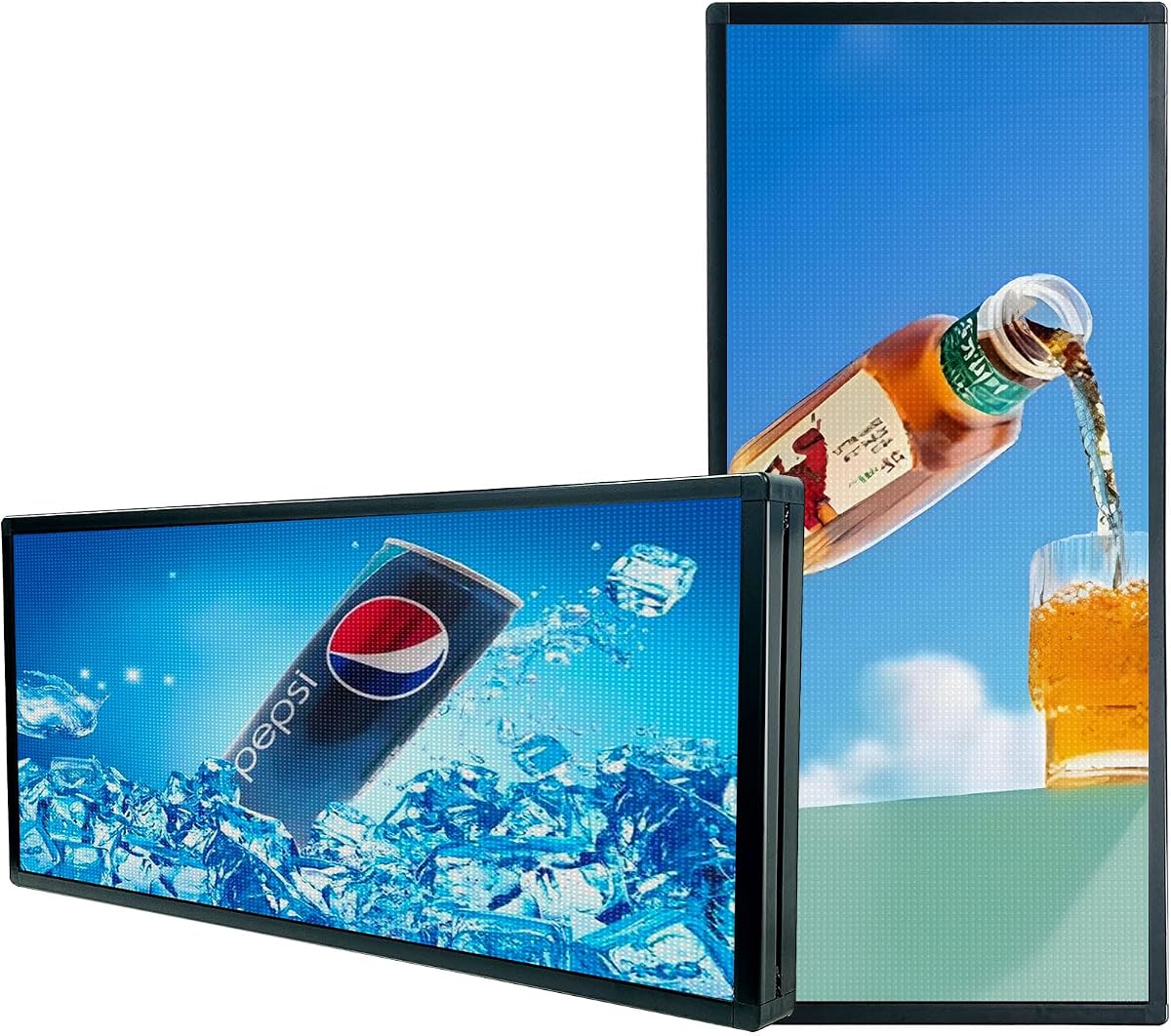
The P5 Outdoor Full-Color Programmable LED Sign is the most technically advanced outdoor display in this guide. Its 5.0 rating, substantial 65-by-34-inch canvas, and five-millimeter pixel pitch distinguish it from the smaller scrolling boards and long, narrow flexible panels included in the comparison.
We may earn a commission when you buy through this link, at no additional cost to you.
The upgraded P5 RGB LEDs and dense pixel arrangement are designed to deliver sharp detail, smooth color transitions, and strong readability in direct sunlight. The sign supports scrolling text, static images, full-color video, animations, and multi-zone layouts. That versatility allows one display to combine short announcements with menus, event promotions, product visuals, or branded content.
Weather protection comes from a sealed aluminum-alloy cabinet with waterproof coating and dust resistance. The enclosure is intended to remain stable through rain, wind, heat, and cold. Content can be updated wirelessly through WiFi or offline using USB, and the supplied control app, manuals, and video guides aim to simplify setup and daily operation.
Its scale creates the main practical constraint. A 65-by-34-inch cabinet needs a suitable support structure, electrical provision, and a location where the full display can remain visible. Despite that, the combination of fine pixel pitch, broad multimedia support, robust housing, and flexible control makes it the premium choice for high-traffic storefronts, roadside advertising, and serious commercial campaigns.
The P5 pixel configuration improves visual detail compared with coarser P10-style boards. As a result, the display can present images, video, and color transitions more effectively while still serving long-distance advertising.
The sealed aluminum cabinet, protective coating, and dust resistance are designed for demanding outdoor installations. This construction supports the sign's suitability for exposed storefront and roadside placements.
We may earn a commission when you buy through this link, at no additional cost to you.
The Amazon Signage Stick is not a complete sign panel but a compact 4K media player designed to turn a compatible television or monitor into professional digital signage. Its 4.2 rating and broad device compatibility make it an attractive option for organizations that already own suitable displays and need centralized content management.
We may earn a commission when you buy through this link, at no additional cost to you.
The stick auto-launches a compatible content management system in kiosk mode, allowing unattended operation. The free Amazon Signage app supports setup, profiles, location-based organization, and real-time monitoring from a phone. Multiple sticks can be managed through the same workflow, which is useful for chains, campuses, restaurants, and organizations with several screens in different places.
The hardware combines 4K output, WiFi 6E, and a quad-core processor in a small enclosure. Secure boot, encrypted storage, and regular updates are included to protect stable operation. Automatic CMS updates help keep the player current without requiring frequent manual maintenance, and support is available through the in-app assistant and the listed technical channels.
The most important limitation is that the Amazon Signage Stick requires a separate display. It also does not independently provide the CMS itself: compatibility is offered with leading providers, and a CMS subscription may be required. Buyers should therefore evaluate the total system rather than the stick alone. Even so, it is a flexible solution for turning existing screens into remotely managed digital directories and advertising displays.
Because the player connects to a separate screen, a business can upgrade its signage without replacing a perfectly serviceable television. This may be especially useful for pilot programs, temporary displays, and distributed screen networks.
Profiles, location grouping, and real-time phone monitoring make repeated updates easier across multiple venues. The automatic kiosk launch also reduces the chance that casual interaction will interrupt customer-facing content.
We may earn a commission when you buy through this link, at no additional cost to you.
The right digital sign depends on more than screen size. Consider placement, viewing distance, content type, operating environment, management requirements, and the level of technical involvement you want before choosing a model.
Choose a sign whose dimensions fit the intended location without overwhelming it. A narrow scrolling panel works well above a storefront window or inside a reception area, while a larger outdoor board is better suited to roadside impressions and busy pedestrian traffic. The pixel pitch also matters: coarser configurations prioritize distance, whereas denser panels can present clearer images to nearby viewers. A 40-by-14-inch board may be sufficient for a small shop, but a large retail entrance or public venue may need a broader canvas.
Indoor displays generally prioritize color accuracy, contrast, and controlled viewing, while outdoor units need enough brightness to remain legible in direct sunlight. Check the listed brightness and the viewing guidance for the model rather than assuming every outdoor-rated sign produces the same result. Countertop menu boards often operate under softer lighting, whereas façade signs, roadside boards, and unshaded storefront windows face glare and changing daylight. Automatic or adjustable brightness features can improve visibility across different conditions.
An IP rating is valuable when a sign will face rain, dust, or sunlight. IP65 indicates a higher level of protection than IP45, and the listed construction should be considered alongside the manufacturer's placement guidance. Some flexible panels are marketed for outdoor use, while others are explicitly intended for indoor windows. A waterproof rating does not eliminate the need for a secure mount, sensible power connection, and ventilation. Covered façades, projecting signs, and ground-level installations can expose equipment differently.
Decide whether the display needs only text, scrollable prices, handwritten offers, full-color logos, photographs, or continuous video. Scrolling LED boards are efficient for large text and simple graphics, while LCD kiosks and denser P5 or P6 panels support richer visual material. Resolution also affects the viewing distance: fine imagery needs a denser pixel arrangement, while a distance-focused sign can use a coarser and potentially more economical configuration. Ensure the content you want to display is practical at the expected viewing distance.
App-based editing is convenient for frequent but small-scale changes, while cloud CMS tools are better for playlists, schedules, multiple displays, and coordinated campaigns. Check supported phones, computers, operating systems, and network standards before purchasing. Several listed products support Windows, Android, and Apple mobile devices but exclude macOS computers. USB transfer remains a useful backup method for local updates. Businesses with several locations should prioritize remote organization, multi-display support, and a content workflow their team can maintain without specialist software knowledge.
Consider the available wall, window, counter, or floor space as well as the weight of the unit. Flexible adhesive panels are convenient for broad windows, but their long span requires accurate placement and a clean surface. Floor-standing kiosks look professional and offer large displays, but they need stable positioning and a permanent power source. Countertop units are the easiest to relocate, while outdoor LED panels may require a frame or mounting hardware that is purchased separately.
A sign that runs all day does not necessarily need to remain powered overnight. Timers, scheduled playback, automatic startup, and remote on-and-off functions can reduce energy use and make routine operation more consistent. Commercial kiosks with built-in media players are particularly useful for automatic daily operation. LED signs that support saved programs and retain data after a power interruption are also helpful for businesses that do not want to recreate a message every morning.
Look for manuals, setup videos, technical support, and a meaningful warranty, especially when the sign is part of a customer-facing display system. A compact media player is only one part of a complete setup, and a CMS subscription may be required in addition to the hardware. For a floor-standing kiosk, also consider delivery, installation, player-box compatibility, and ongoing content management. Compare the complete package rather than focusing only on the display's headline specification.
Begin by identifying the viewing distance, mounting surface, power source, and network coverage. Read the included manual, download the appropriate app or editing software, and confirm that your phone or computer is compatible before creating a complex campaign. Begin with one short test message to verify text alignment, brightness, orientation, playback speed, and timer settings. The supplied setup guides and operation videos are especially helpful for learning the different scrolling, animation, and layout options.
For regular use, create a short library of reusable messages rather than editing a new display every time. Schedule promotions around business hours, alternate important announcements with routine content, and check that text remains readable at the intended distance. Cloud-managed systems should have their connection and automatic-start behavior tested, while USB-based signs should be checked after each transfer. Backup important playlists and visual files so an accidental reset does not interrupt operations.
Care depends on the display type. Wipe tempered glass and writing surfaces with a soft, appropriate cloth, and avoid abrasive cleaners or excessive moisture around vents and power connections. For outdoor units, inspect mounting points, seals, cable entry points, and the surrounding area for water, debris, or obstruction. LED matrices generally need little physical maintenance, but LCD kiosks benefit from regular cleaning and ventilation. Turn equipment off during maintenance and follow the manufacturer's cleaning and power guidance.
An LED sign board generally uses a matrix of light-emitting diodes to create text, scrolling messages, graphics, or limited video. A digital signage display typically uses an LCD or commercial screen to present full-color menus, images, video, web-based content, and multi-zone layouts. The LED models in this guide are often better suited to bright outdoor text, while LCD kiosks and menu boards provide more detailed indoor imagery.
The VEVOR LED writing board requires the least technical setup because staff write and erase messages directly on the surface. Among remotely managed displays, the 18.5-inch menu board offers extensive cloud CMS functions, while the Amazon Signage Stick is convenient for organizations that already own compatible screens. The best choice depends on whether simplicity means manual updates or simple remote control.
Some models are specifically approved for outdoor use, including the IP65-rated P6 and P5 panels and the IP45-rated WiFi scrolling sign. Other flexible products are described as indoor models even if they may be visible through a window. Check the listing, weather rating, power supply, and mounting instructions before exposing any sign to rain, direct sunlight, or other outdoor conditions.
Yes. The Amazon Signage Stick is a media player rather than a complete display panel. It needs to be connected to a compatible television or monitor capable of presenting the desired 4K content. The screen, mounting arrangement, power, and any required CMS subscription are therefore additional parts of the overall signage system.
The appropriate brightness depends on shade, sunlight, and viewing distance. Direct sunlight generally calls for a high-brightness outdoor LED panel, while an indoor storefront or countertop display may prioritize contrast and controlled brightness instead. Adjustable settings are helpful because lighting changes throughout the day. A covered location may need less brightness than an exposed façade or roadside installation.
It depends on the pixel density and viewing distance. The P5 and P6 models support full-color video, animation, and images, but the P6 model is specifically optimized for longer-distance viewing and is not intended for close-up detail. Lower-resolution scrolling boards are better for text and simple graphics. For detailed indoor video, an LCD kiosk or commercial menu display is usually a better fit.
Several LED models can be edited through an Android or Apple mobile app using Bluetooth or WiFi. The Rayhome sign also includes a handheld controller for brightness, content length, and display adjustments, while the VEVOR writing board uses direct handwriting and a remote. Check operating-system compatibility, especially when a compatible phone or tablet is your primary device.
The KJOY and Rayhome signs include password settings that can lock their programming. For other systems, use restricted administrator accounts, strong CMS passwords, scheduled updates, and physical access controls. Keeping the media player or controller in a secure location adds another layer of protection, particularly in public areas where staff, visitors, or customers pass near the equipment.
The three leading choices serve different needs. The P5 Outdoor Full-Color LED Sign is the premium option for a large, bright, weather-resistant display with rich multimedia support. The MWE floor-standing kiosk is the editor's choice for polished indoor presentation, Android flexibility, and multi-zone layouts. The VEVOR LED writing board is the budget pick for businesses that need fast, intuitive, handwritten updates.
For every other use case, prioritize the environment and the content. Flexible panels offer long, narrow scrolling displays; the P6 and HS signs suit distance-focused outdoor messaging; the 18.5-inch menu board is tailored to countertop management; and the Amazon Signage Stick is valuable when existing screens need centralized professional playback. Installation space, viewing distance, device compatibility, and weather protection deserve more attention than headline features alone.
Before ordering, verify the current specifications, included accessories, CMS requirements, mounting needs, and warranty terms on the product page. Prices, promotions, availability, and software compatibility can change over time, so the final purchase should reflect the sign's present capabilities rather than an earlier product listing or outdated comparison.