
BENFEI USB-C to Ethernet Adapter
4.5Editor score
Up to 1Gbps wired speed
Broad Android device compatibility
Compact braided-cable design
Compare the best Ethernet adapters for Android phones, including USB-C speed, compatibility, charging support, portability, driver-free setup, and construction.
Ethernet adapters give Android phones a stable, wired connection for downloads, video calls, streaming, gaming, and access to local networks. The right model depends on your phone’s connector, supported network speed, power needs, and whether you want a conventional dongle or a compact all-in-one design.
We compared all ten adapters by examining their stated connection speeds, USB-C or Micro USB interfaces, operating-system support, driver requirements, physical construction, and suitability for phone-based networking. The list covers basic Gigabit models, premium high-speed options, a dual-connector travel adapter, and a charging-enabled model.
Each review explains the product’s strongest use case, practical limitations, and compatibility considerations before giving a recommendation. Ratings and product details reflect the supplied information, while availability and pricing can change, so readers should confirm the current listing and fit for their particular Android device.
4.5Editor score

4.7Editor score

5.0Editor score
The comparison below highlights each adapter’s interface, maximum network capability, Android support, charging functions, portability, and other practical distinctions relevant to Android phone users.




The BENFEI USB-C to Ethernet Adapter is a straightforward wired-network solution with a 4.5 rating and support for connections up to 1Gbps. Its USB-C plug makes it a natural fit for modern Android phones that expose Ethernet or USB networking through their charging port, while the small housing and short braided lead suit travel, office, and home use.
We may earn a commission when you buy through this link, at no additional cost to you.
The adapter supports 100Mbps and 10Mbps networks as well as Gigabit Ethernet. A CAT6 or better cable is required to achieve the stated 1Gbps ceiling, which means the cable in the room can determine whether a user sees the adapter’s full advertised performance. Its non-slip design, aluminum housing, and reinforced braided cable are especially useful for a frequently portable accessory.
The main limitation is that it adds only a data connection. It does not provide USB-C Power Delivery, so a phone may lose access to conventional charging while the adapter is attached unless the user has a separate charging arrangement. The broad compatibility list is helpful, although Android behavior can still depend on the phone’s USB networking features.
This is a strong recommendation for most Android phone owners who want an uncomplicated Gigabit adapter without paying for charging functionality. Users with newer USB-C phones, a modern router, and a CAT6 cable should find it especially practical. The conservative design and broad device support outweigh the lack of a second port.
With support for Gigabit, 100Mbps, and 10Mbps networks, the adapter covers the speeds commonly needed by web browsing, cloud applications, large transfers, and high-resolution streaming. Using a CAT6 or newer Ethernet cable helps users make the most of the stated top speed.
The lightweight aluminum body, non-slip connector housing, and braided nylon lead give the adapter a more travel-friendly profile than a large desktop dongle. It is easy to place in a phone pouch, laptop sleeve, or tech organizer without adding much bulk.
We may earn a commission when you buy through this link, at no additional cost to you.
The uni USB C to Ethernet Adapter combines a 4.6 rating with a straightforward 1Gbps network connection. It is designed for plug-and-play use with compatible USB-C devices, and its stated phone support includes recent Samsung models, making it a practical option for Android users who want a stable alternative to inconsistent Wi-Fi.
We may earn a commission when you buy through this link, at no additional cost to you.
A particularly useful design detail is the adapter’s ability to avoid blocking adjacent USB-C ports. That makes it less disruptive on compatible phones and tablets that retain multiple USB-C-related inputs or accessory connections. The aluminum casing helps dissipate heat, while the braided lead and snug-fitting connector support repeated use.
Like most basic USB-C network adapters in this list, it does not include a USB-C charging port. Users who need continuous power while transferring data should consider an adapter with Power Delivery or a compatible phone-specific arrangement. The 1Gbps rate also depends on using a CAT6 or better Ethernet cable and compatible network infrastructure.
The uni adapter is an excellent general recommendation for an Android phone owner seeking simple, driver-free networking. Its rating, compact form, and thoughtful port positioning distinguish it from bulkier options. It is especially appropriate when reliability and convenience matter more than charging simultaneously or exceeding Gigabit network speeds.
The supplied information identifies the adapter as driver-free, reducing the setup process to connecting the USB-C plug, inserting the Ethernet cable, and joining the network through the phone. That simplicity is particularly helpful for users who travel or connect in unfamiliar spaces.
The compact housing and connector arrangement are intended to leave neighboring ports accessible. This matters more than a traditional block-shaped dongle when an Android device is being used with another accessory or when the user prefers a less cumbersome setup.
We may earn a commission when you buy through this link, at no additional cost to you.
The Micro USB OTG Ethernet Adapter is the only legacy-focused option in the group, aimed at Android tablets and other devices with a Micro USB port. It has a 4.5 rating and adds 10/100M wired connectivity without requiring an external power supply, making it relevant to older hardware that lacks a modern USB-C connector.
We may earn a commission when you buy through this link, at no additional cost to you.
The product information says driverless operation applies to Android 4.0 and later, Windows 8.1 and later, and recent macOS versions. It also includes LINK and ACT indicator lights, which are useful for confirming that the cable and network connection are active without opening Android settings each time.
Compatibility is the central caveat. The product has limited Android support, and buyers are advised to check for a grayed-out Ethernet option under the device’s Wireless & Networks settings. The 100Mbps ceiling is also well below the Gigabit and faster models, so it is better for basic browsing and maintenance tasks than modern high-volume transfers.
This adapter is worth considering only if the buyer owns a compatible Micro USB Android tablet or another supported device and cannot use USB-C. The setup is inexpensive in concept, simple, and supported by useful status lights. Owners of current USB-C Android phones should prioritize a newer adapter with broader compatibility and faster Ethernet.
Modern Android phones increasingly use USB-C, making a Micro USB adapter a niche choice. It remains useful for compatible older tablets, handheld projects, and legacy devices that expose wired networking through OTG.
The stated advice to look for an Ethernet menu in Wireless & Networks is important. Hardware support alone may not guarantee that every Android version and regional software build will recognize the adapter.
We may earn a commission when you buy through this link, at no additional cost to you.
The Cable Matters USB C to Ethernet Adapter with Charging stands apart from most entries because it combines a Gigabit RJ45 connection with a USB-C Power Delivery port. It has a 4.4 rating and supports up to 140W of charging, making it a more complete wired-access solution for compatible USB-C and Thunderbolt devices.
We may earn a commission when you buy through this link, at no additional cost to you.
The charging feature allows a device to remain powered while the Ethernet adapter is in use, which is valuable for intensive transfers, long downloads, video calls, or extended sessions. The product supports Windows, macOS, iPadOS, ChromeOS, and Linux, and is described as requiring no extra drivers or software for an immediate connection.
The main consideration is size and power-management relevance. A phone may accept less than the adapter’s maximum charging rating, and a multiport housing can be bulkier than a simple network dongle. The stated 140W capability is most relevant to compatible high-performance computers, although the integrated charging architecture also differentiates the product for other USB-C devices.
This is a strong choice for a user who wants one accessory to handle both networking and charging. It is less compelling for someone whose phone charges comfortably through a simple adapter and who prioritizes the smallest possible package, but the added PD port can eliminate the need to carry a separate charging solution during wired work.
The integrated USB-C PD port is the defining advantage. Keeping the device powered through the adapter is useful when network use is intensive or when the user does not want to interrupt a session to connect another charger.
Stated compatibility includes major desktop and mobile operating systems, several computer families, and Chromecast with Google TV models from 2020 onward. The device therefore works well as a shared travel accessory across several types of hardware.
We may earn a commission when you buy through this link, at no additional cost to you.
The UGREEN USB C to Ethernet Adapter offers one of the strongest balances of rating, compatibility, speed, and portability in the list. Its 4.7 rating reflects a well-regarded product, while the stated 1000Mbps performance and driver-free Android support make it a logical first choice for modern phones with USB-C.
We may earn a commission when you buy through this link, at no additional cost to you.
The adapter supports 100Mbps and 10Mbps networks in addition to Gigabit Ethernet, and it uses a compact aluminum alloy case with a reinforced cable tail and wear-resistant port. Those details make it suitable for repeated plugging while preserving a relatively small footprint in a pocket or tech bag.
There is no charging pass-through, which is the most important limitation for a phone user. Users should also note that the supplied information calls for drivers on older Linux versions, although Windows, macOS, ChromeOS, and Android are listed as driver-free. Gigabit performance still depends on a suitably rated Ethernet cable and network equipment.
This adapter is a compelling general-purpose recommendation because it directly addresses Android use, offers a proven Gigabit class of performance, and does not introduce a bulky charging accessory. It is best for users who want quick setup, dependable wired access, and a compact design at a moderate feature level.
UGREEN specifically identifies Android as a driver-free platform, which removes an important source of uncertainty for phone users. The adapter also supports widely used USB-C devices, including recent iPhone models, iPads, Chromebooks, and laptops.
The adapter supports 1000Mbps as well as backward-compatible 100Mbps and 10Mbps modes. It is suitable for everyday office connectivity, streaming, gaming, downloads, and other activities where a stable wired route is preferable to Wi-Fi.
We may earn a commission when you buy through this link, at no additional cost to you.
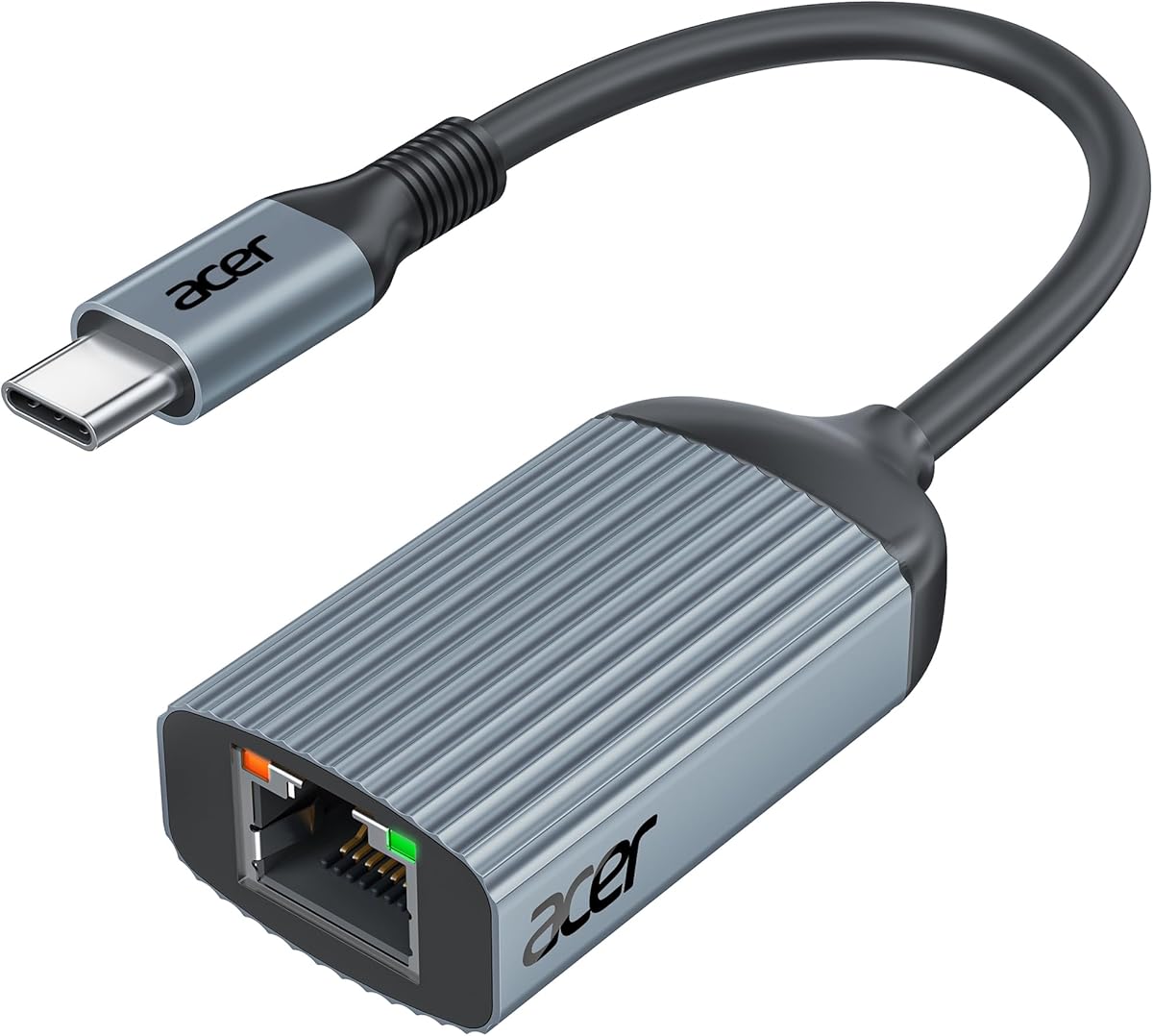
The Acer USB C to Ethernet Adapter is a compact, no-fuss option for Android phones and other USB-C devices. It carries a 4.4 rating and uses an updated RTL8153B controller, supporting Gigabit Ethernet with backward compatibility for 100Mbps and 10Mbps networks.
We may earn a commission when you buy through this link, at no additional cost to you.
Its strongest features are practical rather than flashy. The heat-dissipating aluminum housing is designed to handle sustained use, the reinforced ports are intended to endure repeated insertion and removal, and two indicators help users diagnose the connection quickly. Plug-and-play operation means no software or driver download is needed for normal use.
The product does not provide charging while the adapter is attached. Users may also need a CAT6 or better Ethernet cable to reach the stated 1Gbps rate. Despite the Acer name, the supplied compatibility list spans many brands, including several Samsung Galaxy S-series phones and tablets.
Acer is a good recommendation for users who value a small, conventional dongle with clear status lights and broad phone compatibility. It fits the needs of anyone seeking a simple Gigabit connection without a specialized RJ45-plug design or integrated Power Delivery.
The adapter’s small aluminum body is easy to carry and avoids the bulk associated with larger hubs. It is a sensible choice for users who need a temporary wired connection while traveling, studying, or working away from a dependable Wi-Fi network.
Two status indicators provide immediate visual feedback, helping users distinguish an active link from a disconnected cable or inactive network. That makes troubleshooting much quicker than repeatedly opening settings on the phone.
We may earn a commission when you buy through this link, at no additional cost to you.
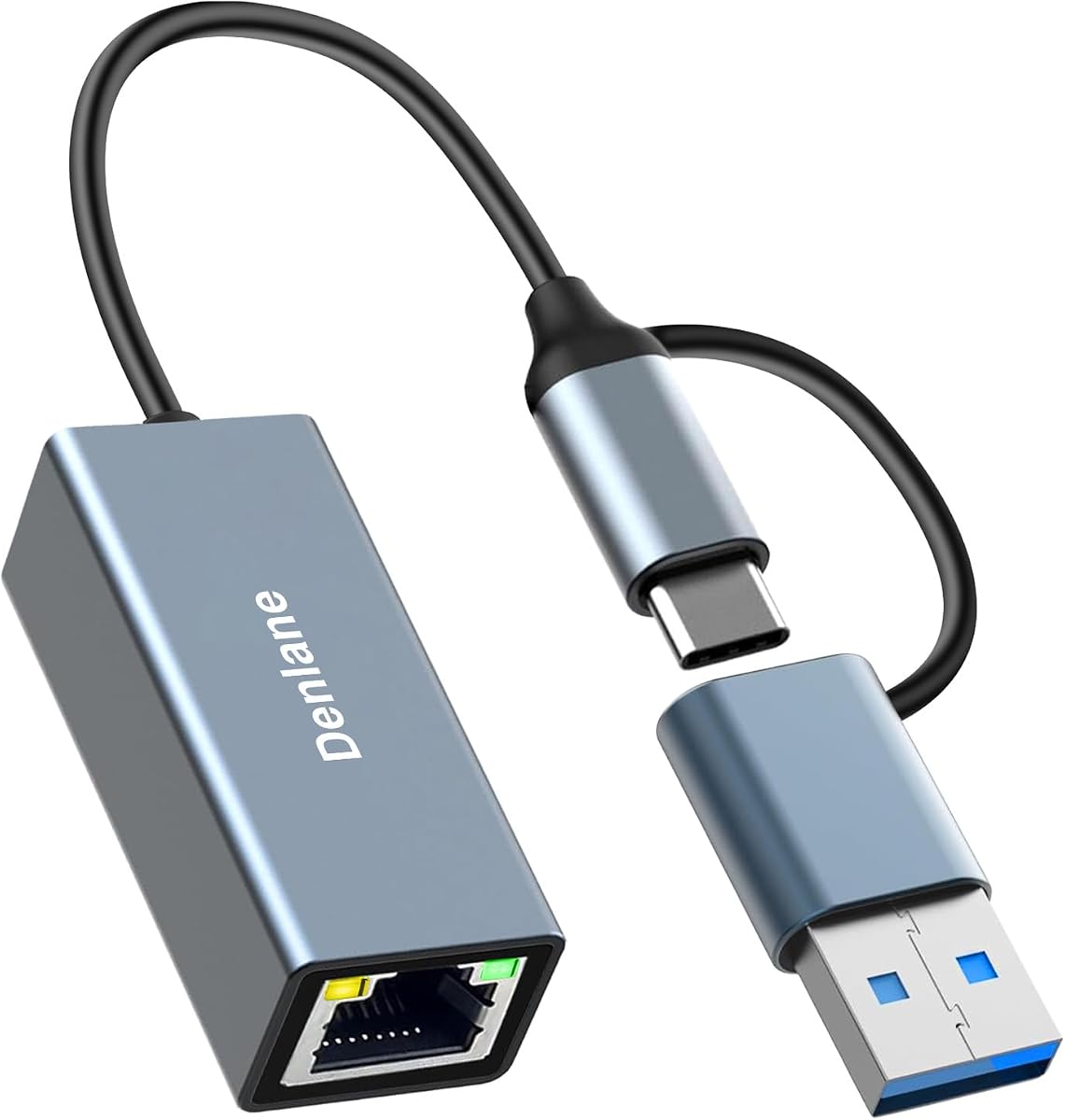
The Denlane USB 3.0 to Ethernet Adapter has a distinctive dual-connector design, allowing it to work with both USB-A and USB-C ports. It has a 4.0 rating, supports Gigabit Ethernet, and requires neither an external power supply nor a driver, making it a flexible choice for mixed device collections.
We may earn a commission when you buy through this link, at no additional cost to you.
The adapter’s main benefit is versatility. A user can carry one network solution for a USB-C Android phone and a USB-A computer or accessory, avoiding the need to remember different dongles. Its flexible cable can also be positioned in different ways, while the aluminum alloy construction is intended to withstand regular handling.
The dual-interface design necessarily makes the product bulkier than a small USB-C-only dongle. The 4.0 rating is also the lowest among the ten options, so buyers should pay particular attention to current customer feedback. Some listed operating-system naming is unconventional, although Windows, macOS, ChromeOS, Linux, Android, and iOS are specifically mentioned.
This adapter is best for travelers, families, or offices that regularly move between USB-A and USB-C hardware. It is a reasonable, practical compromise for an Android phone, but users who only need USB-C and favor a minimal package may find one of the smaller single-connector adapters more elegant.
The combined USB-A and USB-C ends are useful when an Android phone is only one part of a larger collection of devices. It can reduce the number of network accessories a user needs to carry without adding a separate power supply.
The soft cable can be bent and routed according to the available space, which helps prevent stress from a rigid connector. Its construction is described as having been tested through more than 10,000 bends.
We may earn a commission when you buy through this link, at no additional cost to you.
The Monoprice USB-C to 5Gbps Ethernet Adapter is the premium speed-oriented choice, holding a 5.0 rating among the supplied products. Its 5Gbps connection capability is designed to provide a faster interface than typical Wi-Fi and adds wired network access to devices without RJ45 ports.
We may earn a commission when you buy through this link, at no additional cost to you.
The adapter is powered entirely through USB-C, so it does not need a separate power adapter. Plug-and-play installation is stated for Windows, macOS, ChromeOS, and Android, and the product is compatible with most laptops, tablets, smartphones, and gaming devices that use USB-C. Its aluminum housing also makes it suitable for daily travel use.
A crucial distinction is that 5Gbps describes the USB-C connection, not necessarily the Ethernet network throughput or internet speed. The actual result remains limited by the phone, adapter internals, Ethernet cable, router, switch, and network services. Buyers should not treat the headline figure as a guaranteed connection rate, but as a higher-bandwidth pathway capable of taking advantage of fast local networks.
This is the best premium recommendation for users who want a future-oriented USB-C network accessory, especially those moving large files within a fast local network. It combines the highest rating, strong platform support, and a rugged compact design. For ordinary web use, a standard Gigabit adapter may be sufficient, but this model provides greater headroom.
The stated 5Gbps interface can offer more headroom than conventional Gigabit USB-C adapters when both endpoints and local infrastructure are fast. That makes the product particularly relevant to large transfers, high-resolution media, and modern multi-gigabit local networks.
The robust aluminum housing is designed to withstand daily wear while remaining compact enough for a laptop bag or pocket. Because power comes from the USB-C port, the adapter itself requires no bulky external supply.
We may earn a commission when you buy through this link, at no additional cost to you.
The RJ45 Male to Type C Female Network Adapter takes a different approach from conventional dongles. Rather than ending in a full RJ45 female port, it has an integrated male Ethernet plug and accepts a USB-C data cable at the opposite end. It carries a 4.7 rating and supports 10, 100, and 1000Mbps Ethernet.
We may earn a commission when you buy through this link, at no additional cost to you.
This design can reduce bulk because the Ethernet plug connects directly to a wall outlet, switch, or router, while the phone connects through a USB-C cable. It is particularly useful for travel, offices, and shared spaces where carrying a rigid adapter and a separate Ethernet lead would be inconvenient.
Performance depends heavily on the USB-C cable. The product information states that a USB 3.0, 3.1, 4.0, or Thunderbolt 3, 4, or 5 cable can support the full 1000Mbps rate, while USB 2.0 cables are limited to 100Mbps. Users must therefore bring a suitable data cable, adding an item the traditional adapter design already incorporates.
The adapter is a smart pick for users who already carry a good USB-C cable or prefer a minimal travel setup. Its compact aluminum body, automatic speed negotiation, Android OTG support, and stated overcurrent, overvoltage, and short-circuit protections make it a distinctive and practical option.
Because the RJ45 plug is built in, the adapter can connect directly to compatible network hardware. Users can avoid carrying the bulky Ethernet socket housing found on many conventional dongles, although they still need a capable USB-C data cable.
Choosing a USB 3.0 or newer cable is essential for the adapter to reach its stated Gigabit ceiling. An older USB 2.0 cable can restrict the connection to 100Mbps, making cable capability a central part of the purchase decision.
We may earn a commission when you buy through this link, at no additional cost to you.
The UGREEN USB C to Ethernet Adapter 2.5G is built for users whose network is faster than ordinary Gigabit Ethernet. It has a 4.6 rating and supports up to 2.5Gbps through an updated Realtek RTL8156BG controller, making it especially relevant for NAS equipment, fast local storage, and modern multi-gigabit networks.
We may earn a commission when you buy through this link, at no additional cost to you.
The adapter can give an aging USB-C device new life when paired with a 2.5Gb-capable router, switch, and network service. Its aluminum housing, reinforced ports, and indicator lights are designed for regular use, while the controller is stated to maintain performance with reduced heat and low power consumption.
The network infrastructure is the decisive limitation. A regular Gigabit router or switch will cap the result at 1Gbps, and a phone’s own networking support may also constrain performance. There is no integrated charging port, so users should consider how they will power their device during an extended session.
UGREEN’s 2.5G model is a strong advanced-network recommendation rather than a general replacement for every phone adapter. It shines for high-speed local transfers and users with appropriate infrastructure. Those with a standard Gigabit network will find the UGREEN 1000Mbps model more economical and straightforward.
A 2.5Gb adapter can remove a network bottleneck when the router, switch, storage target, and other endpoints also support the faster standard. This makes it particularly attractive for NAS access and large local file movement.
The Realtek RTL8156BG controller and aluminum housing are intended to support stable operation at higher transfer rates. Indicator lights make connection status easy to see while the device is in use.
We may earn a commission when you buy through this link, at no additional cost to you.
Choosing an Ethernet adapter for an Android phone requires matching the connector to the device, confirming operating-system support, and deciding whether speed, charging, portability, or legacy compatibility is the priority.
Summary: Buy a USB-C adapter for a modern phone, and confirm Android networking support before purchasing a legacy Micro USB option.
Summary: Choose Gigabit for everyday use, 2.5G for modern high-speed local networks, and 5Gbps for maximum interface headroom.
Summary: Choose a Power Delivery model for continuous charging, or confirm that your phone supports a suitable concurrent charging arrangement.
Summary: Favor explicit Android support, and investigate any driver or operating-system caveats before buying.
Summary: Favor a compact reinforced design, and choose a specialized connector layout only when it simplifies your actual travel setup.
Summary: Use CAT6 or newer for Gigabit and verify the router, switch, server, and cabling support your target speed.
Summary: Use ratings as a starting point, then check recent feedback for compatibility with your exact phone and setup.
Start by confirming that the Android phone supports USB-C or Micro USB OTG networking and that the adapter is compatible with the phone’s Android version. Connect the adapter to the phone, plug a suitable Ethernet cable into the RJ45 port, and connect the other end to a router, switch, wall outlet, or network device. The phone may then offer a wired network option in its Wireless & Networks settings.
If the network does not appear, unplug the adapter and restart it, then check the cable and network hardware. Users may need to cycle Wi-Fi off and on, move the USB-C connection to a different port, or review the adapter’s driver requirements. Android support can vary by model, so the absence of an Ethernet menu may indicate that the phone or firmware does not expose the required feature.
To protect the adapter, avoid sharply bending the connector or pulling the Ethernet cable sideways. Keep the RJ45 port and USB-C plug free from dust, and do not leave the adapter connected to an unattended public network without considering the security of that network. For long sessions, monitor the housing for unusual heat and use a cable rated for the desired network speed.
No. The phone must support USB networking through its USB-C port, and the Android version and manufacturer firmware must expose wired Ethernet or USB networking. The adapter should also list Android compatibility. Physical connector fit alone does not guarantee that the operating system will recognize the adapter.
Usually not. Modern Android phones that support USB-C wired networking can use a standard USB-C to Ethernet adapter directly. Older Micro USB devices generally require an OTG-capable solution and compatible USB networking support. Confirm the device’s settings and documentation before buying a legacy model.
For typical internet browsing, streaming, video calls, and downloads, Gigabit is generally more than sufficient. The larger limitation is often the phone, router, internet connection, or remote server. A 2.5G or 5Gbps interface can matter for fast local networks, NAS systems, and large file transfers.
It depends on the adapter. A model with an integrated USB-C Power Delivery port can provide power and network connectivity at the same time. A standard Ethernet dongle usually uses the phone’s USB-C port without adding charging. Some Android phones may also support a compatible secondary charging method, so check the phone’s specifications.
A lower rate can result from an older Ethernet cable, a 100Mbps router or switch, network configuration, phone limitations, or an unsuitable USB-C cable. For a standard Gigabit adapter, use CAT6 or newer Ethernet cabling and confirm that the network hardware supports 1Gbps. A USB 2.0 cable can also limit some adapter designs.
Most modern USB-C models in this guide are described as driver-free on Android. The Micro USB OTG option is designed for older systems and has limited Android compatibility, so users should verify the phone’s Ethernet settings. Some adapters require drivers on older Linux versions even though Windows, macOS, ChromeOS, and Android work without installation.
A 1Gbps adapter can support up to 1000Mbps, while a 2.5Gbps adapter can support the faster 2.5GbE standard. The higher rate only appears when the router, switch, cable, storage target, and other endpoints also support 2.5GbE. On ordinary Gigabit equipment, the faster adapter will generally be limited by the network.
For a standard Gigabit adapter, choose a CAT6 or newer Ethernet cable to support the stated maximum rate. For the RJ45 male plug design, also use a USB 3.0 or newer data cable because a USB 2.0 cable may limit the Ethernet connection. Confirm that the cable supports both data and, if needed, charging.
The BENFEI adapter stands out as a well-rounded, budget-conscious option with Gigabit speed and broad phone compatibility. The UGREEN 1000Mbps model offers an excellent balance of a high rating, explicit driver-free Android support, and a durable compact body, while the Monoprice 5Gbps adapter provides the strongest premium case for users with high-bandwidth local equipment.
Prioritize the connector, Android compatibility, and intended network speed before secondary features. Standard Gigabit is the most sensible choice for most people, 2.5G is meaningful for NAS and multi-gigabit networks, and integrated charging is valuable when an Android phone must remain powered during extended wired use. Cable quality and the rest of the network can determine the real result.
Ratings, product details, availability, and pricing can change, so check the current listing before purchasing. Confirm the exact phone model, Android version, USB-C cable requirements, router capabilities, and any driver notes to avoid choosing an adapter that looks compatible but cannot deliver the intended connection.