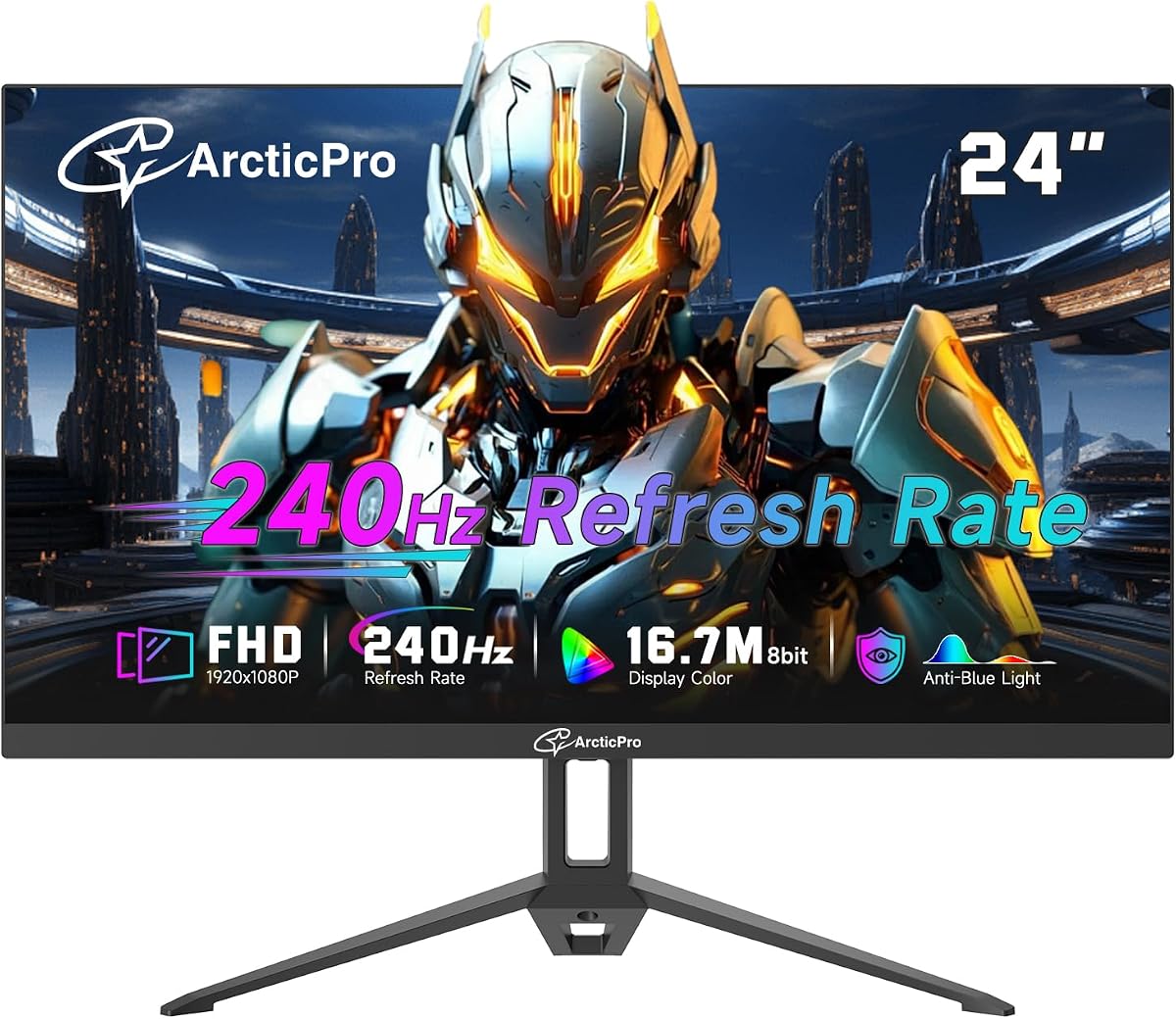
ArcticPro 24 Inch 240Hz Gaming Monitor
4.0Editor score
240Hz refresh rate
Full HD VA panel
Adaptive Sync support
A cheap 240Hz monitor can give competitive and casual PC gamers a noticeably smoother experience than a conventional high-refresh display, but refresh rate alone does not guarantee a good monitor. Response time, synchronization, panel behavior, resolution, and connection options all influence how motion actually looks during play.
We compared ten 240Hz monitors using their listed specifications, customer ratings, panel types, refresh rates, response-time claims, color coverage, adaptive-sync support, and physical connectivity. The list includes flat and curved IPS and VA models, compact 24-inch displays, larger 27-inch options, and screens aimed at different gaming priorities.
Each review identifies the strongest reason to consider that model and the compromises a buyer should understand. The Dell SE2426HG stands out for its IPS panel and gaming features, while the ArcticPro and ZZA options represent lower-cost approaches; remember that prices, availability, and promotional terms can change over time.
4.0Editor score

4.7Editor score

4.5Editor score
As an Amazon Associate we earn from qualifying purchases.
The comparison highlights the differences in screen size, panel technology, response-time claims, adaptive-sync support, and port selection, helping shoppers identify the model that best matches their gaming system and desk space.


The Dell SE2426HG is an attractive all-around option for buyers who want 240Hz gaming without paying for a high-end esports display. Its 23.8-inch Full HD IPS panel combines a 240Hz refresh rate with a listed 0.5ms response time, while its 4.7 customer rating suggests broadly positive reception. The design focuses on useful fundamentals rather than elaborate desk features.
We may earn a commission when you buy through this link, at no additional cost to you.
Motion performance is the model’s strongest area. Dell lists FreeSync Premium, HDMI VRR, and DisplayPort 1.4 compatibility, allowing compatible PC systems to synchronize frame presentation and reduce visible tearing. The fast IPS response is particularly valuable for fast shooters, racing games, and competitive multiplayer titles because it is better suited to quick transitions than many general-purpose VA panels.
Color is another strength, with 99% sRGB coverage and wide IPS viewing angles. That makes the monitor suitable not only for games but also for web work, media consumption, and light photo viewing. TÜV Rheinland 3-star certification adds a measured eye-comfort feature through lower blue-light output without requiring a separate system-level filter.
The main limitation is resolution. At 1920×1080, the picture is sharp enough for competitive gaming and everyday use, but it will not provide the fine detail or workspace capacity of a higher-resolution 27-inch monitor. Tilt adjustment is also more limited than height, pivot, and swivel support. Even so, the SE2426HG offers one of the strongest combinations of speed, synchronization, color, and recognizable brand support in this guide, making it our preferred general-purpose pick.
This is the monitor to shortlist first when your GPU can drive games at high frame rates and you want a straightforward 240Hz upgrade. It is especially attractive for competitive PC gamers who value an IPS panel, a strong rating, and useful eye-comfort certification. Its straightforward feature set makes it easier to recommend than a more specialized alternative.
Dell combines a familiar 24-inch footprint with the responsiveness most needed for high-refresh gaming. The 23.8-inch size fits many desks comfortably, and native Full HD resolution keeps the interface legible without requiring scaling. For a user moving from a standard 60Hz or 144Hz display, that combination of refresh rate and familiar dimensions can feel like a practical upgrade rather than a complicated overhaul.
The two HDMI inputs and DisplayPort 1.4 provide enough flexibility for a gaming desktop, laptop, and secondary entertainment device. The listing specifically notes FreeSync Premium and HDMI VRR for synchronized PC and console gameplay, although users should still verify the refresh-rate and VRR limitations of their chosen console. Tilt adjustment helps place the screen comfortably without adding a large stand.
Buyers who need a monitor for detailed professional color work, extensive side-by-side applications, or maximum text density may prefer a higher-resolution panel. Those who want more dramatic contrast may find a VA model more compelling. Even so, for a high-refresh gaming upgrade with a balanced feature set, the Dell SE2426HG remains the most broadly persuasive option in this comparison.
The combination of 240Hz, a 0.5ms response-time claim, and FreeSync Premium addresses the main requirements of a competitive gaming display. It should appeal to players who value low-latency motion, clear fast transitions, and synchronized frame delivery over higher resolution or extensive physical adjustment.
Wide IPS angles, 99% sRGB coverage, tilt adjustment, and multiple video inputs make the display practical beyond gaming. It can serve as a general-purpose desktop monitor without asking the buyer to sacrifice basic color quality or connectivity.
We may earn a commission when you buy through this link, at no additional cost to you.
The ArcticPro 24-inch 240Hz monitor is a budget-oriented option for gamers who want a high refresh rate and VA contrast without moving to a more expensive enthusiast model. It carries a 4.0 customer rating and offers a straightforward feature set built around a 1920×1080 VA panel, 240Hz refresh rate, and adaptive synchronization.
We may earn a commission when you buy through this link, at no additional cost to you.
The panel’s 120% sRGB coverage is a useful specification for a value-oriented gaming display, while 178-degree viewing angles are specified for both horizontal and vertical viewing. Its three-sided frameless design gives the monitor a more modern appearance and can make it easier to arrange with another display. A 100-by-100-millimeter VESA pattern adds mounting flexibility.
Response time is the main consideration. The listed 2ms MPRT figure is less aggressive than the 0.5ms or 1ms claims found on several competing monitors, and MPRT is not the same measurement as pixel-to-pixel response. Fast-moving games may still reveal more blur than on an IPS model with a quicker minimum response, so competitive players should consider that distinction carefully.
The monitor is best for value-conscious gamers, students, and casual players who want 240Hz for fast multiplayer, sports, racing, and everyday PC use. It may not be the first choice for a professional esports setup where every possible millisecond matters, but its broad feature set and low-cost positioning make it a credible budget selection. A 2ms MPRT claim and limited physical adjustment are acceptable compromises within this category.
This model demonstrates how affordable 240Hz monitors have expanded beyond basic office screens. Adaptive Sync can keep the display aligned with the frame output of a compatible graphics card, reducing tearing during fast scenes. Low Blue Light support is also included, making the monitor more comfortable for long gaming or study sessions.
Connectivity and installation are simple. The listed tilt range allows the screen to be angled for a more comfortable viewing position, while VESA compatibility provides an alternative to the included stand. That matters for buyers with smaller desks who may need to reclaim space or position the display precisely above a keyboard.
The ArcticPro is a good match for someone who values the headline refresh rate, contrast-oriented VA panel, and useful specifications more than premium brand prestige. It is less convincing for professional color work because the listing does not provide the same depth of color-performance information as more specialized displays. Even so, for affordable high-refresh gaming, it delivers a useful package without an elaborate feature checklist.
The ArcticPro puts a native 240Hz refresh rate and adaptive sync into a value-focused package. That makes it well suited to fast games on a capable PC without requiring buyers to pay for a larger screen or more elaborate stand.
A VA panel offers a different visual profile from the Dell’s IPS option, with the listing emphasizing wide color coverage and wide viewing angles. VESA support and a slim three-sided bezel also help it fit compact, modern workspaces.
We may earn a commission when you buy through this link, at no additional cost to you.
The SANSUI 24-inch Curved 240Hz monitor combines a 1500R curve with a 1ms MPRT claim, 240Hz refresh rate, and a detailed entertainment-oriented specification list. Its 4.4 rating places it among the better-reviewed products here, and the inclusion of 124% sRGB, 93% DCI-P3, HDR, and a 3000:1 contrast ratio gives it a stronger multimedia profile than many basic competitors.
We may earn a commission when you buy through this link, at no additional cost to you.
The curvature is relatively subtle compared with aggressively curved models, which can make the display easier to integrate into a regular desk while still creating depth around the sides. Its VA panel is fitted with FreeSync, game-mode presets, a crosshair feature, black-level adjustment, anti-flicker, and anti-glare treatment. Those features make it relevant to shooters as well as players who want deeper-looking dark scenes.
The listed 300 nits of brightness is reasonable for a gaming monitor, although it should not be interpreted as the same as a high-end HDR experience. The product data mentions HDR but does not specify panel certification, peak brightness, local dimming, or detailed color calibration. Buyers expecting a true reference-grade HDR workflow should therefore treat HDR as an additional feature rather than a decisive reason to buy.
The SANSUI works best for gamers who prioritize immersion, dark-scene contrast, and a generous set of gaming-oriented features. Its Full HD resolution, tilt-only stand, and modest 4.4 rating mean it is not an automatic recommendation for every buyer. Those limitations are reasonable for the category, and the strong 240Hz feature set, HDMI 2.0, DisplayPort 1.4, audio jack, and 75-by-75-millimeter VESA compatibility make it an appealing curved-screen option.
The monitor is particularly attractive for single-player games, racing titles, and mixed gaming-and-media use. A curved screen can make a standard desk feel more focused, while the high contrast and broad color figures can make streamed content and dark menus appear more dimensional. Fast competitive shooters can benefit from the 1ms MPRT specification and the included crosshair.
Connectivity is well rounded for an inexpensive curved gaming display. HDMI 2.0 and DisplayPort 1.4 are both listed as capable of carrying 240Hz, giving desktop users a choice of interfaces. An audio jack adds another degree of flexibility for headphones or external speakers, even though the monitor itself does not include built-in speakers.
The SANSUI’s strongest argument is variety. It combines a fast refresh rate with a mild curve, rich panel specifications, HDR, FreeSync, and gaming utilities. It is not the most universally suitable display in the roundup, but for a buyer who wants more visual features from a 24-inch 240Hz monitor, it provides a compelling package.
The 1500R radius creates a more enclosed viewing feel while remaining less dramatic than many high-curvature gaming screens. That balance can suit desks where users want gaming immersion without a highly distorted peripheral view.
The listed 124% sRGB coverage, 93% DCI-P3 coverage, and 3000:1 contrast ratio make the panel specification more interesting than a basic budget display. Actual color accuracy still depends on calibration and individual unit variation.
We may earn a commission when you buy through this link, at no additional cost to you.
The ZZA 25-inch curved monitor offers an ambitious combination of 240Hz refresh, a 2800R VA panel, 1ms MPRT, FreeSync, and a 120% sRGB claim. Its 4.4 rating is solid, and the unusually strong specification sheet makes it a serious contender for buyers who want a visually dramatic gaming display on a modest budget.
We may earn a commission when you buy through this link, at no additional cost to you.
The most important connection detail is that 240Hz is achieved through DisplayPort 1.2, while HDMI 1.4 is listed at up to 144Hz. PC gamers with a modern graphics card can therefore access the intended headline refresh rate, but console or laptop users should verify the output capabilities of the device before assuming every connection will reach 240Hz.
The 2800R curve is more pronounced than the SANSUI’s 1500R design. It can create a strong sense of immersion in shooters and racing games, although some viewers may find the edge curvature distracting during general productivity or long text-heavy work. The 25-inch size remains relatively compact, which helps limit the physical footprint while still offering a roomier image than a traditional 24-inch model.
Its 1ms MPRT claim, 240Hz rate, and AMD FreeSync support target fast motion, while blue-light filtering and flicker-free technology address long-session comfort. The trade-offs are the Full HD resolution, the more aggressive curve, and the fact that some competitive gamers may prefer a flat IPS panel for geometric consistency. These compromises are acceptable for a gaming-first curved display, and the ZZA is a strong recommendation for a buyer who prioritizes motion features and immersion over workspace resolution.
The listing also identifies compatibility with PS5 and Xbox Series S/X, which broadens the monitor’s appeal beyond PC gaming. Connectivity includes HDMI 1.4 and DisplayPort 1.2, while the 75-by-75-millimeter VESA pattern allows for wall mounting or a compatible monitor arm. A three-sided frameless bezel supports a clean multi-monitor arrangement.
Color is another positive area of the specification. The monitor claims 120% sRGB coverage and uses a VA panel, a combination that can produce richer blacks than many IPS alternatives. As with all VA panels, the contrast advantage may come with slower dark-to-light transitions than a well-tuned IPS screen, so players who prize visual consistency should consider that difference.
The ZZA succeeds because it makes high-end-style gaming features accessible without attempting a high-resolution panel. It is best suited to competitive PC players with DisplayPort, console gamers who do not need the maximum refresh rate over HDMI, and buyers who enjoy a deep curve. The 144Hz HDMI ceiling is the detail to remember before connecting a particular device.
The 240Hz target, FreeSync, and 1ms MPRT make the ZZA compelling for fast PC games. The distinction between 240Hz over DisplayPort and 144Hz over HDMI is essential because the most suitable cable and source device determine the refresh rate actually available.
The 2800R curve and slim bezel give the monitor a distinctive look, while VESA mounting offers an easy route to a cleaner desk. Buyers who dislike curved displays should not choose this model simply because the underlying panel specifications are strong.
We may earn a commission when you buy through this link, at no additional cost to you.
The Sceptre E255B-FWD240 Series is a feature-rich 24.5-inch 240Hz monitor that stands apart through its generous connectivity. It includes two DisplayPort inputs and two HDMI inputs, built-in speakers, an audio output jack, FreeSync Premium, 100% sRGB coverage, and a 1ms blur-reduction claim. Its 4.5 rating reflects a favorable balance of capabilities.
We may earn a commission when you buy through this link, at no additional cost to you.
Having two DisplayPorts and two HDMI ports is exceptionally useful in a compact gaming setup. A PC can use one DisplayPort for the highest-refresh connection while another machine, console, or capture device uses another input. Switching between sources becomes less dependent on constantly reconnecting cables, and the selection is broad enough for mixed desktop and entertainment setups.
The built-in speakers are a meaningful convenience for casual gaming, video calls, and system sounds, although they should not be expected to replace a dedicated gaming headset or external speaker. Blue-Light Shift provides another eye-comfort feature, while the stated 100% sRGB coverage supports vivid and broadly accurate entertainment color. The screen is also listed as flicker-free.
Its trade-offs begin with the ambiguous 1ms figure, which is described as blur reduction rather than a precise pixel-to-pixel response-time measurement. The product data also does not identify the panel technology, so buyers cannot directly compare its dark-scene behavior with the IPS and VA models in this guide. Those uncertainties are acceptable when the priority is abundant ports, speakers, and 240Hz gaming at an approachable tier, and the Sceptre is our premium feature pick for a reason.
The 24.5-inch format offers a small amount of extra width over a conventional 24-inch model while remaining friendly to competitive gaming desks. A 240Hz refresh rate is well suited to fast shooters, sports simulations, racing, and competitive action games. FreeSync Premium can reduce tearing when paired with a compatible graphics card and system configuration.
Sceptre also positions the display for creative and multimedia tasks by claiming 100% sRGB coverage. The included speakers and multiple inputs make it particularly convenient as a secondary display, streaming monitor, or shared workstation screen. Users should still evaluate text rendering and viewing-angle preferences based on the actual panel and their own desk arrangement.
The strongest case for this model is convenience. It gathers high-refresh gaming, extensive connectivity, eye-comfort features, and integrated audio into one package. It is ideal for a buyer who wants to connect several devices, dislikes carrying headphones for casual use, and wants a higher level of included functionality without moving to a premium-resolution gaming display.
Two DisplayPort and two HDMI inputs provide more flexibility than most competitors in the guide. This makes it easy to maintain separate connections for a gaming PC, console, laptop, and streaming device while switching through the on-screen controls.
Integrated speakers add useful convenience for system audio, casual games, and calls, while Blue-Light Shift and flicker-free operation target longer viewing sessions. Dedicated headphones or speakers can still provide a better listening experience.
We may earn a commission when you buy through this link, at no additional cost to you.
The AOC 27G51Z stands apart with a 27-inch Full HD IPS panel, 240Hz native refresh rate, and an optional 260Hz overclocked mode. Its 4.6 rating is among the strongest in the roundup, and the 0.5ms MPRT response specification makes it suitable for fast competitive play as well as general desktop use.
We may earn a commission when you buy through this link, at no additional cost to you.
The larger panel provides more physical screen area without changing the listed 1920×1080 resolution. That creates a less dense image than a 24-inch Full HD monitor and allows more content to remain visible at once. For competitive shooters, however, some players deliberately prefer a smaller screen because targets appear larger and peripheral distractions are reduced.
The 260Hz overclock is a useful bonus for a compatible system, but it should be treated as an extra rather than the reason to buy. Native 240Hz remains the dependable headline specification, and actual overclock stability can depend on the graphics card, driver, signal settings, and individual unit. The product data also describes compatibility with G-SYNC while using the broader Adaptive-Sync feature set.
AOC includes tilt adjustment, 100-by-100-millimeter VESA compatibility, a three-sided frameless design, a graphical on-screen display menu, and G-Menu software. HDMI and DisplayPort connections are provided, with the listed ability to use the higher refresh rate over both. Flicker-free technology and Eco Mode round out a package designed for extended use. The main trade-off is the relatively soft appearance of Full HD at 27 inches, and the larger screen will not suit every competitive player.
This is a strong recommendation for a buyer who wants a big 240Hz display but does not want to pay for 1440p or 4K. The combination of IPS viewing angles, wide viewing angles, fast motion, and a larger widescreen format is especially useful for shooters, strategy games, and mixed work. It also gives creative users more room for timelines, documents, and side-by-side panels.
Compared with a 24-inch option, the AOC can make menus and browser windows feel less cramped. Its 16:9 aspect ratio remains familiar, and the lack of curvature avoids the geometric distortion that some gamers dislike. The textured black finish and slim bezel also make it visually appropriate for a modern multi-monitor arrangement.
The AOC 27G51Z is a compelling middle ground between compact esports monitors and more expensive high-resolution models. It is particularly suitable for a capable gaming PC, an NVIDIA system interested in compatible adaptive sync, or a productivity setup that benefits from the larger screen. Buyers primarily concerned with competitive aim optimization may still prefer a smaller model.
A 27-inch panel gives browser windows, game menus, and creative applications more room than a compact 24-inch display. Full HD keeps the specification and likely cost lower than many higher-resolution gaming monitors.
The 240Hz native rate, 0.5ms MPRT claim, and optional 260Hz mode target fast motion. The overclock is useful when supported, but native 240Hz and stable adaptive synchronization are the features to prioritize.
We may earn a commission when you buy through this link, at no additional cost to you.
The CUNPU 24-inch 240Hz monitor is a feature-packed VA gaming display aimed at buyers who want modern ports and a high refresh rate. It offers a 240Hz native rate, 1ms MPRT response, Adaptive Sync, HDMI 2.1, DisplayPort 1.4, 350cd/m² brightness, and support for both FreeSync and G-SYNC at a 4.2 customer rating.
We may earn a commission when you buy through this link, at no additional cost to you.
The most notable feature is the port selection. HDMI 2.1 and DisplayPort 1.4 are both listed as supporting up to 240Hz, which is useful for current gaming PCs, consoles, and capable laptops. Unlike the ZZA, there is no stated reduction in maximum HDMI refresh rate, although the source device still has to output the desired signal.
The 99% sRGB coverage and 16.7-million-color specification are respectable for a gaming-focused VA panel. Brightness of 350cd/m² is higher than the 300-nit figure listed for several competing curved models, which can make the picture feel more vivid in ordinary room lighting. Actual performance remains subject to viewing conditions, color settings, and the capabilities of the connected source.
A crosshair function and bottom-mounted OSD buttons are practical additions for competitive games, while flexible tilt and 100-by-100-millimeter VESA support make placement easier. The monitor’s flat VA design preserves familiar geometry and avoids the peripheral distortion of a curved panel. The trade-offs are its lower 4.2 rating, basic physical adjustment, and slightly less expansive sRGB figure than some rivals, making it best for gamers who value connectivity over color headroom.
The VA panel should offer a different appearance from the Dell and AOC IPS options, often with deeper blacks and higher perceived contrast. The 1ms MPRT claim is helpful for fast action, although, as with other VA monitors, MPRT should not be interpreted as a guaranteed pixel-to-pixel transition time. Players who value extremely quick IPS transitions may prefer the Dell instead.
The slim frame is useful for a clean desk or dual-monitor arrangement, and the eye-care features are intended to make long sessions more comfortable. These features cannot remove every source of eye strain, but a combination of sensible brightness, low-blue-light behavior, and consistent motion may help users avoid keeping a display at unnecessarily high output levels.
The CUNPU is a good match for a new gaming setup where a clean desk and current connectivity matter. It supports several console and PC devices, includes useful gaming controls, and avoids a major refresh-rate limitation on HDMI. Its strongest advantage is the combination of HDMI 2.1, DP 1.4, and 240Hz in a compact 24-inch form factor.
HDMI 2.1 and DisplayPort 1.4 are both listed at up to 240Hz, giving modern systems a useful choice of connections. The physical capabilities of the graphics card or console remain the deciding factor for the refresh rate actually achieved.
A built-in crosshair, gaming-oriented on-screen controls, and adaptive synchronization target competitive play. The flat VA panel also avoids the geometry changes some players dislike on curved displays.
We may earn a commission when you buy through this link, at no additional cost to you.
This 24.5-inch curved 240Hz monitor offers a balanced specification for gamers who also want a display suitable for everyday work and media. It combines a 240Hz refresh rate, 1ms MPRT, AMD FreeSync, a VA panel, 120% sRGB coverage, 3000:1 contrast, and 300cd/m² brightness. Its 4.1 rating reflects a generally positive but less emphatic reception.
We may earn a commission when you buy through this link, at no additional cost to you.
The stated dynamic contrast ratio of 3000:1 is the standout number, giving the monitor a useful visual identity for dark scenes and cinematic content. Paired with 120% sRGB coverage and a 16.7-million-color depth, the specification also supports media viewing and casual creative tasks. Curvature adds immersion, although buyers sensitive to curved geometry should verify their preference before ordering.
For gaming, 240Hz and 1ms MPRT target smooth fast motion, while FreeSync works with compatible graphics hardware to reduce tearing and stuttering. The provided HDMI 2.0 and DisplayPort 1.4 connections cover the main needs of a modern gaming PC, and a 75-by-75-millimeter VESA pattern supports wall mounting or third-party arms.
The monitor’s honest trade-offs include modest customer rating, a Full HD resolution, and limited ergonomic adjustment. It is a sensible recommendation for a buyer who values contrast, color coverage, and motion features more than a premium brand name or advanced stand. The low-blue-light filter and flicker-conscious design also suit long work or gaming sessions, while the curved format makes it less suitable for users who need straight lines and a flat viewing surface.
The product data describes the monitor as suitable for photo editing, media consumption, casual design, office work, and streaming. Those uses are supported by the advertised color and contrast specifications, although the absence of calibration details means the display should not be treated as a guaranteed professional reference monitor. Its 300-nit brightness is adequate for many rooms but may be modest in a very bright environment.
The 24.5-inch size is a sensible middle ground between a traditional 24-inch esports display and a larger 27-inch model. It provides a slightly wider image while remaining manageable on many desks. The curved design, black finish, and narrow bezel give it a more gaming-oriented appearance than a conventional office monitor.
This model is best for a mixed-purpose setup in which the PC handles both work and games, and the owner wants one screen to cover both roles. It may not be the first choice for an esports athlete who prioritizes geometric consistency, or for a creator who requires verified calibration. Even so, its combination of smooth motion, high contrast, and flexible mounting makes it a solid generalist.
The advertised 3000:1 contrast ratio gives this VA-based monitor a useful advantage for dark games, streaming, and movies. Brightness and contrast settings should still be adjusted to suit the room rather than pushed to maximum.
Its wide-gamut claim, 16.7-million-color depth, and modern inputs extend the appeal beyond gaming. A wall-mount or monitor-arm option improves desk flexibility, although the included stand offers only basic positioning.
We may earn a commission when you buy through this link, at no additional cost to you.
The MSI MAG 274CF X24 combines a 27-inch curved VA panel, 240Hz refresh rate, and an asserted 0.5ms GtG minimum response time. Its 4.8 rating is the highest among the ten products, and the established MSI gaming branding gives it a distinct advantage for buyers who place more confidence in a recognized display maker.
We may earn a commission when you buy through this link, at no additional cost to you.
The stated GtG response is a useful technical distinction from monitors that advertise only blur-reduction figures. In theory, a 0.5ms minimum transition can make rapidly moving objects appear cleaner, although real-world performance depends on panel tuning and the particular color transition. Fast action, sports, and competitive shooters are the strongest use cases for this specification.
FreeSync Premium support, a 240Hz refresh rate, and HDR readiness provide a modern gaming foundation. AI Vision is included to reveal details in dark areas and enhance brightness and saturation, while the less-blue-light software approach targets comfort during long sessions. These features make the monitor more versatile than a bare-bones high-refresh screen.
The connectivity listing is less generous than those of the Sceptre and CUNPU. It names HDMI and a VGA port but does not list multiple DisplayPort inputs in the supplied data. VGA is useful for legacy or office equipment, but modern gaming should be connected through HDMI. Tilt adjustment and VESA compatibility provide basic flexibility, and the larger curved format favors immersion. These limitations are acceptable because the MSI prioritizes a refined core gaming specification, making it a strong recommendation for a buyer who wants a recognizable brand and very strong customer reception.
At 27 inches, the monitor provides a generous view of the battlefield, racing environment, or strategy map. The curve is a design choice that some competitive players appreciate and others avoid. As with the AOC, Full HD at 27 inches is less pixel-dense than Full HD at 24 inches, so users seeking extremely crisp small text should consider a higher-resolution alternative.
MSI’s gaming software ecosystem is another subtle advantage. Even though the supplied product data focuses on panel features, a recognizable model family can make firmware, menus, and utilities feel more familiar than those of a generic display. The FreeSync Premium implementation and 0.5ms GtG response are particularly relevant for PC gamers with compatible AMD graphics hardware.
The MSI MAG 274CF X24 is best for gamers who prioritize a 27-inch curved screen, strong brand confidence, and a listed fast pixel response. It is less attractive for users requiring several modern video inputs or extensive physical adjustment. Despite those limits, its 4.8 rating, 240Hz rate, and strong response specification make it one of the most compelling choices in the guide.
A stated 0.5ms GtG minimum gives the MSI a more technical response specification than models advertising only MPRT. That focus on pixel transitions makes it appealing for fast competitive games and quick camera movement.
The MAG product line and FreeSync Premium support provide a more conventional gaming ecosystem. A 27-inch curved panel creates an immersive field, although buyers who prefer a compact, flat esports display should choose accordingly.
We may earn a commission when you buy through this link, at no additional cost to you.
The Gawfolk 24.5-inch gaming monitor is a flat VA display designed around fast competitive play. It combines 240Hz, a 1ms response-time claim, built-in FreeSync, a 3000:1 typical transmission contrast ratio, and 8-bit color depth. Its 4.3 rating makes it a credible final option for gamers who prefer a flat screen and compact footprint.
We may earn a commission when you buy through this link, at no additional cost to you.
Flat geometry is the defining feature. Unlike curved alternatives, a flat panel does not bend lines toward the edges and is often preferred by competitive shooters for precise aim and consistent visual relationships. The 24.5-inch size balances a recognizable competitive format with slightly more width than a standard 24-inch display.
The 240Hz native refresh rate and 1ms response claim target quick, fluid motion. FreeSync can reduce tearing and stuttering when paired with a compatible graphics card. The 3000:1 contrast specification should produce deeper-looking dark scenes than many IPS monitors, although the flat VA panel’s transition behavior can differ from a fast IPS model.
Its trade-offs are a 68% NTSC color-gamut figure, limited information about included video inputs, and a more specialized product identity. Those are acceptable for a gaming-first display, and the 8-bit color depth, 16.7-million-color output, and 6500K default color temperature support solid everyday color. The Gawfolk is a strong recommendation for a competitive player who wants a flat, high-refresh, high-contrast screen and does not need a premium brand ecosystem.
The 75-by-75-millimeter VESA pattern allows the monitor to be mounted on a wall, attached to an arm, or positioned more precisely on a desk. That flexibility is valuable in compact setups where the default stand may not provide sufficient height or reach. It also leaves room for a clean dual-monitor arrangement.
The monitor is also positioned for general work, streaming, and online office use. Flat geometry and uniform color consistency can make it easier to view for long periods than a dramatically curved display. While the specified NTSC coverage is modest for color-critical work, it remains sufficient for the vast majority of games, video, and general applications.
The Gawfolk is best suited to shooters, competitive multiplayer, and fast arcade-style titles where a 240Hz flat screen is the priority. It may be less compelling for professional content creation due to the lower color-gamut specification, and buyers should confirm the included cables and connector types before purchase. For its core purpose, though, it provides a focused and attractive competitive design.
The flat VA screen avoids the edge bending associated with curved monitors. That can make targets and environmental lines easier to judge, which is why many competitive shooters favor this format.
A 3000:1 typical transmission contrast ratio gives the Gawfolk a strong dark-scene specification while keeping the display at a competitive 24.5-inch size. Mounting flexibility further improves its suitability for compact desks.
We may earn a commission when you buy through this link, at no additional cost to you.
The best inexpensive 240Hz monitor is not necessarily the one with the longest specification list. Shoppers should balance refresh rate with panel response, adaptive sync, resolution, color, connectivity, and the physical space available on their desk.
A native 240Hz refresh rate allows compatible games to display many more frames per second than a 60Hz or 144Hz screen, producing smoother motion. That advantage depends on the graphics card, game settings, and connection. Some monitors support 240Hz only over DisplayPort, while others limit HDMI to 144Hz. The ZZA is a clear example of why buyers should check port-specific limits rather than assuming every input handles the headline rate. The AOC also offers an overclocked 260Hz mode, but native 240Hz should remain the dependable target.
Refresh rate controls how often the display refreshes, while response time influences how quickly pixels change from one color or brightness to another. A fast GtG figure, such as the MSI’s listed 0.5ms minimum, directly describes a pixel transition. MPRT is a motion-related measurement and should not be treated as identical to GtG. Fast IPS panels can be especially useful in competitive shooters, while VA panels often provide higher contrast but may exhibit slower dark-to-light transitions. Buyers should consider both the measurement type and the panel technology.
A high refresh rate alone does not guarantee tear-free images. Adaptive Sync synchronizes the display’s refresh timing with the graphics output, which can reduce stuttering and tearing when hardware and settings are configured correctly. FreeSync appears across most options, with FreeSync Premium and compatibility language on the Dell, Sceptre, and MSI. The CUNPU also lists G-SYNC compatibility. Users should verify operating-system support, GPU requirements, and the monitor’s VRR range before buying.
IPS panels generally offer consistent colors and wide viewing angles, making them balanced choices for gaming and general use. VA panels can provide deeper blacks and higher contrast, which can improve dark scenes and media consumption. Curved VA panels add immersion but may distort peripheral geometry. Color claims also require perspective: 100% or 120% sRGB is relevant for mainstream use, while the SANSUI’s stated 93% DCI-P3 coverage and the Gawfolk’s 68% NTSC figure indicate different intended color ranges.
Most affordable 240Hz displays in this guide use 1920×1080 because that resolution supports high frame rates more economically. On a 24-inch screen, Full HD remains reasonably dense and familiar to competitive players. At 27 inches, however, pixels become easier to see, and the screen offers more workspace without the cost of 1440p. A larger panel can improve immersion and multitasking, while a smaller flat screen can make targets appear larger and reduce peripheral distraction.
DisplayPort is the most straightforward route to high refresh rates on many PCs, while modern HDMI is increasingly capable of 240Hz. The Sceptre stands out with two of each, while the CUNPU provides HDMI 2.1 and DisplayPort 1.4. Extra inputs simplify switching among a gaming PC, console, and laptop. Integrated speakers, crosshairs, game presets, black-level controls, and audio jacks can be convenient, but they should not outweigh core panel and synchronization performance.
A narrow bezel and 24-inch footprint can make a high-refresh display easier to fit, but stand adjustment remains important. Tilt is common among these models, while height, pivot, and swivel are less consistently listed. VESA support gives buyers an alternative through a monitor arm or wall mount. Curved models can look striking and feel immersive, though their deeper curve may occupy more visual space and can be unsuitable for users sensitive to distortion.
Long gaming sessions make flicker reduction, low-blue-light modes, and comfortable viewing angles worthwhile. The Dell carries TÜV Rheinland 3-star certification, the Sceptre offers Blue-Light Shift, and several other models include low-blue-light or flicker-free features. These technologies do not eliminate fatigue caused by prolonged staring, glare, or an unsuitable brightness level. Users should still position the display correctly, maintain reasonable brightness, and take regular breaks.
Begin by connecting the monitor with the highest-bandwidth cable appropriate for your setup. For a PC that should reach 240Hz, DisplayPort is often the simplest choice, but modern HDMI can also work when the source device and monitor support the required bandwidth. After connecting, open the operating system’s display settings, select 240Hz, and confirm the resolution. Then enter the monitor’s on-screen controls to set the correct refresh rate and enable adaptive sync.
For games, select the desired graphics-card output mode and cap the in-game frame rate at or below the monitor’s usable refresh rate. A cap at the refresh rate allows adaptive sync to work most effectively, while an uncapped frame rate can cause fluctuation and visible stutter. Test different graphics presets, aim for a stable frame rate, and use the monitor’s crosshair or game modes only if they improve visibility without obscuring important details.
Care for the display by keeping it away from direct sunlight, excessive heat, and dust, and clean the panel with a soft microfiber cloth. Avoid aggressive solvents unless the manufacturer specifically approves them. Check cables and ventilation periodically, use the VESA pattern only with a compatible mount, and adjust brightness to the surrounding room. Taking brief breaks and keeping the screen at a comfortable distance remains more important than any single eye-care feature.
A 240Hz monitor is most noticeable in fast games, competitive multiplayer, sports simulations, and racing. General desktop work, browsing, and video playback gain less visible benefit because most applications do not generate enough new motion. The upgrade is most worthwhile if your graphics card and games can already deliver high frame rates.
It can help, but it is not the only factor in competitive performance. Consistent frame delivery, low input lag, good adaptive sync, clear motion, and a comfortable viewing size also matter. A 240Hz display offers the greatest benefit when the game and system can sustain a high frame rate, while a 144Hz or 165Hz monitor may still provide a worthwhile competitive experience.
Yes, especially on a 24-inch display where Full HD provides a familiar and reasonably dense image. Many affordable 240Hz screens use 1080p to keep costs and GPU demands manageable. At 27 inches, the same resolution can look softer, but the larger screen may still be useful for immersion and multitasking.
Flat monitors are generally preferred for competitive shooters because they keep lines and targets geometrically consistent. Curved models can feel more immersive in racing, open-world, and single-player games. Choice also depends on desk size, sensitivity to edge distortion, and whether the monitor will be used for substantial productivity work.
No. Some monitors limit HDMI to 144Hz even when they reach 240Hz through DisplayPort, while others support the higher rate across several inputs. The source device, cable standard, graphics card, console, and monitor settings all matter. Check the individual port specifications before making a purchase.
No. MPRT is a motion-perception measurement, while GtG response describes how long a transition between specified colors can take. A monitor with a 1ms MPRT figure may not have 1ms GtG response. Competitive buyers who prioritize rapid pixel transitions should pay close attention to the measurement type.
Adaptive sync is highly desirable at 240Hz because it helps synchronize frame delivery and reduce tearing and stuttering. It works best when the frame rate is close to the display’s refresh rate and within the supported range. Verify GPU and operating-system compatibility before purchase, and update drivers and firmware after setup.
Begin with the native resolution and 240Hz refresh rate, then enable adaptive sync in both the graphics settings and the monitor menu. Adjust brightness to the room, use the provided color mode as a starting point, and avoid excessive sharpness or saturation. Fine-tuning can improve the result, but the correct refresh and synchronization settings matter most for motion.
The Dell SE2426HG is the strongest all-around choice because it combines a fast IPS panel, 240Hz refresh, FreeSync Premium, useful eye-comfort certification, and modern connectivity. The ArcticPro 24-inch model is the leading budget option, while the Sceptre E255B-FWD240 is the feature-rich premium pick with extensive ports and built-in speakers.
The right alternative depends on the display style and system. Competitive players can consider the flat Gawfolk or the Dell, while buyers seeking stronger contrast and immersion can look to the SANSUI, ZZA, or MSI. Check the maximum refresh rate for every connection, ensure the graphics hardware can drive the target frame rate, and choose IPS or VA according to whether consistent viewing angles or deeper contrast matter more.
Finally, compare current prices, warranty coverage, return terms, and availability before ordering. The market for affordable 240Hz monitors changes quickly, and a strong specification can become an even better or less favorable deal over time. Use this guide as a framework, then verify the live listing for the exact model, port configuration, and current cost.