
TCL LINKPORT IK511
4.0Editor score
Plug-and-play USB-C connection
Works across major operating systems
Compact T-Mobile-ready design
Our 5G modems for laptops guide compares ten options for speed, compatibility, portability, security, setup, and use with Windows, macOS, and Linux systems.
A 5G modem gives a laptop a dedicated cellular connection for travel, remote work, backup networking, and locations where broadband or fixed Wi-Fi is unreliable. The best model balances high-speed performance, broad operating-system support, straightforward activation, secure connectivity, and a form factor that suits how and where you travel.
This guide compares ten 5G modem options ranging from ready-to-use USB dongles to internal M.2 modules and full cellular routers. We evaluated the available specifications, including modem generation, supported networks, connection interfaces, compatibility, GNSS features, roaming options, VPN capabilities, and intended deployment environment.
The selections reveal three distinct approaches: convenient dongles for everyday mobility, routers for households and vehicles, and embedded modules for technical integrators. Read the compatibility notes carefully, confirm your carrier and region support, and remember that current prices and service plans can change.
4.0Editor score

3.1Editor score

4.2Editor score
The following comparison highlights the product type, cellular capability, laptop connection method, operating-system support, and standout feature of each modem, helping you identify the option that best matches your device and travel needs.





The Tri Cascade VOS 5G is a ready-to-use USB dongle with a 3.1 customer rating and one of the most unusually broad compatibility claims in this list. It supports Windows 10 and 11, macOS, Linux, and compatible iPadOS devices, while the included T-Mobile SIM and three roaming plans reduce the initial setup burden. Its standout feature is the promise of direct, driver-free 5G connectivity across several commonly used platforms.
We may earn a commission when you buy through this link, at no additional cost to you.
Download performance is listed at up to 2.5Gbps, and the supplied high-quality USB Type-C 3.1 cable is intended to preserve the modem's data throughput. The dongle can serve as a direct network adapter for laptops and compatible tablets, and it can also function as a Wi-Fi hotspot for Windows 11 and MacBook systems. That versatility gives it more use potential than a narrow laptop-only adapter.
The tradeoff is that video conferencing is not supported on macOS or iPadOS, and the low rating suggests that real-world experiences may vary. Actual performance also depends on cellular coverage, the selected plan, network congestion, signal conditions, and whether the host laptop has the necessary USB-C data capability. Users should therefore distinguish the advertised maximum hardware rate from the speed they are likely to see during ordinary work.
Despite those limitations, this is a compelling option for travelers who value an included SIM, online activation, roaming choices, and broad laptop compatibility more than a perfect customer score. It is especially appropriate for users who need private cellular access without relying on public Wi-Fi. Those who depend on daily video meetings from a Mac should choose a different option unless the conferencing restriction is irrelevant.
The package includes a T-Mobile SIM and an activation guide, allowing users to select a roaming plan and activate through the online portal without visiting a telecom store. The absence of required driver downloads is particularly useful when moving between Windows, macOS, and Linux environments.
A direct cellular connection can reduce exposure to unsecured public networks. The product description specifically notes that its SSID is not broadcast, strengthening the privacy case for travel, airport, hotel, and business-trip use.
We may earn a commission when you buy through this link, at no additional cost to you.
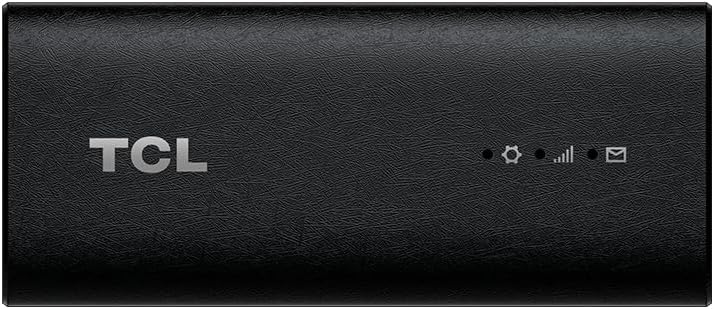
The renewed TCL LINKPORT IK511 is a straightforward 5G USB dongle for T-Mobile customers. Its 3.6 rating reflects a mixed but usable customer history, while the renewed designation makes it a potentially economical way to obtain a capable adapter. The device uses a plug-and-play USB-C connection and has a slim, portable design suited to laptop bags and travel kits.
We may earn a commission when you buy through this link, at no additional cost to you.
Operating-system flexibility is one of its strongest attributes. The listed support includes Windows, macOS, iPadOS, Android, and Linux, giving the dongle broader utility than products designed only for one platform or a narrow set of professional applications. Secure single-point access is also highlighted, allowing a user to establish a private cellular connection rather than relying on an open shared network.
The main constraints relate to carrier lock and condition. It is intended for T-Mobile use only, so buyers with AT&T, Verizon, or other service arrangements should not assume compatibility. Because this is a renewed product, buyers should inspect the condition report and warranty terms carefully. The relatively short specification list also gives less insight into peak throughput, antenna design, and advanced radio features.
For a T-Mobile subscriber who wants a small, uncomplicated 5G adapter and can accept renewed condition, this is a sensible budget-oriented choice. It is best suited to ordinary browsing, remote work, and backup connectivity rather than buyers who need detailed enterprise specifications or broad carrier freedom.
USB-C plug-and-play operation keeps the setup brief, while support for Windows, macOS, iPadOS, Android, and Linux makes the dongle useful across several personal devices. The slim enclosure adds little bulk to a laptop bag or mobile work kit.
The advertised secure single-point access gives an individual traveler a dedicated cellular route. This can be more appropriate than joining an unfamiliar public hotspot when sensitive work must be handled away from home or office.
We may earn a commission when you buy through this link, at no additional cost to you.
The new-condition TCL LINKPORT IK511 earns a 4.0 rating and is one of the cleanest general-purpose choices in the guide. Its slim USB-C design, 5G capability, and support for Windows, macOS, iPadOS, Android, and Linux make it easy to recommend for a traveler who does not want to manage a complex router or embedded module.
We may earn a commission when you buy through this link, at no additional cost to you.
Its central benefit is simplicity. A physical USB-C connection avoids dependence on external Wi-Fi accessories, while plug-and-play operation is valuable when connectivity is needed quickly at a job site, in a hotel, or while moving between locations. Secure single-point access provides a dedicated connection for the user rather than sharing a local Wi-Fi network with nearby strangers.
As with the renewed IK511, carrier restriction is the key limitation. The modem is listed for T-Mobile, which means buyers should verify that the intended SIM and local network are supported. The listing does not publish detailed maximum download rates, antenna specifications, or port arrangements, so buyers seeking highly technical performance information should investigate the manufacturer's documentation.
This is a strong general recommendation for a T-Mobile customer who values portability, broad compatibility, and a simple setup. It ranks ahead of the renewed version because its customer rating is higher and it avoids the uncertainties associated with refurbishment, while still offering the same core functionality.
Windows, macOS, iPadOS, Android, and Linux support make the IK511 useful for mixed-device households. A user can carry one compact adapter instead of maintaining separate connectivity hardware for different systems.
Plug-and-play USB-C operation reduces the number of steps required to get online. Once compatible T-Mobile service is active, the dongle can function as a dedicated private connection for travel or backup use.
We may earn a commission when you buy through this link, at no additional cost to you.
The Gen 2 5G Dongle combines a VOSIO x62 USB adapter with a TRITOM 5G SIM to create a business-oriented mobile internet package. It has no published customer rating, so the product's technical positioning deserves more attention than its social proof. The hardware uses a Qualcomm Snapdragon X62 Modem-RF System, listed as capable of speeds up to 2.5Gbps.
We may earn a commission when you buy through this link, at no additional cost to you.
The included SIM is an important convenience. Rather than requiring buyers to source a compatible data plan separately, the package aims to provide a ready-to-work setup. The description highlights priority-oriented routing, low-latency applications, and compatibility with tiered data options. Those attributes make the product relevant to remote desktops, cloud work, and real-time communication where an unstable connection can interrupt productivity.
Installation is described as zero-configuration and driverless across Windows, macOS, Linux, and ChromeOS. Because the dongle connects directly through USB-C, it does not ordinarily broadcast a local Wi-Fi signal, reducing the number of nearby devices that can attempt to interact with it. The description also cites T-Priority readiness for use with a compatible TRITOM plan in crowded environments.
The package is best suited to mobile professionals who want a premium modem and a coordinated data service. Buyers should confirm that TRITOM's service is available in the countries they visit, read the relevant plan conditions, and validate their laptop's USB-C behavior. Without customer feedback, it is also sensible to test the product promptly and retain a return option when possible.
The Snapdragon X62 platform is the product's defining technical advantage. Its advertised maximum throughput and low-latency architecture align well with cloud applications, remote desktops, large transfers, and professional communications when coverage supports those capabilities.
Bundling the x62 dongle with a TRITOM SIM removes much of the initial configuration burden. The approach is more cohesive than purchasing an advanced modem and then researching whether a particular consumer SIM can deliver the intended service experience.
We may earn a commission when you buy through this link, at no additional cost to you.
The 5G SIM Card Router CPE is a cellular router rather than a direct USB adapter. Its 4.0 rating and Wi-Fi 6 local networking make it a useful option for a home, small office, or other location where several laptops and mobile devices need to share one cellular connection.
We may earn a commission when you buy through this link, at no additional cost to you.
Its antenna arrangement is the most visually distinctive feature. The router includes up to eight external antennas, divided between 4G and 5G sections, while dual-frequency 4×4 spatial streams support a combined bandwidth stated at up to 1800Mbps. OFDMA and DL MU-MIMO are used to improve efficiency when multiple clients transmit and receive data at the same time.
The modem supports dual-band 5G in NSA and SA modes and accepts a SIM card for cellular access. It also offers mesh-style deployment through wired and wireless backhaul, allowing the unit to serve as part of a broader indoor network. Seamless roaming is intended to keep connected devices moving between coverage areas more reliably.
This router is a better fit for shared connectivity than a pocket-sized dongle. It does not need to occupy the only USB-C port on a laptop, and it can support phones, tablets, and computers throughout a room. Buyers should confirm SIM compatibility, supported bands, and local carrier coverage before installation.
The router turns 5G service into a local Wi-Fi 6 network, allowing several devices to connect simultaneously. This is more convenient than plugging a dongle into each computer and makes the product useful for temporary offices or smart-home access where external network cables are inconvenient.
Eight external antennas and support for wired or wireless backhaul offer options for optimizing a difficult floor plan. Mesh networking can extend access without requiring every client to maintain a direct USB connection.
We may earn a commission when you buy through this link, at no additional cost to you.
The GL.iNet GL-X3000, also known as the Spitz AX, is the most feature-rich router in this guide. Its 4.2 rating is the highest among the products with a published customer score. It is built for people who need dependable cellular internet across an entire home, RV, rural property, road-trip vehicle, or small remote office.
We may earn a commission when you buy through this link, at no additional cost to you.
Wi-Fi 6 provides local wireless performance listed at up to 574Mbps on 2.4GHz and 2402Mbps on 5GHz. MU-MIMO supports simultaneous wireless connections, while dual-SIM slots offer single-standby selection and automatic failover. The router supports both NSA and SA 5G, falls back to 4G LTE and 3G, and is certified for AT&T and T-Mobile IoT use.
Network management is another major strength. Preinstalled OpenVPN and WireGuard support more than 30 VPN services, and the proprietary OpenWrt v21.02-based firmware provides thousands of plug-ins. Multi-WAN operation can combine Ethernet, repeater, cellular, and tethering connections, with load balancing and configurable failover priorities. Six detachable antennas and support for a wired dome antenna make it particularly relevant to mobile deployments.
It is a premium choice because it combines cellular routing, local Wi-Fi, VPN tools, and customization in one enclosure. The trade-off is complexity and size compared with a USB dongle. The listing also notes regional restrictions in certain locations due to modem limitations, and a separate physical eSIM card is required for that feature.
Dual-SIM single standby can select the stronger available carrier connection and automatically switch when service changes. This is valuable for travelers crossing coverage areas or residents seeking a backup for an unreliable primary provider.
OpenWrt-based firmware gives technically inclined users far more control than a basic dongle. Plug-ins, VPN services, DNS-over-HTTPS, DNS-over-TLS, multi-WAN rules, and failover priorities can be tailored to home, travel, or professional requirements.
We may earn a commission when you buy through this link, at no additional cost to you.
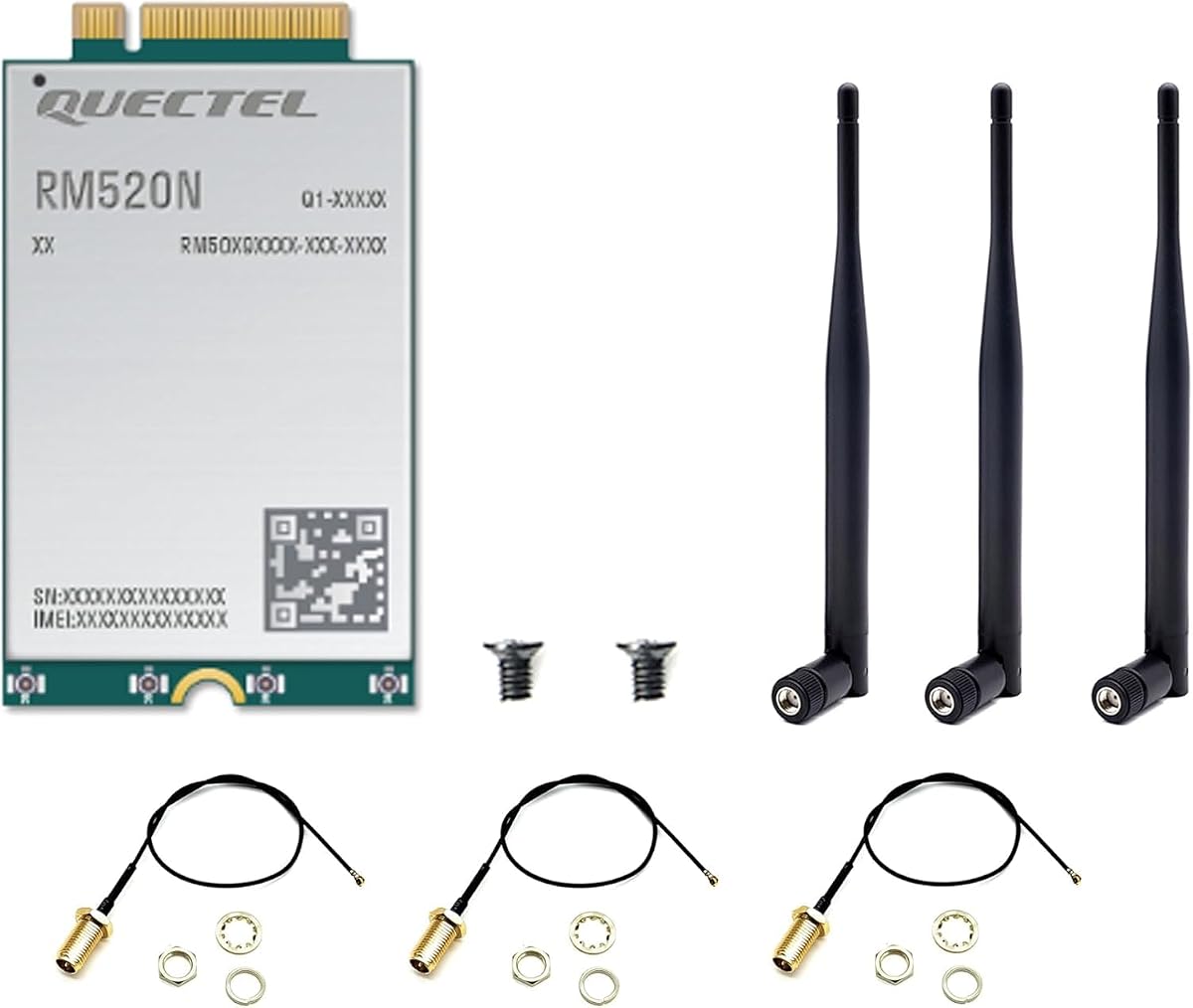
The WayPonDEV RM520N-GL is an internal M.2 Mini PCIe 5G module designed for industrial and commercial applications, yet its applications explicitly include consumer and industrial laptops. Its 5.0 rating is the highest published score in the guide, although ratings for specialist modules should be interpreted separately from those for mainstream consumer dongles.
We may earn a commission when you buy through this link, at no additional cost to you.
The module follows 3GPP Release 16 and supports both 5G NSA and SA modes. Listed NSA data rates reach 3.4Gbps down and 550Mbps up, while SA rates reach 2.4Gbps down and 900Mbps up. A 4×4 MIMO radio and integrated multi-constellation GNSS receiver support both high-speed networking and positioning applications.
Its dimensions of 30mm by 52mm by 2.3mm follow a standard M.2 form factor, and the product includes USB and PCIe drivers for several versions of Windows, Linux, and Android. Compatibility with other Quectel modem families is also highlighted, which can simplify migration from LTE-A hardware to 5G in an established industrial design.
This is not a device that most consumers can insert into a retail laptop without checking the internal layout, antenna system, drivers, and carrier support. It is best for integrators, industrial-laptop builders, gateway manufacturers, and advanced experimenters who need a robust cellular module with GNSS and an extreme temperature range.
Release 16 support, NSA and SA operation, and high stated throughput make the RM520N suitable for demanding industrial and eMBB applications. The broad operating-temperature range allows deployment in environments where ordinary consumer dongles may be less appropriate.
The integrated GNSS receiver supports GPS, GLONASS, BDS, and Galileo positioning. Compatibility with several Quectel LTE-A module families can also reduce redesign effort when an existing platform transitions from LTE to 5G.
We may earn a commission when you buy through this link, at no additional cost to you.
The SDX62 USB-C dongle is built around the Qualcomm Snapdragon SDX62 chipset and targets laptops, kiosks, digital signage, and other USB-enabled systems. It has no published customer rating, so buyers will need to evaluate its technical specifications carefully. The most notable physical feature is its pair of USB Type-C ports.
We may earn a commission when you buy through this link, at no additional cost to you.
One port handles data while the other supports power pass-through, allowing a compatible system to remain powered during operation. This arrangement is particularly important for kiosks and signage installations where the computer may have limited charging options or where continuous uptime matters. The device also includes a nano SIM slot for flexible service selection.
Radio capabilities include 5G SA and NSA, NR carrier aggregation up to two carriers, LTE and 5G NR EN-DC, 4×4 download MIMO, and 2×2 uplink 5G in TDD configurations. Automatic 4G LTE fallback helps preserve connectivity in areas where full 5G service is unavailable, while support for LTE-FDD, LTE-TDD, and 5G NR extends deployment options.
This is a strong technical option for an embedded laptop, self-service terminal, or digital display that needs a dedicated cellular link. It may be less attractive for ordinary travel because the dual-port arrangement is bulkier than a basic single-port dongle and the listing provides no customer feedback or specific throughput figure.
The second USB-C port provides power pass-through, so a compatible laptop, kiosk, or signage computer can charge while maintaining its cellular link. This reduces dependence on the host device's battery and avoids juggling a separate power adapter.
Automatic LTE fallback helps maintain service where 5G coverage is incomplete. Broad support for FDD, TDD, EN-DC, and carrier aggregation makes the dongle adaptable to different network conditions and regions.
We may earn a commission when you buy through this link, at no additional cost to you.
The Sanpyl DW5931e is an internal M.2 modem module with a stated maximum download speed of 4.67Gbps, making its headline performance figure the highest in the guide. Its 2.8 rating is among the lowest, however, so buyers should not treat the maximum theoretical rate as evidence of consistently satisfactory real-world performance.
We may earn a commission when you buy through this link, at no additional cost to you.
The module supports 5G, 4G LTE, and 3G WCDMA networks across a range of frequency bands. Its 4×4 MIMO configuration is intended to improve coverage stability and throughput, while the listed upload maximum of 1.25Gbps indicates strong bidirectional capability. A GNSS modem provides navigation and positioning functions alongside cellular data.
It is marketed for laptops, desktops, and tablets, but it is an internal network card rather than a plug-and-play product. Installation therefore depends on a compatible M.2 slot, compatible antennas, appropriate drivers, and a cellular plan. The product description is also unclear about the precise operating-system combinations, making verification of technical documentation essential.
The DW5931e may appeal to a technically confident buyer who wants to install high-speed 5G directly inside a system. It is less suitable for a typical traveler seeking a simple dongle, especially given the modest rating. Confirm physical dimensions, antenna requirements, supported frequency bands, and driver support before purchasing.
The advertised 4.67Gbps download maximum is notable for an M.2 module and suggests capacity for demanding transfers when paired with a strong network and suitable internal hardware. Real results will vary substantially with signal quality, carrier aggregation, and backhaul conditions.
Combining 5G, LTE, and WCDMA support with GNSS in one module may simplify an industrial laptop or embedded installation. It also provides a path to support older coverage areas where a 5G-only device would lose service.
We may earn a commission when you buy through this link, at no additional cost to you.
The Rhino D2 is an enterprise USB dongle built around 5G RedCap and the Qualcomm Snapdragon X35 modem. Its 2.0 rating is the lowest published score among the ten products, but its feature set clearly targets organized fleet deployments rather than ordinary consumer use. It supports Windows, macOS, and Linux and is designed for remote workers, field service teams, healthcare, education, and government.
We may earn a commission when you buy through this link, at no additional cost to you.
Two USB-C ports provide data connectivity and USB Power Delivery, allowing a compatible laptop to charge while the modem remains active. The IP54 enclosure adds dust and splash resistance, while eSIM and physical SIM options support both managed and conventional service arrangements. CBRS Band 48 support can be valuable for private enterprise networks.
Remote provisioning, zero-touch deployment, Mambo EMM fleet management, and a guaranteed product-availability period address the operational needs of IT departments. The manufacturer is also described as ISO 27001 and ISO 9001 certified, and the device is TAA compliant for relevant United States government procurement. The RedCap network itself must still be available and supported by the relevant service.
Despite its low customer rating, the D2 is a compelling specialist choice for organizations managing a sizable fleet. Small-business or individual buyers who do not need centralized management may find a simpler dongle easier to operate. Before deployment, verify RedCap coverage, device-management requirements, SIM provisioning, and compatibility with the organization's security policies.
Remote provisioning, zero-touch deployment, and Mambo EMM management can reduce manual configuration across many laptops. These features help IT teams standardize connectivity, monitor deployed units, and manage service profiles from a centralized workflow.
IP54 protection, power pass-through, and both eSIM and pSIM support suit field work and demanding organizational deployments. CBRS Band 48 adds another option for organizations operating private or localized cellular networks.
We may earn a commission when you buy through this link, at no additional cost to you.
The right 5G modem depends on your operating system, carrier, data plan, antenna needs, and whether you want direct laptop connectivity or a shared cellular network. Review these factors before choosing hardware or service.
Most modern 5G dongles use USB-C, but physical fit alone does not guarantee data operation. Some USB-C ports on certain laptops charge devices but do not support data or the required power profile. Confirm that the selected port provides data, check whether the adapter includes a suitable cable, and verify whether a separate power adapter is needed for sustained operation.
Choose USB-C for a modern, compact setup, and favor a dual-port design if you need charging while connected. Confirm the modem's supported operating systems before purchase.
Windows support is common, but MacBook and Linux users should be more selective. Some devices advertise broad compatibility while still requiring additional drivers, web-based activation, or restricted features on particular systems. macOS products may also have application-specific limitations, such as the Tri Cascade modem's stated lack of macOS video-conferencing support.
Match the modem to every computer you expect to use, not just your primary device. Verify driverless claims and operating-system restrictions before traveling.
A 5G-capable modem does not automatically support every carrier. The TCL LINKPORT models are specifically listed for T-Mobile, while other products support a broader range of networks. Some bundles include a SIM and a data plan, whereas many require the buyer to provide a compatible nano SIM, physical SIM, or separately managed eSIM profile.
Check carrier support, activation requirements, roaming availability, and regional restrictions. An included service is convenient, but its coverage and terms must suit your itinerary.
Modern cellular networks combine non-standalone and standalone 5G with LTE. A modem supporting 5G NSA and SA can operate across more varied network conditions, while LTE fallback keeps the connection alive in areas where full 5G is unavailable. Enterprise and industrial products may also support carrier aggregation, EN-DC, FDD, and TDD.
Prioritize automatic 4G or LTE fallback for travel. Treat maximum 5G throughput as a ceiling rather than a guaranteed everyday speed.
A direct USB modem is the lightest and simplest solution for one laptop. It can reduce dependency on public Wi-Fi and avoid giving a hotspot access to the host phone's battery. A cellular router is more appropriate when several devices need simultaneous access, when an RV or household needs local Wi-Fi, or when advanced VPN, multi-WAN, and failover controls are important.
Choose a dongle for individual mobility and a router for shared access. Do not buy a fixed router expecting the same pocketable convenience.
Signal quality is often more important than the modem's headline maximum rate. External or detachable antennas can improve reception in buildings, vehicles, and remote areas, while integrated antennas make a dongle easier to carry. Routers with multiple antennas generally offer more placement options than minimalist laptop adapters.
Consider removable antennas for stationary or vehicle use. For travel, balance antenna performance against the convenience of a compact enclosure.
Some modems add functions beyond basic internet access. Integrated GNSS supports positioning for tracking, vehicle, or industrial applications. VPN support protects traffic and enables remote access, while zero-touch provisioning and fleet-management software help IT departments deploy many units consistently. These features are useful when justified by a specific workflow.
Pay for specialized features only when your use case needs them. For an individual user, a simple supported connection may deliver better value than an advanced management platform.
A travel modem should be small, light, and easy to protect. Industrial or enterprise versions may add IP ratings, wider operating-temperature ranges, and stronger enclosures. Power requirements also matter: some designs can operate from the laptop, while others need separate charging, and dual USB-C pass-through ports are valuable for continuous installations.
Match durability and power design to the environment. A pocket dongle should remain easy to carry, while a fixed or vehicle system can justify a larger enclosure.
Begin by confirming that the modem is compatible with your laptop, carrier, and data plan. Insert the required SIM, connect the dongle through the designated USB data port, and follow the manufacturer's activation instructions. Bundled services may require online account creation, plan selection, and a QR-code activation step before a usable cellular connection appears.
Once connected, test the link in more than one location and check whether the device is using 5G or falling back to LTE. Monitor signal quality and data use, particularly on shared plans. For routers, position external antennas where they have an unobstructed view of the sky, connect the laptop through Wi-Fi or Ethernet, and review failover settings before relying on the system for critical work.
To care for the hardware, keep USB ports and connectors free of dust and moisture, avoid sharply bending USB-C cables, and use protective storage for travel. Update drivers or router firmware when instructed, maintain unique and secure network credentials, and remove or replace the SIM safely when the device is not in use. Recycle electronic components through an appropriate local program.
A 5G modem connects a computer directly to a cellular network, usually through USB or an internal module. A mobile hotspot combines a cellular modem with a Wi-Fi access point and usually runs on a phone or dedicated device. Direct USB connections can simplify security and charging, while hotspots are more convenient when several wireless clients need access.
No. The laptop must have a compatible data interface, the modem must support the operating system, and the cellular carrier must work with the modem and SIM. Internal M.2 modules also require appropriate antennas, drivers, and sometimes physical installation. Always verify all three requirements before purchasing.
A direct cellular connection can be safer than an unknown public Wi-Fi network because the laptop is not joining a shared local hotspot. Security still depends on the carrier, router firewall, DNS settings, and user practices. On routers, enable available VPN, DNS encryption, firewall, and remote-access features; on direct dongles, use trusted accessories and software updates.
Possibly, but international use depends on the modem's supported bands and the carrier's roaming service. Some bundles include roaming plans, while others require a local SIM. Confirm supported countries, frequencies, activation terms, and whether roaming or data use requires separate enrollment before departure.
It can, because the modem draws power from the laptop during operation. Consumption depends on radio activity, signal strength, workload, and whether the adapter also charges the device. Enterprise and kiosk products with USB Power Delivery can often charge the host while maintaining the cellular connection.
Choose a dongle for one traveling laptop, minimal equipment, and the simplest setup. Choose a router when multiple devices need access or when you want local Wi-Fi, multiple antennas, VPN support, dual-SIM failover, and multi-WAN controls. The router is bulkier but more adaptable as a small network gateway.
Advertised speeds are maximum theoretical figures and depend on network coverage, carrier aggregation, signal conditions, congestion, and the plan's priority treatment. A weak indoor signal or lack of 5G backhaul can reduce performance substantially. USB connection quality and device processing can also affect the observed result.
Only if the laptop has a compatible M.2 slot, cellular antennas, drivers, and space for the module. Many thin consumer laptops lack cellular hardware even when their M.2 slot resembles the required format. Product documentation and a technician should confirm compatibility before purchase or installation.
The Tri Cascade VOS 5G stands out as the most convenient broad-platform option, with driver-free setup, an included SIM, roaming choices, and a compact USB-C form. The TCL LINKPORT IK511 is an attractive simpler choice for T-Mobile customers, while the GL.iNet GL-X3000 is the clear premium recommendation for users who want shared Wi-Fi, dual-SIM failover, VPN tools, and extensive router customization.
Your priorities should determine the category. Favor a direct dongle for individual travel, a cellular router for an RV, home, office, or multi-device setup, and an M.2 module only when the target computer has the necessary hardware and antennas. Carrier support, system compatibility, and fallback behavior matter more than a headline speed number in everyday use.
Finally, check current prices, carrier coverage, data-plan terms, and the seller's return policy immediately before purchasing. Product listings and promotions change, while activation terms and regional restrictions can determine whether a technically capable modem actually meets your needs.