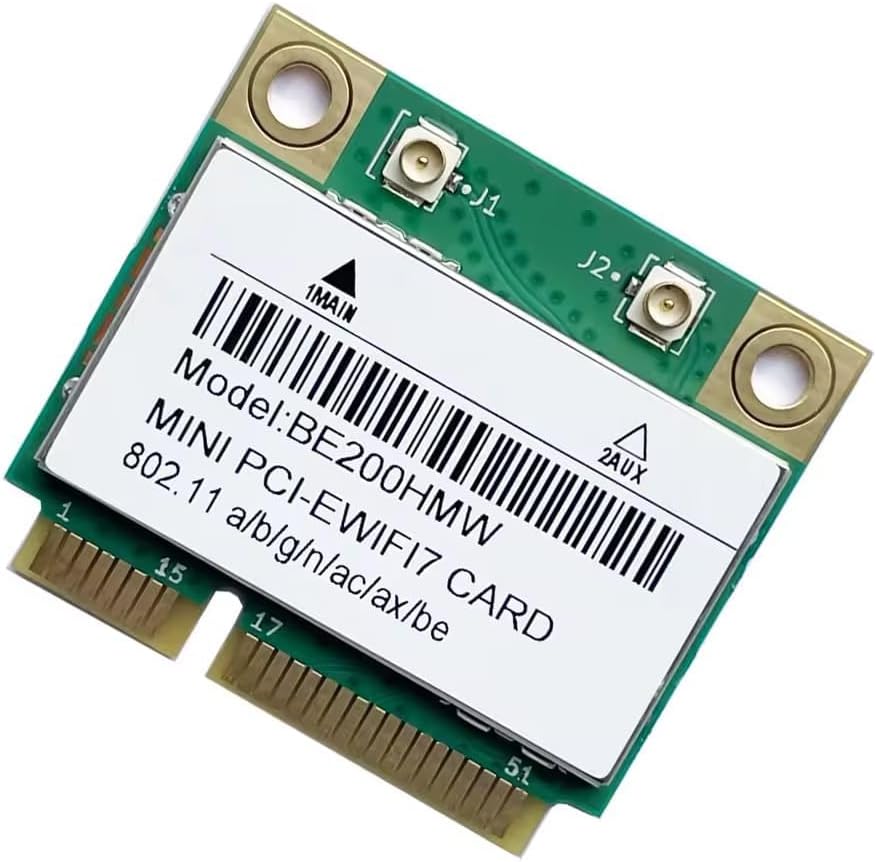
Wireless BE200 Half Mini PCIe Network Card
4.6Editor score
Up to 5.8 Gbps
Bluetooth 5.4 support
Wi-Fi 7 capabilities
WPA3 encryption support
Our Half Mini Pcie WiFi Bluetooth Card guide compares 10 options across Wi-Fi generation, Bluetooth support, compatibility, security, and installation needs.
A half mini PCIe WiFi Bluetooth card can restore wireless connectivity and add Bluetooth to a compatible laptop, desktop, or compact computer. The right choice depends on interface shape, antenna arrangement, operating-system support, and the wireless standards available in your home or office.
We compared ten cards using the specifications and compatibility details supplied with each product. The list covers dual-band Wi-Fi 5, tri-band Wi-Fi 6E, newer Wi-Fi 7 hardware, Bluetooth versions from 4.0 through 5.4, and solutions intended for different generations of compatible computers.
Each pick highlights a different practical use, from a straightforward wireless upgrade to a premium high-speed option. Ratings reflect the supplied customer feedback, while technical specifications explain fit and functionality. Product prices change frequently, so compare current listings before making a final purchase.
4.6Editor score

4.5Editor score

4.6Editor score
This side-by-side comparison highlights each card's wireless generation, Bluetooth capability, physical interface, and important compatibility considerations. It is designed to help readers identify the most suitable upgrade before checking their computer's internal layout and driver requirements.

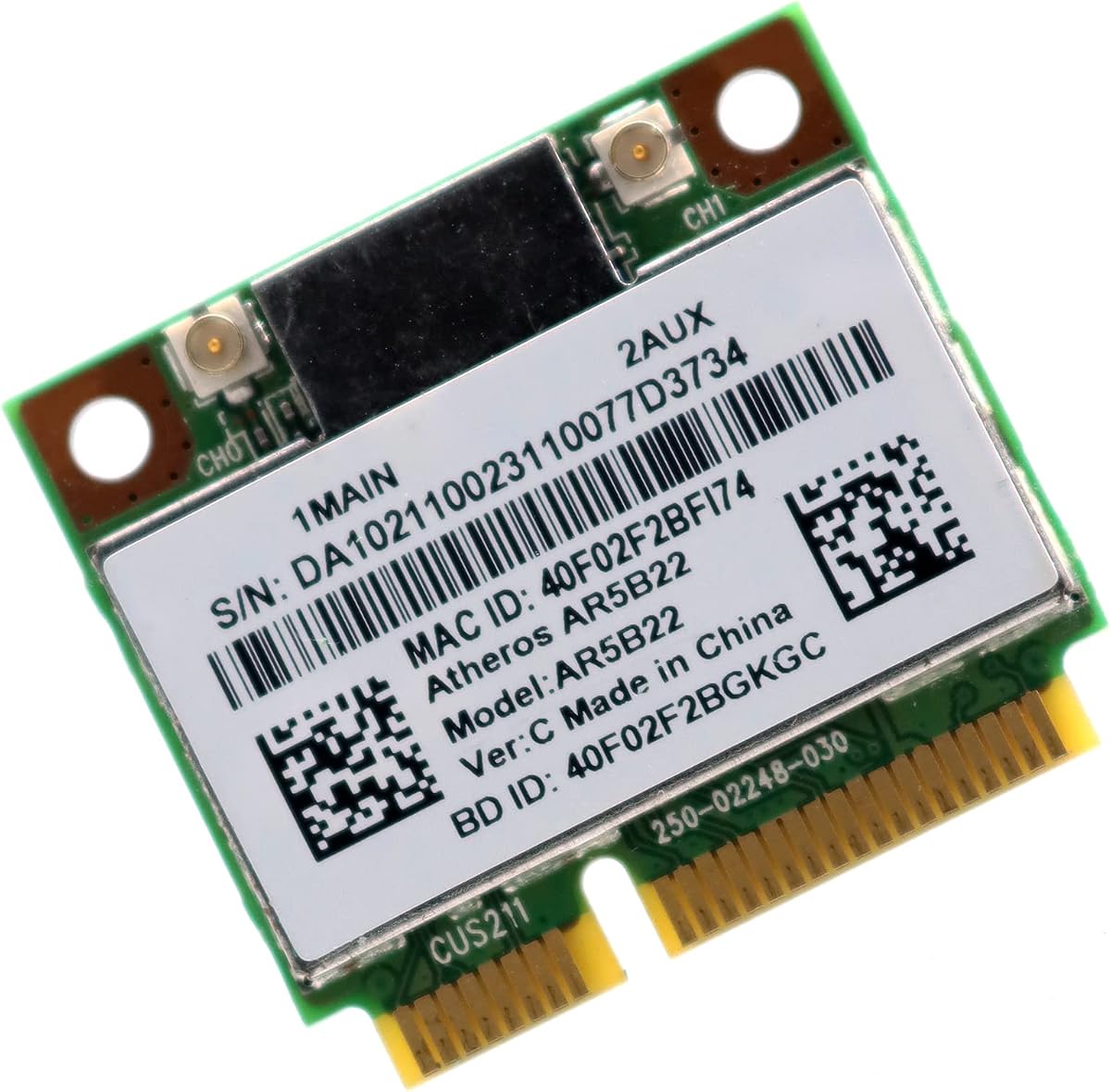


The 7260HMW Mini PCIe WiFi Card is a dual-band 802.11ac solution rated 4.6 by customers. Its headline capability is support for 2.4GHz and 5GHz Wi-Fi, with maximum stated speeds of 300 Mbps and 867 Mbps respectively. It also includes Bluetooth 4.0, allowing a compatible computer to connect with headsets, speakers, keyboards, and other peripherals without a separate USB adapter.
We may earn a commission when you buy through this link, at no additional cost to you.
The card's strongest qualities are its balance of features and its unusually broad operating-system range. The supplied information lists Windows 7, Windows 8, and Windows 10, making it useful for systems that may be too old for Wi-Fi 6E drivers. Its dual-band operation allows users to choose the less crowded 2.4GHz band for reach or the faster 5GHz band for local performance, while the compact half mini PCIe shape suits laptops and other devices with the appropriate slot.
There are practical trade-offs. Bluetooth 4.0 does not provide the newer energy-efficiency, range, or security capabilities associated with Bluetooth 5.x, and an 867 Mbps maximum is lower than the figures offered by AX210, AX3000, or BE200-based options. The listed operating systems also stop at Windows 10, so Windows 11 compatibility is not expressly stated. As with any internal upgrade, the computer must also provide a usable half mini PCIe slot, antenna connections, and any required drivers.
This is an excellent general recommendation for someone upgrading a compatible Windows 7, 8, or 10 computer that supports 802.11ac and Bluetooth 4.0. It delivers fast 5GHz performance without requiring the newer router, operating system, and driver combination demanded by tri-band cards. Choose it when dependable dual-band connectivity, broad legacy-system support, and straightforward laptop integration matter more than the newest wireless generation.
Supporting both 2.4GHz and 5GHz bands makes the card adaptable to different network conditions. The 5GHz band offers the greater stated throughput, while 2.4GHz generally provides broader reach and can be useful when walls or distance weaken the faster band.
Integrated Bluetooth 4.0 adds convenience without requiring a permanent USB dongle. The listed operating-system support and compact format make this combination practical for compatible laptops and compact computers that lack wireless peripherals.
We may earn a commission when you buy through this link, at no additional cost to you.
The MQUPIN Intel 7260.HMW is a half mini PCIe network adapter with dual-band 802.11b/a/g/n/ac support and Bluetooth 4.0. It has a 4.3 rating and can serve laptops, desktop computers, small consoles, all-in-one systems, advertising machines, and other compatible equipment. The maximum stated Wi-Fi rate reaches 867 Mbps on the 5GHz band, making it a familiar dual-band upgrade option.
We may earn a commission when you buy through this link, at no additional cost to you.
Compatibility receives unusually detailed attention in the supplied product information. The card is listed for 32-bit and 64-bit versions of Windows 7, 8, 8.1, and 10, as well as Linux Kernel 4.2.0 or newer. It is not described as compatible with IBM, ThinkPad, Lenovo, and HP versions of certain laptops, however, so buyers should confirm their exact model rather than relying on a broad brand-level assumption.
The most important caveat concerns Bluetooth operation. This card communicates through the USB bus for its Bluetooth function, and the supplied guidance says the motherboard must expose that bus. If it does not, the Bluetooth hardware may not appear in Device Manager. That requirement makes the card less predictable than models whose Bluetooth operation is easier to verify, even though its Wi-Fi capabilities remain attractive for compatible systems.
This product makes sense for a compatible computer that needs reliable dual-band Wi-Fi and Bluetooth 4.0 but does not require Wi-Fi 6 or 6E. Verify the half mini PCIe slot, antenna arrangement, USB bus, operating system, and laptop-brand restrictions before ordering. If those checks pass, it offers a useful 867 Mbps connection and broad platform support.
Support for several Windows generations and Linux gives the card more flexibility than options restricted to recent 64-bit releases. Confirm the exact operating-system version and install the appropriate drivers before attempting a permanent installation.
The card's Bluetooth connection depends on the motherboard exposing a usable USB bus. This is the decisive compatibility check for anyone hoping to use headsets, keyboards, or other Bluetooth peripherals.
We may earn a commission when you buy through this link, at no additional cost to you.
The Wireless BE200 Half Mini PCIe card is the premium performance option in this guide, carrying a 4.6 rating and a stated maximum throughput of 5.8 Gbps. It is built around dual-band Wireless BE technology and Bluetooth 5.4, giving compatible systems access to current high-speed Wi-Fi features and modern peripheral connectivity in a half mini PCIe module.
We may earn a commission when you buy through this link, at no additional cost to you.
Security and convenience are additional strengths. The card supports WPA, WPA2, and WPA3 encryption, along with Intel Smart Connect and wireless display technologies. Bluetooth 5.4 can serve compatible headsets, keyboards, mice, printers, and other accessories. Its stated ability to reach 5.8 Gbps also makes it the best fit for users with a suitable Wi-Fi 7 router and a network where very high throughput is genuinely useful.
The hardware requirements are significant. It fits a half mini PCIe slot rather than an M.2 or CNVi slot, and the system must support the Wireless BE series. Antennas and screws are not included, which may matter if the computer lacks reusable antenna wiring or mounting hardware. Maximum theoretical performance also depends on the router, client hardware, signal conditions, internet service, and number of connected devices, so the headline number should not be treated as a guaranteed real-world result.
This is the pick for a technically capable system owner who wants modern Wi-Fi and Bluetooth in a half mini PCIe upgrade. It is especially attractive when replacing an older wireless module and already having compatible antennas available. Buyers with an older router, limited antenna hardware, or a computer that lacks Wireless BE support should choose a Wi-Fi 6 or 6E alternative instead.
A stated maximum of 5.8 Gbps gives this card the greatest throughput potential in the group. That capability is most useful with a matching Wi-Fi 7 router, high-bandwidth connections, and a computer capable of benefiting from the faster wireless link.
Bluetooth 5.4 support pairs the module with current wireless accessories, while WPA3 encryption adds an important security option. Compatibility with older encryption methods also provides a practical transition for mixed networks.
We may earn a commission when you buy through this link, at no additional cost to you.
The EDUP Intel AX210HMW is a Wi-Fi 6E half mini PCIe card rated 4.5 by customers. It supports three bands: 2.4GHz, 5GHz, and 6GHz, with stated maximum rates of 574 Mbps, 2400 Mbps, and 2400 Mbps respectively. Bluetooth 5.3 adds support for headsets, stereo equipment, keyboards, and mice, giving the card a broad set of functions for compatible systems.
We may earn a commission when you buy through this link, at no additional cost to you.
Its main strength is versatility. The 2.4GHz band offers wider reach, 5GHz handles faster conventional connections, and 6GHz can provide cleaner spectrum in a suitable Wi-Fi 6E environment. Uplink Multi-User MIMO is also listed, helping the adapter manage simultaneous traffic in congested networks. The product is based on the Intel AX210D2W chipset and is described as compatible with many notebooks and mini PCs using a mini PCI Express interface.
Users must account for driver and platform restrictions. The supplied information says Windows 10 and 11 64-bit systems require a driver installed from Intel's official website or the linked EDUP support page. Linux Kernel 5.10 or newer is supported, although the listed guidance says kernel compilation is needed. Compatibility is broad but not universal, with IBM, ThinkPad, Lenovo, HP, and AMD motherboard systems specifically called out as potentially unsupported.
This card is a strong all-around choice for a compatible Windows 10 or 11 computer that should support Wi-Fi 6E, Bluetooth 5.3, and modern network security. It gives users access to all three wireless bands without moving to the BE200's more demanding Wi-Fi 7 platform. Confirm the slot, antenna setup, driver requirements, and laptop whitelist before ordering, then use a Wi-Fi 6E router to gain the full benefit of the 6GHz band.
The 6GHz band adds more available spectrum, while 5GHz supports fast local connections and 2.4GHz remains useful for reach. This range makes the AX210HMW suitable for homes, offices, and busy networks with varied coverage requirements.
Installing the correct driver before removing the existing module can prevent an unnecessary loss of connectivity. The card is aimed at Windows 10 and 11 64-bit systems, with more involved Linux support, so operating-system readiness should be confirmed first.
We may earn a commission when you buy through this link, at no additional cost to you.
The Deal4GO AR5B22 is a half mini PCIe Wi-Fi and Bluetooth combo adapter based on the Qualcomm Atheros AR9462 platform. It has the highest customer rating in this selection at 4.7. Its wireless capabilities cover 2.4GHz and 5GHz 802.11n, with maximum stated data rates of up to 300 Mbps on both bands, and it includes Bluetooth 4.0.
We may earn a commission when you buy through this link, at no additional cost to you.
Physical installation details are clearly defined. The card measures 26.8 by 30 by 2.4 millimeters and does not fit M.2 NGFF slots. It uses two IPEX MHF4 connectors, with the main connector handling WLAN and the auxiliary connector carrying WLAN and Bluetooth signals. Two screws are included, although compatible antenna cables and antennas still need to be present on the target computer.
The major limitation is that this is an 802.11n card and explicitly does not work with 802.11ac. Its maximum speeds are therefore modest compared with the dual-band 7260, AX3000, AX210HMW, and BE200 choices. Compatibility restrictions are also worth attention: Dell, Sony, Acer, ASUS, MSI, Clevo, Terransforce, and Hasee systems are listed as suitable, while Lenovo, IBM, and HP laptops are excluded unless their BIOS whitelist is modified.
This is a compelling budget-oriented choice for an older compatible computer that only needs reliable 802.11n networking and Bluetooth 4.0. Its high customer rating, included screws, and clearly described antenna connectors are useful qualities for a straightforward repair or refresh. It is not the right choice for a user who wants modern Wi-Fi 5, Wi-Fi 6, or 6E performance.
The AR5B22 is aimed at systems designed around older 802.11n hardware. Its simple dual-band configuration and Bluetooth 4.0 support can replace missing or unreliable wireless hardware without introducing a more demanding router or driver standard.
The two IPEX MHF4 connectors make the card usable with compatible antenna wiring, but the connectors and cables are not implied by the package description. Check the laptop's original parts or service documentation before purchasing.
We may earn a commission when you buy through this link, at no additional cost to you.
The WiFi 6E Mini PCIe Card is a tri-band upgrade with a 4.6 rating and a combined stated maximum throughput of 5400 Mbps. It supports 2.4GHz, 5GHz, and 6GHz bands, making the 6GHz option available for cleaner, higher-capacity connections in homes and offices with a compatible Wi-Fi 6E router. Bluetooth 5.3 provides another modern feature within the same module.
We may earn a commission when you buy through this link, at no additional cost to you.
The card emphasizes crowded-network performance. Its 160MHz channel width is described as doubling data throughput per channel, while the 6GHz band provides seven dedicated 160MHz channels with less interference from neighboring networks. The product also advertises support for multiple simultaneous devices through OFDMA and MU-MIMO, useful for video calls, downloads, streaming, and gaming at the same time.
Its operating-system and brand requirements are strict. The supplied information limits support to Windows 10 and 11 64-bit systems and says Windows 7, Windows 8, and 32-bit releases are unsupported. It also warns that Lenovo, HP, and IBM systems may block third-party Wi-Fi cards through BIOS whitelisting. Existing antennas can reportedly be reused, but that should be confirmed for the exact computer and card connector arrangement.
This is a particularly good choice for a compatible modern laptop in a crowded home or office with Wi-Fi 6E equipment. It combines strong throughput, cleaner 6GHz spectrum, and Bluetooth 5.3 without moving to a Wi-Fi 7 platform. Before ordering, confirm the half mini PCIe slot, Windows version, antenna connections, and brand restrictions, then install the AX210 Wi-Fi 6E driver before swapping the existing module.
The 6GHz band provides additional channels that can reduce interference from nearby Wi-Fi systems. Its practical benefits are most apparent when the computer is close to a matching Wi-Fi 6E router and access point.
Downloading the driver before removing the old card keeps the computer able to reach the internet during the change. Confirming the hardware restrictions in advance is equally important because software installation cannot bypass a blocked slot or unsupported antenna design.
We may earn a commission when you buy through this link, at no additional cost to you.
The MPE-AX3000H is a dual-band Wi-Fi 6 half mini PCIe card rated 4.5 by customers. It is described as a potential replacement for Intel 7260 or 7265 modules, offering up to 2.4 Gbps on 5GHz and 574 Mbps on 2.4GHz through 160MHz channel support. Bluetooth 5.2 is included for compatible accessories such as headphones, speakers, keyboards, and mice.
We may earn a commission when you buy through this link, at no additional cost to you.
The card is built for busy homes and offices. Its listed OFDMA and MU-MIMO support can divide network resources efficiently among numerous connected devices, while WPA3 encryption offers stronger protection than older standards. It does not offer the 6GHz band found in the AX210HMW and Wi-Fi 6E alternatives, but it can still deliver a substantial upgrade over an 802.11n adapter when paired with a suitable Wi-Fi 6 router.
Compatibility requires careful attention. The product is for mini PCIe slots only and is not compatible with NGFF M.2 or CNVio slots. The supplied details say it will not work with most Lenovo systems, including ThinkPad, as well as IBM and some HP laptops because of BIOS whitelists or hardware design. Windows 10 and 11 64-bit are required, and separate manual driver downloads are needed for Wi-Fi and Bluetooth.
This is a strong recommendation for a compatible laptop owner who wants modern Wi-Fi 6 speed, Bluetooth 5.2, and efficient handling of multiple devices without requiring Wi-Fi 6E. It is particularly compelling as an upgrade from a 7260-series module. Check the service manual, confirm the operating system, and download both drivers before beginning the swap.
Wi-Fi 6 can improve throughput and efficiency on 2.4GHz and 5GHz networks even without the 6GHz band. This makes the card a practical middle ground when the available router supports Wi-Fi 6 but not Wi-Fi 6E.
OFDMA and MU-MIMO are the card's most relevant features for shared environments. They help the network serve concurrent activities more efficiently, especially when several family members or coworkers are online.
We may earn a commission when you buy through this link, at no additional cost to you.
The BroadCom BCM943228HMB is a legacy-oriented half mini PCIe wireless card with a perfect 5.0 customer rating. It is intended particularly for HP and Compaq laptops and references part numbers 718449-001 and 718451-001. The card supports 802.11a/b/g/n on both 2.4GHz and 5GHz, with a stated maximum rate of 300 Mbps.
We may earn a commission when you buy through this link, at no additional cost to you.
Its strongest feature is clear use-case targeting. The product description identifies compatible HP models including the 210 G1, 820 G1, 840 G1, 850 G1, 640 G1, 440 G1, 430 G1, and 445 G1. It also lists support for Windows 2000, XP, Vista, 7, and 10 in both 32-bit and 64-bit forms. Bluetooth 4.0 provides connectivity for compatible peripherals.
The card is not a general-purpose answer for modern wireless needs. It lacks 802.11ac and newer features, so its 300 Mbps ceiling and Bluetooth 4.0 specification place it well below current tri-band options. Lenovo, IBM, and ThinkPad laptops are expressly excluded, despite similar physical half mini PCIe dimensions. Buyers should match the exact system and part references rather than assume socket-level compatibility is sufficient.
This product is best recommended for restoring wireless service in one of the specifically listed older HP or Compaq systems. Its 5.0 rating, detailed model references, legacy operating-system support, and offered technical support make it a focused repair option. If the goal is a long-term performance upgrade rather than restoring an older laptop, a current dual-band or tri-band module is the better investment.
The inclusion of specific part numbers and model families helps narrow down fit. Confirm the card label and service documentation before ordering, especially if the computer has already been repaired with different wireless hardware.
Support for older Windows releases makes the card relevant to machines still running legacy operating systems. It can also serve as a simple 802.11n replacement when modern drivers or hardware would be difficult to justify.
We may earn a commission when you buy through this link, at no additional cost to you.
The Intel Dual Band Wireless-AC 7260 is a half mini PCIe Wi-Fi and Bluetooth card with a 4.3 customer rating. Its product information emphasizes that it is an Intel-quality product, while the title identifies dual-band Wireless-AC and Bluetooth capability. It is a familiar platform option for users familiar with the 7260 family or replacing a module of a similar type.
We may earn a commission when you buy through this link, at no additional cost to you.
The appeal of this card is primarily its established format and recognizable chipset family. Half mini PCIe 7260 modules have historically appeared in many compatible laptops, making the name a useful starting point when identifying a replacement. However, the supplied listing does not provide detailed band rates, operating-system versions, antenna requirements, or driver instructions, so this review avoids inferring specifications that are not explicitly supplied.
Physical and platform compatibility must be checked directly. A half mini PCIe socket, working antenna connectors, and a suitable device driver are generally required for this class of card. The Wi-Fi and Bluetooth functions should also be evaluated separately because a recognizable Intel name does not guarantee that every laptop BIOS will permit a third-party module or that all Bluetooth routing will work as expected.
This is a reasonable purchase for someone who already knows that the Intel 7260 half mini PCIe platform fits their computer and needs an established alternative to an older wireless module. It is less compelling when detailed driver support, explicit operating-system compatibility, or modern Wi-Fi 6E performance is required. Review the listing information carefully and compare it with the more thoroughly documented 7260HMW and AX210HMW alternatives.
The 7260 name is useful when matching a failed laptop module or researching a known half mini PCIe configuration. Familiarity with the platform can simplify the initial parts-matching process.
Because the supplied listing contains limited technical detail, buyers should confirm the physical card, connector layout, antenna setup, and operating-system support. This caution is especially important for Lenovo, ThinkPad, IBM, and certain HP systems.
We may earn a commission when you buy through this link, at no additional cost to you.
The Intel Wireless-N 7260HMW is a half mini PCIe wireless and Bluetooth card with a 4.2 rating. Its title references 802.11b/g/n connectivity, Bluetooth, the 7260HMW module family, and HP laptop part numbers 717384 and 710661-001. That makes it a possible match for owners replacing a specific original wireless assembly.
We may earn a commission when you buy through this link, at no additional cost to you.
The card's key advantage is the potential ease of replacing like-for-like hardware in an older HP laptop. Its naming suggests that the board may correspond with the original module type, while the integrated Bluetooth function allows the replacement to support wireless accessories in addition to the network connection. A matching footprint alone is not enough, however; antenna connectors and routing must also agree with the system design.
The available product information is sparse, so compatibility should be established through the computer's service documentation and the labels on the existing module. The card supports the older 802.11b/g/n generation and therefore cannot deliver the throughput or spectrum options of the AX210HMW, AX3000H, or BE200 choices. It may also require drivers appropriate to the age of the target operating system, which should be checked before removal of the original adapter.
This card is best for a specific repair involving a compatible HP laptop and the referenced part numbers, rather than for buyers seeking the latest wireless standard. Its 4.2 rating does not outweigh the importance of confirming the exact module, antenna arrangement, and drivers. If the goal is a faster upgrade for a compatible half mini PCIe computer, one of the modern dual-band or tri-band options will offer more long-term flexibility.
The referenced HP part numbers give repair-minded buyers concrete identifiers to compare. Search for the same identifiers in the laptop's parts list and photograph the existing card's connectors before ordering.
An 802.11n module can restore basic connectivity, but newer standards support faster throughput and improved wireless efficiency. Confirming the system's BIOS, antenna, and driver situation first prevents installing a card that cannot perform as expected.
We may earn a commission when you buy through this link, at no additional cost to you.
The best upgrade is the card that physically fits, communicates with the computer's antennas, passes any BIOS restrictions, and supports the operating system and network in use. Check these factors before focusing on headline speed.
A half mini PCIe card is a small rectangular module with a distinctive edge connector and mounting screw. It is not interchangeable with a full mini PCIe card, an M.2 module, or a CNVi interface, even when some listings use overlapping terminology. Check the service manual, open the computer carefully, or compare the replacement with the module already installed before ordering. The supplied products consistently identify themselves as half mini PCIe, but connector shape alone does not guarantee that every laptop accepts third-party wireless hardware.
Most laptop Wi-Fi cards rely on separate antenna cables running through the display or chassis. The card may use one or more IPEX connectors, and the main WLAN connection, auxiliary WLAN connection, and Bluetooth connection can be routed differently. A card that fits electrically may still perform poorly if antennas are missing, disconnected, or incompatible. Some products include screws but not antennas, while others assume that existing laptop wiring can be reused, so the package contents should be checked carefully.
Many Lenovo, ThinkPad, IBM, and some HP systems use a BIOS whitelist to limit approved wireless modules. A card that works perfectly in a desktop mini PC may be blocked in a business laptop because its hardware ID is not on the approved list. Some listings mention that a whitelist can be modified, but doing so carries risk and should not be attempted without confirming the consequences. The safest approach is to find the exact system in the compatibility list or verify that the manufacturer permits replacement modules.
The module's Wi-Fi generation should complement the available router. A Wi-Fi 6E card needs a Wi-Fi 6E router to use the 6GHz band, while a Wi-Fi 7 card also benefits from compatible infrastructure. Older 802.11n cards remain practical for basic networks but offer much lower stated throughput. For a modern multi-device home, dual-band Wi-Fi 6 is a sensible middle ground; Wi-Fi 6E adds cleaner high-frequency spectrum, and Wi-Fi 7 represents the newest option in this list.
Bluetooth 4.0 can connect basic keyboards, mice, headphones, and speakers, while Bluetooth 5.x offers improved energy efficiency, range, and modern peripheral support. The product data includes Bluetooth 4.0, 5.2, 5.3, and 5.4 cards. For a modern workstation or laptop used with wireless accessories, a 5.x card is generally preferable. For a basic repair in an older computer, the older version may be sufficient, provided the operating system and hardware support it.
Driver availability can determine whether an otherwise compatible card is useful. Windows 7 and 8 appear in the support information for several 802.11ac and 802.11n cards, while AX210, AX3000, Wi-Fi 6E, and BE200 options are aimed at Windows 10 or 11 systems. Linux support also varies by card and may require kernel compilation. Verify both the operating-system version and the availability of separate Wi-Fi and Bluetooth drivers before beginning the installation.
A complete installation may require the card, screws, antenna cables, antennas, and possibly a Bluetooth internal USB connection. The BE200 listing expressly excludes antennas and screws, while the Deal4GO package includes two screws but relies on the target system's IPEX connections. Other cards are expected to reuse existing antennas. Reviewing what is included prevents a compatible card from becoming unusable because a small but essential component is missing.
Customer ratings can provide useful signals about installation experience, driver quality, and real-world reliability, but they do not confirm fit for every computer. A highly rated module may still be blocked by a laptop whitelist, while a lower-rated product may be ideal for a rare legacy model. Read the available feedback for recurring installation problems and compare those reports with the supplied specifications. Product prices also vary, so value should be judged alongside compatibility and required accessories.
Before removing the existing adapter, save the correct Wi-Fi and Bluetooth drivers on a USB drive or another accessible location. Shut down the computer, disconnect its power source, and follow the manufacturer's service instructions to access the half mini PCIe slot. Photograph the original card and note how each antenna cable is attached. The card should be installed in the same orientation, with compatible cables secured to the correct connectors.
After securing the new module and its required screws, reconnect the antenna wiring and any internal Bluetooth USB connection specified by the computer or card manufacturer. Start the system and install the drivers. In Windows, open Device Manager and confirm that the network adapter and Bluetooth devices appear without warning icons. Connect to Wi-Fi using the computer's normal network controls, then pair Bluetooth accessories individually and grant only the permissions required for each device.
Treat the installed card with the same care as other internal hardware. Do not route antenna cables across fans or pinch them when closing the case, and do not force a connector into a socket that does not match. Keep the computer's BIOS and operating system updated when compatible, periodically review wireless security settings, and use WPA2 or WPA3 on suitable networks. If speeds fluctuate, test near the router, compare both available bands, and verify that antennas are attached correctly.
No. A half mini PCIe card has a different size, connector layout, and mounting arrangement from an M.2 module. Several products in this guide explicitly state that they do not fit M.2 NGFF slots. Check the service manual or existing card before ordering to determine which interface your computer actually uses.
Possibly, but compatibility cannot be assumed. The supplied information repeatedly warns that many Lenovo, ThinkPad, IBM, and some HP laptops use BIOS whitelisting or special hardware designs that block third-party cards. Look for the exact laptop model in the product's compatible list or obtain confirmation from the computer manufacturer before purchasing.
A Wi-Fi 6E router is needed to benefit fully from the 6GHz band, because older routers do not transmit on that frequency. The card can still connect to compatible 2.4GHz and 5GHz networks when those are available. Without suitable infrastructure, its extra capability may have little practical effect.
That depends on the product and package. The BE200 listing expressly says antennas and screws are not included, while the Deal4GO AR5B22 includes two screws and uses IPEX antenna connectors. Other cards may be designed to reuse the computer's existing antennas. Review the package contents and the laptop's antenna arrangement before ordering.
It is possible, but preparing the driver first is safer. Download the exact driver for the new chipset while the original card is still working, save it locally, and then transfer it to a USB drive if needed. This is particularly important for Wi-Fi 6, Wi-Fi 6E, and Wi-Fi 7 cards that require drivers not present in older operating systems.
Older systems generally have better luck with cards that explicitly support their operating system. The 7260HMW and MQUPIN 7260.HMW list support across Windows 7, 8, and 10, while the Deal4GO AR5B22 supports several legacy Windows versions. Confirm Bluetooth support, antenna wiring, and laptop-brand restrictions as well as the operating system.
No. The listed figures describe the theoretical capabilities of the card under favorable conditions. Actual throughput depends on the router, wireless band, signal distance, interference, network congestion, internet service, and the computer's other hardware. The advertised maximum is best viewed as an upper technical limit rather than a guaranteed transfer result.
Check the physical seating, screws, antenna connections, and any internal USB connection required for Bluetooth. Confirm that the operating system supports the card, install the appropriate Wi-Fi and Bluetooth drivers, and inspect Device Manager for an unidentified device or warning icon. If the computer has a BIOS whitelist, verify that third-party wireless modules are permitted.
The EDUP Intel AX210HMW stands out as the most versatile all-around choice, combining tri-band Wi-Fi 6E, Bluetooth 5.3, and modern network features for compatible Windows 10 or 11 systems. The Wireless BE200 offers the highest stated throughput and newest wireless generation, while the 7260HMW provides a well-balanced dual-band upgrade for computers still running Windows 7, 8, or 10.
The best card is ultimately the one that fits the machine without workarounds. Prioritize the half mini PCIe interface, antenna arrangement, BIOS whitelist, operating-system support, and required driver before considering speed. Older systems may benefit more from a straightforward 802.11n or 7260-series repair, while modern laptops and busy networks gain the most from AX210-class or BE200-class hardware.
Prices and product listings change, so review the current specifications, package contents, and compatibility information at the time of purchase. Comparing the latest listing with the exact laptop model and existing antenna system is the most reliable way to avoid an incompatible upgrade or an installation that depends on missing accessories.