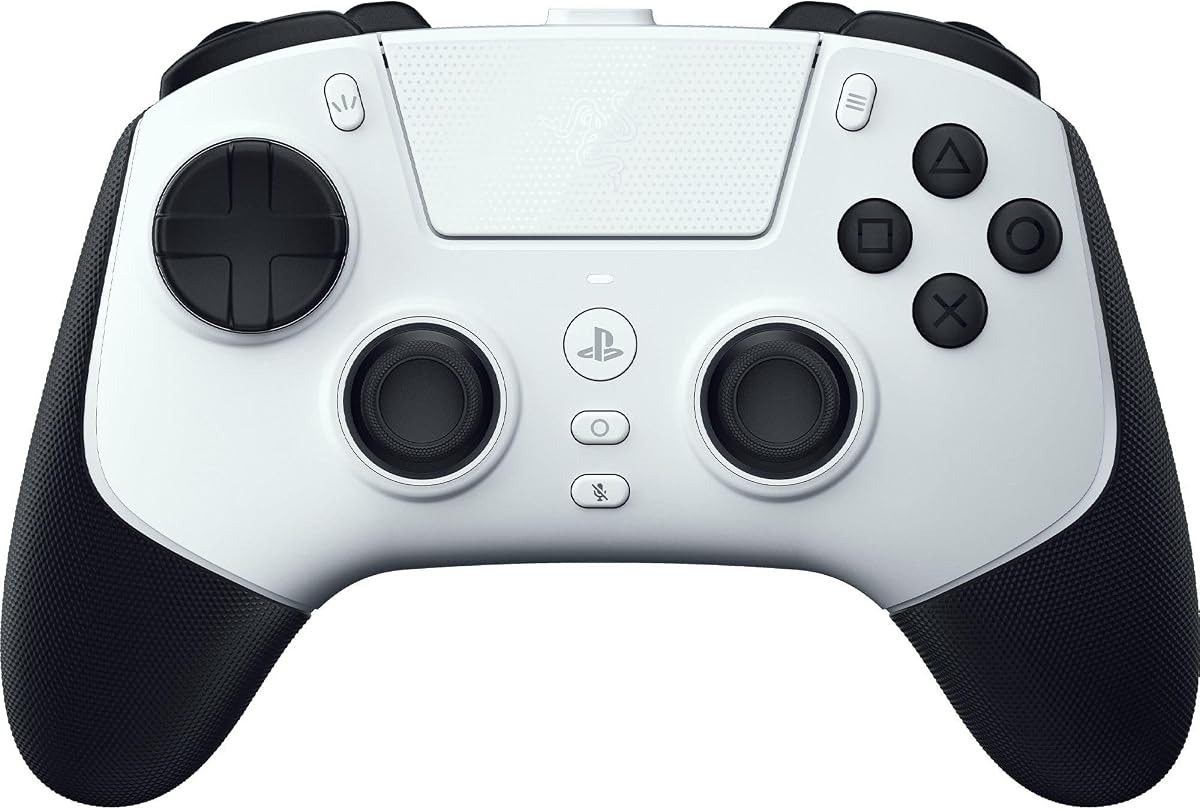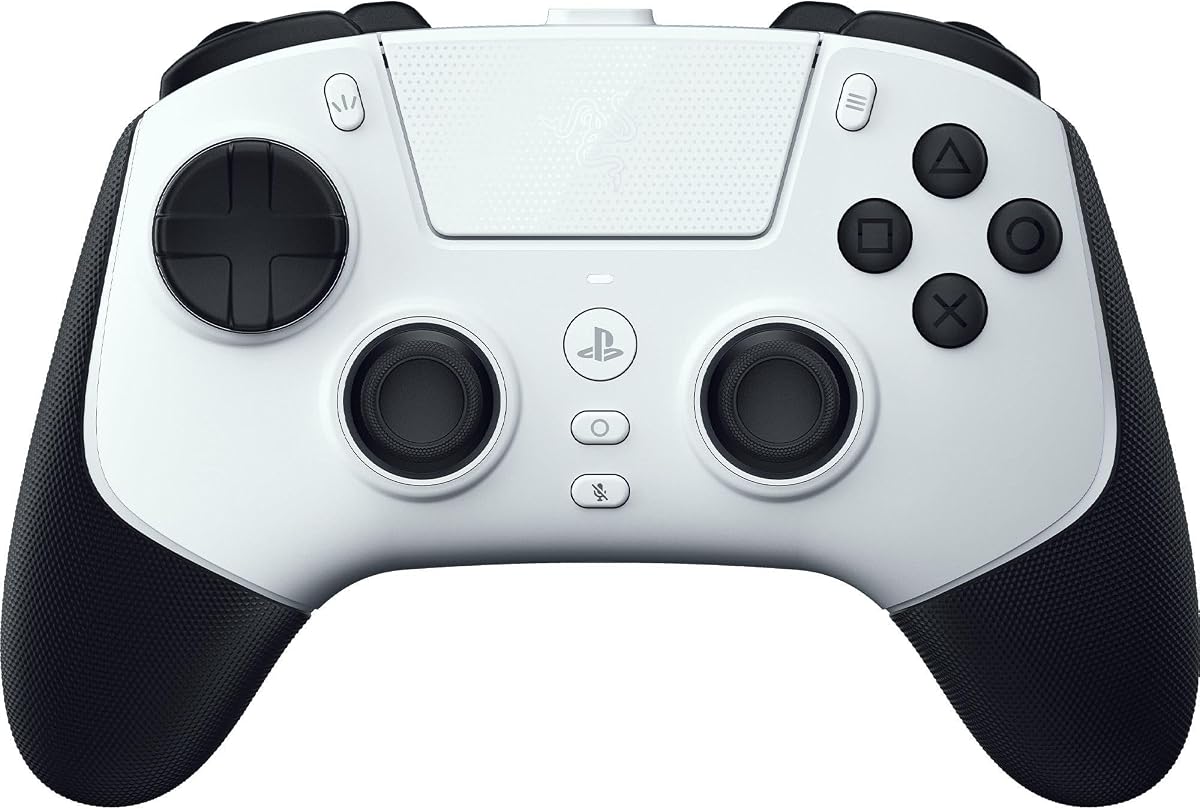
Razer Raiju V3 Pro Wireless Esports Controller
3.9Editor score
Four removable click back buttons
Dual analog and click triggers
Razer HyperSpeed wireless connection
Four onboard customization profiles
Explore the best PS5 Controller with Back Paddles in October 2026, comparing remapping, Hall effect sticks, macros, connectivity, comfort, and platform support.
A PS5 controller with back paddles can give competitive games faster access to extra actions, but the best accessory depends on whether you want a simple add-on or a complete wireless gamepad. Remapping tools, trigger options, stick technology, and installation requirements vary widely across the products reviewed here.
We compared all ten options by examining their back-button counts, programmability, stick and trigger features, connection methods, platform compatibility, feedback systems, and customization options. The list covers plug-and-play paddles, complete wireless controllers, officially licensed pro models, and installation-based remap kits.
Each pick highlights a different way to approach extra controls, from four-button adapters with macro recording to premium controllers with removable paddles and interchangeable components. Ratings and availability can change over time, as can pricing, so check the current listing before making a final purchase.
3.9Editor score

4.4Editor score

3.9Editor score
The comparison below separates the ten products by controller format, paddle count, customization depth, connectivity, feedback features, and intended use. It includes both add-on kits and complete wireless gamepads so readers can choose an approach that fits their existing setup.

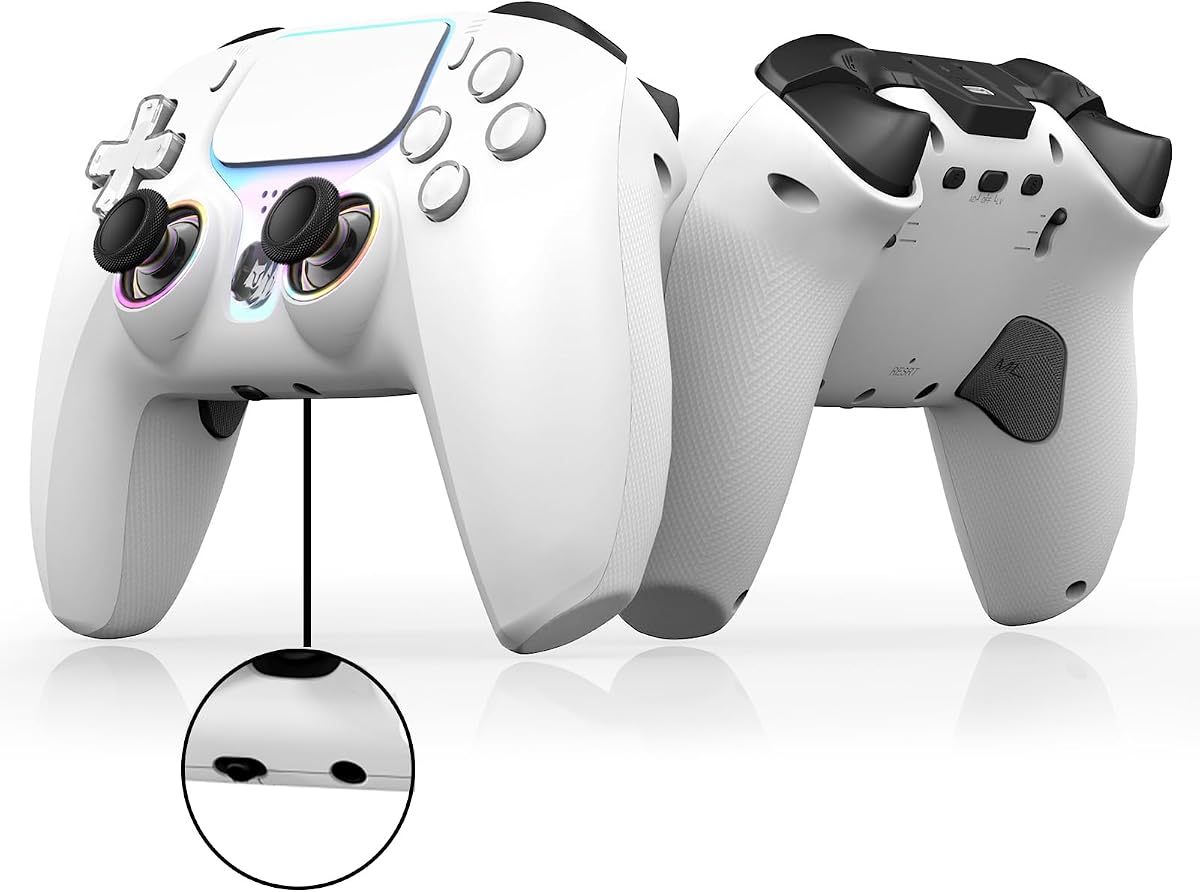


The IWGAME Back Paddles are a straightforward way to add four rear buttons to a compatible PS5 controller, and they carry a 4.2 rating that reflects a generally positive user response. Their standout advantage is the combination of plug-and-play installation, extensive remapping, and support for both single inputs and multi-button combinations.
We may earn a commission when you buy through this link, at no additional cost to you.
Each paddle is identified as M1, M2, M3, or M4 and can be assigned through the Macro control. A paddle can hold up to 25 recorded inputs, with an individual press limited to five seconds, which gives users more room to create useful sequences than a basic one-button remapper. Semi-automatic and fully automatic turbo modes can be applied to a single button or a programmed loop at a listed speed of 8Hz.
The important trade-off is the permanent role of its 7.2-foot wired USB cable. Unlike a wireless controller, this adapter cannot eliminate cable clutter, and the PS5 communication method must be changed to USB Cable before the paddles will work. It is also an add-on rather than a complete controller, so a compatible DualSense controller is still required.
Choose the IWGAME kit when you already own a suitable PS5 controller and want four extra inputs without opening the controller. It is particularly useful for players who want long macros, turbo functions, and broad controller compatibility more than a wireless setup or premium trigger hardware.
The four paddles can map individual controls or recorded combinations, making the kit useful for actions such as weapon swaps, sprint commands, and other sequences that are awkward to perform on the face buttons.
Connecting the USB cable is substantially less involved than installing a soldering-based remap kit, although the required PS5 communication setting should be changed before use.
We may earn a commission when you buy through this link, at no additional cost to you.
The NBCP Wireless Controller combines a complete gamepad with two programmable rear paddles, Hall effect joysticks, and broad connectivity support. No customer rating is shown in the supplied listing information, so the emphasis here falls on its documented feature set rather than an unverified performance impression.
We may earn a commission when you buy through this link, at no additional cost to you.
Its Hall effect sticks use magnetic sensing to reduce the drift associated with conventional potentiometer sticks, while the two rear paddles can be assigned to quick actions or stored macros. A 1000mAh rechargeable battery, Bluetooth 5.0, and a USB-C wired option provide flexibility between portable and stationary play. Dual vibration, a six-axis gyroscope, RGB joystick rings, crystal face buttons, and a 3.5mm headset jack round out the hardware.
Two paddles offer less rear-button capacity than the four-button kits in this list, and users may need to consult the setup guide for Android and iOS arrangements. The product is also a complete alternative controller rather than a way to preserve an existing official DualSense. Its value therefore comes from bundling many features into one device instead of offering modular upgrades.
This NBCP controller makes sense for a player who wants back paddles but also values Hall effect sticks, wireless play, motion control, and a 3.5mm headset connection. It is a broader feature package than the inexpensive add-ons, but it remains a more conventional two-paddle layout than the premium competition-focused alternatives.
Magnetic sensing is designed to preserve smooth and accurate input over time, which can be valuable in shooters, racing games, and other games that demand consistent analog control.
Bluetooth supports convenient wireless sessions, while USB-C provides a stable wired option for play on compatible systems and devices.
We may earn a commission when you buy through this link, at no additional cost to you.
This NBCP Wireless Controller is another complete gamepad option centered on two programmable back paddles and Hall effect joysticks. It has no displayed rating, so buyers should consider the physical features and platform claims carefully, especially if the precise controller model or color they want matters.
We may earn a commission when you buy through this link, at no additional cost to you.
Macro keys let users bind, record, and save personalized sequences to the rear controls. That capability is balanced by dual vibration motors, a six-axis gyroscope, RGB rings around the joysticks, crystal-style face buttons, Bluetooth 5.0, USB-C, and a 1000mAh rechargeable battery. It supports PS5 Pro and Slim systems natively, with Android and iOS options through Bluetooth or USB.
The two-paddle arrangement is the main limitation for players accustomed to assigning four separate rear inputs. Some platform-specific setup may also be necessary, and the listing directs buyers to the manual for details. Like other complete replacements, it requires users to adapt to a new controller rather than retaining their current hardware.
The product is most attractive to gamers who want wireless back paddles, macro support, and Hall effect sticks in a single package. It is a sensible alternative to a wired add-on when reducing cable clutter matters and two programmable rear controls are enough for the player's preferred layout.
Recorded macro sequences reduce the number of separate face-button presses needed for complex actions, while dedicated paddles keep those functions accessible during play.
Game-compatible vibration and a six-axis gyroscope add tactile and motion feedback, while the illuminated stick rings make the control layout easier to identify in dim conditions.
We may earn a commission when you buy through this link, at no additional cost to you.
The Wireless Controller with Hall Effect Sticks combines two programmable paddles with turbo, macros, and a full set of wireless features. Its 3.8 rating indicates a more mixed customer response than the highly rated SCUF option, making careful attention to compatibility and firmware especially important.
We may earn a commission when you buy through this link, at no additional cost to you.
The controller supports programmable macros, rapid-fire-style turbo functions, and remappable back actions. Hall effect sticks are intended to provide precise input with less drift, while dual vibration, a six-axis gyro, RGB rings, crystal buttons, a speaker, and a 3.5mm audio jack create a more elaborate peripheral. A 1000mAh battery and USB-C charging support extended sessions.
Buyers should note the firmware notice. The product information says recent PS5 updates may cause temporary vibration and audio compatibility problems and directs users to download the available firmware package and instructions from the User Guide. The controller also provides only two paddles, so its back-control configuration is less granular than four-button alternatives.
This model suits players who want a complete wireless controller with rapid input and macro functions rather than a simple paddle adapter. Check the product's firmware instructions and confirm the desired platform support before buying, especially if vibration or headset audio is central to the setup.
The dedicated turbo function is designed for games that call for rapid repeated input, providing an option beyond ordinary button remapping.
A built-in speaker, 3.5mm headset jack, RGB lighting, and both wired and wireless connectivity make this feel more like a full replacement controller than a minimal add-on.
We may earn a commission when you buy through this link, at no additional cost to you.
The SCUF OMEGA is a performance-focused PS5 controller with a 4.4 rating, the highest published score among the products in this guide. Its four rear paddles, two side action buttons, and G-Keys create a large set of extra inputs, while the mobile app gives unusually detailed control over response curves, remapping, and deadzones.
We may earn a commission when you buy through this link, at no additional cost to you.
TMR thumbsticks are designed to resist the drift and jitter associated with worn potentiometer sticks. Omron mechanical switches provide fast, crisp activation on the Instant Trigger, Instant D-Pad, and Instant Action Buttons. The controller supports optimized 2.4GHz PS5 connectivity, 1K wireless or wired polling on PC, and Bluetooth 5.0 for other devices. A Tournament Lock helps retain the cable during competitive use.
The trade-offs are size, complexity, and the fact that deep customization depends on the SCUF Mobile app. The interchangeable magnetic faceplate and multiple thumbstick options add flexibility, but they also make the package more elaborate than a standard DualSense or basic paddle adapter. It is designed for committed players who value control over a minimal approach.
The OMEGA is our top overall recommendation for players willing to adapt to a premium performance ecosystem. Four paddles, extensive remapping, durable stick technology, and strong connectivity make it the most complete competitive-focused option here, while its 4.4 rating provides the strongest established customer signal.
The mobile app can adjust trigger and thumbstick response curves, remap action buttons, and set a true 0% thumbstick deadzone, allowing users to tune the controller closely to their preferences.
A Tournament Lock, low-latency connection options, mechanical switch buttons, and interchangeable stick shapes create a controller aimed at competitive gaming rather than general use alone.
We may earn a commission when you buy through this link, at no additional cost to you.
The Wireless PS5 Hall Effect Controller provides two programmable back paddles in a complete wireless package with RGB lighting, a gyro, vibration, and a rechargeable battery. Its 3.0 rating is the lowest published score in this list, so it should be considered with a more cautious view of long-term user satisfaction.
We may earn a commission when you buy through this link, at no additional cost to you.
The Hall effect sticks are designed for accurate input and controlled deadzones, while the paddles support remapping, macro recording, and turbo input. Bluetooth 5.0, USB-C, a 1000mAh battery, dual vibration, a six-axis gyroscope, and a 3.5mm headset jack create a broad feature set. Native support is listed for PS5 Pro, PS5 Slim, and Windows PC, with additional Android and PS4 support through Bluetooth or USB.
The firmware notice is the most important practical consideration. The listing states that recent PS5 system updates may lead to temporary vibration and audio compatibility issues, requiring users to install an available firmware upgrade using the instructions in the User Guide. Users should not expect the product to work perfectly with every recent console update without checking that guidance first.
This controller makes sense for budget-conscious players who prioritize programmable paddles, RGB styling, and Hall effect sticks over a premium license or extensive app-based tuning. Confirm compatibility, review the firmware process, and consider the mixed rating before choosing it as a primary competitive controller.
Macro recording, turbo, remapping, RGB lighting, and Hall effect sticks provide a feature set that extends well beyond a basic stock controller.
Players should download the listed firmware package and follow the provided PDF instructions when updating the controller for use with a newer PS5 system software version.
We may earn a commission when you buy through this link, at no additional cost to you.
The GMVOX Paddles are a four-button wired add-on whose main distinguishing feature is continued operation of the controller's headphone microphone. The product carries a 2.7 rating, so prospective buyers should verify the current user feedback and ensure their controller's physical layout matches the kit's requirements.
We may earn a commission when you buy through this link, at no additional cost to you.
All four M1 through M4 paddles can be programmed for remapping or recorded combinations. Each paddle can store up to 25 inputs, with individual recorded presses capped at five seconds. Semi-automatic and fully automatic turbo can be applied to a single button or a programmed combination loop at 8Hz. The accessory is listed for PS5 BDM-010, BDM-020, BDM-030, BDM-040, and BDM-050 controllers.
The design remains wired, and it requires a PS5 setting change to Use USB Cable. Although the controller is not included, keeping the headset microphone functional is useful for voice communication. Its broad model list is a strength, but the low rating suggests that compatibility or usability may not be equally smooth across every supported version.
The GMVOX kit is worth considering specifically when voice chat through the controller headphone microphone is important. It offers four programmable buttons, macro support, and turbo functions without requiring disassembly, but buyers should check the controller model carefully and read recent feedback before committing.
Unlike some remap solutions that may interfere with the controller's headset microphone, this kit explicitly supports continued microphone communication during gameplay.
Each paddle supports up to 25 recorded inputs, giving users room to build longer button sequences without moving their thumbs away from the primary controls.
We may earn a commission when you buy through this link, at no additional cost to you.
The eXtremeRate SPARK Remap Kit combines four paddles, an OLED display, switchable trigger stops, and rubberized grips for supported PS5 controllers. Its 4.2 rating pairs well with the extensive customization options, although installation is a major commitment compared with plug-and-play adapters.
We may earn a commission when you buy through this link, at no additional cost to you.
The OLED shows button mappings and graphical layouts directly on the controller. Up to eight profiles can be stored, and as many as 15 buttons can be mapped to the four paddles. Users can switch profiles between games, inspect their layouts at a glance, and combine the kit with other compatible eXtremeRate components such as face plates, Hall effect sticks, lighting kits, and replacement shells.
Installation requires taking the controller apart and reassembling it, with soldering options mentioned in the product information. It is designed for BDM-030, BDM-040, BDM-050, and BDM-060 models and expressly does not fit BDM-010 or BDM-020. BDM-060 owners also need to replace the original battery bracket, and professional electronics experience is recommended for that model.
The SPARK kit is ideal for a technically confident gamer who wants on-device visual control and a permanent high-end transformation. It is not the right choice for someone seeking a simple plug-in upgrade, so confirm the controller model and willingness to perform installation before purchasing.
The OLED display places the current layout and profile information directly in front of the player, which is useful for checking assignments without opening a companion app.
Rubberized grips, trigger-stop options, and compatibility with other eXtremeRate parts make the kit appealing to users who enjoy building a customized controller over time.
We may earn a commission when you buy through this link, at no additional cost to you.
The Razer Raiju V3 Pro is an officially licensed PS5 and PC esports controller with four removable, mouse-click back buttons and two claw-grip bumpers. Its 3.9 rating reflects a positive but not exceptional published score, while its trigger system and competition accessories distinguish it from standard back-paddle alternatives.
We may earn a commission when you buy through this link, at no additional cost to you.
Razer Pro HyperTriggers let each trigger alternate between rapid mouse-click actuation and a full analog pull. Symmetrical magnetic TMR sticks are designed for consistent micro-adjustments, while Mecha-Tactile PBT action buttons and an eight-way floating D-Pad prioritize crisp input. The controller offers low-latency 2.4GHz wireless on PS5, 2000Hz wired polling on PC, and a mobile app for profiles, sensitivity, remapping, and trigger calibration.
The four back buttons are removable, which lets competitive players change the configuration depending on the game or their preferred grip. That flexibility is useful, but the supplied removal toolkit and carrying case underline that the controller is designed to travel to tournaments. The product also creates a substantial commitment because it replaces the standard controller rather than adding controls to one.
The Raiju V3 Pro is the premium choice for players who care most about trigger response and can adapt to removable paddles. Its official licensing, symmetrical layout, broad remapping, and high polling options make it particularly attractive for competitive shooters, though the 3.9 rating means it may not appeal equally to every buyer.
Switching each HyperTrigger between a click response and an analog pull allows the controller to suit shooters, racing games, sports titles, and precision-oriented experiences.
Four onboard profiles, app-based calibration, a protective case, two cables, swappable stick caps, and a button-removal toolkit create a package suited to organized competitive play.
We may earn a commission when you buy through this link, at no additional cost to you.
The Turtle Beach Victrix Pro BFG Reloaded is an officially licensed modular PS5 controller with four mappable quick-action buttons. Its 3.9 rating and broad hardware ecosystem make it a practical alternative to premium pro controllers, especially for players who want to switch between traditional, fightpad, and trigger-focused layouts.
We may earn a commission when you buy through this link, at no additional cost to you.
Three customizable modules use built-in Hall effect technology. The standard configuration includes four mappable quick actions, while the fightpad module provides an ergodynamically enhanced six-button layout with Kailh microswitches. A separate trigger module adds five-stop Hall effect clutch triggers with a hair-trigger mode. Eleven interchangeable components allow the controller to be adapted for different games and preferences.
The system supports both wired and wireless play, with a rechargeable battery listed for up to 20 hours. A built-in 3.5mm audio jack, Sony 3D Audio support, a carrying case, module tool, and PC companion app add practical extras. The tradeoff is complexity: buyers need to understand which modules are included, how parts attach, and how the selected configuration affects comfort and controls.
The Victrix Pro BFG Reloaded is our best budget modular recommendation, offering more physical adaptability than a conventional controller at a much lower entry point than premium esports models. It is a strong choice for a player who wants four rear buttons, a serious trigger option, and the ability to experiment with layouts without replacing the entire controller every time.
The fightpad, standard, and trigger modules let players choose a different physical layout, which is useful when moving between shooters, fighting games, and other genres.
Hall effect components, microswitch fight buttons, wired and wireless modes, and a 3.5mm headset jack deliver practical features while remaining more approachable than a full esports ecosystem.
We may earn a commission when you buy through this link, at no additional cost to you.
The right choice depends on whether you want to enhance an existing controller or replace it outright. Back-button quantity, remapping depth, installation effort, stick technology, trigger behavior, and connection style should be weighed alongside the games and competitive habits that matter most to you.
A back-paddle kit can preserve the controller you already own and may be less disruptive to your setup. Wired adapters generally connect directly and avoid internal installation, while soldering-based kits demand disassembly and technical confidence. A complete controller gives you a coordinated set of sticks, triggers, battery, wireless functions, and paddles, but it requires adapting to a new layout and replaces the standard controller rather than supplementing it.
Two rear paddles are enough for many common layouts, such as one action and one modifier, but four paddles provide much greater separation. Four-button products can also create shorter, easier-to-reach combinations without overloading the face buttons. Premium competition controllers often use four click-style paddles because mouse-like actuation can be useful for rapid inputs, while cheaper kits may use standard push buttons.
Useful customization extends beyond assigning one face button to one paddle. Look for stored profiles, visual mapping screens, multi-button recordings, independent action buttons, and controls for swapping functions. Macros can simplify lengthy sequences, but they should supplement normal practice rather than replace learning a game's mechanics. Also consider whether configuration is handled on the controller, through a phone app, or through PC software.
Hall effect and TMR sticks use magnetic sensing and are designed to reduce the drift and jitter that can develop in potentiometer-based analog sticks. For triggers, conventional analog pulls offer gradual pressure control, while click-style triggers simulate fast mouse inputs. Some premium controllers let each trigger switch between analog and click modes, making them more versatile across genres.
Wireless play offers convenience, while a dependable wired connection can be preferable in competitive sessions. Bluetooth is common in broad multi-platform controllers, whereas a 2.4GHz dongle is often used for lower-latency PS5 communication. Wired polling rates matter most for PC competitive play. If you select a USB-powered paddle add-on, account for cable length and ensure your console's controller communication setting is configured correctly.
Check whether the product is an add-on or a complete controller, then verify the exact PS5 controller model it supports. Some kits list several BDM versions while explicitly excluding older models. Full controllers may support PS5, PC, Android, iOS, and other devices, but setup instructions can differ. For multi-platform use, confirm Bluetooth and USB support, required accessories, and whether every advertised function is available on each platform.
Dual vibration, a six-axis gyroscope, RGB lighting, a built-in speaker, and a 3.5mm headset jack can improve everyday usability. Build quality also influences control: mechanical switches may offer a crisp feel, TMR sticks are intended to resist wear, and rubberized grips can improve security during long sessions. A lighter preference should be balanced against the durability of the materials and replaceable components.
Plug-and-play devices are easiest to maintain, but they may add cables or require menu setting changes. Installation-based remap kits can deliver deeper customization while requiring tools, soldering knowledge, and careful reassembly. Premium controllers often depend on companion apps for full configuration, and some budget models require firmware updates after console software changes. Look for clear manuals, update packages, and responsive seller support before installing.
Begin by confirming that the product is compatible with your specific PS5 controller or console. For a wired paddle kit, connect the USB cable and change the PS5 communication method to Use USB Cable before attempting to map buttons. For a complete wireless controller, charge it fully, pair it through the stated Bluetooth or 2.4GHz process, and follow the product's setup guide for the intended platform.
Configure the paddles in an inactive game menu or practice area before using them in competitive play. Assign one function at a time, test each binding, and create a clear visual or written layout. When using a profile-based controller, give each profile a recognizable purpose. Avoid placing essential actions on buttons that are difficult to reach, and allow enough time to develop muscle memory before relying on macros or turbo functions.
Clean removable paddles and grips with a soft dry or lightly dampened cloth, and avoid allowing moisture into buttons, ports, or battery compartments. Keep controller firmware current when the manufacturer provides updates. For wired products, inspect the connector and cable for damage, and for modified controllers, reopen the housing only when the power is disconnected and you are comfortable with the required installation process.
No. Compatibility depends on the kit and the controller's BDM model. Some products support several revisions but exclude older BDM-010 and BDM-020 controllers, while others list compatibility through newer models. Check both the product listing and the model printed on the back of your controller before purchasing.
They can be worthwhile in shooters because rear paddles keep secondary actions accessible without moving the thumbsticks or face-button hand position. Their value depends on the game, the number of buttons, and the layout that feels natural. Players should bind a few useful actions rather than assigning every available control.
Yes, if you buy a compatible add-on kit. Plug-and-play options connect through the controller's wired connection, while more advanced kits may require the controller to be opened and modified. A complete wireless controller provides built-in paddles but replaces the standard controller rather than upgrading it.
Two paddles are sufficient for a simple layout and usually produce less crowding. Four paddles allow more actions to be separated and make advanced shortcuts easier to perform. Competitive players often prefer four buttons because they can assign separate firing, movement, or communication-related functions without complicated combinations.
Most wired paddle kits in this guide require a USB connection to deliver programmable input to the console. They do not turn the original controller into a wireless controller. A complete gamepad with built-in paddles is the better option for players who want all controls to operate without a cable.
Both approaches use magnetic sensing rather than a conventional potentiometer and are designed to reduce drift. Hall effect and TMR can differ in implementation, feel, and controller design, but the practical concern is consistent input over time. Check stick shape, height, and compatibility as well as the sensor technology.
Many of the reviewed models do, but the methods differ. Budget controllers may use onboard keys for recording, while the SPARK kit provides an OLED mapping display and multiple profiles, and premium controllers often provide more advanced configuration through an app. Always test macros and turbo before using them in ranked play.
It depends on the product. The supplied listings for certain wireless controllers include firmware notices and update instructions for newer PS5 system software. Other controllers or add-on kits may not require a separate update. If vibration, audio, or wireless behavior seems inconsistent, check the product's User Guide for the current firmware package and compatibility notes.
The SCUF OMEGA stands out as the best overall option for players who want four deeply customizable paddles, durable TMR sticks, app-based tuning, and a competition-focused platform. The Razer Raiju V3 Pro is the premium alternative for gamers who prioritize switchable analog and click triggers, while the Turtle Beach Victrix Pro BFG Reloaded offers the strongest modular value among complete controllers.
Players who already own a suitable DualSense can consider the IWGAME or GMVOX wired kits for simple installation, four buttons, macros, and turbo functions. The eXtremeRate SPARK is preferable when visual mappings, multiple profiles, trigger stops, and extensive physical modification matter more than installation simplicity. Focus first on the controller model, connection method, and game-specific layout.
Ratings, firmware behavior, and product availability can change, and current prices are likely to vary as well. Review recent customer feedback, confirm the seller's compatibility details, and check the product page before ordering so the selected controller or kit matches your PS5, preferred games, and setup tolerance.