
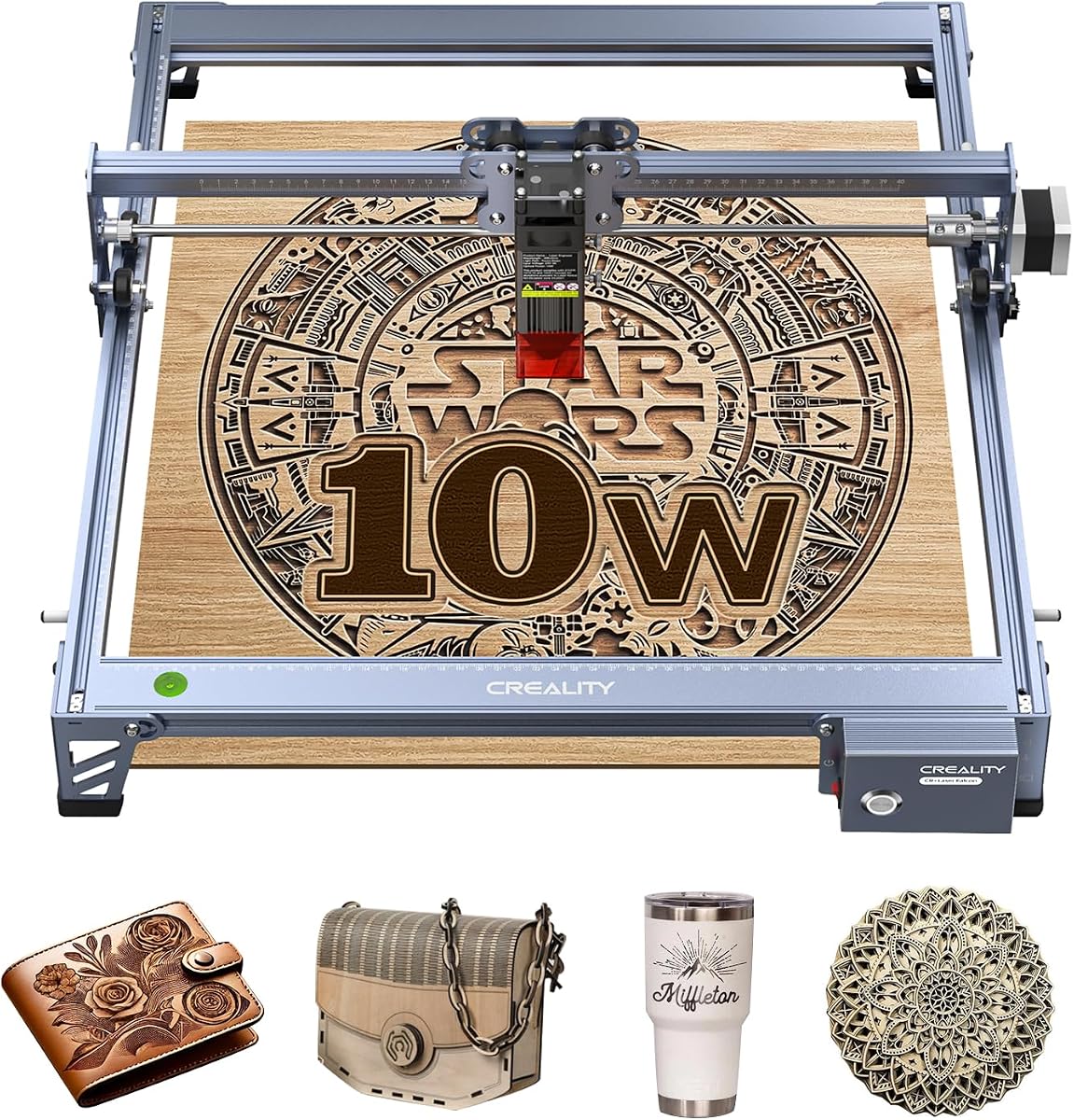
Creality Falcon 10W Laser Engraver Machine
4.2Editor score
400 × 415mm work area
10W effective laser output
LightBurn and LaserGRBL support
Creality laser engravers range from compact desktop units to enclosed, high-speed systems for small businesses. A useful machine balances engraving detail, cutting capability, work area, safety features, software, and the materials you want to work with, rather than simply focusing on the highest stated output.
This guide compares ten current Creality laser engraver options using their listed specifications, compatibility, ratings, and stated features. It covers open-frame and enclosed designs, different laser outputs, camera positioning, autofocus, air assist, software support, and the size of projects each machine can handle.
The picks show where each model fits: a value-focused option for first-time users, an automation-friendly compact model, and capable enclosed systems for heavier workflows. Product availability, included accessories, ratings, and prices can change, so confirm the current listing and specifications before ordering.
4.2Editor score

4.7Editor score

3.8Editor score
As an Amazon Associate we earn from qualifying purchases.
The table below compares all ten models by laser output, work area, speed, and major automation or safety features, making it easier to identify the right Creality machine for your materials and workspace.




The Creality Falcon A1 10W combines an enclosed desktop format with a 10W laser module, 600mm/s stated speed, and a smart HD camera. It is a well-rounded option for makers who want greater enclosure convenience without moving to a 20W or 22W system. Its 4.1 rating reflects a capable machine, although experienced users should still review its material limitations before buying.
We may earn a commission when you buy through this link, at no additional cost to you.
The strongest feature is the combination of safety and workflow automation. The fully enclosed body filters 99% of laser light, while the camera helps locate material and place artwork. Smart material recognition is intended to apply suitable engraving or cutting parameters, reducing the trial-and-error process that can make open-frame machines challenging for beginners. Falcon Design Space, LightBurn, and LaserGRBL support also makes it adaptable to different levels of experience.
Speed is another advantage. The CoreXY platform can reach 600mm/s, and the listed engraving accuracy of 0.05mm is suitable for personalized gifts, logos, decorative panels, and detailed artwork. The machine can cut 6mm wood in one pass according to the supplied information, while a compatible roller kit expands the range to curved or round objects. The transparent panels allow monitoring without opening the enclosure.
The trade-offs are important. The Falcon A1 works only with the specified 460 × 346mm honeycomb panels, and highly reflective materials such as mirror-finished metals and mirrored acrylic are prohibited. The stated 80W figure describes the broader machine capability rather than the effective 10W laser output. Despite those limitations, this is the best all-around pick for users who prioritize enclosure safety, camera positioning, speed, and straightforward setup.
The fully enclosed design blocks 99% of laser light, reduces smoke and noise, and includes an emergency stop. It also pauses when the lid opens, making the Falcon A1 more suitable for shared rooms and workspaces where an open laser would require stricter operational boundaries.
The pre-calibrated HD camera provides a full-frame view for positioning and automatic material recognition. These features are particularly useful for batch work, repeated personalization, and projects where accurate placement is more important than manual calibration.
We may earn a commission when you buy through this link, at no additional cost to you.
The Creality Falcon 10W Laser Engraver Machine is a value-oriented model with an effective 10W output, a 400 × 415mm work area, and a stated speed of 10,000mm/min. It is aimed at home makers, educators, and beginners who need broad material support without paying for the camera and enclosure systems found in more advanced Falcon models.
We may earn a commission when you buy through this link, at no additional cost to you.
Its practical strength is the balance between output and usable space. The supplied information says it can cut 12mm wood and 5mm black acrylic in one pass, while the focused 0.06 by 0.06mm spot supports detailed engraving. It is listed for more than 200 material types, including wood, leather, fabric, acrylics, and metals, giving new users considerable room to experiment.
Software accessibility is another strength. LightBurn and LaserGRBL are supported, and an SD card can be used for offline creation and one-button file management. The anti-UV filter acrylic at the laser module reduces ultraviolet exposure, and goggles are included for added protection. However, unlike the enclosed A1 and A1C models, this unit does not provide the same containment or automated positioning workflow.
This is the best budget choice for a first Creality laser, a classroom demonstration unit, or a hobbyist who mainly engraves wood, leather, and other common materials. Prospective buyers should confirm compatibility with reflective metals and mirrored acrylic before planning a project. For users who need stronger safety containment or automatic camera alignment, spending more on an enclosed model may be worthwhile.
The 10W module, fine focused spot, and familiar LightBurn or LaserGRBL workflow make this machine approachable. Its sizable work area can accept many common blanks while its stated cutting capacity offers more than an engraving-only desktop system.
Users can prepare projects on a connected computer or use an SD card for offline operation. That flexibility helps in classrooms, maker events, and spaces where keeping the engraver permanently connected to a computer is inconvenient.
We may earn a commission when you buy through this link, at no additional cost to you.
The Creality Falcon A1 Pro 20W raises the A1 platform to a 20W blue laser with a full enclosure, touchscreen, app control, and autofocus. Its 4.2 rating and 600mm/s speed make it a strong candidate for small businesses, educational workshops, and makers handling larger batches of wood or acrylic.
We may earn a commission when you buy through this link, at no additional cost to you.
The camera, AI vision, red-dot ranging laser, and Z-axis autofocus work together to improve setup accuracy. According to the supplied data, automatic focusing takes about three seconds and measurement accuracy is within 0.012 inches. The touchscreen supports cable-free operation, while the app allows real-time monitoring from another part of the room or home.
Cutting capability is a major step above 10W models, with the listing citing 10mm basswood and 8mm black acrylic at speeds up to 600mm/s. The enclosed design uses dual protective covers to filter 99% of light and includes an emergency stop and lid-open halt. An internal fan assists with smoke removal, making the system more appropriate for sustained production work.
The optional 2W infrared module is not included, so buyers interested in ultra-fine engraving on selected metals and plastics must purchase it separately. The machine also accepts only the specified 460 × 346mm honeycomb panels and arrives 80% assembled. Even with those qualifications, it offers one of the strongest balances of output, safety, speed, and guided workflow in the lineup.
The combination of touchscreen controls, app monitoring, camera preview, and autofocus minimizes repetitive setup. It is well suited to operators producing similar items in batches where exact placement and fast job turnover are priorities.
The 20W blue module can handle thicker basswood and black acrylic than the 10W options. This broadens the machine beyond decorative engraving into lightweight parts, layered pieces, and repeated production jobs.
We may earn a commission when you buy through this link, at no additional cost to you.
This Falcon A1 10W listing emphasizes an enclosed dual-door structure, air assist, smart camera positioning, and a stated 600mm/s operating speed. With a 4.2 rating, it appeals to users who want a tidy, enclosed system but do not need the cutting power of the 20W and 22W Falcon models.
We may earn a commission when you buy through this link, at no additional cost to you.
Air assist is the notable addition. By directing airflow toward the work area, it can help clear smoke and debris during engraving. The camera provides a full-frame view for locating objects, while graphic outline extraction converts selected design patterns into engraving paths. Falcon Design Space is included in the software options, with LightBurn, LaserGRBL, and Cutlabx also supported.
Its 381 × 305mm work area is smaller than the stated area of several other A1 listings, and the supplied information explicitly says a 500 × 500mm honeycomb panel is not compatible. Acrylic cutting is also unsupported, while coated acrylic may be engraved under the listed guidance. The dual motors and CoreXY motion system support the advertised speed for productive repetitive projects.
This model makes sense for engraving wood, coated non-cutting acrylic, leather, and other compatible materials inside a protected desktop enclosure. It is less attractive for users who need a large cutting bed or thick-material cutting. Check the work-area and acrylic limitations before purchase, but for enclosed 10W engraving with camera assistance, it is a well-equipped option.
Air assist helps move smoke and fine debris away from the active work area. It can support more consistent engraving, reduce residue around the cut, and make the enclosed machine more practical for repeated sessions.
Falcon Design Space, LightBurn, LaserGRBL, and Cutlabx give users several ways to prepare and send designs. The camera and outline extraction also reduce the amount of manual positioning required for common decorative projects.
We may earn a commission when you buy through this link, at no additional cost to you.
The Creality 10W Laser Engraver is a DIY-focused model offering a 17 × 16-inch area, a 10W output, and a 0.06 by 0.06mm focused spot. Its 4.2 rating and broad material list make it appealing to hobbyists who want enough room for signs, paper, leather, wood, dark acrylic, and selected engraving applications on glass or metal.
We may earn a commission when you buy through this link, at no additional cost to you.
The machine can cut 5mm basswood or 3mm black acrylic in one pass according to its supplied information. Its all-aluminum alloy structure, steel shaft wheel guide rail, and belt tension adjustment are intended to maintain accuracy, with engraving controlled within 0.004 inches and repositioning accuracy below 0.007 inches. The included focusing plate assists with tool-free focus adjustment.
File transfer options are unusually flexible for a hobby machine. Projects can be sent through Wi-Fi, USB, or SD card, and both LightBurn and LaserGRBL are supported. The anti-UV filter acrylic reduces ultraviolet exposure at the module. Unlike the pre-assembled enclosed Falcon models, this unit is generally assembled in 10 to 20 minutes and is better suited to makers comfortable with a traditional DIY setup.
This engraver is a good match for users who prioritize work area, familiar software, and material experimentation over enclosure automation. A dedicated extraction solution and safe operating area remain important because the machine is not described as fully enclosed. It is especially compelling for schools, home workshops, and creators who already understand laser settings and ventilation requirements.
The 17 × 16-inch area offers more room for signs and sheet materials than many compact desktop engravers. That makes the system useful when the primary objective is fitting an entire design onto a larger blank.
The focusing plate supports quick manual focus, while Wi-Fi, USB, and SD card options provide flexible project transfer. These details reduce setup friction for users moving between a computer and the machine.
We may earn a commission when you buy through this link, at no additional cost to you.
The Creality Falcon2 Pro S 22W is the most powerful optical-output model in this list, combining a 22W laser with a fully integrated enclosure. Designed for professional makers, studios, and sole traders, it adds Z-axis autofocus, automatic cut-through path compensation, camera positioning, air assist, and a debris drawer. Its 3.8 rating is the lowest here, so buyers should consider the full feature set rather than rating alone.
We may earn a commission when you buy through this link, at no additional cost to you.
The stated material capacity is impressive: one-pass cutting of 15mm basswood, 10mm black acrylic, and 0.1mm thin metal sheets. The product description mentions a 600mm/s headline speed but separately identifies an upgraded cutting speed of up to 500mm/s. That distinction matters, so users should verify the current specification and expected workflow before purchase.
Its integrated enclosure contains smoke, dust, and noise, while the full metal frame and fireproof fiber cover support a workshop-oriented design. Safety features include a flame detector, dual wire limit switch, safety lock, emergency stop, and laser detection cover. A built-in camera above the product supports batch automatic positioning, reducing the need to measure every workpiece manually.
The Falcon2 Pro S is the best premium option for operators who prioritize cutting power, repeatable setup, and maintenance convenience. It ships 80% pre-assembled and is described as installable and testable in 10 minutes or less. Its lower rating may reflect buyer feedback that is not fully captured by specifications, so reviewing current customer comments and confirming material compatibility is advisable.
Automatic cut-through compensation is designed to adjust the cutting path for different materials and thicknesses. Combined with 22W output, this capability makes the machine more relevant to lightweight production than the 10W alternatives.
The integrated enclosure, flame detector, safety lock, emergency stop, limit switch, and detection cover create a more controlled operating environment. The pull-out debris drawer also reduces cleanup time between production batches.
We may earn a commission when you buy through this link, at no additional cost to you.
The Creality Falcon A1C 10W stands out for its AI-assisted design workflow, compact Class 1 enclosure, and high 4.7 rating. It is a strong option for signs, coasters, wallets, ornaments, décor, and personalized gifts where the project fits within a 150 × 150mm working area.
We may earn a commission when you buy through this link, at no additional cost to you.
AI One-Tap Engraving converts photographs into engraving-ready artwork, while background removal, smart fill and layout, and an AI assistant help prepare and optimize designs. The built-in AI HD camera captures the material and positions work with up to 0.1mm accuracy. Autofocus further reduces the need to set laser height manually for each material or thickness.
Speed reaches 15,000mm/min, making the A1C well suited to small, repeated jobs. Its interchangeable platform supports 5W, 10W, and 1.2W Falcon modules, allowing the machine to evolve as task requirements change. However, only one module is included with the selected package, and the other compatible modules must be purchased separately.
The main limitation is scale. Its 150 × 150mm work area is much smaller than the larger Falcon systems, so it is best for compact products rather than signs, panels, or oversized blanks. In return, it offers a low-profile, portable format and an unusually approachable software workflow. It is an excellent choice for beginners, educators, and personalization creators who value automation and compact storage.
One-tap photo conversion, background removal, layout assistance, and setting recommendations reduce the design preparation normally required for photo engraving. This makes the A1C approachable for users without advanced imaging software experience.
Compatibility with 5W diode, 10W diode, and 1.2W infrared modules lets owners tailor the machine as their materials and precision requirements evolve. The modular approach extends the useful life of the platform without requiring a completely new engraver.
We may earn a commission when you buy through this link, at no additional cost to you.
This A1 Pro 20W configuration combines a 20W laser, air assist, an HD smart camera, autofocus, app control, and a touchscreen. It is designed for makers who want more cutting power than a 10W model and a guided workflow that minimizes manual positioning. Its 4.0 rating makes it a serious enclosed option, though it is not rated as highly as the compact A1C.
We may earn a commission when you buy through this link, at no additional cost to you.
The camera provides a full-bed preview, while autofocus completes in approximately three seconds. A smart touchscreen gives quick access to file history and recent projects, reducing repeated imports and configuration. App control provides remote progress monitoring, which is useful for longer jobs or when the operator needs to remain near other equipment.
At 20W, the laser can handle 10mm basswood and 8mm black acrylic with fewer passes, according to the supplied information. Speed reaches 600mm/s through the CoreXY motion system. Air assist helps move smoke and debris, and the enclosure filters 99% of laser radiation while reducing noise and smoke. Lid-open stop and emergency stop add layers of operational protection.
An optional 2W infrared module uses 1064nm technology and a 0.03mm spot for selected fine-detail work, but it is not included. The touchscreen and app also create a more advanced operating environment that may take some adjustment compared with a simple LightBurn or LaserGRBL workflow. Overall, it is well suited to small-shop production and users who value speed, camera placement, and access to recent files.
The touchscreen, app monitoring, and camera preview reduce repeated setup steps. Recent project history is especially useful for operators who create variations of the same product and need to resume work without rebuilding every parameter.
The 20W output adds useful cutting depth, while air assist helps maintain a cleaner work area. Together with the enclosed body, these features support a more controlled workflow for repeated wood and acrylic jobs.
We may earn a commission when you buy through this link, at no additional cost to you.
The Creality Falcon A1C Mini 10W combines a compact Class 1 enclosure, an AI camera, autofocus, 15,000mm/min engraving speed, and quick-swappable laser modules. Its 4.6 rating makes it one of the best-reviewed machines in the group. It is especially relevant to users who engrave many small personalized products in different locations.
We may earn a commission when you buy through this link, at no additional cost to you.
A 10W diode module is included and supports engraving and cutting on wood, leather, bamboo, cardboard, paper, fabric, rubber, felt, and dark opaque acrylic. The machine can also accept 5W diode and 1.2W infrared modules, which are sold separately. The quick-swap system is advertised as allowing a compatible module change in about 15 seconds without a complicated installation.
The HD smart camera provides visual positioning and a real-time preview, while autofocus adjusts the laser height for different materials. Falcon Design Space is available for PC and mobile and includes AI image generation, extraction, material recognition, a material library, positioning, and autofocus. The overall software package is well aligned with the needs of beginners and experienced mobile creators.
Safety and portability are notable. The fully enclosed Class 1 design blocks laser exposure during normal operation, while flame detection sends alerts through the PC or app. Tilt protection and a USB safety lock help prevent accidental operation. The limitation is project scale, because this is a compact desktop system rather than a production bed. It is best for signs, tags, wallets, coasters, ornaments, and gifts.
The quick-swap module design reduces the time required to move between diode and infrared tasks. Once the appropriate module is installed, the software and camera workflow remain available for material setup and placement.
Flame detection, tilt protection, and the USB safety lock add practical safeguards for homes, classrooms, and retail counters. Mobile notifications also make it easier to monitor a job when the engraver is not directly in front of the operator.
We may earn a commission when you buy through this link, at no additional cost to you.
This Falcon A1 10W listing delivers a 4.5 rating and emphasizes compact construction, fast motion, easy startup, and enclosure safety. It is a strong candidate for home studios, small businesses, and makers who want an enclosed 10W machine without a large industrial footprint.
We may earn a commission when you buy through this link, at no additional cost to you.
The CoreXY dual-motor system reaches 600mm/s and is listed as accelerating from zero to that speed in 0.03 seconds. The laser module produces a 0.06 by 0.08mm spot, while the stated precision is 0.01mm. According to the supplied information, the machine can cut 9.6mm black acrylic and 5mm wood in a single pass, depending on the material and settings.
The smart HD camera gives a live full-frame view, allowing designs to be dragged and dropped directly onto a material preview. A one-click batch fill feature automates placement, which is valuable for repeated items such as tags, coasters, labels, and small gifts. Automatic material recognition and a simple three-step operation also make the system accessible to beginners.
Its dual windows provide visibility without opening the machine, and the listed compact design uses 47% less footprint than similar models. Six stated protections include Class 1 compliance, an eye-protection cover, smoke extraction, laser-leak protection, an emergency stop, and a safety lock. This is a compelling enclosed choice for high-speed engraving, though it lacks the 20W and 22W models' heavier cutting capacity.
The 47% footprint reduction and 600mm/s speed are useful together for space-constrained production tables. The machine can move through small engraved items quickly while remaining easier to store than a large enclosed workstation.
Full-frame camera preview, direct design placement, batch fill, and automatic material recognition reduce repetitive setup. This workflow is especially relevant for creators producing many similarly sized pieces.
We may earn a commission when you buy through this link, at no additional cost to you.
The right Creality laser engraver depends primarily on the materials, workpiece dimensions, desired cutting depth, workspace, and level of automation. Comparing the following factors helps narrow the list before you consider optional modules, accessories, or workflow software.
Effective output is the most important power specification because it influences both engraving contrast and the ability to cut through material. The products in this list range from 10W diode configurations to 20W and 22W models, with the Falcon2 Pro S providing the highest stated optical output. More power can also mean faster cutting, thicker approved materials, and fewer passes, but it does not make every material safe. Always verify the machine's compatibility guidance and never assume that a higher wattage can safely process reflective surfaces.
In general, choose 10W for common engraving and light cutting, 20W for broader wood and acrylic fabrication, and 22W for the strongest listed production cutting. Match the power to the work rather than treating the largest number as automatically the best choice.
Work area determines which products can fit inside the machine. The open-frame models offer areas around 400 by 415mm or 17 by 16 inches, while the larger Falcon A1 configurations use specified honeycomb panels with 460 by 346mm dimensions. The compact A1C is much smaller at 150 by 150mm, which is appropriate for coasters, wallets, tags, and ornaments but not oversized signs.
Check both the maximum width and depth rather than looking only at the headline area. Also verify the exact compatible panel size because one A1 listing explicitly does not support 500 by 500mm panels, and another states that only the specified 460 by 346mm panels are compatible.
Enclosed systems are easier to use around people because they contain much of the light, smoke, and debris. The A1, A1 Pro, Falcon2 Pro S, and A1C listings describe Class 1 enclosures, while the open-frame 10W options use protective filters and goggles. Consider emergency stop, lid-open stop, safety locks, flame detection, and smoke extraction as separate features rather than assuming every enclosed model provides the same protection.
For homes, classrooms, retail counters, and shared workspaces, a fully enclosed model generally offers a more convenient operating environment. Any laser still requires ventilation, an appropriate work surface, secure material placement, and close attention to manufacturer warnings.
Camera positioning and autofocus reduce manual setup, especially for batch work or uneven material. The A1 family uses a pre-calibrated HD or smart camera, while the A1 Pro adds AI vision, red-dot ranging, and Z-axis autofocus. The A1C also includes camera-based positioning and autofocus, paired with AI artwork tools. These systems are valuable when precise placement matters more than hands-on adjustment.
Do not treat automation as a replacement for testing. Each machine should still be calibrated for the material, lens, power, speed, and number of passes before a valuable project begins. Automatic settings are most useful as a dependable starting point.
Speed matters when producing multiple pieces or working to a deadline. The A1 and A1 Pro models list maximum motion speeds of 600mm/s, the Falcon2 Pro S lists up to 500mm/s for cutting, and the A1C reaches 15,000mm/min for engraving. The open-frame Falcon and DIY 10W units list work speeds of 10,000mm/min. These figures use different terms and may reflect different operating conditions, so they should be compared as features rather than direct laboratory measurements.
Choose a faster system when turnover is important. For occasional gifts and prototypes, material compatibility, software, and ease of use may influence the decision more than peak speed.
Creality's range supports common approaches from beginner-friendly material presets to advanced vector editing. Falcon Design Space appears throughout the lineup, while LightBurn and LaserGRBL provide additional control and flexibility. The A1C adds AI image generation, extraction, background removal, and mobile support. A1 Pro models add touchscreen history and app monitoring, and the Falcon2 Pro S emphasizes one-key control.
Think about where you prepare files and where you monitor jobs. PC control suits a dedicated workshop, while app operation helps if you need remote progress updates. Advanced users may prefer the broader control offered by LightBurn, whereas beginners can start with the guided Falcon interface.
Wood, leather, paper, fabric, and dark opaque acrylic are among the most commonly listed materials. Several listings also mention engraving on selected metals or plastics, often through an optional infrared module. The infrared heads are not included with the relevant packages, and mirror-finished metals and mirrored acrylic are specifically prohibited in multiple A1 descriptions. Clear acrylic cutting may be supported on some models but not others.
Build a materials checklist from your actual project plans, then confirm that the chosen model supports both engraving and cutting as required. Pay particular attention to the difference between engraving clear acrylic and cutting it, and never test a reflective surface unless the manufacturer explicitly approves it.
The A1C is compact and portable, making it suitable for moving between a home, classroom, maker event, or retail counter. Larger Falcon models trade portability for a larger bed, enclosure, and greater production capability. The Falcon2 Pro S includes a debris drawer, while enclosed models generally contain smoke and require extraction. Consider the route to the machine, available bench space, extraction system, and how often you will empty or clean residue.
A compact machine is not automatically easier to maintain if its accessories and exhaust system are difficult to access. Choose a layout that your workspace can support safely and clean.
Begin by reading the manual and identifying the correct exhaust, material, and ventilation arrangement for your specific model. Confirm the compatible bed or honeycomb panel, install the appropriate lens and laser module, and inspect the machine for loose or damaged parts. Place the engraver on a stable surface with the required clearance around the lid, exhaust, controls, and emergency stop. Do not use a machine with a damaged enclosure, smoke extraction, interlock, lens, or cable.
Prepare the artwork in Falcon Design Space, LightBurn, LaserGRBL, or the software specified for your model. Import the file, confirm the actual dimensions, select the correct material profile, set the appropriate power and speed, and determine the number of passes. Use the camera and autofocus features to place the design, but verify that the material is flat, secure, and correctly focused. Begin with a small test area and inspect the result before processing the full project.
For safe operation, keep the enclosure closed during operation, remain nearby, keep the area clear of flammable materials, and never leave an active job unattended. Monitor smoke extraction and air assist, pause if unusual smoke or odor appears, and use the emergency stop or lid-open stop if something seems wrong. After the job, allow the machine to cool, remove the workpiece, clean residue from the bed and debris drawer, and wipe the lens and viewing windows according to the manual. Store the machine dry and covered, and service worn or damaged components before the next use.
The Creality Falcon 10W Laser Engraver Machine is a practical budget starting point because it offers a focused 0.06mm spot, a 400 × 415mm work area, and support for LightBurn and LaserGRBL. The Falcon A1C may be easier for complete beginners because its camera, autofocus, AI tools, and Class 1 enclosure automate more of the setup. Choose based on project size, safety preference, and how much guidance you want.
A 10W model is usually sufficient for common engraving and light cutting on wood, leather, paper, and compatible acrylic. A 20W model offers more cutting capacity, which can be valuable for thicker basswood, black acrylic, layered parts, and batch production. The 20W options also add more advanced controls, but the higher output should still be used only with manufacturer-approved materials and settings.
The supplied listing states that the Falcon2 Pro S can cut 15mm basswood, 10mm black acrylic, and 0.1mm thin metal sheets in one pass. Actual results depend on the material, settings, focus, and machine configuration. Always confirm compatibility and run a test before committing to a full batch.
An enclosed model generally contains more laser light, smoke, and debris and often includes automatic stops when the lid opens. The models in this guide describe Class 1 safety for their enclosed designs, while the open-frame units use filters and protective eyewear. Enclosure does not remove the need for ventilation, safe material handling, supervision, and compliance with the manual.
Most of the listed machines support LightBurn and LaserGRBL, while Falcon Design Space provides a guided alternative and the A1C adds PC and mobile AI features. Compatibility can vary by model, so confirm the current manual and software requirements before buying. Existing LaserGRBL or LightBurn files may still need adjustments for the new camera, autofocus, or material profile.
Cutting capability differs by model. The open-frame 10W listings describe cutting black acrylic, while one A1 listing explicitly says acrylic cutting is unsupported and recommends engraving only on coated surfaces. Always check the exact product listing, use black or otherwise compatible acrylic, and avoid clear or mirrored acrylic unless the manufacturer explicitly permits it.
An infrared module is optional and is not included with the A1 Pro or A1C packages. It can provide a much finer spot for selected metal and plastic engraving, making it useful for jewelry, photos, business cards, and detailed marks. It is unnecessary for users focused only on wood, leather, paper, or compatible acrylic, and it should be purchased only after confirming compatibility with the selected machine.
Verify the material, lens, focus, power, speed, passes, bed type, and exhaust setup. Use a small test to confirm contrast and cut depth, then check the machine for smoke, fumes, loose material, and moving-part clearance. The correct settings depend on the material and machine, so do not assume a profile from another engraver will transfer directly.
The Creality Falcon 10W Laser Engraver Machine is the best value choice for common hobby work, while the Falcon A1C 10W stands out for AI-assisted design, quick module changes, strong safety features, and a high user rating. For heavier cutting and production workflows, the Falcon A1 Pro 20W adds power and app-based control, and the Falcon2 Pro S 22W provides the highest stated optical output and most extensive workshop features.
Prioritize the factors that affect your actual projects. Match the work area to the largest item you plan to make, choose enough power for the thickest approved material, and decide whether an enclosure and camera automation are worth the additional complexity. If you need large sheets, conventional software control, and simple DIY construction, the open-frame models may be more appropriate. If safety containment, autofocus, and repeatable placement matter, an enclosed Falcon is the better direction.
Before ordering, confirm the current listing, included accessories, compatible bed, ventilation requirements, software support, and material restrictions. Ratings and prices change over time, and the exact bundle may vary. Recheck those details at the time of purchase so the selected model still aligns with your workspace, materials, and workflow.