
Samsung microSD Express Card – 256GB for Nintendo Switch™ 2
4.8Editor score
Purpose-built for Switch 2
256GB compact storage option
MicroSD Express compatibility
Designed for smooth game access
Compare the best Switch 2 SD card options for Nintendo Switch 2, covering compatibility, capacity, speed, durability, and features before you buy with clear
A microSD Express card is the dedicated storage format used by Nintendo Switch 2, but choosing the right card involves more than matching a capacity label. Speed, sustained performance, durability, warranty coverage, and compatibility with other devices all influence whether a card will deliver a convenient gaming experience.
This guide compares ten cards marketed for Nintendo Switch 2 and closely related microSD Express options. The evaluation considers the supplied compatibility claims, advertised read and write speeds, available capacities, durability features, recovery tools, thermal management, and suitability for games, video, and other devices.
The recommendations cover practical options for different storage needs, including compact cards for essential libraries and high-capacity models for larger collections. Each numbered review explains the strongest reasons to choose the card, along with any limitations or ambiguities in the supplied information. Prices and promotions can change.
4.8Editor score
4.6Editor score

4.6Editor score
The comparison below places all ten cards side by side, focusing on the capacity, Nintendo Switch 2 compatibility, advertised performance, and distinctive features that matter most when selecting storage.





The Samsung microSD Express Card – 256GB for Nintendo Switch 2 is a purpose-built option for players who want dedicated expandable storage without paying attention to a larger-capacity card. Its supplied rating of 4.8 is the highest in this group, and its most important strength is clear compatibility: it uses the microSD Express standard required by Nintendo Switch 2.
We may earn a commission when you buy through this link, at no additional cost to you.
The product information emphasizes that Switch 2 requires the new microSD Express format to provide faster access and help games run smoothly. That focus makes this card easier to assess than an older UHS-I card with a similar capacity. A 256GB card provides useful room for a selected collection of downloadable games, saves, screenshots, and video clips without taking up the console's built-in storage.
The main trade-off is that the supplied details do not list exact read or write speeds. It also offers only one-quarter of the capacity of the larger recommendations, so players with extensive libraries may have to manage game movement more frequently. Neither issue changes its suitability for buyers who prioritize a smaller, focused card explicitly designed for the console.
This is the most practical recommendation for a buyer seeking a compact card at the budget end of the list. Choose it when 256GB is sufficient, confirmed microSD Express compatibility is the priority, and you prefer a straightforward option over a broader accessory ecosystem. It is also a sensible starting point for games that do not require a full installation on the card.
Unlike ordinary microSD cards used in earlier Switch systems, this model is explicitly identified as a microSD Express card for Nintendo Switch 2. That clear purpose reduces the risk of accidentally buying an incompatible format.
At 256GB, the card is better suited to a curated library than to preserving every downloaded title. It remains a practical size for essential games, media captures, and saves that users want to keep separate from the console's internal storage.
We may earn a commission when you buy through this link, at no additional cost to you.
The SANDISK 512GB microSD Express Card for Nintendo Switch 2 is the most straightforward all-around recommendation in this roundup. It combines a supplied rating of 4.6, official licensing, 512GB of capacity, and advertised read speeds up to 880MB/s with write speeds up to 650MB/s.
We may earn a commission when you buy through this link, at no additional cost to you.
Official Switch 2 licensing gives this card a useful credibility advantage for buyers who want a product developed specifically around the console's storage requirements. Its claimed transfer performance suggests that moving supported content should be quick, while the capacity provides more room for a varied game collection. The listing also highlights Full HD screenshot and short gameplay video capture alongside stored digital games.
Maximum speed ratings should not be mistaken for guaranteed sustained performance in every host device or file operation. The supplied description does not provide detailed durability specifications for this particular listing, so buyers prioritizing extensive physical-protection claims may find another SanDisk model more informative. Still, these limitations do not outweigh the strong combination of licensing, speed, and capacity.
This card is the best fit for most Switch 2 owners who want a substantial game library without moving to a one-terabyte card. It is especially attractive to buyers seeking an explicitly licensed option with strong published performance figures. Consider it the central choice when a balanced capacity-and-speed profile matters more than maximizing storage.
The official Nintendo Switch 2 license is the defining feature. It signals that the card was positioned for the console rather than merely being a generic microSD Express card whose compatibility depends on interpretation.
Advertised read speeds up to 880MB/s and write speeds up to 650MB/s make the card suitable for transferring supported files and handling gameplay captures. Actual results can vary with the device, reader, file sizes, and workload.
We may earn a commission when you buy through this link, at no additional cost to you.
The SANDISK 512GB microSD Express Card is a technically detailed alternative for buyers who care about heat management, physical protection, and performance beyond the console. It carries a supplied rating of 4.6 and is explicitly described as working with Nintendo Switch 2.
We may earn a commission when you buy through this link, at no additional cost to you.
Its standout feature is SanDisk ThermAdapt, which uses a specially designed enclosure and controller with dynamic adaptive thermal management. The card is also described as waterproof, temperature-proof, humidity-proof, drop-proof, shock-proof, magnetic-proof, x-ray-proof, and wear-out-proof. Those protections can be useful for a portable device that travels between home, travel, and shared environments.
Performance claims include transfer rates up to 4.4 times those of SanDisk's fastest microSD UHS-I cards. Specific file-transfer examples depend on a separate SanDisk PRO-READER SD Express Dual Card and do not directly predict console game-loading performance. The card can also operate at UHS-I speeds in UHS-I and UHS-II devices, which makes it more versatile outside Switch 2.
Choose this model when thermal control, extensive durability protection, and broader device compatibility are important alongside 512GB of capacity. It may be especially appealing for users who move media between the console, cameras, tablets, and other compatible equipment. For a Switch-only buyer focused strictly on official licensing, the preceding recommendation offers a more explicit gaming-focused proposition.
Adaptive thermal management is especially relevant to fast removable storage. The card's controller and enclosure are designed to help manage heat as transfer activity increases, supporting consistent use during demanding workflows.
The extensive proofing claims make this card appealing for mobile workflows. Users can handle games, 4K video, and high-resolution files across compatible devices without limiting the card to one host environment.
We may earn a commission when you buy through this link, at no additional cost to you.
The Lexar 1TB Play PRO Micro SD Express Card is the premier capacity choice in this guide. Its one-terabyte capacity, supplied rating of 4.6, and advertised read speed of up to 900MB/s make it especially relevant to owners who want to keep many downloaded games and media files on one removable card.
We may earn a commission when you buy through this link, at no additional cost to you.
The card uses PCIe technology and is described as delivering performance up to four times faster than typical UHS-I microSD cards. Write speed reaches up to 600MB/s when paired with the Lexar microSD Express card reader. Backward compatibility at UHS-I speeds in UHS-I and UHS-II host devices also allows the card to serve as broader removable storage.
Its price-sensitive value proposition should be considered separately from its feature set because prices can fluctuate and the supplied listing may change. One terabyte reduces the need to rotate games between cards, but it does not guarantee that every game can be installed to the card. The supported transfer method and title requirements still apply.
This is the best premium recommendation for large collections, media libraries, and buyers who want the highest listed capacity in the roundup. The limited lifetime warranty and lifetime access to Lexar Recovery Tool add visible ownership benefits. It is most compelling for enthusiasts who value room, fast transfer potential, and recovery support over a more compact format.
A 1TB capacity provides ample room for game installations, downloadable content, and media. It is the most convenient option here for users who want to minimize the repeated movement of files between storage locations.
The advertised 900MB/s read speed is among the strongest figures in the group. Real-world transfer results depend on the compatible reader or host, file sizes, and whether the workload allows the card to reach its maximum rated speed.
We may earn a commission when you buy through this link, at no additional cost to you.
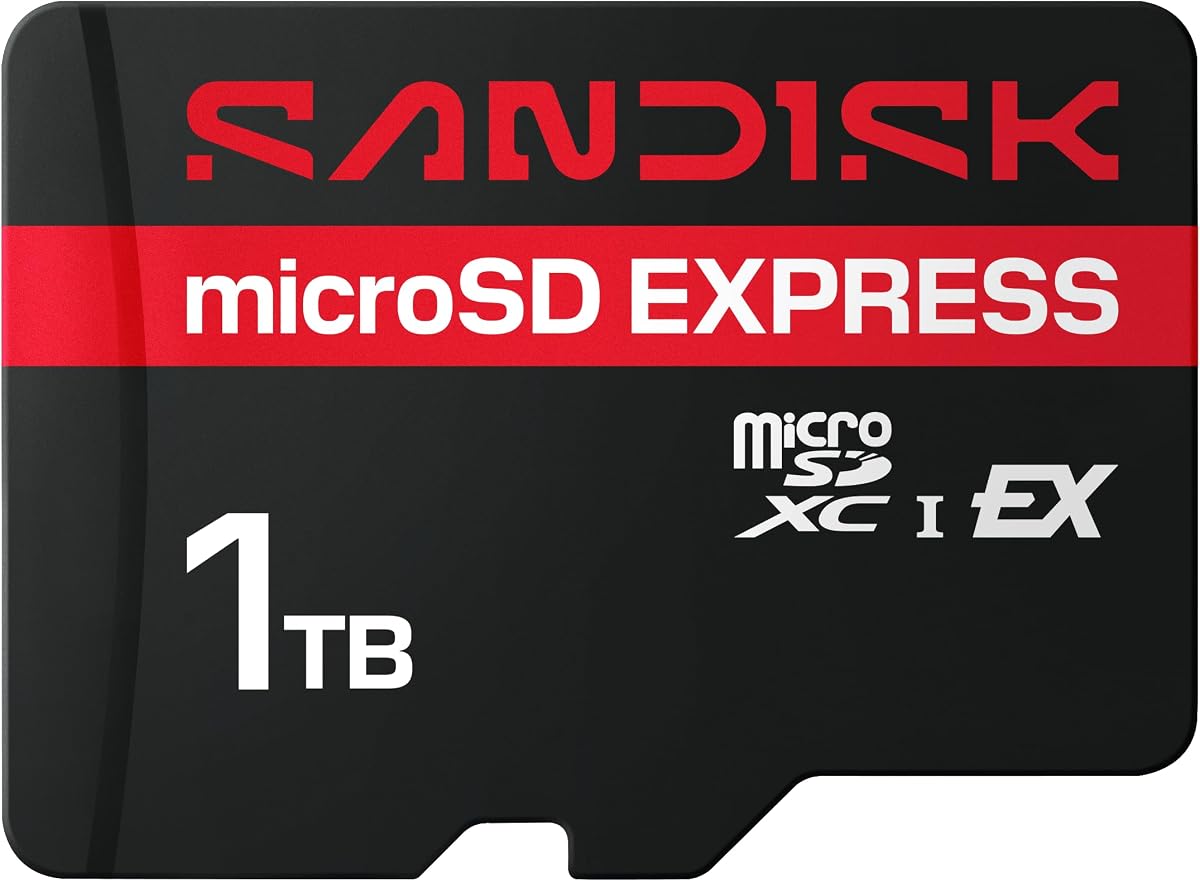
The SANDISK 1TB microSD Express Card combines generous storage with strong performance claims and broad compatibility. It has a supplied rating of 4.6 and is explicitly positioned as working with Nintendo Switch 2, making it a serious alternative for console owners who also move large media files.
We may earn a commission when you buy through this link, at no additional cost to you.
Its advertised transfer speed reaches up to 880MB/s, and the card is described as offering up to 3.5 times faster reads than SanDisk's fastest UHS-I microSD cards. When used with UHS-I and UHS-II devices, it operates at UHS-I speeds, providing a useful fallback for compatible equipment that does not support the newer interface.
Like the other one-terabyte options, this card provides room for a large digital collection, yet supported installation rules and transfer workflows still determine how much can be kept on it. Its listed durability protections cover water, temperature, humidity, drops, shock, magnets, x-rays, and wear, which is reassuring for frequently transported storage.
This model is a good fit for buyers who want one large card for both gaming and high-resolution media. It suits users who appreciate SanDisk's protection claims and are likely to use a compatible high-speed reader for large transfers. The Lexar alternative offers a slightly higher stated read figure and a limited lifetime warranty, while this card emphasizes broad physical protection.
Backwards compatibility makes the card useful beyond Switch 2. It retains UHS-I performance in older compatible hosts, making it easier to manage files across a broader collection of tablets, cameras, and other devices.
Its extensive proofing claims suit a card expected to travel in pockets, bags, and device slots. Protection does not eliminate the need for sensible care, but it adds a reassuring layer of resilience during normal mobile use.
We may earn a commission when you buy through this link, at no additional cost to you.
The SUNEAST 1TB microSD Express Memory Card is a feature-rich alternative for buyers who want high capacity, strong published speeds, and compatibility with several device categories. Its supplied rating is 4.6, and the product description specifically says it was tested with Switch 2.
We may earn a commission when you buy through this link, at no additional cost to you.
Advertised read speeds reach up to 900MB/s, while write speeds reach up to 620MB/s. It also carries Class 10, U3, V30, and A2 performance ratings, supporting 4K UHD video and high-resolution images. Compatibility extends to laptops, tablets, cameras, and Android devices that support microSD Express or UHS-I.
The protection claims include shockproof, temperature-resistant, waterproof, and x-ray-resistant construction. The listing appropriately notes that usable storage is slightly below the nominal capacity because of system formatting and space reserved for card management functions. That caveat is normal for removable flash storage but should be considered when comparing the headline capacity.
This card is a strong choice for users who want 1TB and broad compatibility without moving to the Lexar warranty package. The absence of stated official Nintendo licensing means buyers who place particular value on official authorization should verify the listing or favor the explicitly licensed alternative. For everyone else, the published specifications make this a persuasive high-capacity option.
The combination of high maximum read and write speeds with U3, V30, and A2 ratings supports demanding file workflows. These ratings also help the card serve users who intend to store 4K video or high-resolution images alongside games.
One terabyte gives the card enough room to function as shared media storage across several compatible devices. Real usable space will be slightly lower than the labeled amount, as the manufacturer explains.
We may earn a commission when you buy through this link, at no additional cost to you.
The SANDISK 256GB microSD Express Card is a technically robust starter option for Nintendo Switch 2. It has a supplied rating of 4.6 and combines a compact capacity with ThermAdapt thermal management, extensive physical-protection claims, and support for current and future PCIe-NVMe devices.
We may earn a commission when you buy through this link, at no additional cost to you.
Its transfer claims reach up to 4.4 times those of SanDisk's fastest microSD UHS-I cards. The listing gives detailed examples involving HD video, 4K UHD files, and high-resolution RAW photos when paired with the SanDisk PRO-READER SD Express Dual Card, which is sold separately. That reader requirement is important for anyone expecting the fastest transfer performance.
At 256GB, the card is most appropriate for players who want to keep a curated selection of titles rather than an expansive archive. Its broad protection list and adaptive thermal system make it particularly compelling for portable use. However, the listing does not provide a simple maximum read-speed figure in the same way as several competing cards.
Choose this model if you want the SanDisk Express ecosystem, thermal management, and durability protections in a smaller format. It is a better fit than the ordinary Mario-themed UHS-I card for Switch 2 because it uses the required microSD Express standard. For owners needing more room, the 512GB version provides a straightforward capacity increase.
ThermAdapt uses an enclosure and controller designed for dynamic adaptive thermal management. This focus on heat control is valuable for compact storage that may be moved frequently between high-workload devices.
Water, temperature, humidity, drop, shock, magnetic, x-ray, and wear protections make the card a reassuring choice for travel. Users should still follow safe handling practices and avoid exposing the card to moisture beyond its stated protections.
We may earn a commission when you buy through this link, at no additional cost to you.
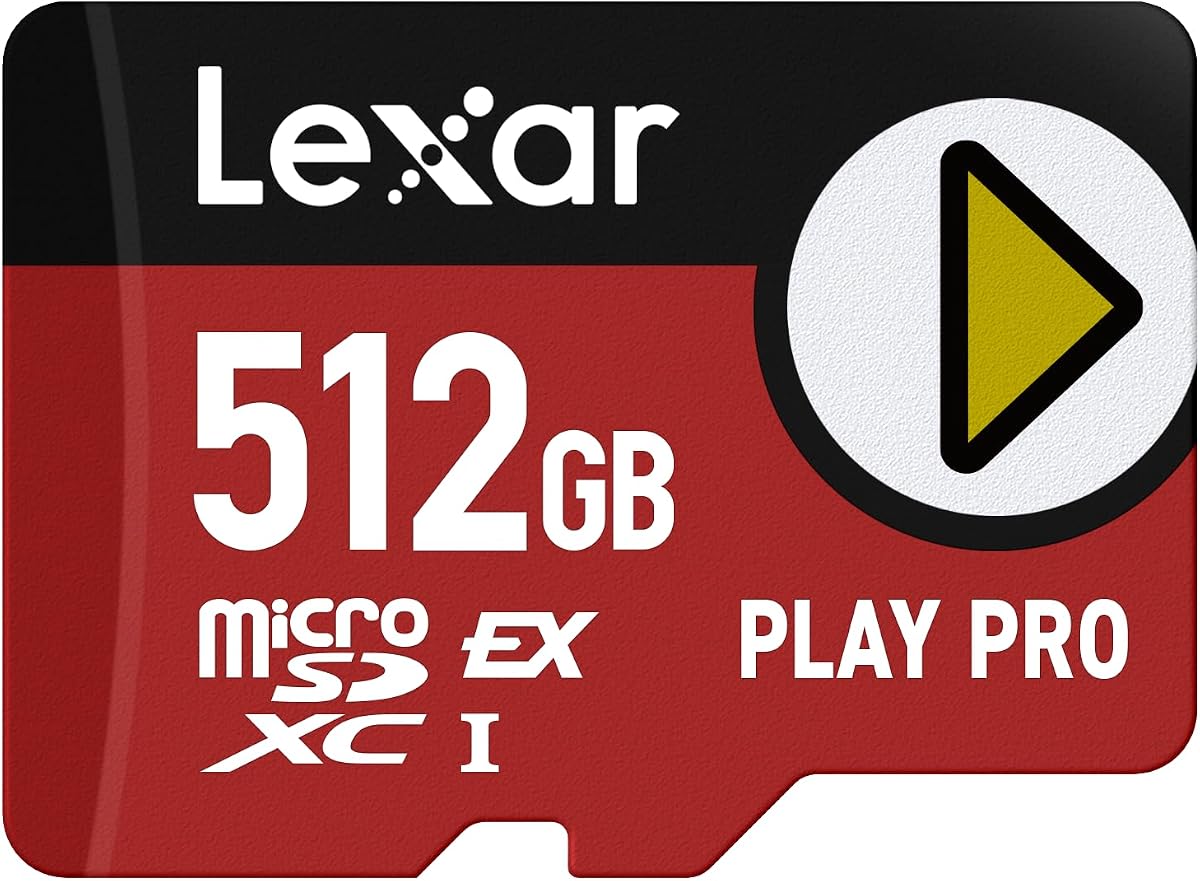
The Lexar 512GB Play PRO Micro SD Express Card sits neatly between the smaller starter recommendations and the one-terabyte premium options. It has a supplied rating of 4.6, 512GB of capacity, and a maximum advertised read speed of 900MB/s.
We may earn a commission when you buy through this link, at no additional cost to you.
Its PCIe-based performance is described as up to four times faster than typical UHS-I microSD cards. Writes reach up to 600MB/s when used with the Lexar microSD Express card reader. Backward compatibility at UHS-I speeds in UHS-I and UHS-II host devices adds flexibility for users who move the card between compatible equipment.
The limited lifetime warranty and lifetime access to the Lexar Recovery Tool distinguish it from several alternatives. As with other high-speed cards, maximum published speeds are conditional on the host device, reader, and workload. The card also does not state official Nintendo licensing, so it may appeal less to buyers who prioritize formal console authorization.
This is a strong recommendation for buyers who want more space than a 256GB card but do not need a full terabyte. Its combination of 512GB, 900MB/s reads, and warranty support is balanced and practical. Consider it when high transfer potential and a medium-to-large game library matter more than official licensing language.
Doubling from 256GB to 512GB creates a more comfortable library without reaching the weight of a one-terabyte card. It is a practical middle point for players who regularly install and remove larger collections of games.
Lifetime access to the Lexar Recovery Tool and a limited lifetime warranty make ownership support easy to understand. These are valuable additions for a card expected to hold a large collection of irreplaceable personal files.
We may earn a commission when you buy through this link, at no additional cost to you.
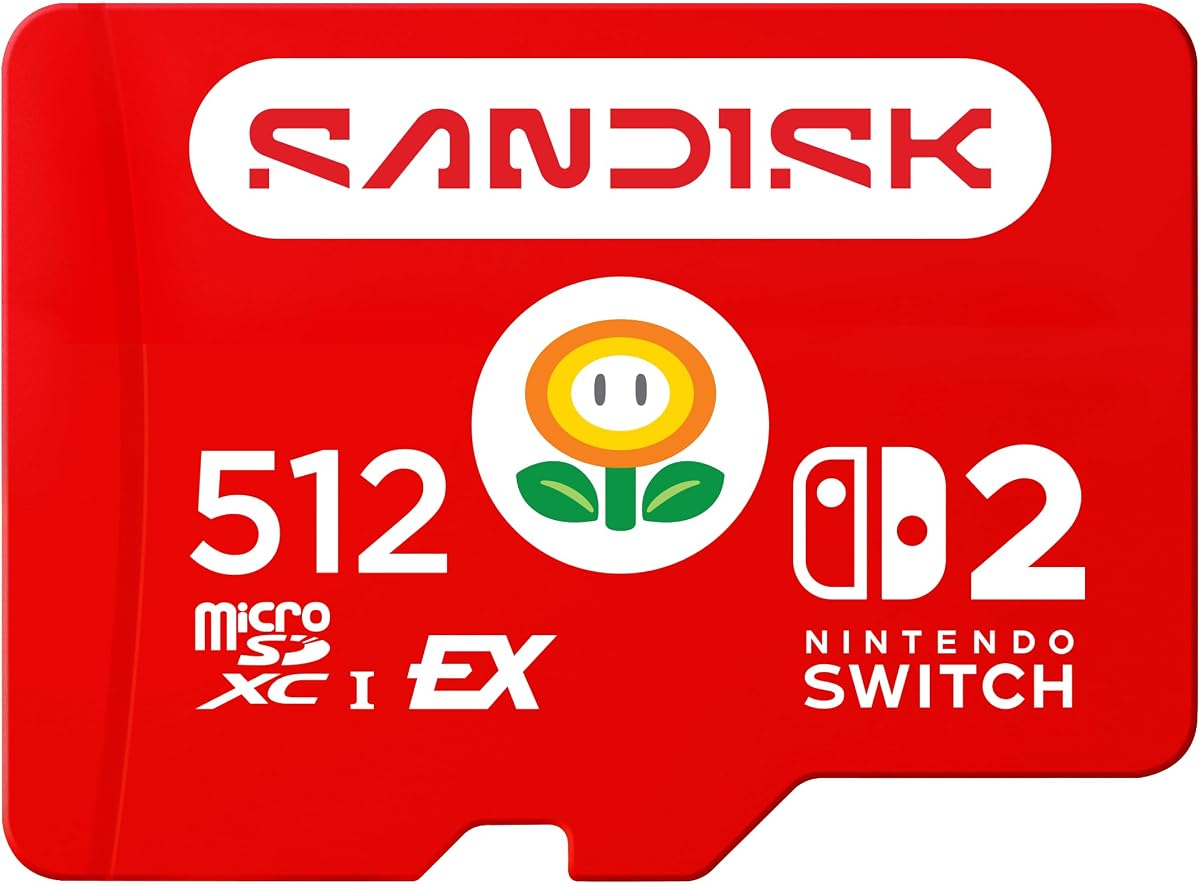
The SANDISK 256GB microSD Card, Super Mario Super Star Edition, is the important compatibility exception in this roundup. Although it has a strong supplied rating of 4.8, it is explicitly compatible with Nintendo Switch, Nintendo Switch OLED, and Nintendo Switch Lite—not Nintendo Switch 2.
We may earn a commission when you buy through this link, at no additional cost to you.
For those earlier systems, the card offers read speeds up to 100MB/s and write speeds up to 90MB/s. Its 256GB capacity can store downloaded games, screenshots, and video captures, while the licensed Super Mario design gives it obvious appeal for fans of the classic Nintendo character.
It cannot be recommended as a Switch 2 card because the console requires the microSD Express standard. The supplied description states that this product is not designed for Switch 2 and directs buyers toward a compatible Express model. Its strong rating reflects the product's fit for its intended older platforms, not suitability for the newest console.
Buy this card only if you own an original Nintendo Switch, Switch OLED, or Switch Lite. For Nintendo Switch 2, choose one of the expressly compatible microSD Express cards in this guide. Its themed appearance and proven older-platform fit make it a charming and practical card, just not for the console targeted by the keyword.
This card remains useful for Nintendo Switch, Switch OLED, and Switch Lite owners. Its published speeds are appropriate for the game-storage demands of those supported systems.
The Mario-themed appearance and high rating can make the card look broadly suitable, but compatibility is determined by the standard rather than the branding. Switch 2 owners must use microSD Express and should not interpret the rating as evidence of Switch 2 support.
We may earn a commission when you buy through this link, at no additional cost to you.
The Samsung P9 Express microSDXC 256GB for Nintendo Switch 2 is a polished option for buyers who value management software and thermal controls. Its supplied rating is 4.7, and the listing explicitly states compatibility with Nintendo Switch 2 and microSD UHS-I devices.
We may earn a commission when you buy through this link, at no additional cost to you.
Sequential read speeds reach up to 800MB/s, described as up to four times faster than standard Samsung microSD UHS-I cards. Dynamic Thermal Guard helps reduce overheating during fast activity, while Samsung Magician Software provides product authenticity verification and drive health monitoring. These tools can be particularly useful for owners managing the card across several compatible systems.
The product line also mentions storage for games and downloadable content, and the listed product provides 256GB. A three-year limited warranty is shorter than the limited lifetime warranty advertised for the comparable Lexar Play PRO options. Samsung's in-house firmware and component production may appeal to buyers who value a vertically integrated approach, although that is a brand consideration rather than a measured performance result.
Choose the P9 if you want Samsung's software ecosystem, thermal protection, and explicit compatibility in a compact card. It is a well-rounded option for essential game storage and health monitoring. Buyers seeking more capacity should consider a 512GB or one-terabyte card, while those prioritizing the longest stated warranty may prefer Lexar.
Samsung Magician Software adds authenticity verification and drive health monitoring. These features make it easier to check that the card is recognized as expected and to manage it as part of a broader storage workflow.
Dynamic Thermal Guard is designed to reduce overheating during demanding activity. That makes the card appealing for frequent transfers and for users who keep media on the same device across gaming, imaging, and productivity tasks.
We may earn a commission when you buy through this link, at no additional cost to you.
The right Switch 2 memory card depends first on compatibility, followed by capacity, speed, durability, and ownership features. These factors help separate genuinely useful cards from products that merely resemble the right form factor or offer impressive specifications for other devices.
Nintendo Switch 2 uses the microSD Express standard for expandable storage. This requirement is more important than the capacity, speed label, or appearance of a card. A conventional microSD card that works in an original Switch, Switch OLED, or Switch Lite does not become compatible simply because its capacity is sufficient. Buyers should look for explicit Switch 2 or microSD Express wording on the product page and packaging.
The Mario-themed SanDisk card in this guide illustrates why this distinction matters. It has a strong rating and useful speed for older systems, yet it is explicitly not designed for Switch 2. Always prioritize the stated interface and supported-device information over naming conventions, visual design, or a general microSD label.
A 256GB card is appropriate for a curated selection of games and may suit players who regularly move installations between internal storage and removable media. A 512GB card offers a more comfortable balance for larger collections, while 1TB cards minimize the need to rotate titles. Actual usable capacity is lower than the labeled amount because of formatting and reserved card-management functions.
Capacity alone does not tell you how many games will fit. Game sizes vary, and Nintendo Switch 2 storage rules determine which content can be stored or moved directly to a card. Think in terms of your typical library rather than trying to calculate a precise title count from the capacity number.
The highest read speed matters when opening supported files or transferring content to the console, while write speed affects how quickly files can be copied onto the card. Published figures in this roundup range from specific maximum rates to broader comparisons with UHS-I cards. Among the cards with exact figures, advertised reads reach up to 900MB/s and writes up to 650MB/s.
Maximum ratings describe potential under ideal conditions, not guaranteed console performance. Results vary with the host device, reader, file size, workload, and thermal conditions. If a card is also intended for cameras or laptops, check that a compatible high-speed host or reader is available before expecting the headline figures to be reached.
Fast cards produce heat during sustained transfers. SanDisk ThermAdapt and Samsung Dynamic Thermal Guard are two of the more prominent thermal-management features represented in the list, using specially designed hardware and control systems to help reduce overheating. These features can be useful for owners who move large files frequently or use one card across multiple demanding devices.
Thermal management should complement sensible handling rather than replace it. Give the card room to operate, avoid forcing it into a mismatched or obstructed slot, and avoid using a card that has been physically damaged. If transfers repeatedly slow down or produce errors, stop using it and investigate the card, reader, and host conditions.
Portable gaming exposes memory cards to drops, temperature changes, humidity, magnetic fields, and everyday wear. Several SanDisk Express listings make extensive protection claims, including waterproof, temperature-proof, humidity-proof, drop-proof, shock-proof, magnetic-proof, x-ray-proof, and wear-out-proof characteristics. SUNEAST also lists shockproof, temperature-resistant, waterproof, and x-ray-resistant protection.
These ratings can influence confidence for frequent travelers, but protection claims are not permission to ignore care. Keep contacts clean, insert the card correctly, and store it in a protective case when it is not in use. Damage from forced insertion, flexing, or electrical problems may fall outside ordinary wear protection.
Management software can make a high-capacity card easier to maintain. Samsung Magician offers authenticity verification and drive health monitoring, while the Lexar Play PRO cards include lifetime access to the Lexar Recovery Tool. A recovery utility can be valuable for checking, organizing, or recovering files, although no software can guarantee that every damaged card or file will be recovered.
Consider the ecosystem only if you already use it or intend to manage the card across several devices. These features add confidence and convenience but should remain secondary to confirmed console compatibility, adequate capacity, and suitable speed.
Warranty length provides another useful indication of how the manufacturer supports the product. The Lexar Play PRO listings include a limited lifetime warranty, while the Samsung P9 listing includes a three-year limited warranty. Review the exact terms, exclusions, and proof-of-purchase requirements for the specific card and region.
A longer warranty does not make a card immune to damage or eliminate the need for backups. Keep irreplaceable saves backed up separately, especially if the card holds a large game collection, captured videos, or personal media. Warranty coverage is most useful when paired with careful handling and sensible data management.
A card used only for occasional Switch 2 games may be chosen primarily for compatibility and capacity. A card that also stores 4K video, RAW photographs, or files on tablets and cameras benefits from broad UHS-I or UHS-II fallback performance and a fast compatible reader. The Samsung P9, SanDisk Express cards, SUNEAST model, and Lexar Play PRO cards all describe some degree of multi-device support.
Check the speed level and interface required by each device before committing. Backward compatibility commonly means a microSD Express card will work in an older UHS-I host, but it may operate only at UHS-I speeds. Choose for the slowest device that matters if smooth operation across several products is important.
Before inserting a new card, confirm that it is a compatible microSD Express model and follow the Switch 2 system's storage instructions. Power the console down before changing removable storage, insert the card in the correct orientation, and restart or continue through the console's setup prompts as appropriate. Format the card in the console when the system requests it so that it recognizes the full available capacity.
Use a compatible, reliable card reader for transferring large files from a computer, and eject the card properly before removing it. Do not move files while the console or reader is actively writing to the card. If a transfer fails, check the connection and try again rather than repeatedly forcing the card or changing devices mid-operation.
Keep the card protected from physical bending, excessive heat, liquids beyond its stated protections, and forceful insertion. Save important data separately and maintain a backup of personal captures or documents. If the console fails to recognize the card, returns read errors, or performance becomes unreliable, stop using it and test it in a compatible host before replacing it.
Nintendo Switch 2 requires microSD Express cards for compatible expandable storage. A conventional microSD card that works in an original Nintendo Switch, Switch OLED, or Switch Lite is not a substitute. The Mario-themed SanDisk 256GB card in this guide demonstrates why the technical standard matters: it has a strong rating but is explicitly not designed for Switch 2.
The right amount depends on the number and size of the games you keep installed, plus downloadable content and media captures. A 256GB card is practical for a focused collection, 512GB gives more room for regular use, and 1TB suits extensive libraries. Remember that actual usable capacity is lower than the labeled figure because of formatting and card-management overhead.
A faster card can improve supported transfer operations and reduce waiting when the console accesses compatible stored content. However, maximum speed ratings depend on the host, reader, file size, workload, and thermal conditions. Capacity, compatibility, and reliable sustained performance are often more important than choosing a card solely by its highest published read speed.
Several of the listed microSD Express cards can operate at UHS-I speeds in compatible UHS-I or UHS-II devices, while specific devices such as laptops, tablets, cameras, and Android hardware may require matching interfaces. Check each host's requirements and use a compatible reader when transferring files. The newest microSD Express speed may only be available on Switch 2 or specialized card readers.
The main difference is how many games, downloadable files, screenshots, and videos can be stored without frequent deletion or movement. A 256GB card offers the most compact option, 512GB balances storage and manageability, and 1TB minimizes file rotation. Game sizes vary, so users should consider their library and supported installation rules rather than relying on a fixed title count.
A separate reader may be needed to take full advantage of advertised transfer speeds, especially when moving large files between computers and devices. Some Lexar and SanDisk transfer examples specifically require compatible readers sold separately. The Switch 2 can handle supported storage directly, but the card's maximum speed may not be reached in every host.
No. Branding and themed artwork do not determine compatibility; the card's underlying standard does. The SanDisk Super Mario Super Star Edition shown in this guide is licensed for earlier Switch systems and is explicitly not designed for Switch 2. Confirm that the listing specifically states microSD Express and Nintendo Switch 2 support.
Following the console's prompts and formatting the card in the system ensures that it is recognized correctly and configured for use. Formatting may erase existing data, so transfer anything important before starting. Use a reliable compatible reader for any later computer transfers and eject the card safely when removing it.
The strongest all-around choice is the officially licensed SanDisk 512GB microSD Express Card for Nintendo Switch 2, which combines 512GB with advertised read speeds up to 880MB/s and write speeds up to 650MB/s. Buyers seeking a smaller option can choose the Samsung 256GB Express card, while collectors with large libraries may prefer the Lexar 1TB Play PRO for its capacity, high speed figures, and limited lifetime warranty.
Compatibility should come before every other consideration. A card that works well in an earlier Switch model does not automatically support Switch 2, and even among Express cards, capacity and accessory features vary. Prioritize confirmed microSD Express support, select a realistic amount of storage, and consider thermal controls and durability if the card will travel or handle large media files.
Finally, remember that prices, promotions, and product availability can change. Check the current listing, warranty terms, and device requirements before ordering, and avoid buying an attractive but incompatible card based on its rating or design alone. With the right format and capacity, a Switch 2 memory card can provide a convenient home for games and downloadable content while remaining useful across compatible devices.