
PRGR HS 130-A
4.2Editor score
Measures ball and club speed
Works without a struck ball
Stores 500 previous swings
Runs on standard AAA batteries
This Mobile Golf Launch Monitor guide compares ten portable trackers for club speed, ball data, distance, spin, video analysis, storage, and ease of use.
A mobile golf launch monitor turns a practice session into a measurable workout, showing how club speed, ball speed, smash factor, distance, and other variables affect every shot. A useful device should deliver clear feedback, operate indoors or outdoors, fit easily into a practice routine, and make the resulting information easy to understand.
The products in this guide were compared using their stated measurement systems, displays, connectivity, storage, session modes, battery life, portability, and indoor or outdoor suitability. The list includes basic speed trainers, radar monitors, camera-based systems, and advanced simulator packages, so golfers can compare capability without paying for features they may never use.
Each review explains the product's strongest benefits, practical limitations, and best-fit golfer. Ratings and specifications reflect the supplied product information, while feature availability can vary with device compatibility, subscriptions, accessories, or membership plans. Product pricing and availability can change, so confirm current details before purchasing.
4.2Editor score

4.4Editor score

4.3Editor score
This side-by-side comparison covers the major differences in measurement technology, available data, display style, portability, connectivity, and session features across ten mobile golf launch monitors.




The Voice Caddie SC200Plus is a portable golf swing analyzer with a 4.2 rating and an emphasis on accessible, repeatable training. Its standout feature is swing-speed mode, which lets golfers work on speed and tempo by swinging a club without striking a ball. That makes the monitor especially useful in small rooms, garages, offices, or any location where a full-size hitting setup would be inconvenient.
We may earn a commission when you buy through this link, at no additional cost to you.
The device uses Doppler radar and atmospheric-pressure sensors to collect swing data. It provides real-time feedback through an LCD display and voice output, while adjustable loft angles allow golfers to simulate several club conditions. Shot data and club statistics can be stored for later retrieval, including average distance for each club. The absence of a ball requirement expands the range of drills available without reducing the monitor's usefulness for standard swing-speed work.
Its main limitation is that the advertised feature set is focused on speed and tempo rather than the deeper launch, spin, dispersion, and video analysis found in higher-end camera systems. The supplied information also does not mention app connectivity, which could be important to golfers who want cloud-based review or virtual-round options. Even so, voice feedback and stored club averages can make it a focused and satisfying training tool.
This is a practical choice for golfers who want to improve tempo, repeatability, and club speed without needing a net or a large indoor simulator. It is also suited to range sessions because the unit can measure a normal swing as well as speed-only repetitions. For golfers whose main goal is fast, immediate feedback rather than elaborate visual analysis, the SC200Plus offers a straightforward way to build a repeatable practice routine.
Swinging without a ball removes many obstacles to short indoor sessions. The speed mode is useful for isolated tempo drills, gradual distance work, and checking whether a repeatable motion can be maintained without the variables introduced by ball contact.
Combining an LCD with voice output means golfers can hear a result without constantly looking down at the screen. This is particularly helpful during repetitions, when maintaining posture and finishing the swing matters more than stopping to inspect a detailed graph.
We may earn a commission when you buy through this link, at no additional cost to you.
The PRGR HS 130-A is a pocket-sized radar monitor that combines approachable operation with a useful set of speed and distance measurements. It has a 4.2 rating and measures club-head speed, ball speed, smash factor, total distance, and carry distance. Crucially, it can measure club speed without a ball, so golfers can use it for dry swings as well as normal range shots.
We may earn a commission when you buy through this link, at no additional cost to you.
Its self-contained design is one of its most attractive features. It requires no Wi-Fi, Bluetooth, app, or special subscription for core operation, and standard AAA batteries keep charging concerns simple. The unit stores up to 500 past swings, allowing golfers to review recent performance without relying on a connected phone. Its small size also makes it simple to move between a range, garage, gym, or course practice area.
Compared with camera-based premium monitors, the HS 130-A does not offer the supplied specification of automatic impact video, advanced spin-axis analysis, or a built-in simulator display. Its value instead comes from focused measurement, straightforward operation, and freedom from an ecosystem requirement. It also supports non-golf activities such as baseball, tennis, soccer, and hockey, which could make it more useful to a household interested in multiple speed sports.
The PRGR is best for golfers who want credible launch-style numbers without managing an app or premium simulator setup. It is an especially attractive option for swing-speed work because it works with or without a ball. Golfers who value video review, launch angle, and deeper ball-flight analysis should look farther up the list; those who primarily want compact, dependable speed feedback will find this model focused and practical.
The HS 130-A brings club speed, ball speed, smash factor, carry distance, and total distance into a device that can function independently. That makes it convenient for golfers who prefer immediate readings over app-based trend analysis.
The ability to measure club-head speed without a struck ball supports indoor and dry-swing practice. Golfers can focus on one movement variable, compare attempts, and use stored data to look for consistency over time.
We may earn a commission when you buy through this link, at no additional cost to you.
The Garmin Approach R10 is a portable monitor for golfers who want more than a speed number. Its 4.1 rating reflects a feature set that includes club-head speed, ball speed, swing tempo, ball spin, launch angle, and additional shot data when paired with a compatible smartphone and the Garmin Golf app. It also records swing videos, making it easier to connect a visible movement with the metrics produced on each shot.
We may earn a commission when you buy through this link, at no additional cost to you.
Training mode tracks statistics by club and displays a shot-dispersion chart based on estimated ball flight. This is valuable for golfers trying to identify patterns rather than merely compare isolated readings. The included phone mount attaches to a golf bag for easier viewing, and the device's stated battery life reaches 10 hours. Its IPX7 rating and water-resistant construction make it suitable for outdoor range work as well as indoor practice.
The R10 depends on a compatible smartphone for its app-based workflows, which means users must manage a second device and accept that some functions are software-driven. Virtual rounds and tournament participation are available through an active subscription, while the core training experience is designed around the Garmin Golf app. The phone-free standalone experience is therefore less integrated than that of a premium system with a built-in display.
This model suits golfers who want video, club-by-club trends, launch information, and practice flexibility in a portable package. It is a particularly logical choice for someone already invested in the Garmin Golf ecosystem or comfortable using mobile apps. Users wanting a self-contained touchscreen or deeper spin-axis analysis may prefer the Approach R50 instead.
A recorded swing can reveal posture, release, and face-to-path questions that numbers alone cannot explain. Because the clip includes associated metrics, golfers can compare a visible movement pattern with changes in speed, launch, and estimated dispersion.
Training mode is particularly helpful for golfers who want to identify repeatable gaps. Tracking each club separately helps prevent strong irons from masking weaker wedges and supports more focused practice.
We may earn a commission when you buy through this link, at no additional cost to you.
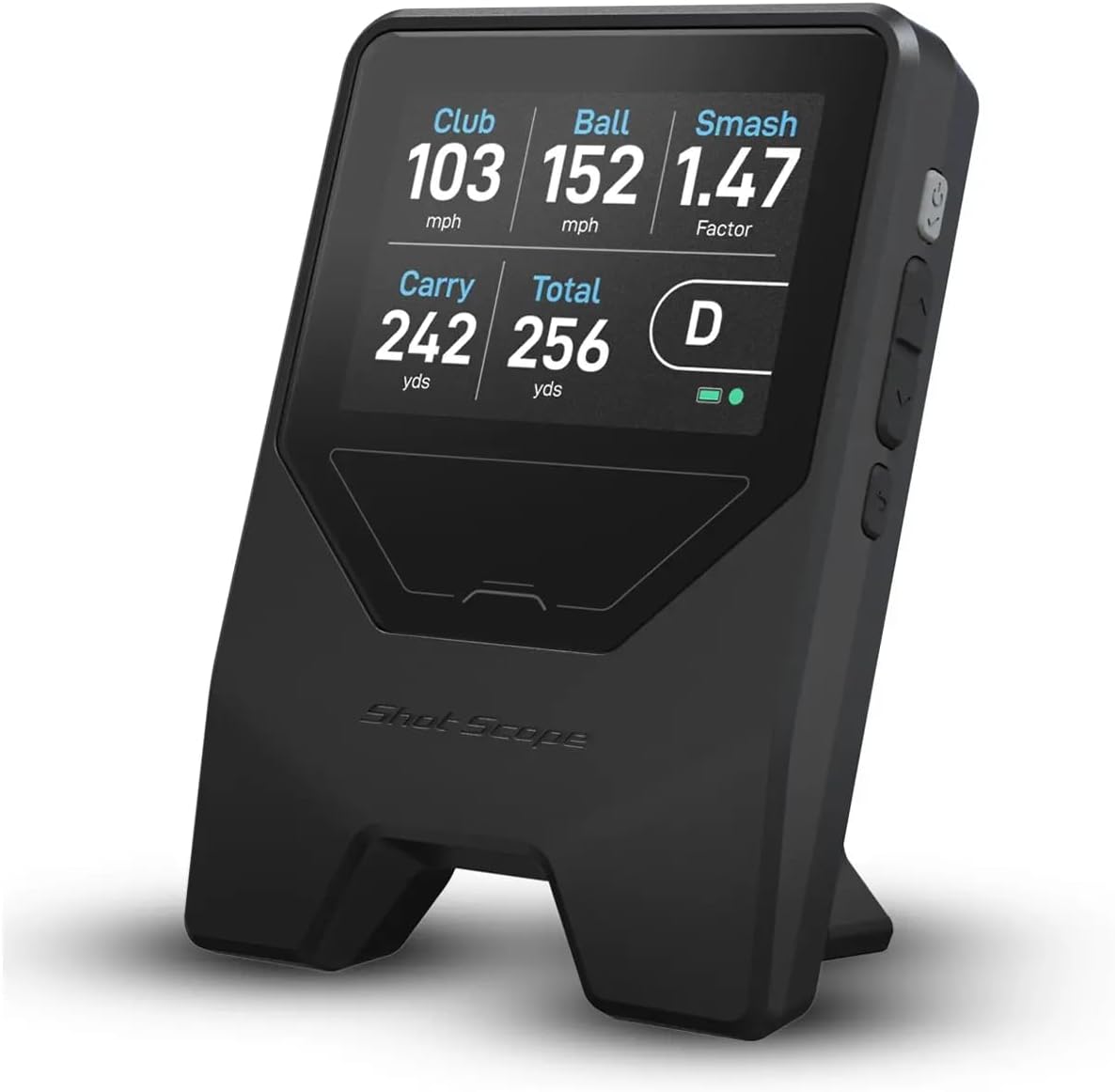
The Shot Scope LM1 is a portable Doppler radar monitor focused on core launch measurements and unrestricted session history. It has a 3.8 rating and reports club speed, ball speed, smash factor, total distance, and carry distance. Its free Golf GPS app does not require a subscription, while lifetime shot history can be accessed through that app for users who want a record of their sessions.
We may earn a commission when you buy through this link, at no additional cost to you.
Selectable session types make it adaptable to several environments. On-Course, Practice Range, and Speed Training modes let golfers organize the same device around different goals. Speed Training works with regular clubs and speed sticks, and the display can switch between miles per hour and yards or kilometers per hour and meters. The IPX3 rating and durable construction are designed for indoor or outdoor range use, while a USB-C charger and a battery life of more than five hours support regular sessions.
The trade-off is that the supplied specifications do not mention video capture, launch direction, launch angle, or detailed spin-axis measurements. Its lower supplied rating also suggests it may not deliver the same overall satisfaction as the strongest alternatives in this list. However, ratings should be considered alongside the product's central appeal: the absence of recurring app fees and permanent access to session history is a meaningful advantage for ongoing practice.
The LM1 is a good match for golfers who prioritize portability, clear core metrics, and no-subscription storage over premium visual analysis. It can serve as an approachable first launch monitor or a dependable range companion. Golfers who routinely analyze swing video or want the most extensive flight data should consider a more advanced system.
The included Golf GPS app provides session-history access without a recurring subscription. This keeps the ownership experience straightforward and lets golfers preserve records rather than losing access through an expiring membership.
On-Course, Practice Range, and Speed Training settings reduce the need to repeatedly reinterpret every reading. Each mode organizes the session around a distinct environment or objective, from full shots to controlled speed work.
We may earn a commission when you buy through this link, at no additional cost to you.
The Shot Scope LM1 Portable Golf Launch Monitor PlayBetter Power Bundle packages the core LM1 with several accessories designed for mobile use. It has a 4.2 rating and provides club speed, ball speed, smash factor, carry distance, and total distance through Doppler radar. The bundle also includes a free lifetime app subscription, preserving full launch data and session history without monthly fees.
We may earn a commission when you buy through this link, at no additional cost to you.
Its distinguishing feature is the inclusion of a PlayBetter Portable 5000mAh charger and wall adapter, along with a USB-C charging cable, protective case, cleaning cloth, and user manual. The extra power option is meaningful for golfers who practice away from an outlet, travel frequently, or want greater flexibility between the range, course, and home setup. The protective case also improves the practicality of moving the monitor regularly.
The bundle does not add advanced video, spin-axis, or touchscreen features beyond the underlying LM1. Its value therefore comes from convenience and readiness rather than a fundamentally broader measurement system. Users should distinguish between the monitor's capabilities and the supporting accessories in the package, especially if they already own a charger or protective case.
This version is best for golfers who want the LM1's core data without recurring app costs and expect to use the monitor across multiple locations. The included power bank removes one common obstacle to long mobile sessions. It is less compelling for buyers whose priority is swing video, virtual rounds, or advanced launch and spin analysis.
A portable charger and wall adapter make it easier to keep the LM1 ready for sessions where an outlet is unavailable. The addition is particularly relevant for golfers who divide practice between a range, garage, and course.
The cable, case, cloth, and manual create a more complete portable package than the monitor alone. These items simplify setup, storage, and maintenance when the device regularly moves between locations.
We may earn a commission when you buy through this link, at no additional cost to you.
The GOLFBUDDY Shot Mate is a colorful, straightforward launch monitor designed around practice feedback. Its 3.8 rating accompanies a feature set covering club speed, ball speed, smash factor, and carry distance through Doppler radar. The full-color TFT LCD automatically adjusts for changing lighting, making readings easier to view in bright outdoor conditions or varied indoor spaces.
We may earn a commission when you buy through this link, at no additional cost to you.
Practice and Target Modes support two distinct training approaches. Practice mode is suited to repetition and consistency work, while Target Mode gives accuracy-based training a more structured purpose. The monitor stores as many as 1,000 shots and automatically keeps the last 10 swings available for quick comparison. That combination supports both long-term history and immediate review without requiring the user to manually preserve every result.
The rechargeable lithium-polymer battery provides up to 10 hours of continuous use, and the device tracks ball flight out to 320 yards. On the other hand, the supplied specifications do not mention total distance, launch angle, spin, app connectivity, or swing video. Those omissions make it better suited to golfers who want a clear speed-and-carry trainer than to those seeking a full simulator or deep-flight analysis.
The Shot Mate is a strong candidate for practice sessions where visibility, structured modes, and storage are priorities. Its compact build is suitable for a driving range or indoor practice area, and the rechargeable design removes the need for disposable batteries. Golfers seeking visual swing review or a richer data ecosystem should consider one of the Garmin or FlightScope alternatives.
The auto-adjusting full-color TFT display is designed to remain legible under different lighting conditions. Clear presentation reduces the chance of glancing away from the target or losing focus during a repetition.
Separate Practice and Target Modes help golfers vary their objectives without improvising session structure. Practice supports repetition, while Target Mode supports deliberate accuracy practice.
We may earn a commission when you buy through this link, at no additional cost to you.
The Garmin Approach R50 is a premium launch monitor and simulator with a 4.3 rating. Its defining feature is a three-camera system that supplies detailed measurements, while a built-in 10-inch color touchscreen lets golfers review insights, select courses, examine impact videos, and manage the simulator without depending on a phone for the main interface.
We may earn a commission when you buy through this link, at no additional cost to you.
The measurement suite includes ball speed, launch angle, face-to-path when the required tracking sticker is used, improved spin rate, and spin axis. Training mode tracks statistics for each club and presents a shot-dispersion chart based on an advanced trajectory model. High-speed impact video adds an immediate visual reference, allowing a golfer to see contact quality alongside the numbers. A built-in barometer also accounts for atmospheric pressure when estimating carry distance.
Virtual rounds, including putting for up to four players, are available across more than 43,000 courses through Home Tee Hero when an active Garmin Golf membership is present. HDMI output allows connection to another monitor or projector for customizable viewing. The included carrying case supports transport, but the four-hour battery life is shorter than the ten-hour figure offered by the R10, and premium simulator features carry subscription conditions.
The R50 is for golfers who want a serious home-simulator or range setup with advanced data, video, and a large integrated screen. It removes the need to juggle a phone during normal operation and offers the deepest simulator feature set in this comparison. Those who only need a lightweight speed trainer will likely receive more value from a simpler radar unit.
Spin rate, spin axis, and optional face-to-path tracking make the R50 more relevant for golfers working on launch-window consistency. The tracking sticker requirement for face-to-path should be considered when planning an indoor setup.
The built-in touchscreen keeps navigation, metrics, video, and course selection on the device. This creates a more integrated experience than app-centered portable monitors and makes the system easier to use during a longer home session.
We may earn a commission when you buy through this link, at no additional cost to you.
The PlayBetter Garmin Approach R10 Golf Launch Monitor & Simulator Stand Bundle is the most complete portable package in this guide and carries the highest supplied rating at 4.4. It includes the Garmin Approach R10 along with a PlayBetter R10 alignment stand, tripod, phone mount, carry case, and USB cable, making it an appealing option for someone setting up a mobile practice station for the first time.
We may earn a commission when you buy through this link, at no additional cost to you.
The alignment stand is an important addition because correct angle and plane help the monitor acquire usable data. It reduces one setup variable that can otherwise cause inconsistent readings. Beyond that benefit, the R10 measures club-head speed, ball speed, swing tempo, ball spin, launch angle, and other metrics. Automatic video capture allows golfers to review each swing, while training mode tracks statistics for each club and supplies an estimated shot-dispersion chart.
This bundle remains app-centered rather than fully self-contained. A compatible smartphone is needed for Garmin Golf features such as video analysis, dispersion charts, and virtual rounds. The upgraded Home Tee Hero app provides more than 43,000 courses and on-course practice, but an active membership is required for some simulator functions. Golfers who dislike subscriptions may want to examine the full access terms before committing.
This is the strongest all-around choice for a golfer who wants a portable monitor, stable alignment support, video review, and virtual play without assembling every accessory separately. It works at home, indoors, or at the range, and its 10-hour battery supports long sessions. The phone requirement is the main compromise, but it also unlocks the app-based analysis that many golfers find valuable.
The included alignment stand places the monitor on the intended plane and angle. That setup support can improve consistency and reduces the need to improvise a stand for every range, garage, or indoor session.
The Garmin Golf app links recorded clips with metrics, club statistics, dispersion information, and a large virtual-course catalog. This makes the bundle suitable for both deliberate practice and less structured simulator rounds.
We may earn a commission when you buy through this link, at no additional cost to you.
The FlightScope Mevo is a lightweight portable personal launch monitor with a 4.2 rating. It uses 3D Doppler radar and provides eight full-swing performance parameters, including direct spin measurements. That combination gives golfers a more detailed look at ball behavior than a basic club-speed trainer, while its video-and-data format makes each shot useful for review.
We may earn a commission when you buy through this link, at no additional cost to you.
The Mevo is designed for the range, the course, and home practice, allowing it to move between different stages of a golfer's development. Built-in Mevo Skills Challenges include PGA and LPGA Challenges, a Long Drive Competition, and a Range Competition. These structured activities can add direction to a session and make solo practice feel less repetitive.
Its supplied information does not describe a modern built-in touchscreen, cloud-connected analysis, or specific battery and storage capacities. It also does not mention the range of virtual courses found in the Garmin offerings. As a result, the Mevo is best evaluated on the depth of its radar measurements and the immediacy of its video-and-data workflow rather than on app breadth.
The Mevo suits golfers who want direct spin information and multiple performance parameters in a portable device. It is particularly appropriate for a golfer interested in challenge-based practice and detailed ball response. Buyers should verify current device requirements and compatibility details, but its core measurement breadth makes it a credible option for serious range and home development.
Spin measurements help explain why shots react differently even when club or ball speed is similar. For golfers studying launch behavior, this information can make speed drills more meaningful.
PGA and LPGA challenges, long-drive competition, and range competition create goals for solo sessions. Structured targets can reduce the tendency to hit the same shot without a plan.
We may earn a commission when you buy through this link, at no additional cost to you.
The Bushnell Golf Launch Pro Circle B Edition is a camera-based launch monitor built around a proprietary three-camera imaging system with infrared. Its 3.4 rating is the lowest supplied among these products, but the measurement concept is distinctive: the system observes performance at impact rather than relying on radar-based algorithms, offering an alternative for golfers who prefer imaging-based data.
We may earn a commission when you buy through this link, at no additional cost to you.
Ball data includes carry distance, launch, spin, and club-head speed when club data is active. The device is designed for indoor and outdoor environments, making it suitable for a garage, dedicated simulator room, range, or course. Its measurement approach is particularly relevant to indoor users because it captures information at the moment of impact rather than requiring the same radar-oriented flight of the ball.
Club-head data requires an active subscription, which is an important distinction for buyers comparing the complete data set with cheaper monitors that include club speed. The product also supports LINK-enabled personalized club recommendations through a partnership with Foresight Sports, but the compatible laser rangefinder is sold separately. The included box contains the monitor, USB-C and Ethernet cables, alignment stick, power cord, club marker pack, and a trial of Foresight+ membership.
This model is most appropriate for golfers who value camera-based impact measurement, advanced ball data, and indoor-outdoor flexibility enough to accept the subscription structure. It is also suited to golfers interested in connected club recommendations. Those seeking straightforward measurements with no recurring access requirements may find one of the radar-based alternatives easier to own.
The infrared three-camera system measures performance at impact, offering a different measurement method from radar. Golfers concerned about consistent indoor data may appreciate this dedicated imaging approach.
LINK-enabled suggestions connect launch data with personalized club ideas through Foresight Sports. The feature adds practical direction, although the compatible laser rangefinder is an additional purchase.
We may earn a commission when you buy through this link, at no additional cost to you.
The right mobile golf launch monitor depends on the measurements you want, the space available, your comfort with apps, and how often you will practice. Prioritize repeatable setup, readable results, and features that match your training method rather than simply choosing the longest specification list.
Radar monitors track movement and ball flight using Doppler-based technology, while camera systems observe the club and ball at impact. Radar devices can be extremely practical for swing-speed work and full shots, and several can also measure speed without a ball. Camera-based units may appeal to golfers who want direct imaging, impact video, and detailed ball data in indoor spaces. Whichever technology you choose, check how the manufacturer describes its setup requirements and typical operating environment.
Choose based on the practice experience you want, not simply on the broadest list of metrics.
Club-head speed is the simplest useful metric, while ball speed and smash factor reveal how efficiently the club meets the ball. Carry and total distance help with club selection and distance control. More advanced devices add launch angle, launch direction, spin rate, spin axis, and face-to-path information, which are useful for deeper swing analysis. Consider which data you can interpret and act upon rather than assuming every available statistic will improve your practice.
Prioritize club speed, ball speed, and smash factor for foundational work.
A truly mobile monitor should be easy to use at the range, course, garage, or indoor hitting area. Look for a compact body, clear display, manageable setup, and weather-resistance information. Battery life also affects portability: a long runtime is convenient, while a bundled power bank can help when charging outlets are unavailable. Devices that work without a ball are particularly valuable for indoor tempo and speed drills.
Confirm space, charging, weather, and ball-free training needs before purchasing.
Some monitors work as independent devices, while others rely on a compatible phone for metrics, video, dispersion charts, or course play. App-centered systems can offer excellent analysis and video review, but they add setup steps and potential subscription requirements. Standalone products may be easier to use at the range but offer fewer long-term trend tools. Review current membership terms carefully, especially where a free trial or a basic lifetime tier is followed by paid virtual-play features.
Compare lifetime data access separately from optional simulator subscriptions.
Video can make it easier to connect a swing fault with a measurement, but video support varies considerably. The Garmin R10 records clips through a compatible smartphone, the R50 includes high-speed impact video on a built-in screen, and the Mevo provides video with each shot. Consider whether you want to inspect face angle, delivery, body movement, and contact. A device that saves clips and links them to metrics is generally more useful than one that offers only isolated readings.
Choose linked video review when visual learning is part of your routine.
Consistent placement is essential because incorrect height, distance, angle, or plane can affect readings and make trends misleading. The PlayBetter R10 bundle includes an alignment stand designed to position the unit correctly, while dedicated alignment sticks or club markers help with other systems. Learn the recommended ball position, device distance, and orientation before each session. Recalibrate when moving between indoor and outdoor locations or changing between clubs and speed sticks.
Treat proper setup as part of the measurement process, not an afterthought.
A good monitor should match your practice style. Speed-training modes help with tempo and club-speed work, while target and challenge modes encourage accuracy or competitive goals. On-course, range, and speed-training sessions can organize data more effectively than one undifferentiated category. Built-in challenges may make solo practice more engaging, while per-club statistics are essential for golfers working through an entire bag or comparing specific clubs.
Match modes to measurable goals rather than choosing by feature count.
The best display is one you can read quickly without interrupting your swing. Small LCD units favor speed readings, full-color screens improve visibility, and large touchscreens suit detailed simulator review. Battery specifications range from roughly four hours to as much as 20 hours, but actual runtime depends on use and conditions. A simple, readable device with dependable power is often more valuable than a larger system that demands regular charging and complex setup.
Favor clear feedback, manageable charging, and a setup you will actually use.
Begin by reading the device's setup instructions and identifying the correct measurement zone. Place the unit on stable ground at the manufacturer-recommended distance from the ball, align it precisely, and select the appropriate club or training mode. Before collecting meaningful data, take several controlled shots to confirm that readings remain consistent. For radar units, use the recommended ball flight and avoid obstacles that could interfere with detection.
Structure each session around one goal rather than recording many clubs without a plan. For speed work, make smooth repetitions and compare each swing with the previous one. For distance or dispersion practice, record enough shots to identify a pattern rather than reacting to one unusual result. If the device supports video or per-club analysis, review those features while the session context is still fresh and record one clear adjustment for the next block.
After use, power down the unit, wipe the sensor or camera area gently, and return it to its protective case. Keep the device away from moisture beyond its stated rating, impact, dust, and extreme heat. Use the supplied charging method and inspect cables and connectors for damage. Recalibrate or update the associated app when instructed, and confirm setup accuracy before comparing results from different practice locations.
Yes, but the available space and device type matter. A monitor that measures club speed without a ball is especially convenient for indoor tempo work, while full-flight models need sufficient room and an appropriate hitting area. Camera-based units can also work well indoors when their required alignment, lighting, and setup conditions are met. Always follow the manufacturer's placement instructions.
No. The PRGR HS 130-A and Voice Caddie SC200Plus are explicitly described as capable of measuring club speed without a ball, making them useful for dry-swing practice. Other products are primarily designed around actual ball strikes and full-shot measurements. Check the specific device specifications if indoor space or beginner-friendly instruction is your priority.
Club speed is the speed of the club head at impact, while ball speed is the speed of the ball after contact. The relationship between the two helps explain smash factor and how efficiently the golfer strikes the ball. Tracking both can reveal whether distance changes come from faster movement, better contact, or both.
It depends on the model and the features you want. The Shot Scope LM1 emphasizes session history and core data without subscription fees, while some Garmin virtual-round features and Bushnell club data require active membership. Always distinguish basic launch measurements from optional course play, recommendations, or extended app services before buying.
Some products are fully self-contained, including the Garmin Approach R50 with its built-in touchscreen, while the Garmin Approach R10 uses a compatible smartphone and the Garmin Golf app for major analysis and simulator features. The PRGR can perform its core measurements independently. Choose based on whether you prefer a standalone device or app-based review and course play.
Accuracy depends on the technology, setup, environment, and the quality of the swing. Garmin states specific tolerances for the R10, including club-head speed, ball speed, launch angle, and launch direction accuracy. For every model, stable positioning, correct ball distance, suitable lighting, and a clean sensor can help maintain consistent results.
Most modern units can measure different clubs, but their accuracy and usable data may vary by club. Slower clubs and long shots can challenge radar tracking, while smaller clubheads and low ball flight may affect some systems. Use training mode or separate club profiles when available, and repeat enough shots to establish reliable averages.
Radar is well suited to portable range work, swing-speed training, and monitors that can operate without a ball. Camera-based systems can provide image-based impact analysis and video, which may be useful for indoor practice. Compare the measurements, recording features, setup requirements, power, and any subscription needs rather than choosing the technology alone.
The PlayBetter Garmin Approach R10 Bundle is the most complete portable option for golfers who want alignment support, video capture, detailed metrics, and virtual play in one package. The PRGR HS 130-A stands out as the best budget pick with useful speed, smash-factor, and distance data in a compact, independent format, while the Garmin Approach R50 is the premium choice for a built-in touchscreen and advanced camera-based analysis.
The right device is the one that fits your practice space and goals. Beginners may get more value from clear speed and carry feedback, competitive golfers may prioritize spin, launch, and dispersion data, and dedicated simulator users may want a larger screen and virtual courses. Stable positioning, a repeatable routine, and consistent record keeping matter more than owning every available feature.
Before purchasing, verify the current product details, required accessories, phone compatibility, subscription terms, and included membership. Ratings can change as owners add feedback, and package contents may evolve over time. Checking current pricing, availability, and the latest manufacturer instructions will help ensure that the selected mobile golf launch monitor remains suitable for your practice routine.