
CORSAIR HX1000i ATX 3.1
4.7Editor score
ATX 3.1 1000W capacity
Native high-power GPU support
Fully modular cable layout
Quiet 140mm FDB fan
Detailed iCUE monitoring
Our 80 Plus Platinum Power Supply guide compares efficiency, ATX 3.1 support, modular cables, cooling, wattage, and protection for high-end gaming PCs.
An 80 Plus Platinum power supply converts wall power to PC power with greater efficiency, reducing waste heat while supporting demanding processors and graphics cards. Certification is only one consideration, though: wattage, ATX 3.1 compliance, transient handling, modular cables, fan behavior, and component quality can matter just as much to a modern build.
This guide compares ten available models across the features that distinguish a genuinely useful Platinum-class supply. The list includes native 12V-2×6 options, digitally controlled units, semi-passive designs, compact enclosures, and both current and older ATX platforms, with a separate note wherever a listed product does not actually carry Platinum certification.
Each review explains the product's strongest features, practical trade-offs, and ideal build scenario. The top selections represent a balanced all-round option, a strong enthusiast alternative, and a premium high-capacity choice. Product details and availability can change, so readers should confirm specifications and current pricing before purchasing.
4.7Editor score

4.8Editor score

4.5Editor score
The table below compares every listed supply by certification, platform, capacity, cabling, and cooling design. It also flags product-specific details such as digital monitoring, native 12V-2×6 support, renewed status, and the fact that one model is 80 Plus Gold rather than Platinum.



The ASUS ROG Strix 1000W Platinum is the strongest all-round option in this guide, combining 80 Plus Platinum certification with an ATX 3.1 platform, fully modular wiring, and a 10-year warranty. Its supplied 4.8 rating reflects strong customer reception, although the technical case for it goes beyond popularity. This is a 1000W unit aimed at systems that pair a demanding processor with a power-hungry graphics card while still benefiting from reduced acoustic output and tidy cable management.
We may earn a commission when you buy through this link, at no additional cost to you.
The most distinctive feature is ASUS's GPU-First intelligent voltage stabilizer, which senses voltage requirements associated with the graphics card and is described as improving voltage delivery by up to 45 percent. That focus is especially relevant to modern graphics cards, whose power demands can fluctuate sharply. The supply also uses GaN MOSFET technology, which ASUS says improves efficiency by as much as 30 percent and creates a more organized internal layout for thermal performance. Large ROG heatsinks, dual ball fan bearings, and 0dB operation complete the premium feature set.
There are trade-offs. A premium-class unit is not the simplest choice for a modest office PC, and the product's ROG identity may be unnecessary for builders who care only about reliable power delivery. Its 1000W capacity is ample for most high-end configurations, but it is not the most appropriate choice for a compact system with a lower-power CPU and GPU. Buyers who want a quiet, feature-rich design for a serious gaming or creator system, however, will find the combination unusually coherent.
The ROG Strix is our primary recommendation because it addresses the full needs of a modern enthusiast build: high efficiency, current ATX standards, targeted voltage support, quiet cooling, modular cables, and long-term warranty coverage. It is especially well matched to a powerful gaming desktop with a high-end GPU that benefits from the ATX 3.1 power delivery architecture.
GPU-First sensing is the feature that sets this model apart from many otherwise capable power supplies. By monitoring the graphics-card side of the power delivery path, the unit is designed to respond more precisely when a GPU demands additional voltage, helping support smoother operation under heavy graphics workloads.
The GaN MOSFET platform, oversized ROG heatsinks, and semi-passive 0dB technology work together to manage heat and noise. Dual ball fan bearings also distinguish the design from units using less durable sleeve-bearing fans, making it a strong option for a PC expected to remain in service for years.
We may earn a commission when you buy through this link, at no additional cost to you.
The be quiet! Power Zone 2 850W is a compelling value within the current 80 Plus Platinum category. It carries both 80 PLUS Platinum and Cybenetics Platinum certification, with an energy-efficiency rating stated at up to 94.1 percent. Its 4.5 customer rating is supported by a practical feature set: ATX 3.1 compliance, PCIe 5.1 support, a native 12V-2×6 connection, and enough continuous power for a high-end gaming configuration.
We may earn a commission when you buy through this link, at no additional cost to you.
The 850W capacity is especially interesting because the unit can handle short power excursions up to twice its rated output. That makes it well suited to current high-power processors and graphics cards that can create brief spikes beyond steady-state demand. A single powerful 12V rail handles the load, while three PCIe 6+2-pin connectors support existing graphics cards. The included 90-degree angled 12V-2×6 connector is also useful when cable clearance around a large GPU is tight.
Acoustics are a major strength. A large 140mm Pure Wings 3 fan moves enough air to cool the interior efficiently, and semi-passive control stops it completely under low load. After higher-load cooling, the fan may spin for a brief two-to-five-minute cooldown before stopping, which prevents annoying repeated starts. The trade-off is that the product does not offer the digital monitoring and configurable fan-curve software found in some premium competitors, and 850W leaves less room than a 1000W or 1200W model.
This is the best-value pick for builders who want modern GPU power and genuinely high efficiency without stepping into the largest and most expensive enthusiast units. It is a particularly good match for a powerful single-GPU gaming PC, especially when quiet operation and a tidy native 12V-2×6 connection are priorities.
Holding both 80 PLUS Platinum and Cybenetics Platinum certification makes this supply unusually attractive for efficiency-focused buyers. The stated rating of up to 94.1 percent can contribute to lower heat generation, cooler internal temperatures, and quieter operation compared with units in lower efficiency classes.
Native 12V-2×6 integration, PCIe 5.1 readiness, and excursion handling address the demands of contemporary graphics hardware. Traditional PCIe 6+2-pin connectors remain available, allowing the same unit to support an existing GPU or a future platform without relying on an adapter.
We may earn a commission when you buy through this link, at no additional cost to you.
The CORSAIR HX1000i ATX 3.1 is a premium power supply for builders who want both high efficiency and detailed control. It is 80 Plus Platinum certified, delivers 1000 watts, and carries a 4.7 rating. Fully modular cables help keep the interior clean, while Intel ATX 3.1 certification adds support for PCIe Gen 5.1 platforms and improved resistance to transient power spikes.
We may earn a commission when you buy through this link, at no additional cost to you.
The major advantage over many competing units is CORSAIR iCUE software. Builders can create custom fan curves, monitor power settings, and toggle protection behavior between single-rail and multi-rail overcurrent protection. This is more useful than a simple physical switch for anyone who wants to understand power behavior or tailor the unit to a particular system. The 140mm Fluid Dynamic Bearing fan supports quiet, long-lasting cooling, while Zero RPM mode stops it at low and medium loads for near-silent operation.
The main drawback is that iCUE introduces a software layer that some buyers may not want. Users who prefer a straightforward design with no monitoring application can find that unnecessary. The 1000W rating is also below the 1200W options in this guide, which could become relevant in a workstation with unusually high expansion-card demand or multiple power-intensive add-in cards. Otherwise, the platform is modern, the cabling is tidy, and the cooling approach is appropriate for sustained use.
The HX1000i is our premium selection for good reason. It combines Platinum efficiency with current standards, a quiet thermal design, modular wiring, and unusually complete software visibility. It is best suited to an enthusiast gaming or creator system where the owner wants meaningful monitoring and precise control without moving to the extreme 1200W end of the market.
Custom fan curves and real-time power monitoring make the HX1000i attractive for builders who enjoy tuning their systems. The ability to toggle between single and multi-rail overcurrent protection also provides flexibility, although the appropriate setting should be chosen carefully for the installed hardware.
Zero RPM mode disables the 140mm FDB fan during low and medium loads, reducing noise when the system is browsing, working in lighter applications, or idling. The larger fan and fluid dynamic bearing provide a durable cooling approach for higher-load operation.
We may earn a commission when you buy through this link, at no additional cost to you.
The Cooler Master MWE Gold 750 V3 is included for comparison because it represents a strong efficiency-focused alternative, but it is important to be accurate: this model has 80 Plus Gold certification, not 80 Plus Platinum. Its stated efficiency is 90 percent, and it carries a 4.6 rating. For many modern gaming systems, that efficiency level and the updated ATX 3.1 cable support make it a more practical purchase than the certification label alone may suggest.
We may earn a commission when you buy through this link, at no additional cost to you.
The key upgrade is the ATX 3.1 cable set, including a 90-degree 12V-2×6 PCIe 5.1 connector designed to improve electrical durability and cable routing. The platform can deliver up to 450 watts to a compatible GPU, making it suitable for many current graphics cards. A hexagonal fan cover provides an 80-percent airflow intake, while a dedicated heat sink supports the supply's internal thermal performance.
The obvious limitation is that the Gold rating falls short of Platinum's higher efficiency target. That difference can contribute to additional heat and fan activity in sustained, high-load situations. Its 750W capacity also makes it less appropriate for a system combining a top-tier processor with a very demanding GPU, particularly if the builder wants substantial expansion headroom. Buyers searching specifically for Platinum certification should treat this as a comparison model rather than a direct match for the keyword.
Within its actual Gold-class category, however, the MWE Gold 750 V3 is a sensible modern option. It suits a midrange or upper-midrange gaming PC that needs native 12V-2×6 support and durable ATX 3.1 cables without requiring the very highest efficiency. Check the exact GPU connector and cable requirements before ordering.
The most important feature is not its efficiency tier but its power delivery platform. A native 12V-2×6 connection, 450W GPU support capability, and a durable 90-degree connector make the unit more future-oriented than many older power supplies.
Gold efficiency can still produce a cooler and quieter system when paired with a well-ventilated case and sensible fan curve. It simply does not match the reduced heat and energy waste associated with the Platinum models included elsewhere in this guide.
We may earn a commission when you buy through this link, at no additional cost to you.
The 2025 CORSAIR HX1200i is built for systems that need more power headroom than a conventional gaming PC requires. It provides 1200 watts, carries 80 Plus Platinum efficiency, and supports ATX 3.1 and PCIe Gen 5 platforms. Its 4.4 rating reflects a capable product, although buyers should be honest about whether a 1200W unit is justified for their particular hardware.
We may earn a commission when you buy through this link, at no additional cost to you.
This generation retains the familiar strengths of CORSAIR's HXi approach. Fully modular cabling allows only the necessary leads to be installed, while a 140mm Fluid Dynamic Bearing fan provides quiet cooling and long service life. Zero RPM mode stops the fan at low and medium loads. iCUE software adds custom fan curves, power monitoring, and the ability to toggle between single-rail and multi-rail overcurrent protection on the fly.
Its primary advantage is capacity. A creator workstation, heavily upgraded gaming PC, or system with multiple graphics cards can benefit from the additional reserve. The trade-off is efficiency of purchase and physical practicality: a larger supply may be harder to fit, and a system that rarely approaches full load will not use the available headroom. Buyers should also verify case dimensions, connector availability, and the power demands of every component before choosing this model.
For a compact, efficient, single-GPU gaming PC, the 1000W ROG Strix or HX1000i may be more appropriate. For a high-power workstation or a build intended to remain expandable, this 1200W HX1200i is a strong Platinum-class choice with modern transient handling, quiet cooling, and useful monitoring software.
The 1200W capacity provides meaningful reserve for power-hungry CPUs, high-end GPUs, and multiple expansion devices. It is a logical choice for a high-end workstation or an enthusiast system that may be upgraded rather than replaced after its initial build.
CORSAIR iCUE allows users to inspect power settings, customize cooling behavior, and change overcurrent protection configurations. This visibility is valuable in a heavily loaded machine because it makes power-related behavior easier to understand and manage.
We may earn a commission when you buy through this link, at no additional cost to you.
The ASUS ROG Strix 1000W Platinum White Edition shares the advanced electrical design of the standard ROG Strix while targeting a specific aesthetic preference. It is 80 Plus Platinum certified, fully modular, compatible with ATX 3.1, and backed by a 10-year warranty. The 4.5 rating places it among the stronger products in the guide, and the white finish makes it considerably more appealing for coordinated systems.
We may earn a commission when you buy through this link, at no additional cost to you.
Internally, the product uses GaN MOSFET technology, which ASUS says can improve power efficiency by up to 30 percent while enabling a more organized internal layout. The GPU-First patented intelligent voltage stabilizer focuses on graphics-card power delivery and is claimed to improve voltage delivery by up to 45 percent. Large ROG heatsinks cover key components, while dual ball fan bearings are designed to last up to twice as long as sleeve-bearing alternatives.
The choice comes down to appearance and platform rather than a dramatic electrical difference. Builders who prefer a traditional black power supply can find the same core combination in the standard ROG Strix. A white-themed case and matching components may make this version feel more integrated, but buyers should ensure the cables, motherboard, cooling hardware, and case interior create a consistent visual result. Its 1000W capacity and current ATX platform otherwise make it suitable for demanding gaming configurations.
This is a strong recommendation for a white enthusiast build that needs high efficiency, modern graphics-card support, quiet cooling, and clean cable management. For a general gaming PC where color is unimportant, the standard ROG Strix offers the same headline technology and may be the more natural selection.
A white power supply is not merely a cosmetic detail in a system dominated by pale components and lighting. The White Edition lets owners avoid a dark enclosure and contrasting cables while retaining the same 1000W Platinum-class electrical platform as the standard ROG model.
GaN MOSFETs, GPU-First voltage sensing, oversized heatsinks, dual ball bearings, and 0dB cooling form the core of this design. That combination supports efficient operation, precise graphics-card power delivery, and quieter behavior under light loads.
We may earn a commission when you buy through this link, at no additional cost to you.
This renewed CORSAIR HX1200i offers a high-capacity Platinum-class option for buyers who want more power headroom without paying the typical cost of a new flagship unit. It provides 1200 watts, 80 Plus Platinum efficiency, fully modular cabling, and a 4.6 customer rating. The renewed condition is the most important qualification, so buyers should review the seller's condition details, return terms, and included accessories carefully.
We may earn a commission when you buy through this link, at no additional cost to you.
The digital HXi platform is built around strong component and monitoring features. Japanese 105°C-rated electrolytic capacitors are specified for reliability, and the fluid dynamic bearing fan is designed for low noise and longevity. Zero RPM mode provides near-silent operation at low and medium loads, while Modern Standby support is intended to help the computer wake more quickly and consume less power during compatible sleep states. iCUE software enables monitoring, fan-curve adjustments, and power-management control.
One complication is platform generation. The description identifies ATX 3.0 and PCIe 5.0 compliance, whereas the newest 2025 HX1200i and several competing products use ATX 3.1. That difference may matter to a buyer with a graphics card designed around the newest 12V-2×6 standard. Renewed status can also introduce uncertainty that a new unit does not, so warranty coverage, physical condition, and serial-number information should be checked before purchase.
The renewed HX1200i is best for a knowledgeable buyer who values 1200W capacity, Platinum efficiency, digital controls, and established CORSAIR component quality at a potentially lower outlay. It is less suitable for someone who wants the newest cable standard or feels uncomfortable purchasing a previously used power supply.
A renewed unit can provide strong value, but condition varies between inventory cycles. Buyers should look for clear descriptions of exterior wear, tested functionality, included cables, warranty duration, and the seller's return policy before considering this model.
The fully digital design supports monitoring through iCUE, while Japanese 105°C-rated electrolytic capacitors provide a notable quality specification. The fluid dynamic bearing fan and Zero RPM mode combine durable cooling with quieter operation at partial load.
We may earn a commission when you buy through this link, at no additional cost to you.
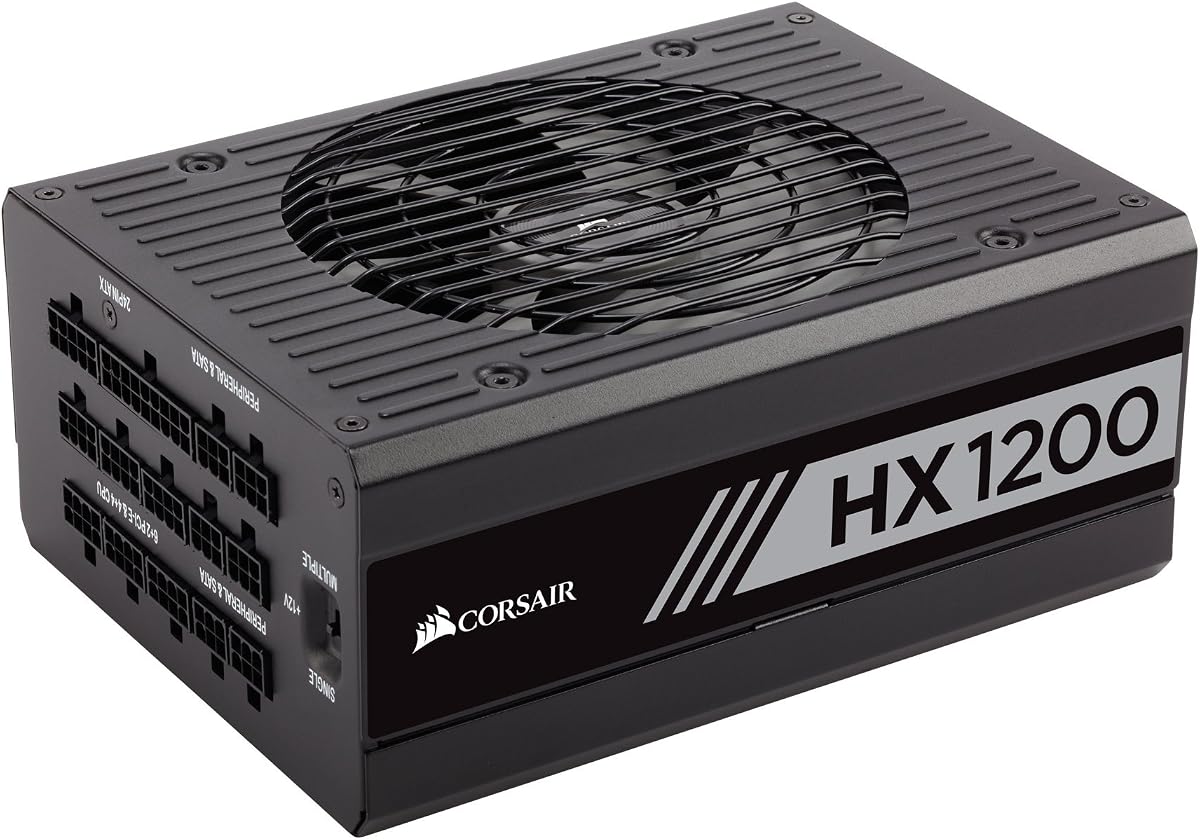
The original CORSAIR HX1200 remains a capable 1200-watt Platinum supply for a system whose graphics card does not require the newest high-power connector. It carries an 80 Plus Platinum certification, fully modular cabling, and a 4.6 rating. Its 10-year warranty and long-standing HX design make it an established option for builders who prioritize capacity and proven operation over the latest platform revision.
We may earn a commission when you buy through this link, at no additional cost to you.
A 135mm Fluid Dynamic Bearing fan provides cooling, and Zero RPM mode keeps the fan stopped under low loads for virtually silent operation. The modular design eliminates unnecessary cables, improving airflow and making the finished build look cleaner. A plus-12V rail switch gives users the choice between a single 12V rail and multiple rails, a feature that was useful when the product first entered the market but now deserves careful consideration in newer systems.
The main limitation is platform age. With no ATX 3.1 designation or native 12V-2×6 support stated in the product data, the HX1200 may require an appropriate adapter for the latest graphics cards. It also uses a 135mm fan rather than the 140mm design found in newer CORSAIR models. Those points do not make it obsolete, but they place it behind current alternatives for a brand-new high-end system.
This model makes the most sense for a power-hungry PC using graphics hardware with conventional PCIe power connectors, or for a builder who already owns compatible cables. For a new build centered on PCIe 5.1 hardware, one of the ATX 3.1 models in this guide will offer a more straightforward installation path.
At 1200 watts, the HX1200 provides generous steady-state capacity for demanding CPUs, graphics cards, and add-in hardware. Its value is strongest when the installed equipment relies on standard PCIe connectors and does not need native ATX 3.1 integration.
Full modularity makes cable routing straightforward and prevents unused leads from obstructing airflow. The 135mm FDB fan and Zero RPM mode also suit a workstation that spends much of its time at lower loads, where the fan does not need to spin.
We may earn a commission when you buy through this link, at no additional cost to you.
The CORSAIR AX860 is a classic Platinum-certified power supply that remains useful for builds not requiring ATX 3.1. It provides 860 watts, full modularity, and a 4.3 rating. Rather than competing directly with the newest 12V-2×6 platforms, it offers a compact 860W format, high real-world efficiency, and a broad set of standard protections for established gaming hardware.
We may earn a commission when you buy through this link, at no additional cost to you.
CORSAIR states that the unit delivers more than 92-percent efficiency at real-world load conditions. Its 120mm dual-ball-bearing fan supports quiet operation, while the semi-passive fanless mode stops rotation at low to moderate loads. Active Power Factor Correction has a stated PF value of 0.99, and universal AC input accepts 90 to 264 volts. Over-voltage, over-current, under-voltage, and short-circuit protection help safeguard connected components.
The limitations are mostly generational. ATX12V v2.31 and EPS 2.92 are not the same as ATX 3.1 and EPS 2.92 with current GPU connector expectations. A builder using a recent high-power graphics card may need an adapter, and some of the platform's flexibility comes from older connector arrangements rather than native modern integration. The seven-year warranty is also shorter than the ten-year coverage offered by several newer products.
The AX860 is best for a mature or midrange high-performance PC that uses standard PCIe power connectors and values efficiency, modularity, and straightforward cooling. It can be particularly attractive as an upgrade from an older modular supply. For a brand-new build centered on the latest graphics card, a current ATX 3.1 model is usually the safer recommendation.
An efficiency level above 92 percent under real-world loads reduces conversion losses and heat. The stated PF value of 0.99, universal input range, and multiple protection circuits reinforce the unit's suitability for a conventional gaming system.
The AX860 uses standard modular connectors and a 120mm dual-ball-bearing fan, both of which remain proven approaches. Its main benefit is straightforward compatibility with established GPUs and PC cases, while its main drawback is the lack of native next-generation GPU integration.
We may earn a commission when you buy through this link, at no additional cost to you.
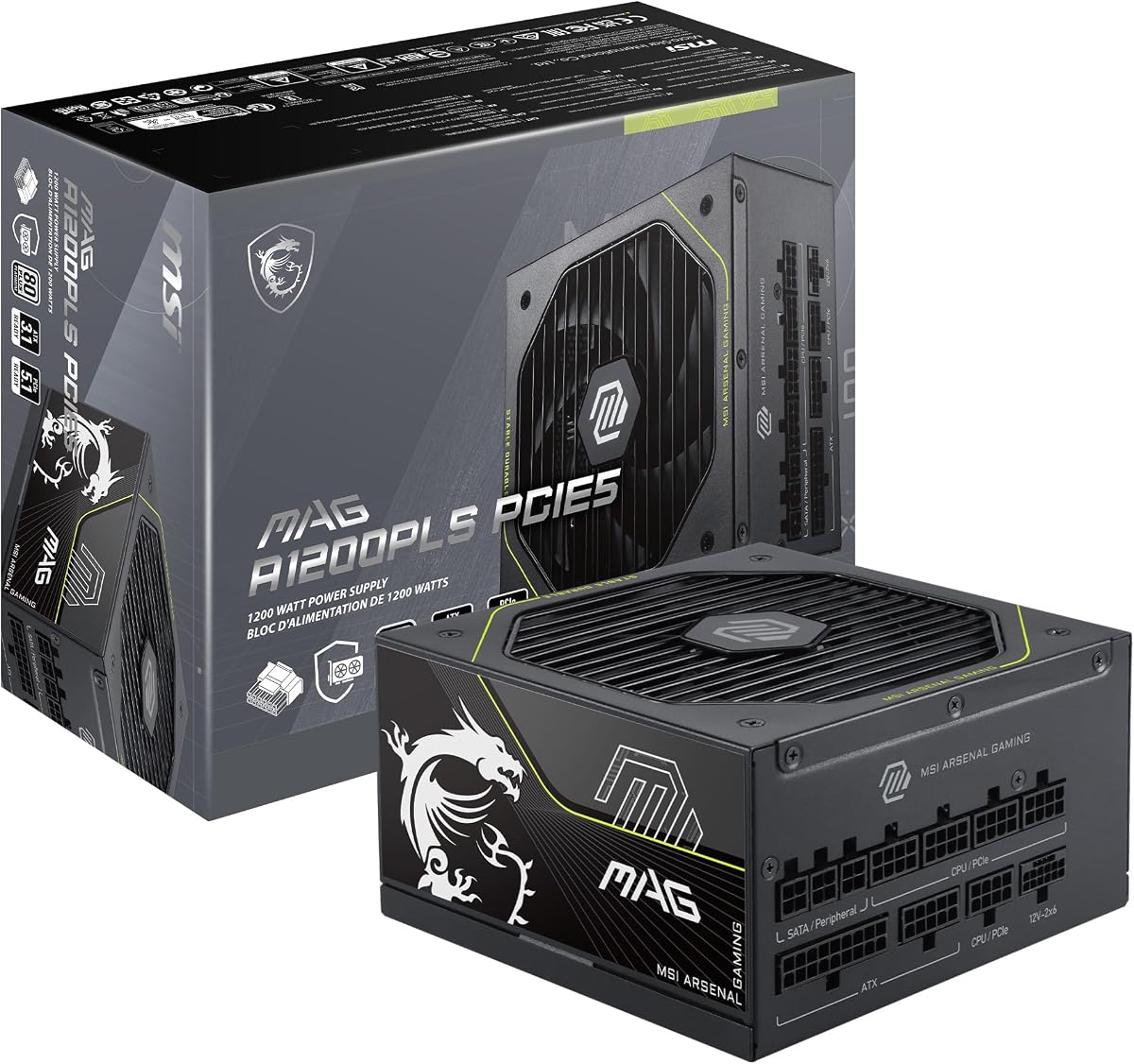
The MSI MAG A1200PLS PCIE5 is one of the most interesting high-capacity options in the guide. It combines 1200 watts with a compact 150mm-by-150mm ATX enclosure, native 12V-2×6 support, ATX 3.1 and PCIe 5.1 readiness, and an 80 Plus Platinum rating stated at up to 92-percent efficiency. Its 5.0 rating is the highest listed, although ratings alone do not establish suitability for every build.
We may earn a commission when you buy through this link, at no additional cost to you.
GPU Safeguard is the most notable proprietary feature. The supply provides real-time current protection and can issue an early alert when it detects abnormal 12V-2×6 current, giving users a chance to address a problem before it becomes more serious. The native 12V-2×6 connector can deliver up to 600 watts to a compatible PCIe 5.1 GPU, and the included cable selection includes motherboard, CPU, PCIe, SATA, and peripheral connections.
The 150mm dimensions are a meaningful advantage when fitting a high-wattage supply into a compact case. The 135mm Fluid Dynamic Bearing fan supports cooling and durability, while a 105°C main capacitor and UL-embossed cable jackets add to the physical design. The trade-off is that 1200W remains excessive for many systems, and the included two PCIe cables plus one dual-PCIe adapter may not suit every possible multi-GPU configuration without additional compatible leads.
This MSI is a compelling choice for a compact, future-oriented workstation or high-end gaming PC that needs substantial power without a physically oversized supply. It is especially attractive for builders using a modern GPU that benefits from native 12V-2×6 power. Confirm case clearance, connector inventory, and actual component requirements before finalizing the build.
The 150mm-long and 150mm-wide ATX form factor preserves installation flexibility despite the 1200W rating. This makes the unit easier to accommodate than many larger high-output models while leaving more room for cable management and airflow inside the case.
GPU Safeguard monitors current behavior and provides an early warning when the 12V-2×6 supply detects an abnormal condition. Combined with native connector support, this creates a direct connection between modern electrical design and practical user protection.
We may earn a commission when you buy through this link, at no additional cost to you.
Choosing a Platinum power supply requires balancing verified efficiency with capacity, connector standards, cooling behavior, physical fit, and the electrical demands of the finished PC. The following factors help narrow the field before comparing models.
An 80 Plus Platinum certification indicates that a supply meets defined efficiency thresholds across several loading conditions. Certification reduces wasted energy and heat, but it does not by itself guarantee quiet acoustics, transient protection, component longevity, or compatibility with a modern graphics card. Check the listing and model documentation carefully because a product placed in a Platinum roundup may be Gold, refurbished, or based on a different certification program. Some premium products also carry Cybenetics ratings, which can provide an additional view of efficiency and noise behavior.
Start with the recommended power requirements of the CPU and graphics card, then add comfortable headroom for transient loads, additional components, and future upgrades. A supply that sits near its maximum at all times is not ideal. The list covers 750W to 1200W models, but a high-end gaming PC is commonly best served around 1000W, while a heavily equipped workstation may justify 1200W. Efficiency also matters: a more efficient unit can run cooler and quieter at the same load, reducing the acoustic impact of its fan.
ATX 3.1 is particularly important when building around a recent graphics card with a 12V-2×6 power connector. It addresses transient power spikes and includes a native connector solution for PCIe 5.1 hardware. Older ATX 12V supplies can still work, but they may require adapters and can be less convenient for high-end graphics cards. A native 12V-2×6 cable also avoids routing a bulky adapter near a hot GPU, provided its shape and bend requirements are respected.
A fully modular supply lets builders install only the cables that are actually needed. This improves the appearance of the system, reduces clutter behind the tray, and can make airflow easier to manage. Modularity does not eliminate the need for careful routing, and buyers should check whether the supplied cable set covers every motherboard, CPU, GPU, SATA, and peripheral connection required by the build. Native modern connectors are particularly useful, but the shape of an angled 12V-2×6 plug can be easier to route in tight spaces.
Semi-passive or Zero RPM modes stop the fan during lighter workloads, making a quiet PC possible when it is browsing, editing documents, or running less demanding games. Large-diameter fans can move the required air at lower speeds when active, and fluid dynamic or dual ball bearings support long-term reliability. Pay attention to the stated transition behavior, because some supplies briefly keep the fan spinning after a heavy load as the internals cool. A larger case with good intake airflow also helps the PSU remain quiet.
Modern power supplies should include protections against over-voltage, over-current, under-voltage, and short circuits. Newer platforms can also handle high transient spikes from demanding GPUs. Digital models add monitoring through software such as CORSAIR iCUE, allowing users to inspect power behavior, create fan curves, and change overcurrent-protection configurations. Dedicated GPU monitoring, such as MSI's GPU Safeguard, can provide an early warning when 12V-2×6 current becomes abnormal. These features are useful, although monitoring software is not essential for every build.
A high-wattage power supply still has to fit the selected case, and some older 1200W models are larger than modern compact alternatives. Check length, width, mounting orientation, fan position, and the space required for modular plugs. Cable bend radius matters too, especially around a 12V-2×6 connector, because sharply folded cables can create installation problems. For a new build, the 150mm MSI enclosure demonstrates that high capacity no longer has to mean a large PSU, while older units may offer more physical clearance but fewer modern connections.
A long warranty can provide useful confidence in component quality and long-term reliability, although it is not a substitute for understanding the product's cooling and protection design. New models in this guide commonly offer seven- or ten-year coverage. A renewed unit may include equivalent warranty protection but comes with condition-specific considerations. Review the seller's description, testing claims, return window, physical cosmetic notes, and accessory list. For a power supply, avoiding uncertainty and ensuring all expected cables are present are more important than chasing a small difference in warranty length.
Begin by reading the included documentation before installing any cables. Identify the motherboard, CPU, graphics card, SATA, and peripheral leads, and compare the connectors with the hardware rather than relying on appearance alone. Never force a plug, and never use a cable from a different power-supply model unless the manufacturer explicitly states that it is compatible. Confirm that the case fan and intake area align correctly with the PSU's airflow direction, and keep the modular sockets unobstructed.
When routing a 12V-2×6 cable, plan the path from the graphics card first. Use the native cable when one is supplied, maintain a comfortable bend away from the connector, and avoid a tight fold immediately at the plug. The angled connector included with the be quiet! model can help where clearance is limited. Fully secure every 12V-2×6 connection, but do not pull on the wire itself. Keep unused modular cables organized outside the case rather than storing them inside the power-supply compartment.
After installation, power on the system and listen for unusual fan behavior, buzzing, or repeated starts. If the supply supports software monitoring, install the stated utility and check that it reports the system correctly. During the first heavy workload, monitor temperatures, fan activity, and any GPU safeguard or protection message. Keep the intake area free of dust, use filtered airflow where practical, and avoid placing the supply in a sealed compartment. Routine cleaning and correct cable management help preserve efficiency, cooling performance, and reliable operation.
For a new high-performance PC, Platinum can reduce conversion losses, internal heat, and fan activity compared with Gold. The practical benefit is usually modest because both standards already perform efficiently, but it is more meaningful in a heavily loaded or quiet system. Consider other factors such as ATX 3.1 support, transient handling, warranty, and connector compatibility before making a decision.
A Platinum supply does not directly increase processor or graphics-card performance. It can improve the conditions in which the components operate by reducing heat and energy waste and supporting stable power delivery. Any noticeable difference in a well-designed system is more likely to come from the hardware and its cooling than from the certification label alone.
A 1000W supply is generally appropriate for many high-end gaming systems with one demanding graphics card, while 1200W provides additional headroom for exceptionally powerful CPUs, multiple GPUs, or substantial expansion. Calculate from the actual component recommendations and include transient and upgrade allowance. Paying for extra capacity that will never be used offers little practical benefit.
ATX 3.1 builds on ATX 3.0 with updated support for current graphics-card power requirements, including native 12V-2×6 connectivity and greater attention to transient loads. An older ATX 3.0 unit may still work with the right cable, but a native ATX 3.1 supply usually offers a simpler and more flexible installation for modern GPUs.
No. Modular cables that look identical may have different pin assignments, and connecting an incompatible cable can damage the supply or connected hardware. Use only the cables supplied with the exact model, or cables that the manufacturer explicitly approves. If a cable is missing, contact the manufacturer or seller rather than substituting one from another unit.
Yes, during sufficiently light loads. Semi-passive or Zero RPM modes stop the fan to reduce noise, then activate it when internal temperatures or load call for cooling. Some models keep the fan spinning briefly after a heavy load so hot components can cool down, which is normal and helps prevent frequent starts and stops.
The PSU needs an unobstructed intake path and room for its fan to pull air from the case. Avoid placing it in a sealed compartment or surrounding it with cable bundles that restrict airflow. Moderate case filtration can reduce dust, but filters should be cleaned periodically so airflow remains adequate.
The ASUS ROG Strix 1000W Platinum stands out as the most complete recommendation because it combines Platinum efficiency, ATX 3.1 support, GPU-First voltage sensing, GaN MOSFET technology, quiet semi-passive cooling, modular cables, and a 10-year warranty. The CORSAIR HX1000i is the premium alternative for builders who want detailed iCUE monitoring, while the be quiet! Power Zone 2 850W offers the strongest balance of modern features and value.
Prioritize the platform and power demands before choosing a capacity tier. A current high-power GPU makes ATX 3.1 and native 12V-2×6 support especially valuable, while a quiet system benefits from semi-passive control and a large fan. Compact cases may make the 150mm MSI A1200PLS especially appealing, while older Platinum units can still serve builds using conventional graphics-card connectors.
Finally, confirm the exact model, certification, connector inventory, case clearance, warranty, and included accessories at the time of purchase. Product specifications and seller offers can change, and current pricing varies. A short compatibility check before ordering prevents most common installation problems and helps ensure the selected power supply remains appropriate for the completed PC.