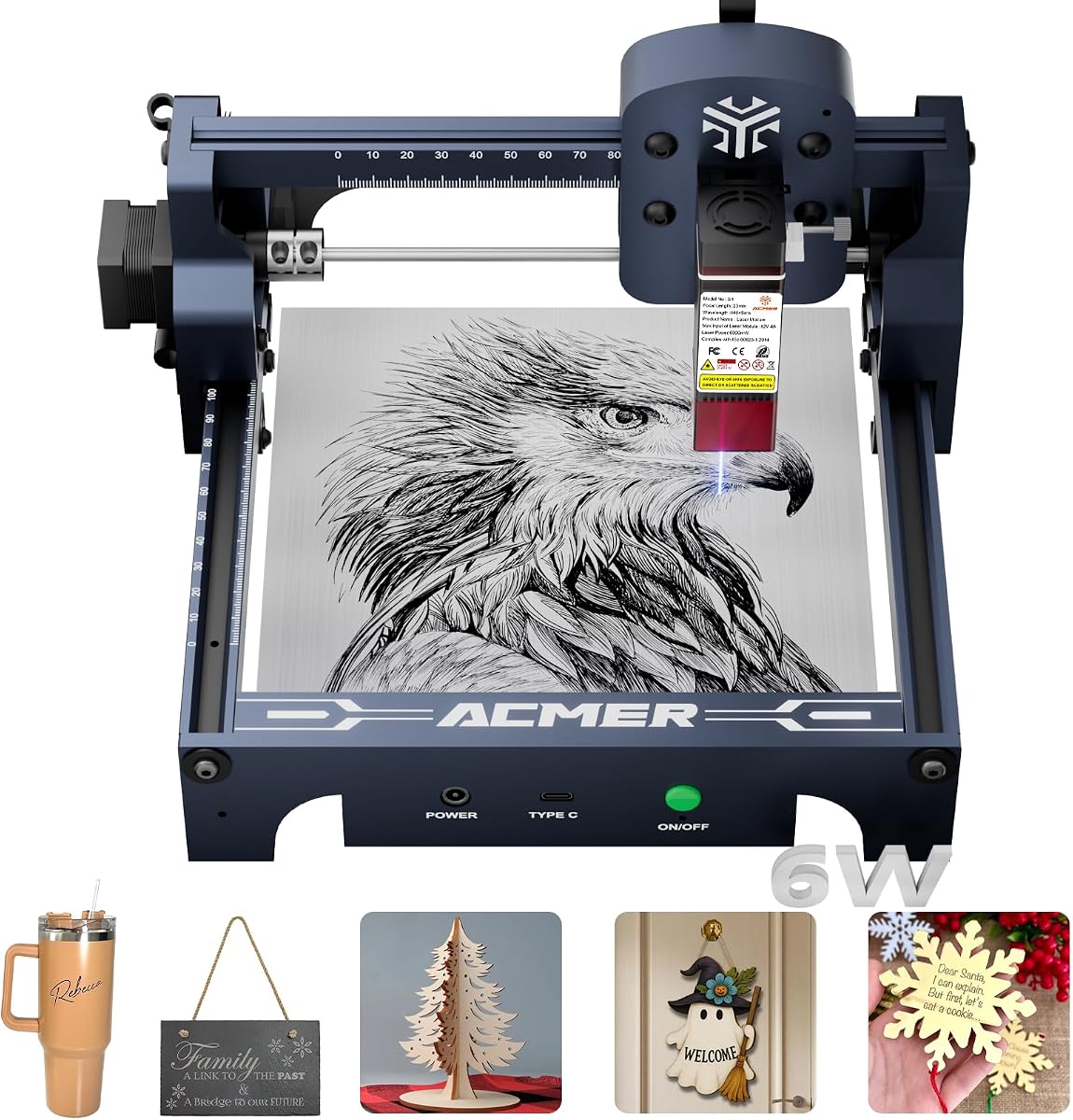
ACMER S1 6W Laser Engraver
4.3Editor score
True 6W laser output
Preassembled compact frame
LightBurn and LaserGRBL support
Our Acmer Laser Engraver guide compares 10 models for power, precision, workspace, safety, software, materials, and advanced creative projects.
An Acmer laser engraver can transform artwork, text, logos, and production-ready files into detailed markings on wood, acrylic, leather, metal, and other materials. The right machine balances laser power, precision, working area, safety features, software flexibility, and the types of projects you expect to create.
This guide compares ten Acmer engraving and cutting machines across the S1, S2, P1 S Pro, S2 Pro, and P3 families. We considered stated optical output, laser spot size, positioning accuracy, maximum engraving speed, material capabilities, workspace, airflow, connectivity, and protective features to help identify the most suitable option for each user.
The list begins with capable midrange models, includes a compact option for beginners and dedicated makers, and progresses toward enclosed high-output systems for advanced users. Each review explains the strongest reasons to choose a model as well as its practical limitations. Product availability and pricing can change, so verify current specifications before ordering.
4.3Editor score

4.4Editor score

5.0Editor score
This side-by-side comparison covers every model in the guide, highlighting differences in laser power, working area, precision, speed, and protective design.




The ACMER S2 12W Laser Engraver earns a 4.4 rating and stands out as the most balanced model in this guide. It combines a true 12W laser module with a 300 × 300mm work area, giving creators enough room for signs, layered artwork, gifts, and multi-piece layouts without moving to a much larger industrial-style frame.
We may earn a commission when you buy through this link, at no additional cost to you.
Its 0.08 × 0.08mm laser spot and up to 0.01mm positioning accuracy make it well suited to small lettering, intricate patterns, photographs, and logos. The stated cutting capability reaches 15mm paulownia wood and 12mm black acrylic with multiple passes, while support for more than 100 materials broadens the range of suitable projects.
Software flexibility is another major strength. ACMER Studio provides design editing, material settings, engraving setup, and machine control, while LightBurn and LaserGRBL compatibility lets users choose a familiar workflow. The included anti-UV shield, safety goggles, and motion-based pause feature improve confidence, although the open structure still calls for careful ventilation and responsible placement.
This S2 is the strongest general recommendation for a new or experienced maker who wants meaningful cutting capability without moving to an enclosed premium system. Its combination of precision, useful area, output, and software options is particularly attractive for personalized gifts, small signage, crafts, and early-stage small-business work. Optional rotaries, risers, air assist, and other ACMER accessories can extend the setup later.
The 12W module gives this model more cutting headroom than entry-level 6W and 7W machines without reaching the operational demands of the 20W, 36W, and P3 systems. A 300 × 300mm bed also provides a practical canvas for batch layouts and layered work.
ACMER Studio, LightBurn, and LaserGRBL support means the machine can fit different design habits and computer environments. That flexibility is especially valuable for users who want AI-assisted artwork, vector preparation, or direct control over common laser design file formats.
We may earn a commission when you buy through this link, at no additional cost to you.
This ACMER S2 12W model holds a 4.3 rating and places particular emphasis on approachable design software. Its ACMER Studio tools can turn text prompts or photographs into engraving designs, while compatibility with LightBurn and LaserGRBL gives experienced users alternative ways to prepare and execute files.
We may earn a commission when you buy through this link, at no additional cost to you.
A true 12W laser head, 72W total system power, and a 300 × 300mm workspace give the machine room for detailed engraving and repeated cutting tasks. The stated maximum engraving speed is 10,000mm/min, and the 0.08 × 0.08mm spot is designed to preserve fine lettering, line work, and gradients. Its listed cutting ability includes 15mm paulownia wood and 12mm black acrylic with multiple passes.
The trade-off is that its core capabilities overlap heavily with the first-ranked S2. The main distinction is the prominence of AI-assisted design and the described 32-bit control chip. Rotaries and risers are optional, so projects involving cylindrical or tall items require additional equipment. Like other open-frame diode engravers, it also needs a ventilated workspace and sensible material handling.
Choose this version if accessible design creation is a priority and you want a capable 12W machine without giving up precise vector engraving. It is well suited to beginners who appreciate guided tools, experienced users who already know LightBurn or LaserGRBL, and small businesses producing varied engraved goods. For the most balanced overall recommendation, the first-ranked model remains the stronger editorial choice.
Built-in AI features can shorten the distance between a concept and a prepared engraving file. They are particularly helpful for users who want to experiment with text prompts or convert photographs into printable designs without starting from a blank canvas.
The combination of 12W output, a fine laser spot, and a large work area supports both decorative engraving and deeper material removal. Users should still test settings and passes on the specific material they plan to use.
We may earn a commission when you buy through this link, at no additional cost to you.
The ACMER S1 6W Laser Engraver carries a 4.3 rating and is the most compact option in this roundup. Its 130 × 130mm working area, 250 × 250 × 162mm machine dimensions, and 2kg weight make it easier to move, store, and position than the larger S2 and P3 systems.
We may earn a commission when you buy through this link, at no additional cost to you.
Despite its size, the stated 6000mW diode output, 48W machine output, 455±5nm wavelength, and 2mm focal length support engraving across wood, bamboo, leather, plastic, PCB, aluminum oxide, and ceramics. It can also cut thin plywood, MDF, and acrylic. Up to 10,000mm/min engraving speed and 0.01mm repeatable positioning accuracy are useful figures for detail-oriented work.
The main compromise is workspace. A 130mm square area is suitable for small plaques, tags, jewelry blanks, icons, and compact batches, but larger signs require repeated placement. Its 6W output also provides less cutting capacity than 12W, 20W, or 36W models. Those limits are understandable for a compact machine but worth considering before buying for deep cuts or large batches.
Arriving 99% preassembled, with only the laser head requiring installation, the S1 lowers the setup barrier for beginners. ACMER Studio, LightBurn, and LaserGRBL compatibility, together with Windows, macOS, and Linux support, makes it a practical first engraver. Choose it for learning, personal projects, small gifts, and portable use rather than high-volume production.
The S1 removes several common early obstacles: complicated assembly, a steep learning curve, and a large footprint. Its software options also allow users to begin with guided design features before progressing to more granular control.
This model is best suited to objects that fit within a 130 × 130mm area. It can still handle a satisfying range of materials, but larger signs and deeper cutting tasks will be more practical on one of the larger S2 models.
We may earn a commission when you buy through this link, at no additional cost to you.
The ACMER S2 7W Laser Engraver has a 5.0 rating and brings a larger workspace to an approachable power level. Its 300 × 300mm work area is one of its most important features, allowing users to fit signs, decorations, gifts, and small-batch layouts without the constant repositioning required by the S1.
We may earn a commission when you buy through this link, at no additional cost to you.
The 0.08 × 0.08mm laser spot and up to 0.01mm engraving accuracy support fine text, logos, patterns, and personalized items. A true 7W laser output and 48W total system power are stated to engrave more than 100 materials, with cutting capability up to 13mm paulownia wood or 6mm black acrylic through multiple passes.
Safety receives unusually clear attention in the listed features. An anti-UV protective shield, included safety goggles, and motion-detection auto-pause help reduce exposure risks and interrupt operation if unexpected movement occurs. The frame remains open, so ventilation and responsible material selection are still essential. Optional rotaries, risers, enclosures, and air-assist pumps allow the system to grow as skills increase.
This S2 is a strong choice for makers who prioritize workspace, design flexibility, and safety over maximum cutting power. It offers more room than the compact S1 but less material penetration than the 12W version. For beginners making personalized goods or for small businesses creating signs, it may represent the most practical balance of capability and manageability.
A 300 × 300mm bed is considerably more versatile than a small hobby bed. It can accommodate larger decorative pieces, multiple small blanks, or signs with a broader finished footprint.
The shield, goggles, and motion interruption system make the machine more reassuring for shared creative spaces. Optional accessories also mean the initial setup does not need to define every possible project the owner may attempt later.
We may earn a commission when you buy through this link, at no additional cost to you.
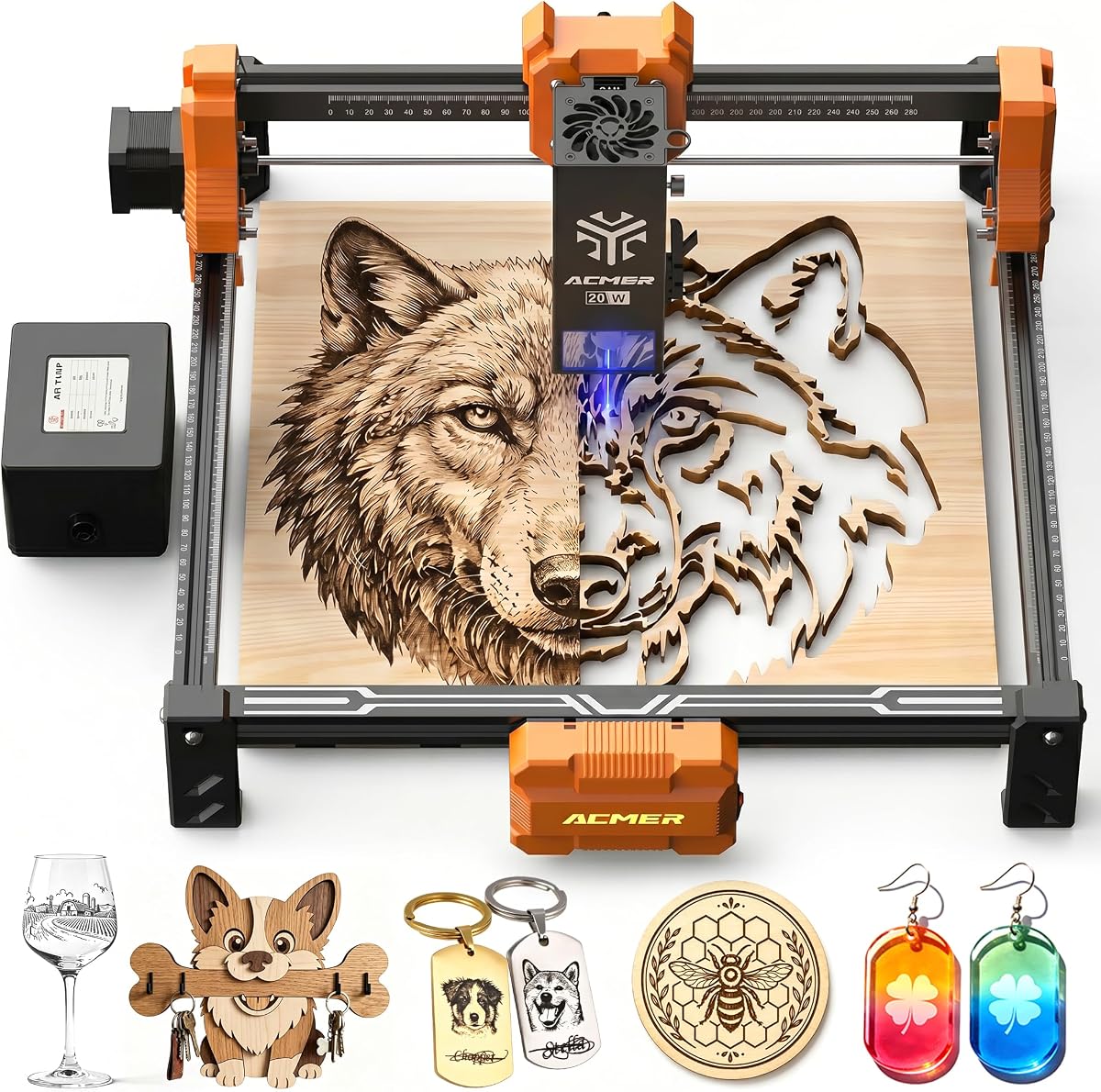
The ACMER P1 S Pro 20W carries a 5.0 rating and is a strong creative-production option for makers who want more engraving and cutting power than the standard S2 models provide. Its true 20W, 455±5nm diode module is described as capable of handling fine detail as well as deeper cuts across wood, acrylic, leather, paper, bamboo, PCB, ceramic, and other materials.
We may earn a commission when you buy through this link, at no additional cost to you.
The compressed 0.08 × 0.1mm laser spot and up to 0.01mm accuracy support sharp lines, smooth gradients, logos, small text, and photo engraving. Its included 25L/min air-assist pump is a major practical advantage, helping move smoke and debris away from the work surface and protecting the lens. Maximum engraving speed is listed at 10,000mm/min, with acceleration up to 500mm/s².
As with other high-power open diode machines, the operator must select appropriate settings, passes, ventilation, and focus for each material. The module's long advertised life and built-in limit switches improve confidence, but they do not remove the need for safe handling. File support includes NC, DXF, BMP, JPG, and PNG, while ACMER Studio, LightBurn, and LaserGRBL offer broad workflow choice.
The P1 S Pro 20W is compelling for detailed personalized gifts, logos, layered craft work, and small production runs where the added power provides greater flexibility. It is a better fit for an experienced hobbyist or business user than a first-time user who only needs shallow engraving, and the included airflow makes it more attractive than otherwise comparable open systems.
A dedicated 25L/min pump can reduce visible residue and help protect the lens during longer sessions. It also makes the transition from engraving to deeper cutting more consistent by keeping the work area clearer.
A 20W module gives users more energy for difficult materials, yet the fine spot preserves a reasonable path for graphics and text. That combination makes the machine adaptable across both decorative and structural jobs.
We may earn a commission when you buy through this link, at no additional cost to you.
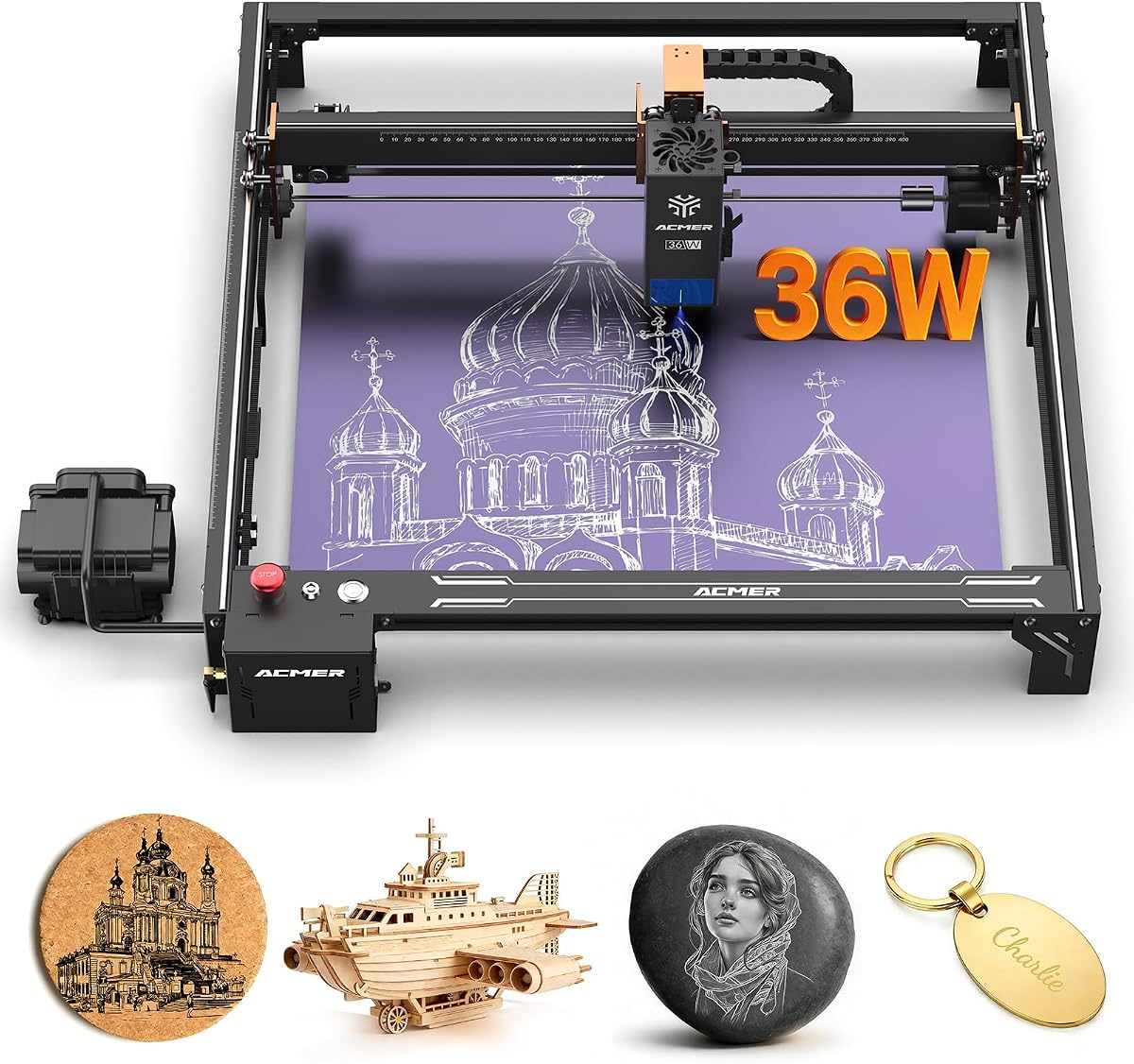
The ACMER S2 Pro 36W has a 4.1 rating and is built around speed, power, and a comparatively large work area. Its 36,000mW module, 400 × 400mm bed, and stated engraving speed of up to 24,000mm/min make it one of the most technically ambitious machines in this guide.
We may earn a commission when you buy through this link, at no additional cost to you.
Dual linear rails are intended to improve stability and reduce vibration at higher operating speeds. The laser spot measures 0.08 × 0.1mm, while positioning accuracy can reach 0.01mm. A built-in 30L/min air pump automatically assists operations, clearing smoke and debris, improving edge quality, and helping protect the lens during sustained engraving or cutting.
Safety controls include a gyroscope-based tilt sensor, emergency stop button, and child lock. Connectivity includes WiFi, TF card, and USB PC connection, while ACMER Studio and LaserGRBL support the software side. The open frame still requires careful ventilation, and the 36W output should be approached with tested settings rather than maximum power applied indiscriminately.
This S2 Pro is best for experienced users, advanced hobbyists, and small businesses that value throughput and a large canvas more than a compact footprint. Its 24,000mm/min claim makes it especially interesting for batch engraving. Buyers should also consider the lower stated rating among the models reviewed and be comfortable with a higher-powered setup that demands more operational discipline.
The high stated speed and 400mm square workspace work together for efficient batches. Users completing many similar pieces can reduce handling time by arranging more items within a single layout.
Dual rails and integrated air assist are not merely convenience features; they support cleaner execution at demanding speeds. Together, they address movement stability and debris control within one machine.
We may earn a commission when you buy through this link, at no additional cost to you.
The ACMER S2 20W earns a 5.0 rating and delivers true 20W output in a familiar 300 × 285mm work area. It is an attractive middle step between standard 12W S2 configurations and the much larger S2 Pro or P3 enclosures, particularly for users who want more cutting power without moving to a very large frame.
We may earn a commission when you buy through this link, at no additional cost to you.
Its 455±5nm diode module can engrave and cut wood, acrylic, leather, paper, bamboo, PCB board, ceramic, and other materials. The 0.09 × 0.1mm laser spot supports clean lines, sharp details, and smooth gradients, while accuracy up to 0.01mm is well suited to photographs, logos, and text. Maximum engraving speed is listed at 10,000mm/min.
The included 25L/min air-assist pump is especially useful for reducing burn marks and improving cutting-edge quality. Built-in limit switches help define the working region and reduce the chance of the head striking the frame. File support includes NC, DXF, BMP, JPG, and PNG, and the system works with Windows, macOS, and Linux.
This is a strong choice for users moving beyond light engraving into deeper cutting while retaining a moderate work area. The 20W output requires responsible testing, ventilation, and appropriate focus, so it may be more demanding than the 6W or 7W options. Within the S2 family, however, it offers an appealing balance of power, area, and included airflow.
For makers who have outgrown lighter machines but do not need a 400mm bed, the 20W S2 narrows the gap between basic hobby engraving and higher-output production work. It preserves a familiar S2 form factor.
Air assist is a meaningful addition for wood and acrylic because it moves residue away during operation. The 25L/min pump also reduces the need to add a separate airflow solution immediately.
We may earn a commission when you buy through this link, at no additional cost to you.
The ACMER P3 Switchable Laser Engraver has a 5.0 rating and represents the most premium-focused model in the guide. Its switchable 24W and 48W laser output gives advanced users two operating levels within one platform, while the enclosed Class I design differentiates it sharply from the open-frame S2, S1, and P1 S Pro machines.
We may earn a commission when you buy through this link, at no additional cost to you.
CoreXY construction, a 0.08mm compressed spot, accuracy down to 0.01mm, and a maximum speed of 800mm/s support detailed, fast production. The stated ability to engrave and cut more than 200 materials includes common woodworking, crafting, and decorative surfaces. Industrial guides and an aluminum frame are designed for stability, while a waste drawer and honeycomb plate help organize the cutting bed.
Safety is a defining advantage. Automatic fire detection, over-temperature protection, flame detection, tilt protection, a power lock, and a closed box are included. The enclosure is stated to reduce 90% of smoke and sound. A 30L/min air pump supports material cooling and debris clearance, and the visual camera makes positioning easier when preparing larger work.
The P3 is suited to professional studios, advanced makers, and small businesses that need high output, repeatable production, and a cleaner operating environment. It supports LaserGRBL, LightBurn, and other software, with WiFi, USB, and TF card options for offline work. Its larger, more complex enclosure requires adequate room and an operator who will follow the safety system carefully.
The ability to use 24W or 48W configurations lets users match output to the task. Fine artwork may use lower energy, while demanding cutting or faster production can take advantage of the higher setting.
A closed working chamber can reduce smoke, noise, and direct exposure compared with an open frame. For frequent operation in a studio or business environment, that containment may be as important as raw output.
We may earn a commission when you buy through this link, at no additional cost to you.
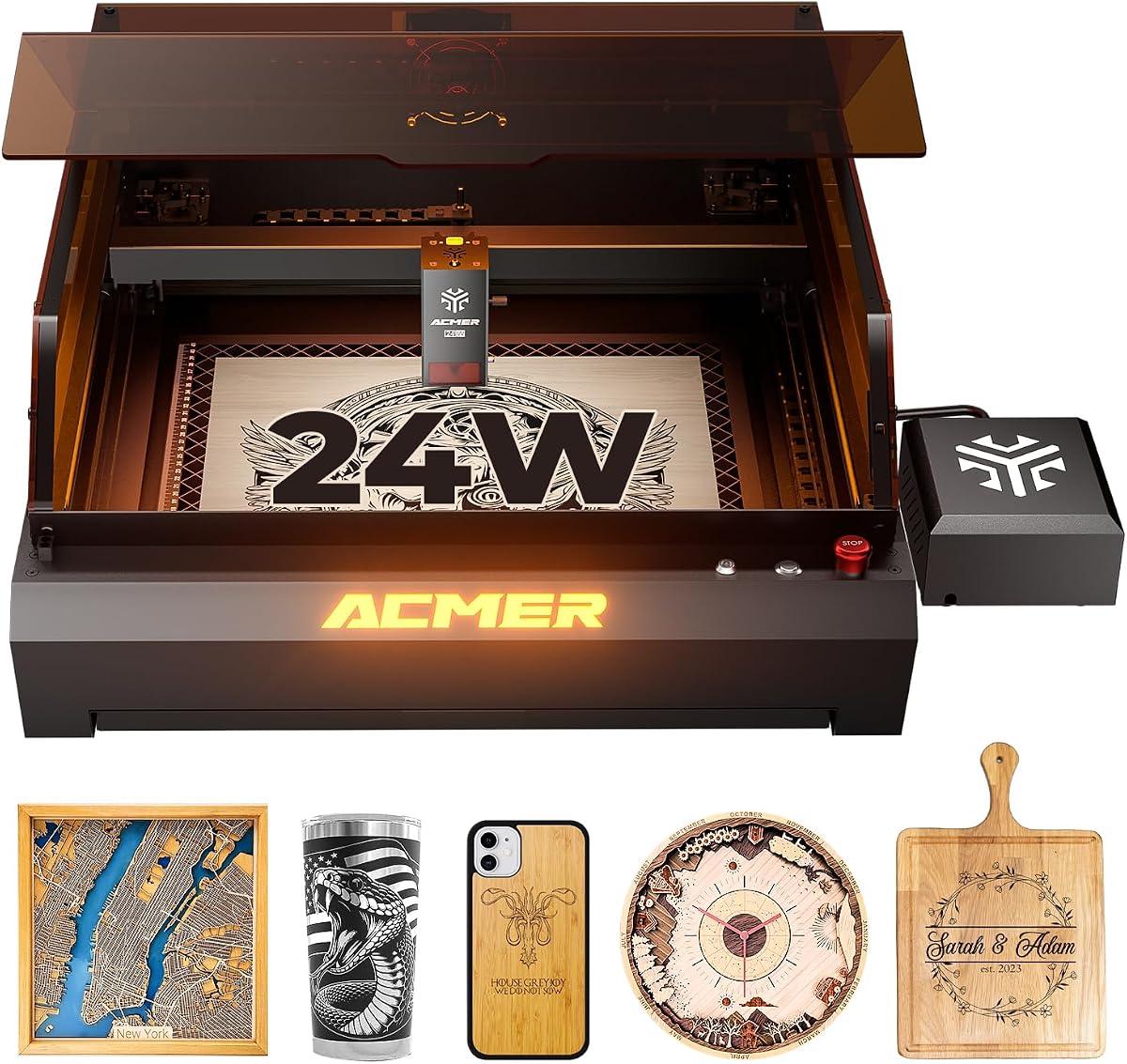
The ACMER P3 24W Desktop has a 5.0 rating and pairs a 24W diode module with an enclosed housing designed for advanced engraving and cutting. Its most unusual feature is the integration of infrared and diode lasers in one module, allowing users to switch between laser types for different operating conditions and material requirements.
We may earn a commission when you buy through this link, at no additional cost to you.
The 400 × 400mm workspace offers ample room for signs, decorative pieces, and batch work. A CoreXY structure and motion-compensation algorithm are intended to limit blur and frame loss at high speed, while the 0.08mm compressed spot and stated 0.01mm engraving precision support detailed images. The product listing also gives positioning accuracy up to 2mm, a specification worth comparing carefully with the engraving precision claim.
The closed housing is stated to reduce 90% of smoke and noise. Fire detection and alarm, over-temperature protection, limit protection, tilt protection, flame detection, a power lock, and an emergency stop provide a substantial safety system. An aviation-grade aluminum frame, industrial X-axis guide, linear Y-axis guide, waste drawer, and honeycomb plate support stable operation and cleaner cutting.
A built-in camera allows users to position material without relying entirely on manual alignment. Compatibility includes LaserGRBL, LightBurn, the ACMER app, Windows, macOS with LightBurn, and mobile applications. This P3 is a compelling enclosed option for advanced hobbyists and production users, though the larger footprint and complex feature set may be excessive for occasional small projects.
The integrated diode and infrared arrangement broadens the machine's material and operating possibilities. It is particularly relevant to users who work beyond a standard craft-material catalog.
The integrated camera simplifies visual placement and can make large jobs easier to arrange. It also provides a useful reference when establishing a repeatable production layout.
We may earn a commission when you buy through this link, at no additional cost to you.
The ACMER P1 S Pro 6W holds a 5.0 rating and offers an unusual combination for a starter-oriented machine: a 380 × 370mm workspace and a very fine 0.06mm laser spot. That makes it particularly compelling for users who want to make larger layouts without moving to the output levels of a 20W, 36W, or 48W system.
We may earn a commission when you buy through this link, at no additional cost to you.
The dual-beam 6W module is stated to engrave more than 100 materials, including wood, bamboo, acrylic, leather, coated metals, anodized aluminum, glass, and paper. It supports speeds up to 10,000mm/min and can cut 12mm wood and 8mm acrylic in one pass, according to the listed specifications. Actual results remain dependent on material composition, focus, settings, and machine condition.
A modular frame makes assembly and maintenance more approachable, while WiFi, USB, TF card, PC software, and mobile app support offer flexible control. The optional rotary attachment extends the machine to tumblers, bottles, and mugs. Safety features include IEC 60825-1 Class 1 certification and included protective glasses with 97% UV filtering.
Choose the P1 S Pro 6W for large-area engraving, detailed designs, and a user-friendly start in a home workshop or small business. Its limiting factor is the 6W output, which provides less cutting headroom than the higher-powered models. In return, it offers a large bed, fine spot, flexible connectivity, and an optional rotary path at a less demanding operating tier.
The wide 380 × 370mm area is the defining advantage for a 6W system. It supports larger signs, grouped blanks, and less repetitive material placement while keeping engraving energy moderate.
WiFi, USB, TF card, and mobile app support make it possible to work in different ways. The optional rotary attachment opens a path to decorated drinkware without changing the core laser system.
We may earn a commission when you buy through this link, at no additional cost to you.
The right Acmer laser engraver depends on the materials you use, the size of your finished pieces, the depth of cuts required, and how much safety protection your workspace needs.
Laser output is one of the clearest indicators of a machine's cutting headroom. The models here range from true 6W and 7W modules to 12W, 20W, 24W, 36W, and switchable 24W or 48W configurations. Greater output can support faster work, deeper passes, and more demanding materials, but it also requires ventilation, careful focus, and appropriate settings. Shallow decorative engraving does not automatically require the highest available power.
Choose output according to the work you can realistically complete. A 6W or 7W machine is suitable for many small personalized items, while 12W and 20W systems provide more flexibility for wood and acrylic. Enclosed high-output models are worth considering for production, frequent use, and a broad material catalog.
Working area determines how much material can be positioned at once. The compact ACMER S1 offers 130 × 130mm, several S2 models provide approximately 300mm-wide beds, and the larger S2 Pro and P3 machines reach 400 × 400mm. A larger bed is useful for signs, batch layouts, and layered projects, but it also demands more room around the machine.
Measure the largest finished item you expect to create and allow space for frames, supports, and positioning. Choose a compact bed for portable or occasional work. Choose a broad bed when reducing repeated placement is important or when signs must fit without being split into sections.
A smaller laser spot generally supports finer lines, smaller lettering, and more compact detail. The listed spot sizes range from 0.06mm on the P1 S Pro 6W to 0.08 × 0.1mm or 0.08 × 0.08mm on several higher-output models. Positioning or engraving accuracy is also relevant when repeating a design across multiple pieces.
Pay attention to both figures rather than focusing on one. A fine spot benefits logo and text work, while repeatable positioning helps maintain consistency across batches. Actual edge quality also depends on focus, material, lens condition, speed, power, and the number of passes.
Software shapes how easily artwork becomes a finished laser job. ACMER Studio provides a guided environment with design editing, material settings, and AI-assisted creation on selected models. LightBurn supports deeper control for experienced users, while LaserGRBL is a common lightweight option. Compatibility with NC, DXF, BMP, JPG, and PNG files also improves workflow flexibility.
Choose software based on your current skills and design complexity. Beginners may appreciate guided tools and text-to-art features, while advanced users may prioritize direct control over paths, layers, passes, and job parameters. Confirm that the chosen operating system is supported before making a purchase.
Laser safety depends on both the machine and the operating environment. Included goggles, shields, motion detection, tilt protection, emergency stops, limit switches, child locks, fire detection, and enclosed housings each address different risks. An open frame still needs a ventilated location, while an enclosed system can reduce smoke, sound, and direct exposure.
Never treat a certification label as a substitute for safe handling. Keep the work area clear, use the supplied protective equipment, follow the manufacturer guidance, and never leave an active machine unattended. The best choice is the model whose protection level matches the space and the frequency with which you plan to operate it.
Air assist directs airflow toward the cutting zone to move smoke and loose debris, reduce burn residue, cool the material, and help protect the lens. The P1 S Pro 20W and S2 20W include 25L/min pumps, the S2 Pro 36W has an integrated 30L/min pump, and the P3 Switchable includes a 30L/min pump.
Built-in air assist is especially attractive for frequent cutting sessions and materials that produce visible residue. If choosing a model without it, consider whether a separate air-assist solution and dust extraction will fit your workflow. Never direct fumes toward the machine's optics or nearby combustible objects.
Connection options affect how designs move from a computer or phone to the machine. WiFi, USB, and TF card support appear on several models, with offline operation adding convenience for repeatable jobs. The P3 Switchable includes a visual camera, while some S2 models support optional rotary units, risers, enclosures, and air-assist pumps.
Choose wireless control if convenience and mobile workflows matter. Choose TF card or offline transfer when production jobs need to run without a live computer connection. Expandability is valuable when your project list includes tumblers, tall pieces, or deeper cutting, but accessories should be added only when a genuine need is identified.
Stated engraving speeds range from 10,000mm/min on many models to 24,000mm/min on the S2 Pro 36W, while the P3 Switchable lists a maximum of 800mm/s. Faster figures are most valuable for repeated work, but they must be considered alongside motion stability, material cooling, focus, and pass requirements. Dual linear rails and CoreXY structures are intended to maintain accuracy at speed.
For occasional projects, maximum speed may matter less than ease of use and workspace. For batch production, stability, air assist, camera positioning, and repeatability become more valuable. Consider the complete workflow rather than choosing solely on the largest headline speed figure.
Begin by assembling the machine according to the included instructions, installing the laser head if required, and confirming that the frame, rails, bed, and accessories are secure. Place the unit on a stable, level surface with adequate ventilation and access to the controls. Connect the chosen software, select the correct laser module, and confirm that the machine is recognized before loading a project.
Prepare and test the material before placing a finished piece on the bed. Import a supported design file, verify its scale and orientation, check the work area, and focus the laser to the correct height. Use conservative settings for the first pass, especially with unfamiliar plastics, coated metals, or materials that may discolor. Air assist, eye protection, and any enclosure or shielding should be active during operation.
Care for the machine by keeping the lens and mirrors clean, removing chips and residue from the bed, and avoiding contact with loose debris. When a job ends, confirm that the laser is off and let the airflow continue briefly if needed. Store the unit away from moisture and direct sunlight, inspect cables and fasteners regularly, and arrange servicing for any unusual motion, error message, or visible damage.
Engraving uses concentrated laser energy to mark the surface of a material without removing its full depth. Cutting uses a stronger or more sustained beam, often across multiple passes, to penetrate the material. The right settings depend on the material, thickness, focus, and whether the machine is being used for decoration, personalization, or fabrication.
No. Higher output provides more cutting headroom and can handle demanding materials, but it is not necessary for every engraving project. A fine 6W or 7W machine can produce attractive detailed work on suitable materials. Consider power together with work area, precision, software, safety, ventilation, and the type of products you expect to make.
Many models in this guide support both LightBurn and LaserGRBL, while ACMER Studio is also available across the range. LightBurn provides a more extensive professional workflow, while LaserGRBL is widely used for simpler control. Confirm the exact software and operating system support for the specific listing before designing your workflow.
Enclosed models can contain more smoke and reduce noise, but they still require appropriate extraction and safe operation. A closed housing is not a substitute for a ventilation system or protective equipment. Follow the manufacturer guidance and ensure that fumes, dust, and heat are safely removed from the workspace.
The listed models support different catalogs that include wood, acrylic, leather, paper, bamboo, PCB, ceramic, coated metal, anodized aluminum, and glass. Material compatibility can vary by model and may also depend on color, finish, coating, density, and thickness. Always test a small area and verify that the material is safe for laser use before a production run.
Air assist directs a stream of air toward the work area during engraving or cutting. It helps move smoke and debris, improves edge appearance, cools the material, and reduces residue that could reach the lens. Several models include an air pump, while others may require an external solution if the chosen listing does not provide one.
Some S2 models support optional rotary modules, and the P1 S Pro 6W supports an optional rotary attachment for items such as tumblers, bottles, and mugs. Rotaries must be correctly aligned and configured for the specific machine. Confirm accessory compatibility rather than assuming a module from one model will fit another.
Begin with a vector or raster file in a supported format such as NC, DXF, BMP, JPG, or PNG, depending on the machine and software. Check size, orientation, line weights, and whether the design contains effects that may engrave differently from their screen appearance. Then test the settings on a scrap piece of the same material before engraving the final item.
The ACMER S2 12W at the top of the list is the most balanced overall recommendation because it combines true 12W output, a 300 × 300mm workspace, a fine 0.08 × 0.08mm spot, broad software support, and useful safety features. The ACMER S1 6W is the straightforward choice for beginners and compact workspaces, while the ACMER P3 Switchable stands out as the premium enclosed system for advanced production.
Prioritize the features your projects genuinely require. A small personal project may need only a 6W or 7W machine and a modest bed, whereas deeper cutting, larger layouts, cylinders, faster batches, or a safer shared workspace can justify 12W to 48W systems. Software familiarity, material testing, ventilation, and safe operation matter as much as the headline output.
Ratings, configurations, accessories, and prices can change, and manufacturers may update product listings over time. Before ordering, verify the current specifications, included components, software support, safety instructions, and optional accessories for the exact model and ASIN. This comparison is designed to narrow the field while keeping the final decision aligned with your materials, workspace, and creative goals.