
AOC 24G42HE
4.6Editor score
23.8-inch Full HD IPS
200Hz refresh rate
1ms MPRT response
Adaptive-Sync support
Aoc monitors span several distinct categories, from fast IPS gaming displays to curved high-refresh models, QD-OLED enthusiast screens, and practical 4K IPS options for office work and media. Choosing well means matching resolution, panel technology, refresh rate, connectivity, and physical design to your computer, console, viewing distance, and preferred type of visual experience.
This guide compares ten Aoc monitors using their stated specifications, including screen size, resolution, refresh rate, response time, adaptive synchronization, color coverage, HDR support, ports, stands, and eye-care features. The selections represent distinct use cases, allowing readers to compare high-speed competitive models, premium OLED displays, curved options, productivity monitors, and more affordable general-purpose screens.
The top picks highlight the strongest balance of performance and practicality, the most compelling value, and the richest premium feature set. Each numbered review explains the monitor's strengths, limitations, and ideal buyer, while noting where another model may fit better. Product prices and availability can change, so confirm current listings and specifications before purchasing.
4.6Editor score

4.6Editor score

4.4Editor score
As an Amazon Associate we earn from qualifying purchases.
This side-by-side comparison highlights the major differences among the ten Aoc monitors, helping you distinguish competitive IPS speed, QD-OLED response, curved immersion, 4K detail, and practical everyday value.



The AOC Q27G41ZE is a 27-inch QHD gaming monitor built around an IPS panel, a 240Hz native refresh rate, and a 0.3ms MPRT response time. Its 4.6 rating reflects a strong balance of competitive responsiveness, sharp 2560 x 1440 detail, and practical connectivity. The Q27G41ZE is especially compelling for players who want more visual clarity than a standard Full HD gaming screen without moving into a premium OLED category.
We may earn a commission when you buy through this link, at no additional cost to you.
Its combination of high refresh rate and low reported response time is the main attraction. Adaptive-Sync support is designed to keep the display synchronized with compatible AMD and NVIDIA graphics hardware, reducing tearing and maintaining fluid motion. DisplayPort 1.4, two HDMI 2.0 ports, and audio output provide more connection options than many similarly focused monitors, making it straightforward to move between a gaming PC, laptop, and secondary entertainment device.
There are some trade-offs to consider. The headline 260Hz figure is an overclocked mode, while the native rate is 240Hz, and actual performance will depend on the graphics card, game, connection, and operating-system settings. Adjustment is limited to a specified -3-degree to +21-degree tilt rather than height, swivel, or pivot. The 300-nit brightness and 1000:1 contrast ratio are also less dramatic than the HDR or OLED alternatives in this list.
Despite those limitations, the Q27G41ZE is the easiest recommendation for a buyer seeking a well-rounded competitive gaming display. Its QHD resolution provides a clearer desktop and more detailed game imagery, while 240Hz and adaptive synchronization keep fast motion fluid. Choose it as the best overall option for competitive PC gaming when you value speed, clarity, and useful connectivity without requiring an OLED panel or extensive ergonomic adjustment.
A 240Hz native refresh rate and 0.3ms MPRT response time make this model well suited to shooters, racing games, and other fast-moving titles. Adaptive-Sync helps preserve fluid presentation when the system and display are synchronized, although the exact benefit depends on GPU and game support.
The 2560 x 1440 panel adds useful detail and workspace compared with Full HD, while DisplayPort, dual HDMI, and audio output cover the core needs of most gaming setups. Shadow Control, Game Mode presets, and an on-screen menu simplify visual tuning.
We may earn a commission when you buy through this link, at no additional cost to you.
The AOC 24G42HE brings a 200Hz refresh rate, Adaptive-Sync, and a 1ms MPRT response time to a compact 23.8-inch Full HD IPS display. Its 4.6 rating makes it a compelling budget-oriented pick for competitive players, particularly those who value speed more than the extra pixel density of a QHD display. It also works for a secondary role in a multi-monitor arrangement.
We may earn a commission when you buy through this link, at no additional cost to you.
The 1920 x 1080 panel supports crisp everyday visuals and a 116% sRGB wide color gamut for colorful entertainment. Its three-sided frameless construction keeps the overall appearance modern and makes it easier to place beside another display. Low input lag, adaptive synchronization, and support for console gaming up to 120Hz, subject to console capabilities, make the monitor versatile beyond desktop PC gaming.
The compromises are mostly related to resolution and limited information about physical adjustment. Full HD is still effective for competitive games, particularly at high refresh rates, but it cannot provide the workspace density and fine detail of a 4K or QHD panel. HDR-ready should also not be confused with a fully specified HDR experience, since brightness, dimming, and certified contrast details are not provided.
The 24G42HE is a sensible choice for budget-conscious gamers who want a fast, responsive IPS monitor without moving to a premium OLED model. It works especially well for a smaller gaming desk, a dedicated game screen, or a two-display arrangement. Choose it when high refresh rate and low response time are your main priorities and Full HD resolution is acceptable for your games and applications.
At 200Hz with a stated 1ms MPRT response, the 24G42HE offers the core performance characteristics sought by many competitive gamers. Its smaller 23.8-inch viewable area can also make it easier to fit on a compact desk without sacrificing a high-refresh display.
A 116% sRGB gamut supports vivid game imagery and everyday entertainment. The three-sided frameless design also makes this a practical companion display, although Full HD remains the deciding factor when multitasking or editing detailed content.
We may earn a commission when you buy through this link, at no additional cost to you.
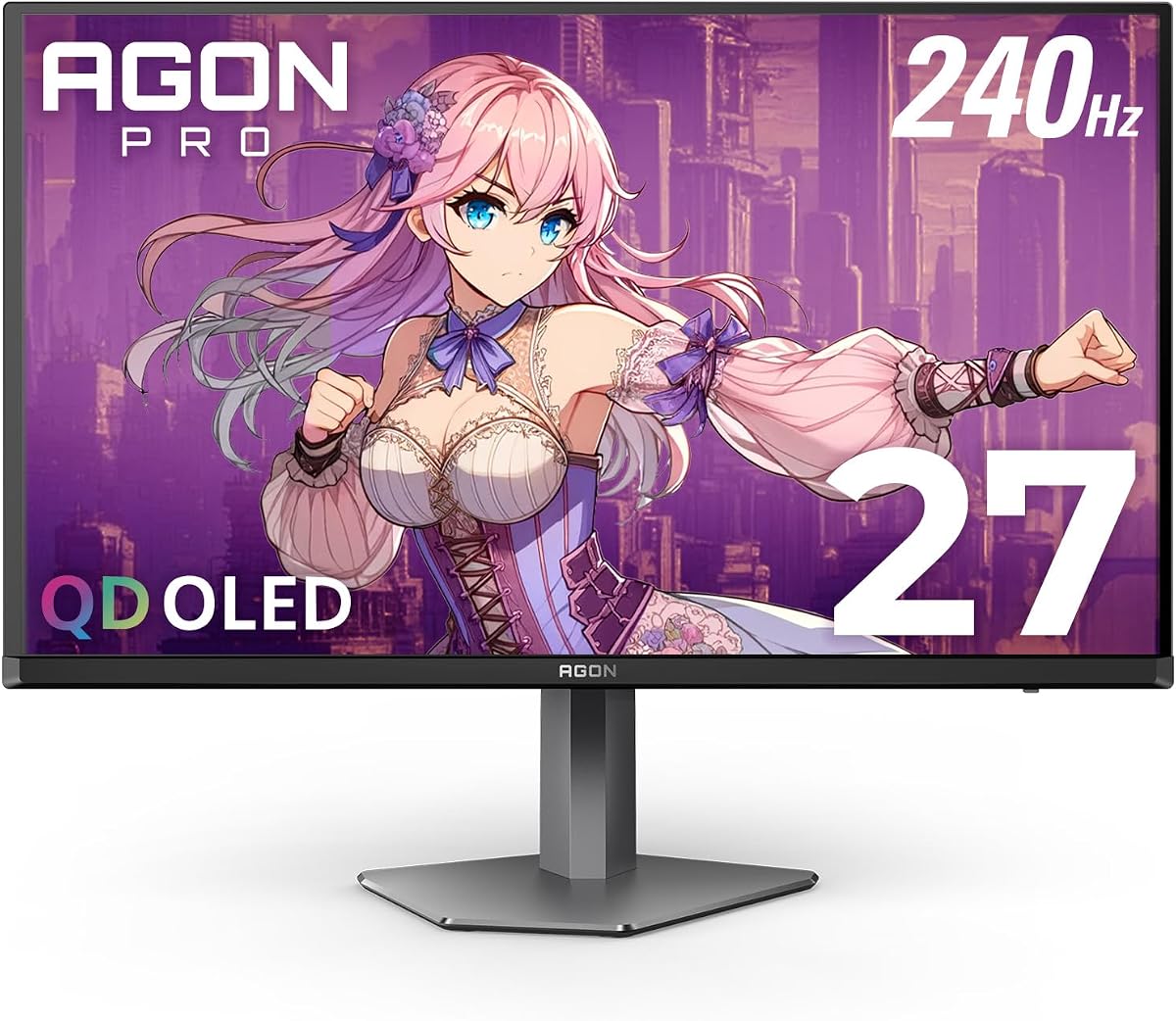
The AOC AG276QZD2 combines a 27-inch QD-OLED panel, 240Hz refresh rate, and 0.03ms GtG response time in a premium gaming package. Its 4.4 rating reflects the exceptional visual and motion performance offered by OLED technology. The display is aimed at enthusiasts who care about deep blacks, precise color, instantaneous response, and flexible physical positioning.
We may earn a commission when you buy through this link, at no additional cost to you.
Its standout advantage is the QD-OLED panel, which provides self-emissive blacks and high color depth. The matte finish can make prolonged viewing more practical, while built-in presets for FPS, racing, and RTS games let users change profiles quickly. HDMI 2.1, DisplayPort, a USB hub, a 3.5mm headphone output, and a built-in speaker create a well-connected platform for PC, console, and desktop use.
Ergonomics are unusually strong for this category. The stand offers 130mm of height adjustment, and the removable bracket supports 100 x 100mm VESA mounting. As with other OLED displays, sensible brightness management and regular use patterns remain important because OLED technology can be susceptible to long-term image retention. The premium specification also places this model above simpler IPS alternatives on cost.
The AG276QZD2 is best for buyers who want no obvious visual compromise in fast-paced gaming. It is a strong match for high-end graphics hardware, competitive shooters, simulation games, and mixed desktop use where color and contrast matter. Choose it as the premium pick when QD-OLED image quality, 240Hz speed, connectivity, and ergonomic adjustment justify moving beyond a conventional IPS gaming monitor.
The self-emissive OLED panel produces genuine blacks and exceptional color depth, making dark scenes feel deeper than they would on most IPS or VA gaming displays. Its 2560 x 1440 resolution gives games enough detail to benefit from a capable graphics card.
A 130mm height range, removable stand bracket, and 100 x 100mm VESA compatibility provide more positioning flexibility than the tilt-only gaming options in the list. Dual HDMI 2.1, DisplayPort, USB hub, speaker, and headphone output further support a polished desk setup.
We may earn a commission when you buy through this link, at no additional cost to you.
The AOC U27B3A is a 27-inch 4K UHD IPS monitor designed primarily for multimedia and general computing. Its 3840 x 2160 resolution provides substantially more detail than Full HD or QHD, while the IPS panel offers wide viewing angles and support for more than one billion colors. The U27B3A is a compelling alternative for productivity users who do not need an ultra-fast gaming refresh rate.
We may earn a commission when you buy through this link, at no additional cost to you.
Typical brightness of 350 cd/m² is one of its more useful stated characteristics for everyday office, web, and media use. HDR support adds another visual option for compatible content, although the supplied specifications do not detail peak brightness, local dimming, or a formal HDR certification. Built-in speakers add convenience for casual sound without requiring separate desktop speakers for every task.
The three-sided frameless design is suitable for a clean workspace and can assist with a multi-monitor arrangement. On the other hand, the product information does not emphasize a high gaming refresh rate, low response time, adaptive synchronization, or specific gaming features. Detailed information about the stand, ports, speakers, and warranty is also not provided, so buyers who require those features should verify the complete listing and manual.
Choose the U27B3A for document work, photo viewing, web browsing, video playback, and a mixed desktop that values sharp 4K detail. It can also serve casual gamers, but a dedicated high-refresh AOC model will be more appropriate when competitive speed is central. For office-oriented buyers, its resolution, IPS viewing angles, brightness, and integrated speakers make it a practical multimedia choice.
At 3840 x 2160, the U27B3A offers the pixel density needed for detailed documents, many open application windows, and crisp media. The 27-inch size balances that resolution with a physical footprint that is generally practical for a standard desk.
Wide viewing angles, HDR support, 350 cd/m² typical brightness, and built-in speakers cover common productivity and entertainment needs. It is best to treat HDR as an additional feature rather than assume the same visual impact as the OLED models in this guide.
We may earn a commission when you buy through this link, at no additional cost to you.
The AOC 27G51Z combines a 27-inch Full HD IPS panel with a 240Hz native refresh rate and the option to overclock to 260Hz. Its 4.6 rating and 0.5ms MPRT response time make it one of the strongest speed-focused entries in the guide, especially for competitive players who are comfortable with Full HD resolution.
We may earn a commission when you buy through this link, at no additional cost to you.
It supports Adaptive-Sync, wide 178-degree viewing angles, and flicker-free operation. The stated 22-watt typical power use in Eco Mode, along with a three-sided frameless design, makes it suitable for a streamlined gaming desk. Tilt adjustment and 100 x 100mm VESA compatibility provide a basic but practical setup, while the graphical OSD and G-Menu software assist with configuration.
The important trade-off is pixel density. At 1920 x 1080, the 27G51Z cannot show the same fine detail as the QHD and 4K models in the guide, and larger desktop elements may appear less refined than on those higher-resolution screens. Its headline 260Hz mode is an overclock rather than the native rate, so achieving that setting consistently depends on the graphics card, game, and signal path.
This monitor suits competitive players who want maximum refresh rate and low response without moving to QD-OLED. It also works for console gaming and fast-paced PC titles, provided the game can benefit from the higher refresh rate. Choose the 27G51Z when speed, synchronization, and a large widescreen format matter more than 4K-level detail or advanced stand adjustment.
The combination of 240Hz native operation and up-to-260Hz overclocking gives capable systems room to pursue very high frame rates. Adaptive-Sync helps maintain smooth presentation when the display and graphics system are appropriately configured.
Flicker-Free technology, Eco Mode, tilt adjustment, and VESA compatibility cover the essentials of a comfortable and flexible setup. The frameless three-sided construction is also useful when creating a wider multi-screen workspace.
We may earn a commission when you buy through this link, at no additional cost to you.
The AOC CQ32G4VE combines a 32-inch curved VA panel, 2560 x 1440 resolution, and 180Hz refresh rate. Its 1500R curvature is intended to place the viewer more naturally within the visual field, while 0.5ms MPRT response supports fast gaming. The CQ32G4VE is especially attractive for players who prefer a large, immersive screen and roomier desktop space than a conventional 27-inch display.
We may earn a commission when you buy through this link, at no additional cost to you.
Coverage of more than 120% of the sRGB color space and a stated 80,000,000:1 SmartContrast ratio provide vivid imagery and deep blacks. Two DisplayPort 1.4 ports, two HDMI 2.0 ports, and audio line-out provide solid connectivity for PCs, laptops, and consoles. LowBlue Mode, Flicker-Free technology, and the stated three-year zero-bright-dot warranty add useful comfort and ownership considerations.
As a VA display, it may produce different contrast characteristics, color consistency, and viewing behavior from the IPS options here. Its 180Hz maximum refresh is below the 200Hz to 260Hz range of several competitors, though it remains well suited to mainstream high-speed gaming. The curvature can improve immersion, but it also means the monitor is less neutral for color-critical professional work and requires adequate desk depth.
Choose the CQ32G4VE if you want QHD detail, a large format, and a pronounced curved-gaming experience without moving to an OLED panel. It works well for simulation, racing, strategy, and general desktop use where a broad field of view is helpful. Buyers who need the fastest possible response or require flat geometry should look toward the 240Hz Q27G41ZE or the QD-OLED alternatives.
The 32-inch 1500R display creates a more enveloping field of view, which can benefit racing, flight, and strategy games. QHD resolution preserves more detail than the Full HD curved alternative while maintaining a roomy desktop.
Dual DisplayPort, dual HDMI, and line-out provide flexible connections for several source devices. The three-year zero-bright-dot warranty, advance replacement coverage, and accidental-damage coverage add confidence for regular gaming use.
We may earn a commission when you buy through this link, at no additional cost to you.
The AOC C32G2ZE pairs a 31.5-inch curved VA display with Full HD resolution, a 240Hz refresh rate, and 0.5ms SmartResponse time. Its 4.6 rating reflects a combination of high-speed motion, a 1500R curve, and broad device support. The C32G2ZE is a practical large-screen option for players who prioritize refresh rate and immersion over higher pixel density.
We may earn a commission when you buy through this link, at no additional cost to you.
AMD FreeSync Premium supports a variable 48Hz to 240Hz range through DisplayPort and HDMI, with Low Framerate Compensation listed as a feature. Low Latency mode is designed to improve in-game responsiveness. The selection of DisplayPort, HDMI, and VGA inputs broadens compatibility with older PCs, laptops, and consoles, including the Xbox, PS5, and Switch categories highlighted in the product listing.
The most obvious limitation is Full HD resolution stretched across a nearly 32-inch panel. It can look acceptably sharp for many games, but text, icons, and fine scenery do not have the same definition as the QHD models in this guide. VGA is useful for legacy equipment but offers no advanced gaming features, so modern systems should use DisplayPort or HDMI. The model also predates several newer releases in the roundup.
Choose the C32G2ZE for large-format competitive gaming, console play, or a spacious curved display in a dual-monitor arrangement. It is a better fit when 240Hz motion matters more than 4K or QHD detail. For a more modern desktop or color-sensitive use case, the CQ32G4VE adds QHD resolution and a more contemporary port set.
A 240Hz refresh rate and 0.5ms SmartResponse time support quick aiming and smooth transitions. The 1500R curve wraps the image around the viewer, making the large format more engaging for racing and immersive games.
DisplayPort and HDMI unlock the monitor's main gaming features, including the listed variable refresh range, while VGA provides a fallback for compatible legacy equipment. The three-sided frameless design also helps minimize visual separation in a multi-display arrangement.
We may earn a commission when you buy through this link, at no additional cost to you.
The AOC Q27G4ZD is a 27-inch QD-OLED gaming monitor with a 2560 x 1440 resolution, 240Hz refresh rate, and 0.03ms GTG response time. Its 4.4 rating reflects the exceptional combination of motion speed, contrast, and color that OLED technology can deliver. It is designed for gamers who want competitive responsiveness and rich HDR imagery in one display.
We may earn a commission when you buy through this link, at no additional cost to you.
The self-emissive panel delivers genuine blacks, high color accuracy, and more than 1.07 billion colors. Its stated color coverage of 110.2% DCI-P3 and 147.6% sRGB is generous, while HDR10 adds high dynamic-range presentation for compatible games and content. GPU and console synchronization is supported to improve smoothness when the source and display are properly configured.
OLED technology warrants reasonable long-term care. Static interface elements, unusual screen arrangements, and sustained high brightness can contribute to image retention over extended periods, so varied content and sensible settings are advisable. The detailed specifications provided also do not spell out every ergonomic adjustment, so buyers should check the stand height, rotation, and VESA details in the current product listing.
The Q27G4ZD suits high-end PC gamers, competitive players, and enthusiasts who prioritize picture quality alongside speed. Its QHD resolution is more balanced than an ultra-high-resolution high-refresh display, and 240Hz is fast enough to make use of capable graphics hardware. Choose it when QD-OLED contrast and 0.03ms response justify the premium feature set.
The 0.03ms GTG figure makes this model among the fastest options in the guide on paper. That responsiveness can benefit fast camera movement, opponent tracking, and detailed scenes where minimizing visible lag is a priority.
Genuine blacks provide a clear advantage in dark games and cinematic content. Broad DCI-P3 and sRGB coverage, combined with HDR10, makes the Q27G4ZD suitable for users who want saturated color and strong contrast alongside competitive refresh.
We may earn a commission when you buy through this link, at no additional cost to you.
The AOC AG276QZD2 is a premium 27-inch QD-OLED monitor focused on both visual excellence and a complete desktop setup. It combines a 2560 x 1440 panel with a 240Hz refresh rate, 0.03ms GtG response, and support for both FreeSync Premium Pro and G-Sync. Its 4.4 rating reflects the sophistication of the overall package.
We may earn a commission when you buy through this link, at no additional cost to you.
The matte OLED surface, low input lag, and self-emissive panel create an attractive combination for competitive and cinematic gaming. Built-in presets for FPS, racing, and RTS titles help users tailor the display quickly, while HDR400 identifies the model as designed for high dynamic-range content. A built-in speaker, 3.5mm headphone output, and USB hub add convenient peripheral integration.
Physical setup is another major strength. The stand provides 130mm of height adjustment, and the removable bracket supports 100 x 100mm VESA mounting. These features make the monitor easier to align precisely than simpler gaming models. As with other OLED screens, managing static content and brightness responsibly remains important, and the premium specification will naturally cost more than conventional IPS options.
Choose this AG276QZD2 for a polished, high-end setup where picture quality, speed, synchronization, connectivity, and ergonomics all matter. It is particularly appropriate for competitive PC gamers, simulation enthusiasts, and users with modern graphics hardware. It may be excessive for office tasks or a modest gaming PC, but it is the most feature-complete premium monitor in this collection.
QD-OLED technology provides excellent sharpness, contrast, and color depth, while 240Hz and 0.03ms GtG response keep fast action fluid. HDR400 and broad color support further improve compatible game visuals.
Two HDMI 2.1 ports, DisplayPort, a USB hub, built-in speaker, and headphone output cover both gaming and everyday connectivity. Adjustable height and removable VESA bracket support a more permanent, carefully aligned installation.
We may earn a commission when you buy through this link, at no additional cost to you.
The AOC 22B30HM2 is a compact 21.5-inch Full HD gaming monitor offered as a renewed product. Its 4.7 rating is the highest in the roundup, though individual experiences with renewed electronics can vary. The monitor combines a VA panel, 120Hz refresh rate, 1ms response time, FreeSync, and a practical mix of VGA and HDMI connectivity.
We may earn a commission when you buy through this link, at no additional cost to you.
Its compact footprint is useful for a small desk, a dedicated secondary game display, or a workstation where space is limited. The supplied listing describes a fast 120Hz refresh rate and 1ms response, which provide a clear improvement over conventional 60Hz office panels for motion-heavy games. Adaptive Sync synchronizes the GPU and monitor refresh rates to support smooth, tear-free presentation with compatible hardware.
The renewed condition is the most important qualification. A refurbished or renewed display can be a sensible way to obtain useful gaming features at a lower cost, but buyers should inspect the seller's condition details, return terms, and warranty information carefully. The product title lists a 100Hz refresh rate, while the supporting description emphasizes 120Hz, so the current manufacturer or seller specifications should be confirmed before purchase.
Choose the 22B30HM2 for a space-conscious secondary setup, casual gaming, or a straightforward upgrade from a standard office display. It is not intended to compete with 240Hz models in competitive reflex performance, but its 120Hz target, FreeSync, and VESA support cover the essentials. The compact screen, modern ports, and eye-care features make it a flexible secondary choice.
A 120Hz target makes fast motion noticeably more fluid than a conventional 60Hz display while keeping the screen small. The 21.5-inch Full HD format is particularly useful for a desk where every inch of space matters.
HDMI supports modern PCs and consoles, while VGA provides compatibility with older equipment. VESA mounting support, a frameless design, Flicker-Free operation, and a blue light filter add practical setup and comfort options.
We may earn a commission when you buy through this link, at no additional cost to you.
The right Aoc monitor depends on how you use it most. Resolution, panel type, refresh rate, response time, adaptive synchronization, connectivity, and ergonomics should be evaluated together rather than treating a single headline specification as the entire buying decision.
Resolution determines how much information can appear on screen and how much physical desk space the display needs. Full HD at 1920 x 1080 remains appropriate for smaller screens, competitive gaming, and straightforward productivity. QHD at 2560 x 1440 offers a useful middle ground because it provides noticeably finer detail without requiring the processing demands of 4K. The AOC U27B3A uses a 3840 x 2160 4K panel, which is ideal for detailed documents, media, and expansive workspaces but benefits from a capable computer and a sufficiently high-resolution viewing environment.
Choose Full HD for budget awareness, high-refresh competitive play, or a compact secondary display. Choose QHD for a stronger mix of gaming, desktop work, and media, and consider 4K when fine detail and productivity take priority.
IPS panels are common in this roundup and are suited to gaming, general computing, and wide viewing angles. VA panels can provide deeper blacks and stronger contrast, which may appeal to users who enjoy dark, immersive games and movies. QD-OLED models go further with self-emissive pixels, exceptional black levels, wide color coverage, and extremely low response times, but they occupy a premium category and require more care to minimize the risk of long-term image retention.
An IPS or VA display is usually the practical choice for conventional gaming setups. QD-OLED is most compelling for enthusiasts who prioritize image quality alongside very high refresh rates and can accept its premium positioning and long-term care requirements.
A higher refresh rate can make movement and camera rotation appear smoother, but the visible benefit depends on the game, graphics hardware, frame rate, and synchronization method. The roundup ranges from a 120Hz compact option to 240Hz and higher gaming models, with one listing describing an overclocked mode up to 280Hz. Native and overclocked rates should not be treated as equivalent, and a high headline number cannot create frames that the computer is unable to produce.
Choose a 240Hz model for fast competitive games and capable graphics hardware. A 180Hz to 200Hz display is well suited to high-speed mainstream gaming, while 120Hz is a meaningful upgrade for casual players seeking smoother everyday motion.
Response time indicates how quickly a display changes from one pixel state to another, although measured figures and gaming terms such as MPRT or GtG are not always directly interchangeable. A low stated figure is useful for minimizing visible trailing during fast movement. The roundup includes 0.5ms and 1ms MPRT models as well as 0.03ms GtG OLED panels. Actual perceived performance also depends on panel behavior, image processing, brightness, and the content being displayed.
Treat response time as one part of a complete performance assessment. Pair it with refresh rate, adaptive synchronization, low-latency features, and your own sensitivity to motion rather than relying on a single number.
Adaptive-synchronization technology coordinates the display's refresh behavior with the graphics output to reduce tearing and keep motion visually consistent. The included models use combinations of Adaptive-Sync, G-Sync compatibility, FreeSync, FreeSync Premium, FreeSync Premium Pro, and variable refresh ranges. Compatibility depends on the graphics card, driver, connection, and selected mode, so the labels alone do not guarantee identical behavior across every system.
Check the synchronization standard supported by your GPU and use the appropriate video connection. For variable-refresh models, DisplayPort may provide the most complete feature set, while HDMI compatibility can vary by model and refresh range.
DisplayPort is the primary connection for many high-refresh PC gaming setups, and DisplayPort 1.4 appears across several of the faster models. HDMI 2.0 and HDMI 2.1 support gaming consoles, laptops, and TVs, while VGA remains useful for older equipment but does not carry the same advanced gaming capabilities. Audio output lets you connect headphones or external speakers without relying on the monitor's built-in speaker. The AG276QZD2 adds a USB hub, built-in speaker, and 3.5mm headphone output for a more integrated setup.
List every device you plan to connect before buying, including a console, laptop, capture device, or audio system. Ensure the monitor has the required port version and that the chosen cable and source device support the intended refresh rate and resolution.
A technically capable monitor can still be uncomfortable if it is too large for your desk or cannot be positioned properly. The Q27G41ZE and 27G51Z list tilt adjustment, while the premium AG276QZD2 provides 130mm of height adjustment and a removable VESA bracket. Curved 32-inch models need sufficient desk depth and a clear viewing position, while compact 21.5-inch and 23.8-inch screens are easier to fit into smaller workspaces. Three-sided frameless designs can also help when arranging multiple displays.
Measure your desk and check the monitor's full adjustment range before ordering. Give curved models extra consideration because their geometry is not interchangeable with a flat display, and choose a smaller model when flexibility matters more than maximum screen area.
Long gaming sessions make eye-comfort features and warranty terms relevant. Flicker-Free technology is listed on the 27G51Z and 22B30HM2, while LowBlue Mode appears on the CQ32G4VE. A blue light filter is also included with the compact renewed model. The CQ32G4VE includes a stated three-year zero-bright-dot warranty, three-year advance replacement, and one-year accidental-damage coverage, while OLED models benefit from careful brightness management and varied content. Renewed products should be evaluated using the seller's condition report and return policy.
Look for the protections that match your environment and risk tolerance. Eye-care features can improve comfort, but they do not replace sensible viewing distance, breaks, and appropriate display settings. Verify warranty terms directly because coverage can differ by model and sales channel.
Begin by choosing the correct connection and installing the supplied or appropriate cable. For a gaming PC, DisplayPort is generally the most direct path to the highest supported refresh rate, while HDMI may be necessary for a console or laptop. Connect power, select the matching input through the OSD, and use the on-screen menu to set resolution, refresh rate, brightness, contrast, and the correct synchronization mode. If the expected refresh rate is not available, check the cable, graphics output, and computer settings before changing other options.
Fine-tune the image according to your room and content rather than leaving every control at the maximum. Competitive games often benefit from accurate motion settings, useful game presets, and restrained brightness. Entertainment can look better with stronger contrast and rich color, while HDR should be enabled only with compatible content and a suitably capable source. For multi-monitor arrangements, match scaling and orientation settings so windows and text appear consistently across adjacent screens.
Care for the panel by allowing it to cool before cleaning, using a soft microfiber cloth, and avoiding liquid cleaners directly on the screen. IPS and VA models generally suit standard office and mixed-use patterns, while OLED users should avoid prolonged static content and use sensible brightness settings. Update the graphics software, protect the display from impact, keep ventilation unobstructed, and review the applicable warranty before choosing an installation or mounting arrangement.
A 240Hz monitor can make fast movement and camera rotation appear smoother, but the benefit depends on your game and graphics hardware. You also need a system capable of producing sufficiently high frame rates, and many players benefit from adaptive synchronization more than from raw refresh rate alone. A lower-refresh model can still provide an excellent experience for slower games and less demanding systems.
IPS is a versatile choice for gaming, productivity, and wide viewing angles, while VA can offer deeper blacks and stronger contrast for immersive entertainment. QD-OLED delivers exceptional black levels, color, and response time, making it ideal for premium enthusiasts who want the best visual performance. Consider your budget, display longevity practices, and need for professional color work before selecting the most advanced panel.
QHD provides significantly more pixels than Full HD, resulting in finer detail and more workspace. It can look especially sharp on a 27-inch screen, although it also demands more graphics processing. Full HD remains useful for smaller displays, budget builds, and competitive games where high refresh rate takes priority over maximum detail.
A curved monitor can make a large image feel more immersive and may keep peripheral content closer to your natural viewing area. The benefit is subjective and varies by game and viewer, while curved geometry is less suitable for some professional applications. A 1500R curve offers a gentler wrap than more aggressive designs, but desk depth and seating position still matter.
Adaptive synchronization coordinates the graphics output and monitor refresh rate to reduce tearing and maintain smoother motion. The included monitors support different standards, including Adaptive-Sync, G-Sync compatibility, and several FreeSync tiers. Your GPU, driver, cable, and selected mode must be compatible to obtain the intended synchronized behavior.
Use reasonable brightness, avoid leaving static menus or dashboards onscreen for prolonged periods, and vary the content you display. Clean the panel with a soft dry microfiber cloth and follow the manufacturer's handling instructions. While modern OLEDs are designed for extended use, sensible settings and regular content rotation are still the best approach for long-term ownership.
Many of the listed gaming monitors support console use through HDMI, with the product information mentioning support for up to 120Hz where the console permits it. Actual resolution, refresh rate, HDR behavior, and latency depend on the console model, connection, and display settings. Check the monitor's supported input list and the console's output requirements before purchasing.
A renewed monitor can be a practical option when the hardware meets your needs and the seller provides clear condition details and a suitable return policy. Inspect the listing for signs of wear, screen defects, accessory completeness, and warranty coverage. The 22B30HM2 in this guide is specifically listed as renewed, and buyers should also confirm the current refresh-rate specification because its title and supporting description differ.
The AOC Q27G41ZE is the strongest all-around pick because it combines a 27-inch QHD IPS panel, 240Hz native refresh, 0.3ms MPRT response, Adaptive-Sync, and flexible connectivity. The 24G42HE stands out as the budget selection for a compact, fast Full HD gaming setup, while the premium AG276QZD2 delivers QD-OLED image quality, 240Hz speed, broad connectivity, and excellent ergonomic adjustment.
Prioritize the features you can actually use rather than the largest specification on the box. Competitive players should evaluate refresh rate, response, synchronization, and input latency; creative or office users should emphasize resolution, color, viewing angles, and ergonomics. Curved 32-inch models suit immersive large-screen use, whereas compact options are easier to integrate into smaller or multi-monitor desks.
Finally, confirm the current specification, port configuration, warranty, and return terms for the exact listing before purchasing. AOC models cover a wide range of prices, sizes, and technologies, and prices and availability can change over time. The best choice is the model that matches your hardware, display space, preferred content, and visual priorities without paying for features you will not use.