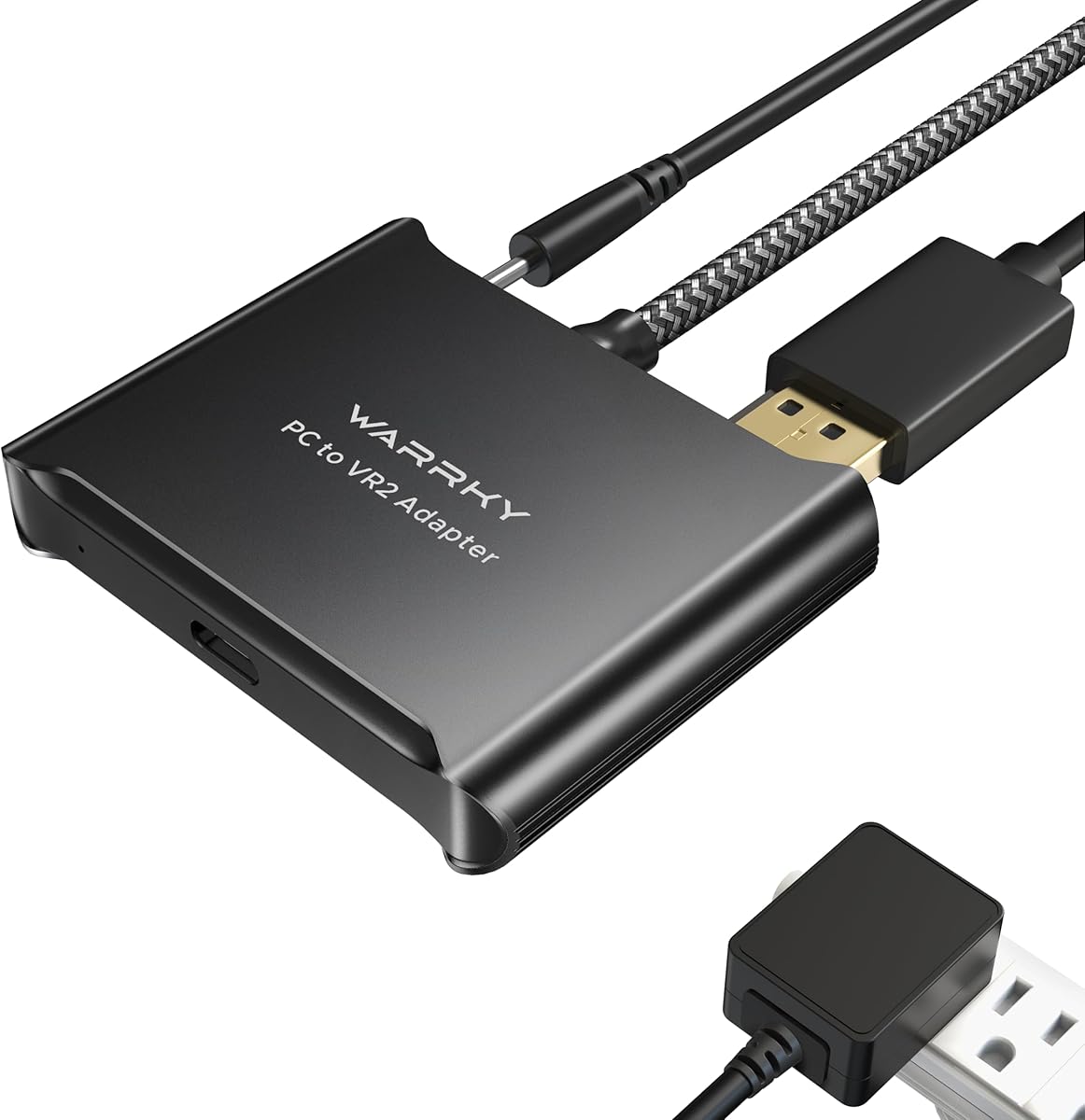
Warrky PSVR2 PC Adapter
3.8Editor score
Aluminum heat-dissipation shell
Braided cable jacket
Complete desktop linking kit
Online technical support
This guide compares Bluetooth adapters for PSVR2 on PC, covering SteamVR support, connection stability, power, display links, and setup ease.
Connecting PlayStation VR2 to a PC requires more than a generic Bluetooth dongle. The right hardware must support the headset, handle controller data, provide stable power, and carry the PC display signal to the headset. This guide separates purpose-built PSVR2 PC adapters from general-purpose Bluetooth and audio adapters.
The products were compared using their stated Bluetooth versions, operating-system support, power delivery, DisplayPort capabilities, included accessories, controller compatibility, and intended use. The list includes dedicated PSVR2 adapters, Windows receiver dongles, and USB-C audio transmitters so readers can identify the correct product type for their setup.
Each review explains what the adapter is designed to do, its most useful features, and its main limitations. The top selections represent the strongest options for different priorities, including budget, complete PC VR support, and a more refined physical design. Product prices and availability can change, so verify current details before purchasing.
3.8Editor score

4.2Editor score
4.5Editor score
The table below compares all ten adapters by purpose, connection method, display support, power approach, and operating-system limitations. Dedicated PSVR2 adapters are the direct solution for PC VR, while the general-purpose dongles and USB-C audio adapters serve narrower accessory or audio roles.



The STARTRC kit is built specifically for bringing PSVR2 to a Windows PC through SteamVR, giving it a more direct purpose than a generic Bluetooth receiver. Its 3.6 rating is the lowest among the listed products, but the package addresses several practical needs at once: the PC adapter, a dedicated Bluetooth receiver, a DisplayPort 1.4 cable, and a 15-watt Type-C power cable.
We may earn a commission when you buy through this link, at no additional cost to you.
The custom Bluetooth receiver is the kit's most distinctive feature. It is intended to improve the stability of connections between PSVR2 controllers and a PC, particularly when the computer's built-in Bluetooth is older or prone to interruption. The adapter is based on the official design, while the added receiver is presented as a way to create a more dependable controller path.
Its display and power accessories also make the package practical for users who do not already own compatible cables. The included DisplayPort 1.4 cable can carry the PC image to the headset, and the 15-watt Type-C supply provides the specified power connection. The trade-off is that this is a more involved solution than a basic USB dongle and depends on the added receiver working correctly.
This kit is most appropriate for a PC VR owner who specifically wants controller-link stability and does not want to assemble the adapter, video cable, power lead, and Bluetooth receiver separately. It is less suitable for someone whose only goal is adding a mouse, keyboard, or other peripheral to Windows. Buyers should also account for the product's modest 3.6 rating and confirm that the complete package is important to their setup.
The custom receiver directly addresses controller pairing and disconnection concerns. That makes this kit more relevant to PSVR2 PC use than a standard Bluetooth adapter designed mainly for ordinary peripherals.
Including the DisplayPort cable and 15-watt power cable reduces the number of separate accessories a new PC VR owner must source. The package is therefore convenient for a first-time setup.
We may earn a commission when you buy through this link, at no additional cost to you.
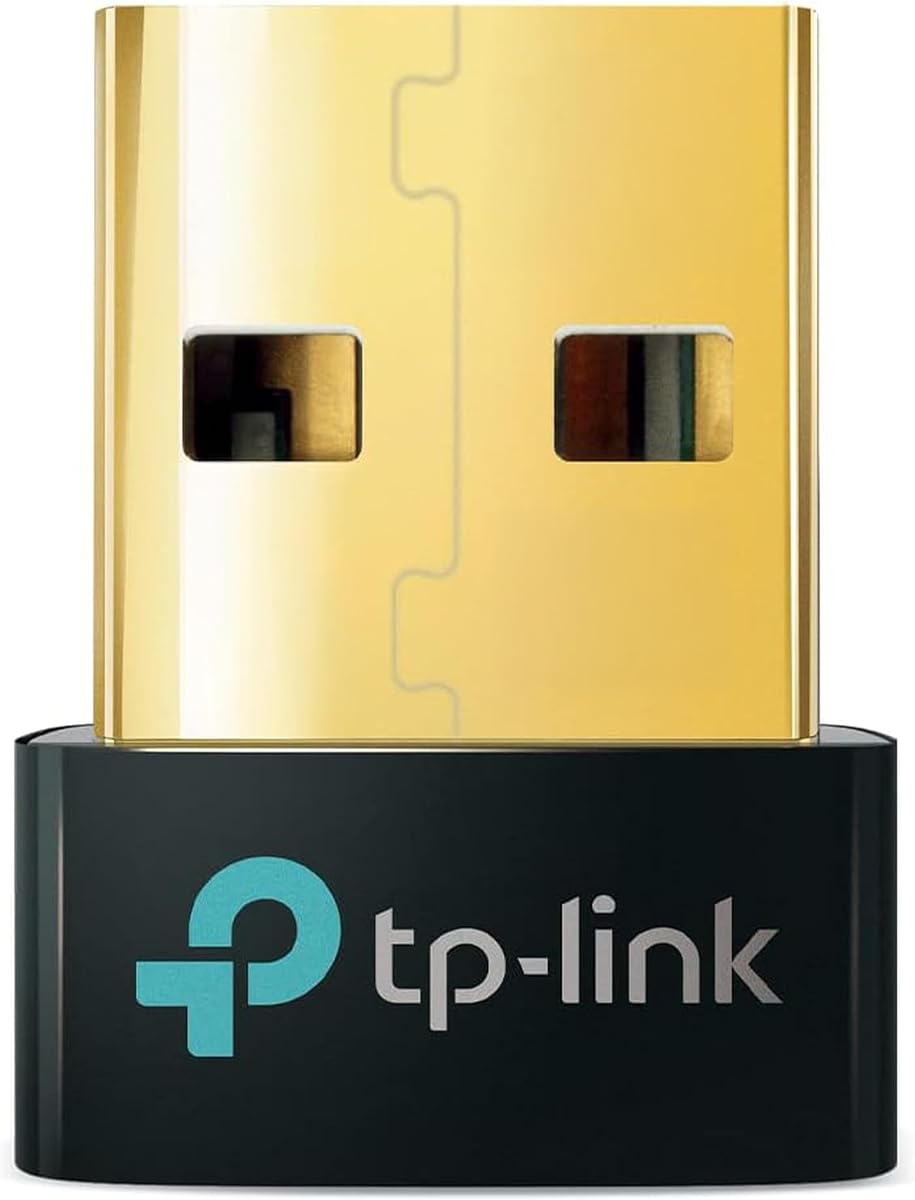
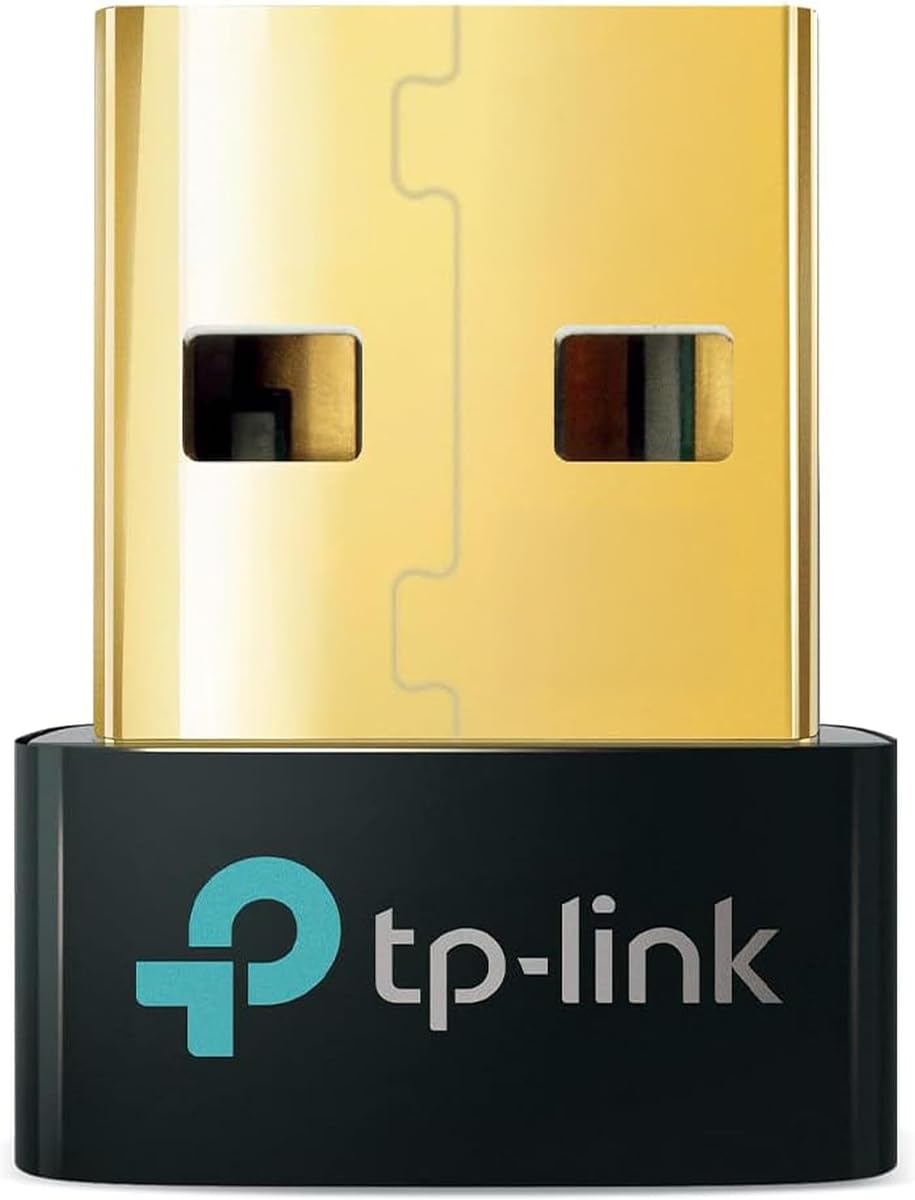
The TP-Link UB500 is a general-purpose USB Bluetooth receiver rather than a dedicated PSVR2 PC adapter. Its 4.5 rating is the highest among all ten products, reflecting a strong customer reception for a simple dongle that can connect peripherals such as phones, headsets, printers, and desktop accessories to a compatible Windows PC.
We may earn a commission when you buy through this link, at no additional cost to you.
Bluetooth 5.4, EDR, and BLE support form the core of the product. It is backward compatible with several earlier Bluetooth versions, which is useful when connecting mixed peripherals. The stated 5.4 implementation also offers faster transfer and broader coverage than Bluetooth 4.0, making it a sensible general solution for a desktop that lacks modern internal Bluetooth.
The nano-sized USB-A design is another practical strength. It can remain inserted without blocking neighboring ports, and the compact form makes it easy to carry between computers. Windows 8.1, 10, and 11 support is plug-and-play with internet access, while Windows 7 requires a separately downloaded driver. Existing internal Bluetooth should be disabled in Device Manager to avoid conflicts.
This is the budget choice for improving a Windows PC's general Bluetooth connectivity, including controller access through the computer. It is not the right purchase for carrying PC video to a PSVR2 headset or providing the headset's dedicated power connection. It also does not support macOS, Linux, TVs, or direct console use, so buyers should treat it as a PC peripheral upgrade rather than a complete PSVR2 conversion kit.
Bluetooth 5.4 with backward compatibility makes the UB500 useful for systems that still rely on older internal Bluetooth. It is especially helpful when a controller must communicate through a Windows PC.
The nano receiver can remain in a USB port without taking up much room. That makes it convenient for a permanent desktop setup or for carrying between compatible systems.
We may earn a commission when you buy through this link, at no additional cost to you.
The Warrky PSVR2 PC Adapter is a dedicated desktop adapter for people who want to use a PSVR2 headset with PC VR software, including SteamVR titles and 3D content shown through Bigscreen. Its 3.8 rating is moderate, but the product differentiates itself with an aluminum case, a braided cable jacket, and an included set of display and power accessories.
We may earn a commission when you buy through this link, at no additional cost to you.
Thermal management is the most visible design benefit. The aluminum shell is intended to dissipate heat more effectively and reduce overheating concerns during extended sessions. The nylon-braided cable is similarly intended to resist fraying, heat, and kinking, qualities that matter when a desktop adapter remains connected to a headset, graphics output, and power source.
The supplied DisplayPort 1.4 cable, 15-watt AC power supply, manual, and adapter create a fairly complete package. The product is also described as compatible with AR glasses and portable monitors. Its limitations are equally clear: it is not compatible with PS4, PS5, or PS5 Pro hardware, so this is not a console-linking accessory for PlayStation systems.
This is a strong choice for a desktop PC VR setup where construction quality and thermal behavior matter. It is less attractive for users seeking a basic Bluetooth accessory or a device for a console. The 3.8 rating should be weighed against the more highly rated general adapters, but the Warrky's dedicated function and refined enclosure make it a credible premium PC VR option.
The metal enclosure is designed to improve heat dissipation during longer sessions. It also gives the adapter a more substantial appearance than a basic plastic dongle.
A nylon-braided jacket is intended to protect the cable from everyday flexing and kinking. That durability is valuable when the adapter stays connected beside a desktop.
We may earn a commission when you buy through this link, at no additional cost to you.
The YCE PSVR2 PC Adapter is a comprehensive solution for using PSVR2 with a PC. Its 4.2 rating reflects a generally favorable reception, and the stated features cover the three essential links in a PC VR setup: the headset connection, stable power, and high-speed data transmission.
We may earn a commission when you buy through this link, at no additional cost to you.
The adapter uses the same IC module as the official version, according to its product information. That design goal supports easier setup and broad use across SteamVR games, educational programs, simulation software, and creative applications. Its DisplayPort interface carries high-resolution, high-refresh-rate visuals, while the USB 3.0 connection is intended to move controller and sensor information quickly enough for responsive interaction.
A regulated 5.1-volt output is another important strength. Stable power reduces the likelihood of device malfunctions, screen flickering, or performance degradation associated with insufficient or fluctuating voltage. The supplied DisplayPort 1.4 cable and 5.1-volt power adapter make the initial connection more convenient, although owners still need compatible PC hardware and the necessary SteamVR software.
This adapter is the strongest all-around choice in the list for someone whose primary objective is PC VR. It also supports AR glasses, extending its usefulness beyond the headset. It does not remove the need for a compatible graphics card, software setup, and SteamVR readiness, but within the adapter category it provides the clearest combination of stable power, fast data, and high-quality display support.
The regulated 5.1-volt output is intended to prevent flicker and performance loss caused by voltage changes. Stable delivery is especially valuable during lengthy or graphically demanding VR sessions.
USB 3.0 provides the high-speed pathway for interaction and sensor information. Lower perceived latency depends on the complete PC, software, and network configuration, not the adapter alone.
We may earn a commission when you buy through this link, at no additional cost to you.
The UGREEN Bluetooth 5.3 adapter is a straightforward way to add Windows Bluetooth connectivity to a desktop. Its 4.4 rating places it among the most favorably reviewed products in the list. It supports BR/EDR and Bluetooth Low Energy and can maintain connections to as many as five different device types at once, including keyboards, mice, phones, and headphones.
We may earn a commission when you buy through this link, at no additional cost to you.
Plug-and-play operation is possible on Windows 8.1, 10, and 11 without driver installation. The small USB-A housing can stay plugged into the computer without interfering with adjacent ports. If the computer already contains Bluetooth, the existing internal adapter should be disabled in Device Manager to prevent conflicts and a possible warning icon.
The limitations keep this in a general-purpose category. It is not supported on Windows 7, Linux, or macOS, cannot connect directly to a PS5, PS4, Switch, or Xbox console, and does not support TV or car use. It is also a receiver rather than a transmitter, which matters if the intended task is sending audio from a console to Bluetooth headphones.
For a PC owner who wants a dependable Bluetooth 5.3 receiver for ordinary peripherals, the UGREEN is easy to recommend. It can also support PSVR2 controller communication when the controller is handled through the computer, but it cannot replace the dedicated PC adapter's DisplayPort and headset-power functions. It is therefore a useful companion, not a complete PSVR2-on-PC solution.
Supporting five device types allows a keyboard, mouse, phone, and audio equipment to share one receiver. Simultaneous audio playback still depends on the devices and the adapter's limitations.
Driver-free operation on current Windows versions simplifies installation. Disabling a preinstalled Bluetooth radio remains an important troubleshooting step.
We may earn a commission when you buy through this link, at no additional cost to you.
The UGREEN USB-C LE Audio adapter is designed to add wireless audio to a PS5, PC, or iMac rather than to connect a PSVR2 headset to a PC. Its 4.1 rating is solid, while the Qualcomm QCC3086 Bluetooth 6.0 chip and support for LE Audio, aptX Adaptive, aptX HD, aptX, and SBC distinguish it from basic audio-only dongles.
We may earn a commission when you buy through this link, at no additional cost to you.
Users can select a low-latency mode for gaming and video or a high-quality mode for music. The low-latency option is enabled by default, while LE mode requires compatible headphones or speakers. Classic Bluetooth supports dual-device pairing, and LE Audio supports one-to-many broadcasting for sharing audio with several listeners. Auracast-compatible equipment can move from Unicast to broadcast mode.
There are strict compatibility boundaries. The product supports audio devices only and cannot pair mice, keyboards, or other data devices. It also cannot provide the DisplayPort connection and dedicated power path required to operate PSVR2 as a PC headset. Consequently, the PS5 and PC labels in the product name should not be interpreted as full PSVR2 support.
This adapter is best for someone who already owns a PC VR setup and wants a separate way to send PC game audio to Bluetooth headphones. It is also useful for PS5 audio when the headset or speaker supports the selected codec. For PSVR2 controller pairing, choose a Windows receiver; for connecting the PSVR2 display to a PC, choose a dedicated PSVR2 PC adapter.
Low-Latency mode prioritizes synchronization for games and video, while High-Quality mode focuses on clearer listening. The available mode still depends on the receiving headphones or speakers.
Support for several common codecs gives the adapter more pairing options. AptX HD does not support dual-device connections, so that feature requires a different supported codec.
We may earn a commission when you buy through this link, at no additional cost to you.
The UGREEN USB-C Bluetooth adapter focuses on sending audio from a USB-C computer or supported console to Bluetooth headphones and speakers. Its 4.4 rating is strong, and the product adds aptX Low Latency, aptX Adaptive, aptX HD, aptX, and SBC support. The claimed 24-bit dynamic audio capability depends on compatible receiving headphones.
We may earn a commission when you buy through this link, at no additional cost to you.
A Qualcomm chipset and low-latency encoder are designed to keep audio and video synchronized, with the listed delay reduced to less than 100 milliseconds under suitable conditions. The adapter is plug-and-play, requires no drivers, and can add Bluetooth audio to Windows, macOS, a PS5, a Switch, or a compatible laptop. It does not support Linux or PS4.
The product's important caveat is that it handles audio only. It cannot pair a mouse, keyboard, or PSVR2 controller, and it cannot carry the PC display or power signals required to use PSVR2 as a PC headset. On PS5, users must select the UGREEN device in the console's audio settings and adjust the automatic output-device option. Bluetooth calling mode can be enabled, although doing so may reduce audio quality.
This is a good companion for PC VR owners who want wireless headphones and value low-latency sound more than a fully wired or base-station audio solution. It works especially well with headphones that support the same aptX standards. It is not a PSVR2 PC adapter and should not be selected by someone whose main objective is to make the headset display PC content.
aptX Low Latency and aptX Adaptive options target synchronization between game audio and video. Actual results depend on the headset, source device, and selected mode.
The USB-C form and driver-free setup make the adapter easy to add to a compatible computer. It remains limited to transmitting audio rather than general Bluetooth data.
We may earn a commission when you buy through this link, at no additional cost to you.
The UGREEN Bluetooth 6.0 receiver is designed to add current-generation Bluetooth connectivity to a compatible Windows computer. Its 4.2 rating indicates generally positive customer feedback. It supports EDR and BLE, backward compatibility with Bluetooth 5.4 and 5.3, and simultaneous connections involving up to five different device types.
We may earn a commission when you buy through this link, at no additional cost to you.
The stated data-transfer and streaming benefits make it useful for accessories such as a mouse, keyboard, phone, or headphones. Its compact USB-A form is designed to remain connected without blocking adjacent ports, while driver-free operation is available on Windows 11, 10, and 8.1. EDR and BLE are included to balance throughput with energy efficiency.
It does not support Windows 7, Linux, or macOS. It also cannot be used directly with PS3, PS4, PS5, Switch, or Xbox consoles, and it is not intended for TVs or cars. As with other UGREEN Windows receivers, the computer's built-in Bluetooth should be disabled before use to avoid a conflict or an exclamation mark in Device Manager.
This is a logical choice for a Windows desktop that needs a modern, multi-device Bluetooth receiver, including a system used to access PSVR2 controllers through the PC. However, it cannot replace a PSVR2 PC adapter because it provides neither the headset display link nor its required power connection. Its role is peripheral connectivity, not converting the PSVR2 into a complete PC VR display.
Bluetooth 6.0 is paired with backward compatibility for newer and older peripherals. This broadens the useful device mix compared with a receiver limited to one generation.
The receiver can maintain several different categories of Bluetooth equipment at once. Only one set of same-type audio devices can play music simultaneously.
We may earn a commission when you buy through this link, at no additional cost to you.
The second YCE PSVR2 PC Adapter shares the core strengths of the other YCE option, including a 4.2 rating, an official-style IC module, regulated 5.1-volt output, DisplayPort connectivity, and a USB 3.0 data interface. It is intended to give PSVR2 users access to SteamVR games and other PC-based educational, simulation, and creative VR applications.
We may earn a commission when you buy through this link, at no additional cost to you.
Setup is presented as a plug-and-play process followed by a few software settings. The stable power output is designed to avoid screen flickering, device malfunctions, and performance degradation caused by insufficient voltage. Its high-speed data path is intended to support quick transmission of controller actions and sensor information, helping maintain responsive VR interactions.
The product information does not describe a bundled cable or power-supply set in the same detail as the related YCE listing. Buyers should therefore inspect the package contents carefully and determine whether they already own a suitable DisplayPort cable and 5.1-volt power arrangement. As with all PC VR adapters, the graphics card, software, and SteamVR environment must also meet the requirements of the games being run.
This adapter is well suited to a desktop user who prioritizes straightforward connection, stable power, and broad software support. It also appears compatible with AR glasses, according to its description. It is a close alternative to the other YCE model, and the choice between them may come down to the available package contents, current design, and the support experience provided by each listing.
The installation process is described as a physical connection followed by simple software adjustments. The included manual helps reduce the learning curve for first-time PC VR users.
Regulated 5.1-volt power is paired with a USB 3.0 link. Together they support the power and data demands of a connected PSVR2 desktop setup.
We may earn a commission when you buy through this link, at no additional cost to you.
The PSVR2 PC Adapter Accessories Kit is a dedicated PC VR bridge with a 4.0 rating. It is designed to connect PSVR2 to a PC for SteamVR games, educational applications, simulation software, and other VR content. Its official-style IC module and straightforward instructions are intended to make installation accessible to users without advanced technical knowledge.
We may earn a commission when you buy through this link, at no additional cost to you.
The adapter supplies a stable 5.1-volt output to reduce the chance of equipment failure, screen flicker, or performance loss caused by power fluctuations. DisplayPort 1.4 bandwidth supports high-resolution and high-refresh-rate output, including the listed 4K 120Hz capability when paired with a compatible graphics card that meets SteamVR requirements. USB 3.0 handles the timely movement of actions and sensor information.
One of its broader features is compatibility with AR glasses and other USB-C devices using DisplayPort Alt Mode. The expandable power adapter and included DisplayPort 1.4 cable make the package adaptable to several desktop arrangements. Even so, the full 4K 120Hz claim is conditional on suitable PC graphics hardware, and actual performance also depends on the game and VR runtime.
This kit is best for a PC VR user who values a complete display and power pathway rather than a basic Bluetooth peripheral. It is less appropriate for adding wireless headphones, general controllers to a console, or peripherals to a non-Windows system. For owners with compatible high-end PC hardware, it provides a concise bridge between PSVR2 and the wider SteamVR library.
DisplayPort 1.4 bandwidth is intended to carry high-resolution, high-refresh visuals to the headset. A compatible graphics card and SteamVR-ready configuration are still required for 4K 120Hz.
DisplayPort Alt Mode support extends the adapter to compatible AR glasses and other devices. That versatility makes it more than a single-console conversion accessory.
We may earn a commission when you buy through this link, at no additional cost to you.
The most important decision is whether you need a complete PSVR2-to-PC display adapter, a Windows Bluetooth receiver for controllers and peripherals, or a USB-C transmitter for wireless headphones. Compatibility, data path, power delivery, and intended use should be considered before comparing small differences between otherwise similar products.
A dedicated PSVR2 PC adapter handles the headset's display, power, controller, and sensor requirements as a coordinated PC VR link. A standard Windows Bluetooth dongle can help a computer communicate with controllers and peripherals, but it does not provide the video and power path needed to use PSVR2 as a PC headset. A USB-C Bluetooth audio transmitter serves yet another purpose, sending sound to compatible headphones without carrying controller data or headset display signals.
PC VR generally requires a compatible Windows environment, suitable graphics hardware, and the required SteamVR and headset software. Check the adapter's stated platform support carefully. The TP-Link and UGREEN USB receivers support specified Windows versions but not macOS or Linux, while the dedicated PSVR2 adapters are designed for the PC VR ecosystem. A Bluetooth product that supports a PC is not automatically compatible with every game, runtime, or headset mode.
The adapter must carry the PC image to the PSVR2 headset through a suitable DisplayPort connection. A DisplayPort 1.4 cable is included with several dedicated options, and some listings support 4K 120Hz output. That headline capability requires a compatible graphics card, adequate system performance, and a SteamVR-ready configuration. Cable bandwidth alone cannot guarantee high resolution and refresh rate on an unsuitable PC.
VR headsets and their adapters are sensitive to interruptions in power because unstable voltage can contribute to screen flicker, abnormal operation, or performance degradation. Dedicated PSVR2 adapters should include a compatible power source and state a regulated output. The STARTRC package uses a 15-watt Type-C power cable, Warrky includes a 15-watt AC supply, and the YCE products specify regulated 5.1-volt delivery.
Controller communication is different from ordinary Bluetooth audio. A receiver with Bluetooth 5.4 or 6.0 can be useful for pairing a controller through Windows, while a dedicated kit with a custom receiver may address older internal Bluetooth and disconnection problems. Consider operating-system compatibility, driver conflicts, wireless interference, and whether the product is designed specifically for PSVR2 controller pairing rather than only standard peripherals.
The adapter body alone may not be sufficient. A complete PC VR setup can require a DisplayPort 1.4 cable, a power connection, and a suitable Bluetooth route. The STARTRC kit includes a custom receiver, DP 1.4 cable, and 15-watt Type-C power cable. Warrky includes an adapter, DP 1.4 cable, 15-watt AC supply, and manual. The YCE listing includes a DP 1.4 cable and power adapter, while another related listing provides less detail about its package.
USB-C audio adapters can be excellent for wireless headphones, but their Bluetooth operation is limited to audio. They do not pair mice or keyboards, and they cannot replace the DisplayPort and power functions of a PSVR2 PC adapter. Features such as LE Audio, aptX Adaptive, Auracast, dual pairing, and low-latency modes also require compatible receiving headphones or speakers and the correct source-device settings.
A desktop adapter may remain connected continuously, so enclosure materials and cable durability are practical considerations. Warrky uses an aluminum shell intended to improve heat dissipation and a nylon-braided jacket intended to resist wear. Other listings emphasize support, including STARTRC's instruction to contact the seller for connection issues and Warrky's online technical support with a stated response window. Warranty and support terms can change, so confirm current details on the listing.
Begin by identifying the adapter's role. For a dedicated PSVR2 PC adapter, connect the headset with the specified power and DisplayPort arrangement, then connect the adapter's data and display interfaces to the PC. For a Windows receiver, insert the dongle into a suitable USB-A port, while a USB-C audio adapter should be connected to the source device before pairing the headphones. Follow the manual supplied with the exact model because connector layouts and software steps can differ.
On Windows, use Device Manager to check whether an internal Bluetooth radio is already active. If the manufacturer instructs you to disable it, do so before installing a USB receiver, which reduces driver conflicts. Install the dedicated PSVR2 software and the SteamVR application, complete the required settings, and confirm that the headset, controllers, and PC display are detected. For audio transmitters, select the adapter as the output device and choose a codec or LE mode supported by the receiving headphones.
Keep the adapter unobstructed and away from long stretches of nearby USB equipment when its product information recommends separation. Route cables without creating tight bends, and avoid covering a metal enclosure that relies on passive heat dissipation. Disconnect the equipment before changing ports, and do not force a connector. If a connection becomes unstable, check the software settings, power source, cable seating, and interference sources before assuming the adapter itself has failed.
A regular Windows Bluetooth adapter may help connect PSVR2 controllers through the PC, but it does not provide the full headset-to-PC connection. PC VR also requires a suitable display link, stable power, appropriate software, and a compatible graphics system. For a complete solution, choose a dedicated PSVR2 PC adapter rather than treating a peripheral dongle as a display bridge.
A receiver lets a computer communicate with peripherals such as keyboards, mice, phones, and headphones. A transmitter sends audio from a compatible source device to Bluetooth headphones or speakers. The products in this guide include both types, and the stated direction of operation should be checked before purchase.
A newer Bluetooth standard can improve general wireless performance, but the adapter version alone does not guarantee a complete PSVR2 PC experience. Display, power, controller, software, and graphics requirements still apply. A dedicated PSVR2 adapter is the more relevant category, while a 5.4 or 6.0 receiver is best understood as a PC connectivity upgrade.
Their descriptions associate DisplayPort 1.4 with high-resolution and high-refresh-rate transmission, but the full stated performance depends on a compatible graphics card and a SteamVR-ready PC. The adapter cannot compensate for a GPU or system that cannot drive the target resolution. Owners should verify their hardware and individual game requirements before expecting the maximum listed output.
Several receiver manufacturers recommend disabling an existing Bluetooth radio in Device Manager before using their USB adapter. Two active Bluetooth stacks can compete for devices or cause conflict warnings, making pairing appear unreliable. After making the change, reconnect or restart the PC as required and then install or rescan the USB receiver.
No. The UGREEN USB-C audio products are limited to Bluetooth audio devices and explicitly do not support mice, keyboards, or other data devices. They can send PC game sound to compatible headphones, but they do not replace a Windows receiver for controllers or a dedicated PSVR2 adapter for the headset display and power.
A dedicated PC VR setup generally needs the adapter, a DisplayPort 1.4 connection, and a compatible power supply. The STARTRC and Warrky packages include the stated display and power accessories, and the YCE listing with the most detailed package information includes a DP 1.4 cable and 5.1-volt power adapter. Check each package's contents before ordering additional components.
These products are primarily for PC use. Warrky explicitly states that its PC adapter is not compatible with PS4, PS5, or PS5 Pro. The general receivers also cannot connect directly to several console generations. Console support should be verified independently rather than inferred from the word PC or from Bluetooth capability.
The YCE PSVR2 PC Adapter stands out as the most complete all-around choice, combining regulated power, DisplayPort connectivity, USB 3.0 data transfer, and broad PC VR support. Warrky is the premium-oriented alternative for buyers who prioritize an aluminum enclosure, braided cabling, and a complete accessory bundle. TP-Link's compact Bluetooth 5.4 receiver is the budget selection for improving general Windows connectivity and controller communication.
Prioritize function before protocol version. A Bluetooth 5.4 or 6.0 specification cannot substitute for the dedicated display and power path required to run PSVR2 from a PC. Check the full system requirements, the contents of the package, Windows compatibility, and whether the product must handle video, controller data, general peripherals, or audio only.
Ratings, package contents, software behavior, and availability can change over time, so review the current listing before ordering. Confirm the required cables, power supply, controller support, and SteamVR configuration, and choose the product that directly matches the role you need rather than the model with the newest Bluetooth number.