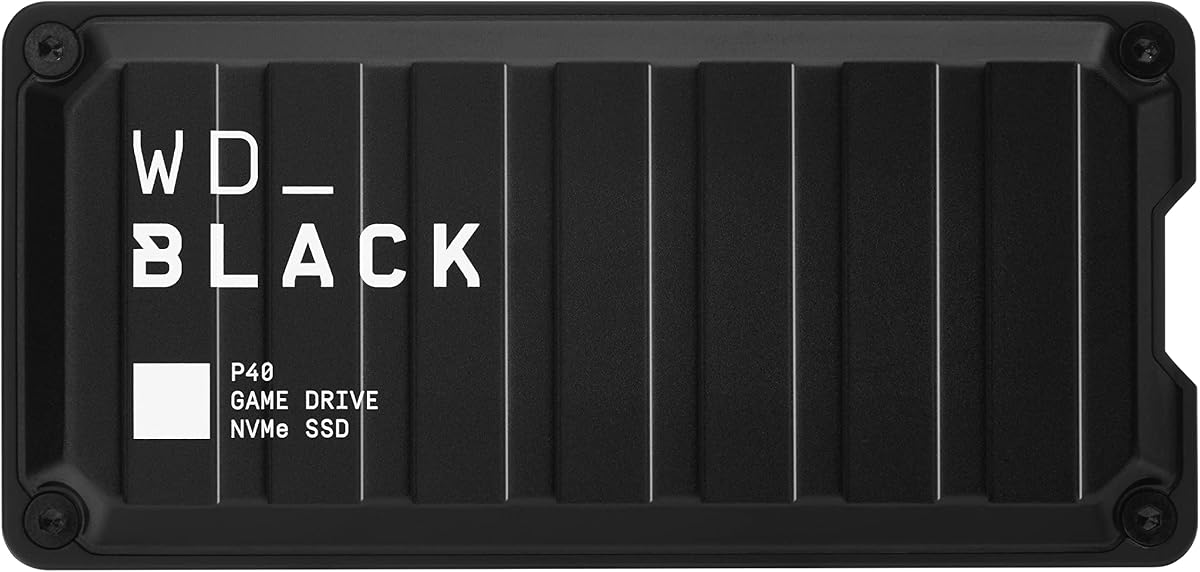
WD_BLACK P40 Game Drive
4.6Editor score
Up to 2,000MB/s read speed
Customizable RGB lighting
Console and PC compatibility
Our External Hard Drive for Steam Games guide compares ten portable HDDs and SSDs for capacity, speed, console compatibility, durability, and everyday value.
An external drive can give a Steam library more breathing room without replacing your computer or console. The right model balances usable capacity, transfer speed, portability, durability, and compatibility, while also considering whether you want a traditional hard drive or a faster solid state drive.
This guide compares ten external storage options based on their published capacities, interfaces, transfer rates, physical protections, platform support, and suitability for storing Steam games. It covers models from established storage brands as well as portable HDDs designed for both computers and compatible game consoles.
Each review explains the strongest reason to choose the drive, along with its limitations and ideal owner. The ranking favors practical gaming value rather than speed alone, while current prices can change and should be checked before making a purchase.
4.6Editor score

4.7Editor score

4.3Editor score
The table below compares every drive by capacity, interface, portability, and gaming relevance, helping separate high-capacity libraries from faster, more rugged SSD options.


The Seagate Portable 4TB is a practical choice for Steam users who want a generous game library without paying for a high-performance SSD. Its 4.6 rating reflects a generally positive experience, and the important advantage is simple, accessible capacity: 4TB can hold a substantial collection of larger installs while retaining room for backups.
We may earn a commission when you buy through this link, at no additional cost to you.
Setup is refreshingly direct. Connect the included 18-inch USB 3.0 cable to a computer, and the drive is automatically recognized without installation software. It works with Windows and Mac systems, making it suitable for users who move between desktop and laptop environments. The included cable also reduces the chance of a separate accessory purchase immediately after setup.
The trade-off is that this is a USB 3.0 mechanical hard drive rather than a portable SSD. Large game files may take longer to transfer, and launching games directly from the drive may feel less responsive than from a faster internal drive. Those limitations are most apparent with open-world titles, frequent loading, and heavily modded installations.
This model makes the most sense for collectors who value capacity and straightforward storage more than rapid load times. If you regularly reinstall games, maintain a large but not enormous Steam library, or want a second drive for moving titles temporarily, the Seagate Portable 4TB offers a convincing balance of storage, portability, and simplicity.
A 4TB capacity gives you more freedom to keep large game installs available. It is particularly useful for modern titles with demanding storage requirements or for users who prefer downloading once rather than repeatedly clearing internal space.
Automatic recognition and no required setup software make the drive approachable. The included USB 3.0 cable is long enough for many common desktop and laptop arrangements.
We may earn a commission when you buy through this link, at no additional cost to you.
The WD Elements 2TB combines a strong 4.7 rating with a compact enclosure, making it one of the most sensible everyday choices in this guide. It is a conventional USB hard drive designed for portable expansion rather than gaming-specific lighting or console-specific features.
We may earn a commission when you buy through this link, at no additional cost to you.
Its SuperSpeed USB 3.2 Gen 1 interface operates at up to 5Gbps, while the small, lightweight body is easy to carry between a home computer, office laptop, or friend's system. The stated platform support covers both PC and Mac users, and plug-and-play readiness removes most configuration barriers.
Two terabytes is less space than the largest HDD recommendations, so users with an extensive Steam collection may need to manage files carefully. The drive also cannot match the transfer and loading performance of the SSDs in this list. However, for a modest library, backups, and games that do not demand instant loading, these limitations are reasonable.
Choose the WD Elements 2TB if you want a discreet, dependable portable drive without specialized gaming aesthetics. It is particularly attractive for laptop users who need extra Steam storage in a bag-friendly form and want a recognized brand without paying for SSD-level performance.
The small enclosure is one of the drive's defining benefits. It can be carried more easily than a larger desktop drive and kept beside a gaming laptop or compact console setup.
Windows and Mac compatibility makes this a flexible option for mixed-platform households. Users can connect the drive, access its contents, and begin organizing games without a complicated setup process.
We may earn a commission when you buy through this link, at no additional cost to you.
The WD_BLACK P40 1TB is the premium gaming option here because it combines a dedicated game-drive design with an advertised read speed of up to 2,000MB/s. Its 4.6 rating indicates broadly favorable reception, while the USB 3.2 Gen2x2 interface targets users who want responsive transfers and direct access to compatible game libraries.
We may earn a commission when you buy through this link, at no additional cost to you.
It also stands apart visually. Downloadable WD_BLACK Dashboard software for Windows lets users customize the RGB lighting, adding a coordinated look to a gaming setup. The stated compatibility includes PlayStation 5, Xbox Series X|S, PC, and Mac, with specific rules governing older console games and current-generation titles.
One terabyte is the main constraint. Modern Steam installations can consume that room quickly, particularly when the same drive also stores saves, videos, or other files. The reported maximum speed also depends on the host device, usage conditions, capacity, and other factors, so not every system will reach the headline number.
This is the right drive for a gamer who prioritizes speed, design, and direct platform compatibility over maximum capacity. It is especially compelling for a compact library that changes frequently, while owners of dozens of large games may find a higher-capacity SSD or HDD more practical.
The stated performance makes the P40 attractive for frequent updates, fresh downloads, and moving completed installs. Its USB 3.2 Gen2x2 connection is designed to take advantage of compatible host hardware.
Customizable RGB lighting distinguishes the drive from conventional storage. The Windows-only dashboard requirement means Mac users cannot adjust the lighting through the listed software.
We may earn a commission when you buy through this link, at no additional cost to you.
The YOTUO 1TB stands out as a value-oriented expansion drive for compatible consoles and computers. Its 4.3 rating is the lowest among the ten products, but the feature set is unusually useful: USB 3.0 and USB-C connectivity, broad platform support, and a built-in silicone sleeve for physical protection.
We may earn a commission when you buy through this link, at no additional cost to you.
Its central gaming purpose is offloading older PS4 and Xbox One games. The product details are explicit that PS5 and Xbox Series X|S games cannot be run or stored directly from this hard drive. Even so, moving eligible older titles away from internal storage can free room for newer console releases.
At 5Gbps, the interface is suitable for routine file transfers, although it does not transform the underlying performance of a mechanical hard drive. The 1TB capacity is also modest. Users should expect to manage storage carefully rather than treating it as unlimited room for a large modern library.
Choose the YOTUO when the main goal is inexpensive offloading, a protected portable drive, or broad device compatibility. It is less suitable for users seeking high-speed direct launching on a current console or enough room for many modern Steam installations.
Compatible older PS4 and Xbox One titles can be moved to the drive, helping recover internal console storage. It is an expansion aid rather than a place for native next-generation console games.
The integrated silicone sleeve cushions the drive against bumps and falls. A listed weight of 0.16kg also makes the enclosure convenient to carry between gaming sessions.
We may earn a commission when you buy through this link, at no additional cost to you.
The UnionSine 1TB emphasizes portability and a quiet, slim profile. Its 4.4 rating suggests a generally positive reception, while the rounded enclosure, striped non-slip design, and pocket-oriented dimensions make it useful for carrying a smaller Steam library or a collection of backups.
We may earn a commission when you buy through this link, at no additional cost to you.
The listed transfer rates reach a theoretical 125MB/s for reads and 103MB/s for writes over USB 3.0. USB 2.0 support is also mentioned, and the JMicron 578 noise-free solution is intended to keep operation quiet. An aluminum anti-interference layer around the hard disk chip supports heat dissipation and data protection.
This drive is clearly aimed at general portable storage rather than console expansion. It does not list game-console support, and its one-terabyte capacity is modest for current game libraries. It also remains a mechanical HDD, so it will not approach the responsiveness of the portable SSDs in this guide.
The UnionSine is most appropriate for someone who values a thin, quiet, pocketable drive for personal files and a curated set of games. Users who regularly switch between consoles or need large game storage should consider one of the explicitly console-compatible or higher-capacity models.
The ultra-thin body and rounded corners make the drive comfortable to carry and handle. Its listed noise-free design is beneficial in shared rooms and quiet workspaces.
No installation software is required, and a USB 3.0 cable is included. The package also provides a user manual, shell packaging, and a three-year manufacturer warranty.
We may earn a commission when you buy through this link, at no additional cost to you.
The Aiolo Innovation 500GB is a compact, entry-level drive for older console libraries and lightweight file storage. Its 4.5 rating is stronger than several higher-capacity alternatives, and the listed support for PS4, Xbox One, Xbox 360, Windows, Linux, Mac, and Android gives it broad utility.
We may earn a commission when you buy through this link, at no additional cost to you.
Its theoretical USB 3.0 read speed is listed at 110MB/s to 133MB/s, with writes up to 103MB/s. The package includes a USB 3.0 cable, a USB-to-Type-C adapter, a manual, and shell packaging. No installation software is required, so setup remains straightforward.
Five hundred gigabytes is the central limitation. Although it can hold several smaller Steam games or a collection of eligible console titles, large modern installs will fill it quickly. The mechanical format also means it is better suited to storage and offloading than maximizing loading speed.
This drive suits a first-time console owner who needs a small amount of extra space, or a student who wants inexpensive portable backups. Buyers with expanding modern libraries should look toward one- or two-terabyte options so the storage does not quickly become another management problem.
Support for PS4, Xbox One, Xbox 360, and major desktop operating systems makes the drive flexible for older gaming systems and everyday computers.
The supplied USB 3.0 cable and USB-to-Type-C adapter cover common connection needs. Its three-year warranty adds reassurance for an inexpensive storage purchase.
We may earn a commission when you buy through this link, at no additional cost to you.
The SanDisk Extreme Portable SSD 2TB is built for gamers who need both useful capacity and rugged portability. Its 4.6 rating, two-terabyte capacity, and up to 1,050MB/s read speed distinguish it from ordinary game-library hard drives, while the listed IP65 rating adds protection beyond basic impact resistance.
We may earn a commission when you buy through this link, at no additional cost to you.
The drive supports up to 3-meter drop protection and includes a carabiner loop for attaching it to a belt loop or backpack. That makes it well suited to mobile gaming setups, travel, and crowded desks where a bare enclosure could be exposed to knocks. Password protection with 256-bit AES hardware encryption also helps secure private files.
The supplied information focuses on PC and mobile file management rather than console storage. Steam on Windows or Mac remains the clearest use case, and the listed SanDisk Memory Zone app helps manage files and automatically free space. Published performance can vary with the host device and operating conditions, so compatibility remains important.
This is a strong all-around choice for a portable, durable Steam library. Choose it over a basic HDD when faster transfers, compact construction, and physical resilience matter. It is less suited to users whose main goal is moving eligible games onto a console.
IP65 water and dust resistance and three-meter drop protection make the SSD more resilient than a conventional external HDD. The carabiner loop also helps prevent it from being left behind or dropped.
The combination of two terabytes and NVMe performance provides room for a meaningful library without settling for a spinning drive. It suits users who frequently move or manage large game files.
We may earn a commission when you buy through this link, at no additional cost to you.
The Portable HDD 1TB is a feature-rich general-purpose option with unusually broad device support. Its 4.2 rating is the lowest in the ranking, but the included carrying pouch, dual cable connection, and compatibility across computers, mobile devices, and game consoles give it practical appeal.
We may earn a commission when you buy through this link, at no additional cost to you.
The drive supports Windows, macOS, Linux, and Chrome OS, as well as smart TVs, smartphones, tablets, and several Xbox and PlayStation models. It uses USB 3.0 and USB-C with a 5Gbps interface rate and is backward compatible with older USB versions. No external power is required, which simplifies use with laptops and consoles.
The console proposition requires careful reading. PS4 and Xbox One games can be played from the drive, and eligible older games can free internal space on a PS5 or Xbox Series X|S. Native games for those current consoles cannot be run from this external hard drive. The product does not explicitly list direct Steam support, so PC use depends on normal operating-system recognition.
Choose this model for inexpensive, flexible expansion and travel. The carrying case is a thoughtful addition, while broad platform support reduces the need to buy different accessories. However, the modest rating and one-terabyte capacity make it less convincing for a serious collector.
Compatibility with desktop systems, laptops, mobile platforms, smart TVs, and multiple console families makes the drive adaptable. This is helpful for users who do not want separate storage for each device.
A USB 3.0 and Type-C cable, carrying case, and user manual are included. The pouch helps protect the slim enclosure from scratches during transport.
We may earn a commission when you buy through this link, at no additional cost to you.
The WD Elements 5TB is the capacity leader among these ten drives and a natural fit for serious Steam collectors. With a 4.6 rating, it offers the most straightforward way to preserve a large library in a portable enclosure, including titles that are too large or numerous for internal storage.
We may earn a commission when you buy through this link, at no additional cost to you.
Its plug-and-play design removes the need to install additional software. The SuperSpeed USB 3.2 Gen 1 interface provides a 5Gbps connection rate, and the drive is described for Windows and PC and Mac use. While the published details are concise, they cover the essentials most buyers need from a large archival drive.
The obvious limitation is mechanical performance. A 5TB hard drive is not intended to deliver the rapid transfers or potentially snappier game loading available from the WD_BLACK P40, SanDisk Extreme, and Samsung T7. Large transfers still take time, and the drive should be handled carefully because it contains moving parts.
Choose the WD Elements 5TB when retaining as many installed games as possible is your priority. It can also serve as a secondary library or backup drive, reducing pressure on a smaller primary system. For users who demand faster operation, the larger capacity has to be weighed against SSD speed and cost.
The 5TB capacity gives large Steam libraries more flexibility than compact one- or two-terabyte drives. Users can keep older favorites, current releases, and other large files available without constant deletion.
Plug-and-play expandability keeps configuration straightforward. The familiar USB 3.2 Gen 1 interface works well for routine file organization and game-library storage.
We may earn a commission when you buy through this link, at no additional cost to you.
The Samsung T7 1TB is a polished, fast portable SSD with a 4.7 rating, tying the highest listed rating in the group. It is positioned as a general-purpose drive for heavy file use, but those characteristics translate well to a fast, compact Steam library on a compatible computer.
We may earn a commission when you buy through this link, at no additional cost to you.
PCIe NVMe technology supports listed read and write speeds of up to 1,050MB/s and 1,000MB/s. The USB 3.2 Gen 2 interface and compact aluminum unibody construction make it suitable for users who regularly move large projects, game files, photographs, and other demanding data.
Durability is another strength. Samsung lists shock resistance and fall protection up to six feet, while broad compatibility makes it useful with PCs and mobile phones. However, the supplied data does not identify direct console support, so buyers seeking PS4 or Xbox offloading should choose a model explicitly designed for that purpose.
The T7 is best for a gamer who values speed, refinement, and a small footprint over maximum capacity. It is a particularly attractive companion to a gaming laptop, but users installing dozens of large titles may find one terabyte restrictive. It finishes the guide as a high-quality portable option with few obvious compromises beyond capacity and console positioning.
The listed performance makes the T7 effective for transferring and accessing large game files. Its compact body and USB connection suit users who alternate between desktop and laptop systems.
The aluminum unibody and listed six-foot fall protection support everyday durability. That makes the SSD a practical choice for a mobile gaming setup where impact risk is higher.
We may earn a commission when you buy through this link, at no additional cost to you.
The right Steam storage drive depends on library size, platform, transfer frequency, and tolerance for slower loading. Capacity, interface speed, console rules, and physical resilience should be evaluated together rather than by looking at any one specification.
Start with the size of your current Steam library and how much space you want available in the future. A one-terabyte drive can suit a smaller or carefully managed collection, but two to four terabytes offers more freedom for modern titles. The five-terabyte WD Elements is the strongest option here for collectors who want to preserve many large installations and avoid frequent cleanup. Remember that the operating system, saved data, and other files can also consume space, so buying exactly the amount you need today may leave little room for future releases.
A mechanical HDD generally offers more capacity for storage-oriented use, while a portable SSD provides much faster transfers and can feel more responsive when accessing game data. The HDD options in this guide are appropriate for large libraries that primarily need storage. The WD_BLACK P40, SanDisk Extreme, and Samsung T7 are better when moving large files frequently, launching from a portable SSD, or using a space-limited gaming laptop. Console rules and Steam's own library management behavior should also be checked for your specific system before relying on direct launching from an external drive.
USB 3.2 Gen 1 and USB 3.0 are both listed at up to 5Gbps, while the portable SSDs use faster interfaces. The P40 uses USB 3.2 Gen2x2 and claims up to 2,000MB/s reads. The SanDisk Extreme and Samsung T7 list up to 1,050MB/s reads, with their respective write figures also near 1,000MB/s. These are maximum conditions, not guaranteed results across every host device. A faster interface cannot make a mechanical drive behave like an SSD, so compare the underlying drive type as well as the connector.
PC and Mac compatibility is broad among the hard drives, but console support varies considerably. The YOTUO and Portable HDD models describe moving eligible PS4 and Xbox One games, with important restrictions on native PS5 and Xbox Series X|S titles. The WD_BLACK P40 lists PlayStation 5 and Xbox Series X|S compatibility while also explaining that archive and play behavior depends on the console and game generation. Before purchasing, verify the exact console, system software, game format, and whether the drive must be formatted in a specific way.
A drive used for gaming should fit comfortably beside your computer or console and survive regular movement. The WD Elements, YOTUO, UnionSine, SanDisk Extreme, and Samsung T7 all emphasize portable dimensions. The YOTUO adds a silicone sleeve, the SanDisk Extreme provides an IP65 rating and carabiner loop, and the Samsung T7 uses an aluminum unibody with listed fall protection. Mechanical HDDs need reasonable care because moving parts can be affected by impact, while SSDs generally tolerate movement more readily.
Game libraries are valuable because of the time and bandwidth needed to download them. Physical durability therefore matters as much as raw speed. The SanDisk Extreme combines drop protection, IP65 water and dust resistance, and 256-bit AES hardware encryption. The WD_BLACK P40 has a shock-resistant structure, while the YOTUO uses a shock-absorbing silicone sleeve. Also consider backup practices: an external drive can fail or be misplaced, so keeping a separate copy of irreplaceable game saves and important files is a sensible precaution.
Some portable SSDs include built-in privacy and file-management features. The SanDisk Extreme offers password protection with 256-bit AES hardware encryption and the SanDisk Memory Zone app for managing files and freeing space. The WD_BLACK P40 provides downloadable WD_BLACK Dashboard for RGB customization, although that feature is listed as Windows-only. These extras can improve usability, but they should not displace a consideration of capacity, platform support, or basic drive reliability.
A warranty can provide useful reassurance for storage hardware, and the listed packages vary considerably. UnionSine and Aiolo Innovation each include a three-year manufacturer's warranty, while the Portable HDD includes a six-month warranty. Some drives include a USB cable, while the Aiolo also provides a USB-to-Type-C adapter and the Portable HDD includes a carrying case. Check that the supplied cable matches the port on your computer or console, especially if your system relies on USB-C exclusively.
Before moving a large Steam library, confirm that the operating system recognizes the new drive and that its filesystem is suitable. Connect the drive with the included or recommended cable, open Steam, and use the storage management tools to add the external location as a library folder. Creating a dedicated folder for games keeps the library organized and can make moving or removing titles easier.
Install the desired games through Steam rather than copying unfamiliar folders manually. Allow transfers to finish before moving the drive, and use the operating system's safe eject command whenever you disconnect it. This is especially important for mechanical models because pulling a drive from a computer while it is active can interrupt writes and potentially damage data.
Treat the drive as a valuable storage device rather than disposable media. Keep it in a cool, dry location, avoid impacts to mechanical HDDs, and use the protection features included with rugged SSDs. Periodically back up game saves and irreplaceable personal files to another drive, since no single external storage device should be the only copy of important data.
You can play many Steam games from an external drive on a compatible PC, but direct launching depends on the game, platform, drive type, and storage configuration. Some titles work normally, while others may require additional setup, may launch more slowly, or may be restricted by anti-cheat and software requirements. A fast SSD generally offers a smoother experience than a mechanical HDD, although internal storage can still be faster.
An external SSD is better when transfer speed, compact size, durability, or responsiveness are priorities. An external hard drive is usually the more practical choice for maximizing storage capacity. If you frequently download, move, and launch large games, an SSD can make the experience more convenient, while a larger HDD is useful for preserving a broad library that you do not launch as often.
The required space depends on the games in your library, and modern titles can range from modest to extremely large. One terabyte may suit a small collection, while two to four terabytes offers a safer margin for current and future games. A five-terabyte drive is appropriate for collectors who want to retain many installed titles without constantly moving or deleting them.
Some models support several platforms, but compatibility is not guaranteed for every game. Native PS5 and Xbox Series X|S games generally cannot be run directly from the external hard drives described here, while eligible PS4 and Xbox One games may be moved off internal storage. Formatting and recognition rules can also differ by platform, so check the drive and console requirements before reorganizing a library.
The Steam client normally provides a move option for eligible games, transferring the files rather than downloading them again. The destination drive must have enough free space and be recognized by Steam. After confirming the move, you can remove the original installation if additional internal space is needed, but keep a backup of important save data.
A reputable portable SSD with a stable connection can be suitable for games that save regularly, provided Steam recognizes the drive and the game supports the intended setup. Always eject the drive safely and avoid disconnecting it during a save or background operation. Maintaining a separate backup of irreplaceable saves is still advisable because no drive is immune to failure.
The drive should use a filesystem and partition arrangement recognized by your target system and Steam. Follow the current instructions provided by your console or game platform, since a drive formatted for one environment may not work properly in another. Formatting also erases its contents, so complete any file organization before switching systems.
Keep the drive safely connected when the game expects to read or write saves, and use the proper eject command before unplugging it. Periodically copy the local save folder to another drive or backup location. For drives that support encryption, the SanDisk Extreme's 256-bit AES hardware encryption can add privacy for files stored on the device.
The WD_BLACK P40 1TB is the premium performance choice for gamers who value fast transfers, RGB styling, and stated console compatibility. The WD Elements 2TB provides a more restrained and portable way to add a useful Steam library, while the YOTUO 1TB serves as a budget-focused option with broad device support and a protective sleeve.
Prioritize capacity if your main goal is preserving an extensive library, and prioritize an SSD if you frequently move games or value quick access. Console users should verify exact game-generation rules, while PC users should confirm that Steam recognizes the intended folder. The right balance of space, speed, portability, and protection will serve you better than a single headline specification.
Prices and promotions can change, so check the current listing before purchasing. Also verify the included accessories, warranty, compatibility details, and your library's current size before choosing. A carefully selected external drive can make storage easier, preserve games you want to keep, and keep new releases from crowding out your favorites.