
GEEKOM A9 Mega AI Workstation PC
4.6Editor score
Large-model unified memory
Dual 10GbE networking
High sustained workstation power
Explore the best Mini Pcs for Local Llm with ten compact AI workstations compared for memory, processing power, connectivity, expansion, and offline AI
Mini Pcs for Local Llm are compact computers designed to run AI models on your own desk instead of sending prompts and files to remote servers. The strongest choices combine ample unified memory, capable integrated graphics, efficient processors, fast networking, and enough storage for model files. These features determine which model sizes run comfortably and how responsive local inference feels.
We compared all ten systems using their published specifications, including processor capability, AI compute, memory, graphics, storage, networking, display support, cooling, and expansion options. The list covers compact machines for lighter quantized models, high-memory workstations for larger language models, and adaptable systems that can gain more graphics power through an external GPU.
Each numbered review identifies the practical strengths and compromises of its featured Mini PC for Local Llm. The top selections represent the strongest overall fit, premium large-model capability, and value-oriented performance. Product specifications and availability can change, so readers should verify current specifications and prices before ordering.
4.6Editor score
4.1Editor score

4.3Editor score
This side-by-side comparison highlights the most important differences among ten compact AI computers, focusing on processor class, memory capacity, graphics architecture, storage, networking, and whether the system includes OCuLink expansion.


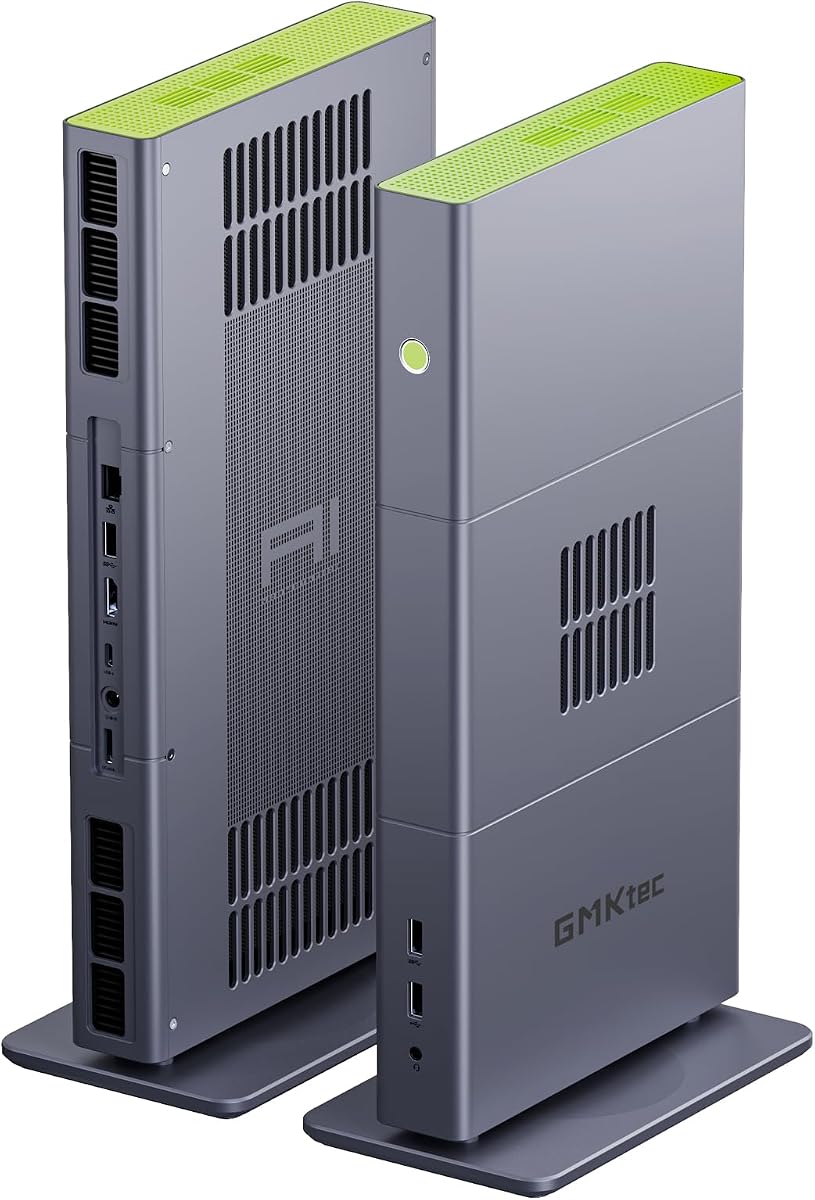
The GMKtec X3 AI Mini PC ranks first because it combines one of the most practical specifications for serious local inference: 128GB of LPDDR5X unified memory, a Ryzen AI Max+ 395 processor, Radeon 8060S graphics, and 2TB of PCIe 4.0 storage. Its 4.1 rating reflects positive buyer feedback, but the hardware configuration itself is the central reason it stands out. Large quantized models need memory more than raw marketing labels, and this machine gives them a substantial pool to work with.
We may earn a commission when you buy through this link, at no additional cost to you.
The Ryzen AI Max+ 395 contributes 16 Zen 5 cores, 32 threads, an XDNA 2 NPU, and up to 126 TOPS of combined AI performance. Its Radeon 8060S integrated GPU uses 40 RDNA 3.5 compute units and can share a large portion of the 128GB memory pool with the processor. That architecture is particularly useful when an inference engine supports GPU acceleration. The supplied information specifically highlights the ability to run a quantized DeepSeek 70B Q8 model comfortably, while local tools such as LM Studio make the setup approachable for less experienced users.
The OCuLink PCIe 4.0 x4 interface adds a valuable route to more graphics performance. A compatible external GPU dock can accelerate demanding local models, image generation, rendering, or other GPU-bound tasks without replacing the mini PC. This makes the system unusually flexible for a compact workstation. Fast 2.5GbE Ethernet, Wi-Fi 7, Bluetooth 5.4, and a 2TB drive round out a practical package, although the advanced hardware, high memory capacity, and external graphics options require a substantial budget.
This is the strongest recommendation for a buyer who wants to explore local AI with room to grow. It suits model developers, privacy-conscious professionals, creators, and technically confident users who understand that inference speed depends on model format, quantization, software support, and available memory. For someone needing only a smaller assistant model on a standard desktop, the same capability may be unnecessary. Even so, among the listed systems, the X3 offers the most convincing balance of high-end processor performance, shared graphics memory, storage, networking, and expandability.
The 128GB unified pool is the X3's defining advantage for local AI. It gives large quantized models and large context windows more room than conventional 16GB or 32GB mini PCs, while shared allocation between CPU and GPU can improve throughput when the selected inference software supports it.
The built-in Radeon 8060S is already a capable RDNA 3.5 iGPU, but OCuLink opens the door to a dedicated desktop graphics card. That makes the compact chassis a starting point for larger AI workloads rather than a fixed endpoint.
We may earn a commission when you buy through this link, at no additional cost to you.
The BOSGAME VTA-439 pairs the Ryzen AI 9 HX 470 with 32GB of DDR5 memory and a 1TB PCIe 4.0 SSD, earning a strong 4.6 rating. Its 12-core, 24-thread processor can boost to 5.2GHz and provides up to 86 TOPS of total AI performance, including a dedicated 55 TOPS XDNA 2 NPU. For local assistants, transcription, image generation, coding workflows, and moderately sized language models, this is a capable and thoughtfully connected platform.
We may earn a commission when you buy through this link, at no additional cost to you.
Unlike systems with large soldered memory, the VTA-439 supports up to 256GB of DDR5 memory according to its specifications. That makes it a better long-term option for users who may outgrow the included 32GB. It also provides three PCIe 4.0 M.2 slots and storage expansion up to 12TB, allowing model files, development environments, virtual machines, and datasets to be kept locally without depending on network storage.
The Radeon 890M iGPU uses 16 RDNA 3.5 compute units, while OCuLink PCIe 4.0 x4 provides a path to a desktop-class external GPU. Networking is especially strong, with dual 2.5GbE LAN ports, Wi-Fi 7, and Bluetooth 5.4. The system can also drive four displays through HDMI 2.1, DisplayPort 1.4, USB4, and USB-C. Windows 11 Pro is preinstalled, and compatibility with Ubuntu adds flexibility for developers.
The main limitation is the included 32GB memory configuration for users interested in very large local models. Although the board can be upgraded, buyers must account for both the capacity and memory cost of a larger configuration. The VTA-439 is best recommended for developers, office AI workstations, NAS-adjacent systems, and users who value upgradeability, networking, and strong integrated performance more than maximum out-of-box memory.
The upgrade path is one of the system's most important advantages. Starting with 32GB makes ordinary productivity and smaller local models practical, while supported capacity increases leave room for heavier development workloads later.
Dual 2.5GbE ports are useful for NAS access, network segmentation, link aggregation, or separating management traffic from data transfers. Wi-Fi 7 and Bluetooth 5.4 provide convenient wireless options without making Ethernet the only path for fast transfers.
We may earn a commission when you buy through this link, at no additional cost to you.
The ACEMAGIC FOCUX Series earns a 4.4 rating and stands out for its 180 TOPS total AI performance across the CPU, GPU, and NPU. Its Intel Core Ultra X7 358H processor has 16 cores and 16 threads with boost speeds up to 4.8GHz. A dedicated NPU supplies up to 50 TOPS, while the new Intel Arc B390 Xe3 graphics provide additional graphics capability for local AI and visual workloads.
We may earn a commission when you buy through this link, at no additional cost to you.
ACEMAGIC specifically describes the system as capable of running 7B to 14B language models offline, making it an attractive choice for private coding, summarization, and content-generation assistants. Operating locally avoids recurring cloud fees and keeps sensitive prompts and files on the machine. The 32GB LPDDR5X configuration at 7467MT/s provides enough room for these smaller and medium model classes while delivering sufficient bandwidth for regular multitasking.
Intel Arc B390 Xe3 graphics can drive four displays through USB4, DisplayPort 2.1, and HDMI. The system also includes dual 2.5GbE LAN, Wi-Fi 7, and Bluetooth 5.4. Its cooling system uses a high-static-pressure fan, dual heat pipes, and segmented fins to sustain 65W operation with a focus on low noise. Storage begins at 1TB PCIe 4.0 and can expand to 8TB with one Gen5 and one Gen4 M.2 slot.
The main limitation is that LPDDR5X is installed on the board rather than presented as upgradeable SODIMM memory. Buyers who may need substantially more memory should treat this as a more fixed configuration. For users focused on offline 7B-to-14B models, strong AI compute, modern networking, and a quiet four-monitor workstation, however, the FOCUX Series is compelling and purpose-built for the category.
Running 7B-to-14B models offline turns the mini PC into a self-contained AI workstation. Prompts, source documents, and generated output remain local, while users avoid sending confidential material to an external inference service.
Multiple high-resolution outputs are useful for placing a chat assistant beside code, documents, monitoring dashboards, or reference material. The combination of USB4, DisplayPort 2.1, and HDMI reduces reliance on adapters.
We may earn a commission when you buy through this link, at no additional cost to you.
The GEEKOM IT13 MAX is a value-oriented local AI computer built around the Core Ultra 9 185H, 24GB of LPDDR5 memory at 5600MT/s, and a 500GB PCIe 4.0 SSD. Its 4.3 rating gives it a favorable buyer response, while the overall specification supports lightweight language models, local assistants, coding tools, and AI-assisted creative applications without the extreme cost of the highest-memory workstations.
We may earn a commission when you buy through this link, at no additional cost to you.
The processor's integrated NPU accelerates supported AI features, while Intel Arc Graphics handles visual and general compute tasks. The 24GB memory configuration is more useful than the 16GB found in many compact PCs and can support moderately sized quantized models, though it is not intended to match the 128GB systems for large 70B-class workloads. The storage expansion options are important: an M.2 2242 slot and SATA or HDD expansion increase capacity up to 4TB, while an SD card reader supports as much as 2TB.
The IT13 MAX also offers unusual practical touches. Dual 2.5GbE LAN is helpful for NAS work or separate network connections, and quad-display support accommodates professional monitoring setups. RS-232 and RS-485 support expands compatibility with industrial devices and automation systems. Its IceBlast 3.0 cooling system combines enhanced airflow, a high-efficiency fan, and dual copper heat pipes, with intelligent fan control for quieter routine use.
This mini PC is best for budget-conscious builders who want a capable everyday computer plus local AI, rather than maximum model capacity. The three-year support coverage and convenient four-screw access also improve its long-term appeal. Users should plan to add storage immediately if they intend to keep several models or datasets locally. With that caveat, it delivers a balanced entry point into private, on-device AI.
The 24GB memory capacity gives the IT13 MAX enough room for smaller quantized models and everyday AI applications while preserving headroom for normal desktop use. It is a sensible compromise between very small mini PCs and expensive high-memory models.
Three-year coverage and direct component access make ownership easier to manage. Storage can be expanded through multiple routes, and the removable internal components allow maintenance without adhesive feet or antenna disconnection.
We may earn a commission when you buy through this link, at no additional cost to you.
The GEEKOM A9 Mega is the premium choice in this guide, with a 4.6 rating and a specification built for serious local AI. Its Ryzen AI Max+ 395 processor, 128GB LPDDR5X memory, Radeon 8060S graphics, and 2TB PCIe Gen4 drive create a workstation capable of supporting select four-bit quantized models with up to 128 billion parameters when compatible drivers and inference software are used.
We may earn a commission when you buy through this link, at no additional cost to you.
The unified architecture is central to its performance. LPDDR5X runs at 8000MT/s, and up to 96GB can be assigned to the Radeon 8060S under supported settings. This large GPU allocation is what makes larger quantized models and demanding image-generation workflows plausible. The machine can build private knowledge bases, run supported models offline, and handle substantial datasets and multitasking without immediately exhausting memory.
Professional infrastructure is another reason to consider the A9 Mega. Dual 10GbE Ethernet provides high-throughput access to NAS systems and large project files, while Wi-Fi 7 adds wireless flexibility. The Radeon 8060S supports four displays up to 8K through dual 40Gbps USB4 and dual HDMI 2.1 connections. IceBlast 5.0 cooling combines a full-coverage vapor chamber and dual turbo fans, supporting 120W sustained operation and a specified maximum dissipation of 140W.
This recommendation is reserved for users who genuinely need large local models or substantial unified memory. Smaller-model users can obtain more than enough performance from less advanced systems. The A9 Mega also carries a three-year limited warranty and includes professional support. For private AI developers, studios, and technical buyers seeking a high-end desk-sized inference platform, it represents the most complete premium package in the group.
The ability to allocate as much as 96GB to the integrated GPU makes this system materially different from ordinary mini PCs. It provides the memory headroom required by select large quantized models while preserving unified access for the processor.
Dual 10GbE networking reduces transfer bottlenecks when models, datasets, and media move between local storage and a NAS. Four high-resolution outputs also support a professional multi-screen workflow around AI tools.
We may earn a commission when you buy through this link, at no additional cost to you.
The BOSGAME M5 combines the Ryzen AI Max+ 395 with 128GB LPDDR5X running at 8000MT/s, earning a 4.3 rating. The processor provides 16 Zen 5 cores, 32 threads, 64MB of L3 cache, a boost clock up to 5.1GHz, and 126 TOPS of total AI compute. These specifications make it a natural fit for users who want to run larger quantized language models while retaining a compact desktop footprint.
We may earn a commission when you buy through this link, at no additional cost to you.
Its Radeon 8060S integrated GPU has 40 RDNA 3.5 compute units and can draw from a large portion of the shared memory pool. The supplied specifications describe support for 70B-plus LLMs locally, while also highlighting 8K editing, compiling, rendering, and local image generation. Two terabytes of PCIe 4.0 storage provides a useful starting point for model weights and project files, with a second M.2 slot enabling expansion to 8TB or RAID configurations.
The M5 also supports four 8K at 60Hz displays using HDMI 2.1, DisplayPort 1.4, and dual USB4 ports with 40Gbps bandwidth and DisplayPort Alternate Mode. Its networking includes 2.5GbE Ethernet, Wi-Fi 7, and Bluetooth 5.4. These features extend the machine beyond inference by supporting simultaneous model development, media work, browsing, and communication.
The caveat is that memory capacity does not guarantee instant token generation. Quantization method, model architecture, software support, memory bandwidth, and prompt length all influence performance. Buyers should therefore verify that their intended inference application supports the processor and Radeon graphics configuration. When those conditions are met, the M5 is a strong high-memory choice for local AI experimentation and production.
Keeping CPU and graphics memory in one 128GB pool allows software to allocate resources according to workload. This is especially helpful when loading model layers that would exceed the capacity of a conventional mini PC.
Four 8K outputs, dual USB4, fast networking, and expandable storage let the system serve as a general creative workstation. Developers can run code, documentation, terminals, and local AI interfaces on one compact machine.
We may earn a commission when you buy through this link, at no additional cost to you.
The Reatan X8 gives local AI buyers 48GB of DDR5 memory, a Ryzen AI 9 HX 470 processor, Radeon 890M graphics, and a 1TB Crucial PCIe 4.0 NVMe drive. Its 4.3 rating reflects a favorable response, while the higher base memory makes it more immediately suited to moderately large models than many 24GB or 32GB compact systems.
We may earn a commission when you buy through this link, at no additional cost to you.
Both memory and storage are removable and upgradeable. Two DDR5 SODIMM slots support up to 96GB RAM, and dual M.2 SSD slots support up to 8TB of storage. This flexibility is particularly helpful for developers who expect model sizes, virtual machines, or datasets to change over time. The Ryzen AI 9 HX 470 provides 12 cores, 24 threads, a boost clock up to 5.2GHz, and up to 86 TOPS of AI performance.
OCuLink is the X8's standout expansion feature. Its PCIe 4.0 x4 interface provides up to 64Gbps theoretical bandwidth and can connect to a desktop graphics card for more demanding AI, rendering, video editing, or gaming tasks. The system also includes full-function USB4, support for four displays up to 8K at 60Hz, 2.5GbE Ethernet, Wi-Fi 7, and Bluetooth 5.4. An all-metal chassis and dedicated cooling for memory and storage help maintain stability.
The Reatan is best suited to users who want more memory than a conventional mini PC while retaining the ability to add graphics power later. The external GPU path increases total cost, and buyers should confirm that the selected dock, power supply, and graphics card are compatible. Subject to that planning, the X8 is an adaptable choice for local model development and mixed creative workloads.
Unlike soldered LPDDR5X configurations, removable SODIMMs make capacity easier to change. A buyer can start with 48GB, observe real workload requirements, and upgrade later without replacing the entire mini PC.
The dedicated PCIe 4.0 x4 connection offers a more direct path to a discrete GPU than general-purpose USB4. It can turn a compact inference system into a broader graphics workstation when model throughput becomes the limiting factor.
We may earn a commission when you buy through this link, at no additional cost to you.
The GMKtec EVO-X3 is a high-end Ryzen AI Max+ 395 mini PC with 128GB LPDDR5X, Radeon 8060S graphics, and 2TB PCIe 4.0 storage. It shares the core hardware strengths of the category's strongest 128GB systems, but its listing currently has no available customer rating. That makes its technical specification the most important basis for evaluating it.
We may earn a commission when you buy through this link, at no additional cost to you.
The processor contributes 16 cores, 32 threads, Zen 5 architecture, a boost clock up to 5.1GHz, 64MB of L3 cache, and up to 126 TOPS of combined AI performance. Its XDNA 2 NPU supplies up to 50 TOPS, while the 40-CU Radeon 8060S handles graphics and supported local inference workloads. Shared 128GB memory provides room for larger quantized models and flexible CPU-to-GPU allocation.
OCuLink PCIe Gen4 x4 enables a dedicated external GPU for demanding graphics tasks, although devices should be powered off before connecting or disconnecting because hot plugging is not supported. USB4 offers up to 40Gbps data transfer, 4K at 60Hz video, and 100W power delivery. The cooling system uses three copper heat pipes and triple fans, with Silent, Balanced, and Performance modes that scale from 54W to a 140W peak setting.
Dual 8K display support, 2.5GbE Ethernet, Wi-Fi 7, and Bluetooth 5.4 make the EVO-X3 suitable for a professional desk setup. It is best for buyers who understand this hardware tier and prioritize memory, graphics, and expansion over customer-rating confidence. Its one-year limited warranty is shorter than the coverage highlighted for some alternatives, another reason to review the current listing carefully.
Three thermal and power profiles let users balance quiet operation against maximum throughput. This is useful when moving between routine assistants, interactive inference, and sustained rendering or development sessions.
Full-function USB4 consolidates high-speed storage, peripherals, power delivery, and display signals. OCuLink then provides a separate path for an external graphics card when the integrated Radeon is no longer sufficient.
We may earn a commission when you buy through this link, at no additional cost to you.
The GMKtec M6 Ultra is the most accessible option in this roundup, combining a Ryzen 5 7640HS, 32GB of dual-channel DDR5, and a 1TB PCIe 3.0 SSD. Its 4.2 rating is solid, and the 32GB memory quantity makes it more relevant to local AI than many entry-level mini PCs with only 16GB. It is best viewed as a capable small-model and general-purpose system rather than a large-model workstation.
We may earn a commission when you buy through this link, at no additional cost to you.
The six-core, 12-thread Zen 4 processor runs at up to 4.3GHz base and 5.0GHz boost, with a listed boost power range of 45W to 60W. Radeon 760M integrated graphics provide eight compute units and hardware encode or decode support for AV1, HEVC, and AVC. These capabilities suit everyday computing, lighter quantized language models, local assistants, and general AI development.
Memory can expand to 128GB using dual DDR5 SODIMMs, which creates a surprisingly useful upgrade path for later experimentation. Storage supports dual slots and expansion to 8TB with PCIe 4.0 drives. The system includes dual 2.5GbE RJ45 ports, Wi-Fi 6, Bluetooth 5.2, and three-display output through HDMI 2.0, DisplayPort, and USB4. It also provides multiple USB ports and an audio connection.
The absence of a dedicated OCuLink interface limits a major expansion path offered by several higher-ranked systems. Its older processor architecture also lacks the newest dedicated AI capabilities of the Ryzen AI and Core Ultra X-series choices. For buyers who need to begin exploring local models on a smaller budget, the M6 Ultra remains a sensible platform. Those expecting smooth 70B-class inference should choose a newer processor and substantially more memory.
The 32GB starting point is useful for smaller models and general productivity, while the 128GB ceiling can support heavier development workloads. It is an important advantage over many mini PCs with permanently soldered low-capacity memory.
Dual 2.5GbE ports are unusually useful at this tier, and three-display support suits a focused office arrangement. USB4 also adds a modern route for storage, peripherals, and an additional high-resolution screen.
We may earn a commission when you buy through this link, at no additional cost to you.
The ASUS NUC 14 Pro holds a perfect 5.0 rating and combines that strong buyer response with a mature Intel NUC design. Its Core Ultra 7 155H processor has 16 cores, 22 threads, and a boost clock up to 4.8GHz, supported by 32GB of DDR5 memory and a 1TB PCIe 4.0 SSD. Windows 11 Pro is included for immediate productivity use.
We may earn a commission when you buy through this link, at no additional cost to you.
Intel's AI Ready, AI Boost, and integrated NPU focus on efficient local processing. The published specifications state support for models with up to 20 billion parameters without requiring a network connection. That makes the NUC a credible option for private assistants, coding help, content workflows, and local image or video features, although speed will depend on model format and the application used.
Expandability is a major strength. Supported memory configurations range from 16GB to 64GB and can expand to 96GB, while storage options include 512GB to 2TB M.2 2280 PCIe Gen4 x4 drives and an optional SATA hard disk. The chassis also provides USB 3.2 Type-C and Type-A ports, HDMI 2.1, Thunderbolt 4, and 2.5GbE Ethernet. It supports up to 8K or four 4K displays.
Thermal design uses aluminum fins, dual copper heat-pipe contact, side air inlets, and a rear turbo fan to support quiet operation around the clock. The main local AI limitation is the absence of OCuLink and the much smaller memory ceiling than 128GB systems. This is still a polished choice for business users and local AI models up to the stated 20B class.
The NUC's mature port selection, VESA support, Windows 11 Pro, and quiet cooling make it easier to deploy in an office. Local AI features add privacy and offline utility without turning the system into a specialized hobbyist build.
The ability to reach 96GB of RAM provides more room for quantized models than the included 32GB. Multiple fast storage options also make it practical to keep working sets, model files, and project data on separate drives.
We may earn a commission when you buy through this link, at no additional cost to you.
The right local AI mini PC depends on model size, quantization, software compatibility, memory bandwidth, and the amount of graphics acceleration you need. These factors matter more than advertised AI TOPS alone, so buyers should evaluate the complete configuration and their intended inference software.
Model weights must fit in memory, including the portion needed for context, runtime overhead, and operating-system activity. A 7B model in a compact 4-bit format may fit comfortably in 8GB or 16GB, while larger 32B and 70B models generally benefit from 32GB, 64GB, or 128GB. Unified memory systems are especially compelling because the CPU and GPU can access the same large pool rather than being limited by a smaller dedicated graphics allocation.
Choose at least 24GB for a useful general-purpose local AI system, and consider 48GB or more for larger models. The 128GB systems in this guide provide the strongest foundation for demanding quantized workloads.
Local language-model inference can run on the CPU, but supported GPU acceleration often improves responsiveness dramatically. For AMD Ryzen AI Max systems, look for the Radeon 8060S and large shared-memory allocation. For Intel systems, confirm that the selected Arc graphics driver and inference software support the exact processor. TOPS figures describe potential hardware throughput rather than guaranteed tokens per second.
Prioritize a capable iGPU and compatible software first. Add an OCuLink external GPU only when the integrated graphics or your preferred model will genuinely benefit.
A modern processor with many CPU cores, high memory bandwidth, and strong single-thread performance provides a better foundation for inference and model preparation. The Ryzen AI Max+ 395 and Ryzen AI 9 HX 470 offer 16 and 12 CPU cores respectively, while the Core Ultra X7 358H and Core Ultra 9 185H provide 16 cores. Older Zen 4-based systems can still work, but they offer less headroom as models and tools evolve.
Match the processor tier to your workload. Light assistants need less than a high-end workstation, while large models, repeated token generation, compiling, and simultaneous creative tasks benefit from newer flagship silicon.
Quantization reduces the memory required by a model by representing its weights with fewer bits, often at some cost to output quality, file size, or speed. Listings may describe 70B or 128B models as supported, but that normally refers to particular four-bit or eight-bit formats with compatible drivers and inference software. Buyers should verify the exact runtime and accelerator path rather than relying on the largest number in an advertisement.
Check the intended application, operating system, model architecture, and quantization format before purchasing. This prevents a powerful system from becoming an expensive paperweight for an unsupported workflow.
Local models, datasets, application environments, and virtual machines can consume substantial space. A 1TB drive is a reasonable starting point for one model and a development environment, while 2TB is more comfortable for multiple models and project files. PCIe 4.0 SSDs reduce loading delays, and additional M.2 slots make it easier to separate operating systems, caches, model weights, and datasets.
Avoid purchasing a system with only 500GB if you plan to collect models rapidly. Prefer at least 1TB, and consider multiple storage slots or expansion support for long-term flexibility.
OCuLink is the most important optional feature for graphics expansion because it provides a direct PCIe connection to an external GPU. USB4 is more versatile for displays, storage, peripherals, and power, but not every GPU workload receives the same benefit. Networking also matters when models are stored on a NAS or transferred between computers. Dual 2.5GbE or 10GbE ports can simplify advanced setups, while Wi-Fi 7 provides convenient wireless access.
Prioritize OCuLink for serious graphics expansion and dual high-speed Ethernet for professional network use. Ensure any external dock includes adequate power delivery and cooling.
Local AI inference can keep the processor and graphics active for long periods, especially during repeated generation, model conversion, or image creation. A mini PC needs enough cooling capacity to sustain performance without excessive noise or thermal throttling. Systems with multiple heat pipes, larger vapor chambers, and selectable power modes offer useful control. Quiet operation also matters if the computer sits in an office, studio, or living space.
Choose a system with documented sustained-power and cooling behavior rather than judging thermal design by case size alone. Leave ventilation space around the chassis and avoid enclosing it in a tight cabinet.
An AI development workflow often involves a terminal, code editor, documentation, model interface, and monitoring dashboard. Multiple display outputs can therefore be more useful than a single high-resolution screen. Look for HDMI and DisplayPort versions that support the intended resolution and refresh rate, plus USB4 for docks and fast storage. USB-A ports remain important for legacy peripherals, while serial interfaces may matter in industrial deployments.
Match the number and type of outputs to your desk. Four-display support is useful for intensive multi-window work, while two quality displays may be enough for a private assistant or coding setup.
Begin by choosing an operating system and local inference application that support your selected processor and accelerator. Update the operating system, chipset drivers, graphics drivers, and AI runtime before downloading large model files. Confirm in the application's system or hardware panel that the intended CPU, GPU, or NPU is active, since a system can otherwise fall back to slower processing.
Create a clear storage plan before collecting models. Keep the operating system and applications on one fast drive, place frequently used model weights on another drive when possible, and maintain a separate destination for exported projects. Use supported quantization formats, record the model version and runtime settings, and avoid deleting or modifying files while they are loaded. This makes troubleshooting and model comparison much easier.
For long inference sessions, give the mini PC room to breathe and use a stable network connection for initial downloads. Monitor processor, memory, storage, and temperature behavior through the operating system. When attaching an OCuLink device, power the system down first, connect the dock and graphics hardware in the required sequence, and provide the external equipment with enough power and ventilation. Routine dust management and careful cable handling will help preserve long-term reliability.
The requirement depends on model size and quantization. Smaller 7B and 8B models can run in 16GB, while 16GB to 24GB provides a useful balance for assistant and coding applications. A 32GB or 48GB system is better suited to larger quantized models, and 64GB to 128GB makes the most demanding 70B-class and larger workflows practical. Context length and the inference application also consume memory.
It depends on the workload. A large unified-memory pool allows models to fit without the strict capacity ceiling of many discrete GPUs, and supported software can allocate a large share of that memory to the integrated graphics processor. A discrete GPU may still provide faster specialized compute, but it can also limit model size. For large quantized models, memory capacity often matters more than modest differences in peak compute.
Yes, if the model fits in available memory and the chosen application supports the hardware. Once the model is downloaded and configured, inference can run without an internet connection, which improves privacy and avoids recurring cloud charges. Users must still complete initial setup, and model updates or additional downloads require a connection unless the files are transferred from another device.
OCuLink is a direct PCI Express connection that allows certain mini PCs to use an external graphics card through a compatible enclosure or dock. It can provide better graphics performance than general-purpose USB4 for supported workloads. Not every system includes OCuLink, and the external graphics card still needs adequate power, cooling, and driver support.
No. An NPU is highly efficient for supported neural-network tasks, but many language-model applications primarily rely on the CPU or GPU. Buyers should examine supported inference software, model formats, and measured application behavior rather than assuming a higher TOPS figure automatically produces faster text generation.
Storage requirements vary substantially by model and quantization. A single small quantized model may occupy only a few gigabytes, while larger models can require tens of gigabytes. Multiple models, datasets, development tools, and virtual machines quickly consume hundreds of gigabytes, making 1TB a practical minimum and 2TB preferable for an active AI development setup.
Both can work, but the best choice depends on the inference application and driver support. Linux users often find more specialized community tools and direct access to accelerator libraries easier to manage, while Windows offers broad consumer application support and a familiar interface. Confirm that the selected model, runtime, and accelerator have stable support on your preferred operating system before buying.
Sustained AI workloads generate heat, and a compact chassis may need to run its fan at a higher speed. Systems with multiple heat pipes, vapor chambers, and selectable performance modes are designed to balance sustained output and noise. Proper ventilation around the case makes a meaningful difference, and quieter balanced modes may be sufficient for interactive use.
The GMKtec X3 AI Mini PC takes the overall lead by combining 128GB of unified memory, Radeon 8060S graphics, Ryzen AI Max+ 395 processing, 2TB storage, and OCuLink expansion. The GEEKOM A9 Mega represents the premium option with particularly strong workstation networking, sustained-power cooling, and explicit support for select large quantized models. The GEEKOM IT13 MAX is the value-focused recommendation for smaller models and users who want a capable everyday computer without entering the highest hardware tier.
Prioritize the model size you actually intend to run, the memory required by its quantization format, and the software's accelerator support. CPU-only performance may be adequate for experimentation, while compatible GPU acceleration can materially improve interactive use. Also consider storage growth, networking, display requirements, and whether OCuLink expansion will become useful as your workloads become more demanding.
Finally, verify the current specification and price before ordering because hardware configurations, included accessories, software support, and seller listings can change. The right mini PC is not merely the one with the largest advertised AI number; it is the system that has enough memory, compatible graphics acceleration, reliable cooling, and practical connectivity for the models you want to run every day.

