
EZDIY-FAB All White Extension Kit
4.8Editor score
Coordinated all-white finish
Soft nylon braided sleeving
Complete core cable bundle
Our custom sleeved PC cables guide compares 10 kits for wire gauge, connectors, sleeving, compatibility, cable management, and aesthetics.
Custom sleeved PC cables transform a functional power setup into a carefully coordinated part of a finished build. A good kit should route cleanly, match the case and components visually, and deliver dependable power connections without introducing unnecessary complexity. The right choice depends on connector layout, wire gauge, sleeving style, and PSU compatibility.
We compared ten sleeved cable kits and extension bundles across practical specifications, included cable types, connector construction, flexibility, comb placement, and intended power-supply compatibility. The guide covers both universal-style extension kits and brand-specific replacement cables, making it useful for new builders as well as anyone refreshing an existing computer.
Each pick highlights a different route to a polished result, from a value-focused all-white extension set to premium, directly replaceable CableMod and Corsair bundles. Ratings and product details reflect the supplied listings, while prices and availability can change, so confirm current listing details before purchasing.
4.8Editor score

4.7Editor score

4.7Editor score
The table below compares all ten kits by their cable format, wire specification, sleeving or finish, and most important compatibility consideration, making it easier to identify the right set for a new build or a cable refresh.




The AsiaHorse Black-Pink Extension Kit earns an Editor's Choice position because it combines upgraded 16AWG conductors, soft nylon braiding, and a distinctive two-color treatment in a practical extension format. Its 4.7 rating reflects a generally favorable customer response, while the supplied specifications distinguish it from basic, thin-wire extension bundles through tinned copper, a stated 2.8mm wire diameter, and heat-resistant construction.
We may earn a commission when you buy through this link, at no additional cost to you.
The cable set is designed around the major power paths found in a desktop PC. It includes a 24-pin ATX extension for motherboard power, an 8-pin to 4+4-pin EPS extension for CPU power, and two 8-pin to 6+2-pin PCIe extensions for compatible graphics cards. The separated 4+4 and 6+2 configurations give users more routing flexibility than a fixed connector, particularly in compact cases where clearance around the socket or graphics card can be limited.
Flexibility is another defining feature. The nylon braid is described as soft enough for tight routing, while the included combs help each cable retain a controlled shape instead of sagging or spreading unpredictably. This is useful when the power supply is mounted away from the components it serves or when cables must travel around a radiator, drive cage, or other obstruction. The matching black-pink connectors and coordinated combs also make the set more visually intentional than a basic cable refresh.
There are important boundaries to understand. These are extension cables, not modular replacements, and the listing explicitly says they should not be treated as replacements for native modular PSU cables. Users should also verify that their motherboard, CPU, and graphics card use the connector layouts represented in the bundle. A colorful cable set is naturally a subjective choice, and a more restrained build may suit another option better.
This kit is recommended for builders who want a combination of 16AWG construction, flexible routing, and a distinctive finished appearance without moving to a brand-specific replacement ecosystem. It is especially appealing for a themed system, a visible-window build, or an existing modular PSU whose native cables the owner prefers not to replace. For those priorities, it offers a balanced and visually confident solution.
Using separate 4+4-pin and 6+2-pin connectors lets the installer choose only the pins required by the hardware. This can improve clearance around crowded CPU sockets and graphics-card power sockets while preserving a tidy route through the case.
The soft nylon braid is intended to remain pliable around tight bends, and the supplied combs help maintain consistent spacing. The result is a more orderly installation than loose, mismatched power leads, particularly around the PSU chamber.
We may earn a commission when you buy through this link, at no additional cost to you.
The EZDIY-FAB All White Extension Kit stands out with a 4.8 rating, the highest among the listed products, and a design focused on visual coordination. Its cable, connector, and comb components all use a white treatment, making it an especially natural fit for an all-white or predominantly light-colored PC build. The 300mm format also gives installers useful routing distance behind a conventional mid-tower or larger chassis.
We may earn a commission when you buy through this link, at no additional cost to you.
The bundle covers the standard connections needed by many desktop systems: one 24-pin ATX extension, one 8-pin to 4+4-pin EPS extension, and two 8-pin to 6+2-pin PCIe extensions. The PCIe leads can serve as six-pin or eight-pin connections, depending on the graphics card. Individual sleeving, soft nylon braid, and included combs help produce a consistent appearance and make the cables easier to organize after they leave the PSU.
A notable construction detail is the heat-shrink-free assembly described in the product information. Combined with 18AWG wire, this indicates a focus on clean connector presentation and orderly cable construction. The wire specification remains an important consideration for buyers: it is lighter than the 16AWG conductors used by several other extension kits in this guide, although suitability ultimately depends on the hardware, PSU, workload, and manufacturer guidance.
The main trade-off is that the all-white aesthetic is not universal. It works exceptionally well with white components and light cases, but it can look out of place in a dark or strongly multicolored system. It is also an extension set rather than a direct modular replacement, so users should confirm that their native PSU cables can accept extension connectors and that their equipment uses the included connector standards.
For a builder seeking a clean, cohesive appearance at a value-focused level, this is a strong choice. It offers the highest listed rating, a complete core cable selection, and a finish that can make an otherwise ordinary white chassis look considerably more deliberate. It is particularly well suited to first builds, visible-window systems, and users who want to refresh cable appearance without replacing the PSU itself.
Coordinating the sleeving, connectors, and combs avoids the mixed-color appearance that can undermine an otherwise clean white build. The consistent treatment is a major reason this kit stands out visually.
The set includes motherboard, CPU, and graphics-card power extensions, covering the principal connections used in many custom systems. Split CPU and GPU connectors also provide some installation flexibility.
We may earn a commission when you buy through this link, at no additional cost to you.
The Sirlyr White Purple Extension Kit combines 16AWG wiring with an unusually generous cable selection and contrasting white-purple presentation. Its 4.7 rating supports a favorable overall assessment, while the listed gold-plated terminals and use of finer tinned copper cores make it a technically detailed option for builders who want more than a simple cosmetic refresh.
We may earn a commission when you buy through this link, at no additional cost to you.
The package includes one 24-pin ATX extension, two 4+4-pin EPS extensions, and two 6+2-pin PCIe extensions. That quantity is useful for systems with multiple CPU power connections or additional graphics-card power requirements. Three non-removable combs are pre-installed on each cable, and the listing also identifies a substantial set of additional combs for 24-pin and eight-pin runs, allowing users to refine the appearance after assembly.
The white-and-purple PET sleeve is presented as a vivid, durable alternative to ordinary fabric sleeving. According to the product information, PET is more heat-resistant than cotton mesh, less prone to heat shrinkage, and robust enough to retain its appearance over time. Gold-plated terminals are intended to support efficient current transfer, while the 16AWG core and numerous fine tinned copper strands are designed to maintain stable voltage under substantial current.
The contrasting colors make this set less versatile than a monochrome or universally coordinated package. A white-purple theme can look deliberate in the right system, but it will not disappear into a neutral chassis. The expanded number of CPU and GPU leads may also create more routing work than a standard three-cable arrangement. Users should account for that extra length when planning cable paths and PSU chamber space.
This is a compelling option for a colorful custom build that needs multiple EPS or PCIe runs and values both connector specification and visual detailing. It can also serve as a premium-looking extension option because of the gold-plated terminals and extensive comb package. For those needs, the combination of conductor specification, terminal finish, and organized presentation is more substantial than a basic extension bundle.
Two EPS extensions and two PCIe extensions give installers more options than the single CPU lead and single pair of GPU leads found in many compact bundles. Extra cables can be valuable in systems with demanding power requirements or more involved routing needs.
Pre-installed combs create an organized starting point, while the additional sets let the installer adjust spacing after the cables are bent into their final positions. This staged approach supports both speed and refinement.
We may earn a commission when you buy through this link, at no additional cost to you.
The CableMod Classic ModFlex Sleeved Cable Kit is a refined replacement option for users with compatible Corsair Type 4 RM Black Label, RMi, or RMX power supplies. Its 4.7 rating and established focus on flexible sleeving place it among the strongest options for a build where direct replacement is preferable to adding extension leads.
We may earn a commission when you buy through this link, at no additional cost to you.
One of the most meaningful design details is the absence of merged terminals on the motherboard side. The result is a cleaner 24-pin connection, with the individual conductors remaining visually separate beneath the sleeve. That structure can make the motherboard connector look more refined and can help preserve the individual wire shape where space near the socket is limited.
Signature high-density ModFlex sleeving is the kit's main aesthetic advantage. According to the product information, the material is designed for flexibility and easier cable management. That matters in a finished custom build, where rigid or overly bulky leads can be difficult to route around a reservoir, radiator, fan hub, or drive cage. Black cable combs are included to maintain consistent grouping and visual spacing.
Compatibility is the defining limitation. This is not a universal extension bundle, and buyers should not assume that the connector arrangement suits an arbitrary modular PSU. It is designed to replace the native cable set for the specified Corsair families. Users should verify the exact PSU model and connector generation before ordering, especially when buying a used or older power supply.
The kit is ideal for a builder who already owns a compatible Corsair unit and wants to improve cable appearance without adding extension cables or changing the PSU. It is particularly appealing for a clean black-and-red build where the unmerged motherboard connector and dense sleeving support a professional finish. For anyone outside those PSU families, one of the universal extension options will be the safer fit.
Keeping the motherboard-side conductors separate produces a cleaner profile than a merged cable and can help the connector fit into a tighter area. The detail is especially noticeable through a side panel or in a compact chassis.
The high-density sleeve is intended to resist looking bulky while remaining pliable. That balance helps the cables maintain a consistent shape and fit neatly into the available PSU chamber.
We may earn a commission when you buy through this link, at no additional cost to you.
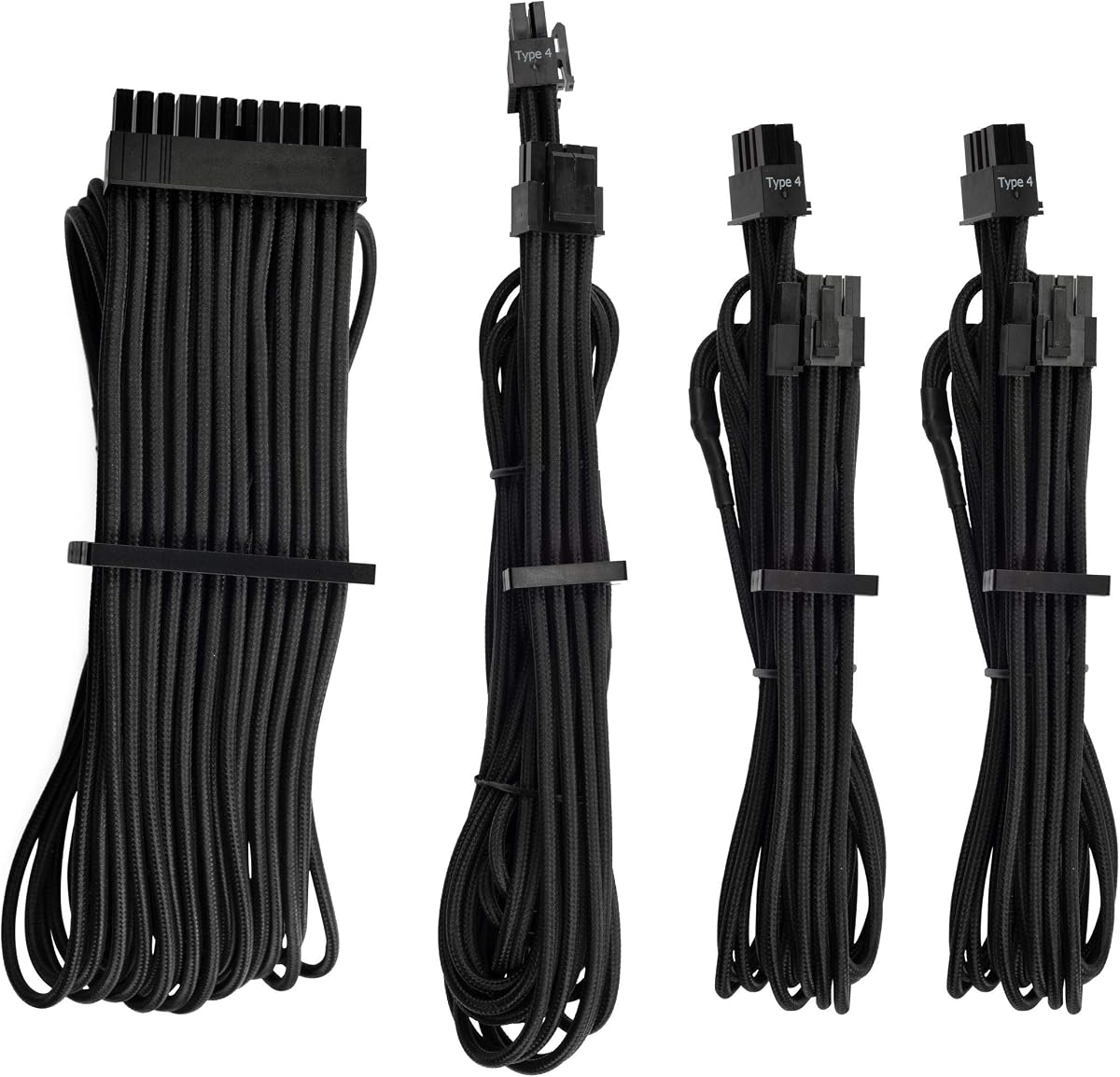
The Corsair Premium Individually Sleeved PSU Cables Starter Kit is a polished, brand-oriented option for builders seeking a coordinated look from a recognized PC component manufacturer. It carries a 4.5 rating and uses flexible triple-layer mesh paracord to individually sleeve the conductors, creating a detailed surface that is more traditional in appearance than a tightly woven synthetic braid.
We may earn a commission when you buy through this link, at no additional cost to you.
The product information highlights heatshrink-free connectors, which create a smooth transition between cable and connector. Modular interlocking cable combs can be fitted even after the system is built, allowing the installer to adjust spacing and grouping late in the process. Pre-installed combs on the 24-pin and eight-pin cables provide a finished starting point and reduce the work required to achieve a uniform appearance.
A notable functional feature is the inclusion of in-line capacitors on the ATX 24-pin, EPS12V, and PCIe cables. These components are intended to support clean voltage delivery and stable power. That emphasis on electrical refinement, combined with individual sleeving, makes the kit appealing to users who want the appearance and construction features associated with premium aftermarket cable kits.
The trade-off is model-specific applicability. The product title identifies it as being for Corsair PSUs, so compatibility should be confirmed against the exact unit before purchase. It is not described as a universal extension package, and the connector layouts of different modular PSU brands can vary. An installation error here would be inconvenient enough that careful model verification is essential.
This kit suits an existing Corsair build that needs a coordinated black cable upgrade, particularly one where individual sleeving and smooth connector finishes are priorities. It also works for a new system if the builder has selected a supported Corsair PSU in advance. The included warranty adds further reassurance, although correct model compatibility remains the decisive issue.
Triple-layer mesh paracord gives each conductor a defined, textured appearance. Individually sleeving the wires can create a more intricate visual effect than a single outer sleeve, especially around the motherboard connector.
Heatshrink-free connectors preserve a smooth visual transition, and interlocking combs can be repositioned after installation. These features make it easier to refine cable spacing once the final hardware positions are known.
We may earn a commission when you buy through this link, at no additional cost to you.
The Formulamod Blue Extension Kit is a straightforward extension solution rated 4.6 by customers. It offers a practical combination of 18AWG wiring, a blue protective sleeve, pre-bent construction, and heat-shrink-free connector design. The result is aimed at builders who want a more organized appearance without committing to a replacement kit for a specific PSU brand.
We may earn a commission when you buy through this link, at no additional cost to you.
The package includes one 24-pin ATX extension, one 4+4-pin EPS extension, and two eight-pin PCI-E cables. This is a familiar core configuration that covers the main motherboard, CPU, and graphics-card power paths in many desktop builds. The listing describes the set as compatible with all power supplies, which should be understood within the context of extension cables connecting to standard modular PSU outputs.
The pre-bent design is a useful practical feature. The upper layer of the cables is slightly longer than the lower layer, helping the bundle remain visually organized after being bent through 180 degrees. That is particularly helpful behind a power supply or along the bottom edge of a case, where uneven cable lengths can create a less deliberate appearance.
The 18AWG specification is the primary consideration for technically inclined buyers. It is thinner than the 16AWG wire used by several other extension sets in this comparison, so users with high-power hardware should follow the guidance of their PSU and component manufacturers. The blue sleeve and heat-shrink-free connectors prioritize appearance, while included combs help preserve spacing and shape.
This kit is a good fit for a blue-themed system or a builder who values a straightforward universal extension approach. It may also suit users who want a modest visual upgrade without replacing a compatible modular PSU's native cables. The decision should center on connector needs, wire specification, and whether the blue finish coordinates with the rest of the planned build.
The offset between upper and lower cable layers helps the bundle settle into a more uniform shape after a 180-degree turn. This is useful where cables need to leave the PSU chamber and travel toward the motherboard or graphics card.
The included 24-pin, EPS, and PCI-E cables cover the connections most likely to be needed in a standard build. This makes the kit easier to assess than a specialized replacement set with a narrower hardware focus.
We may earn a commission when you buy through this link, at no additional cost to you.
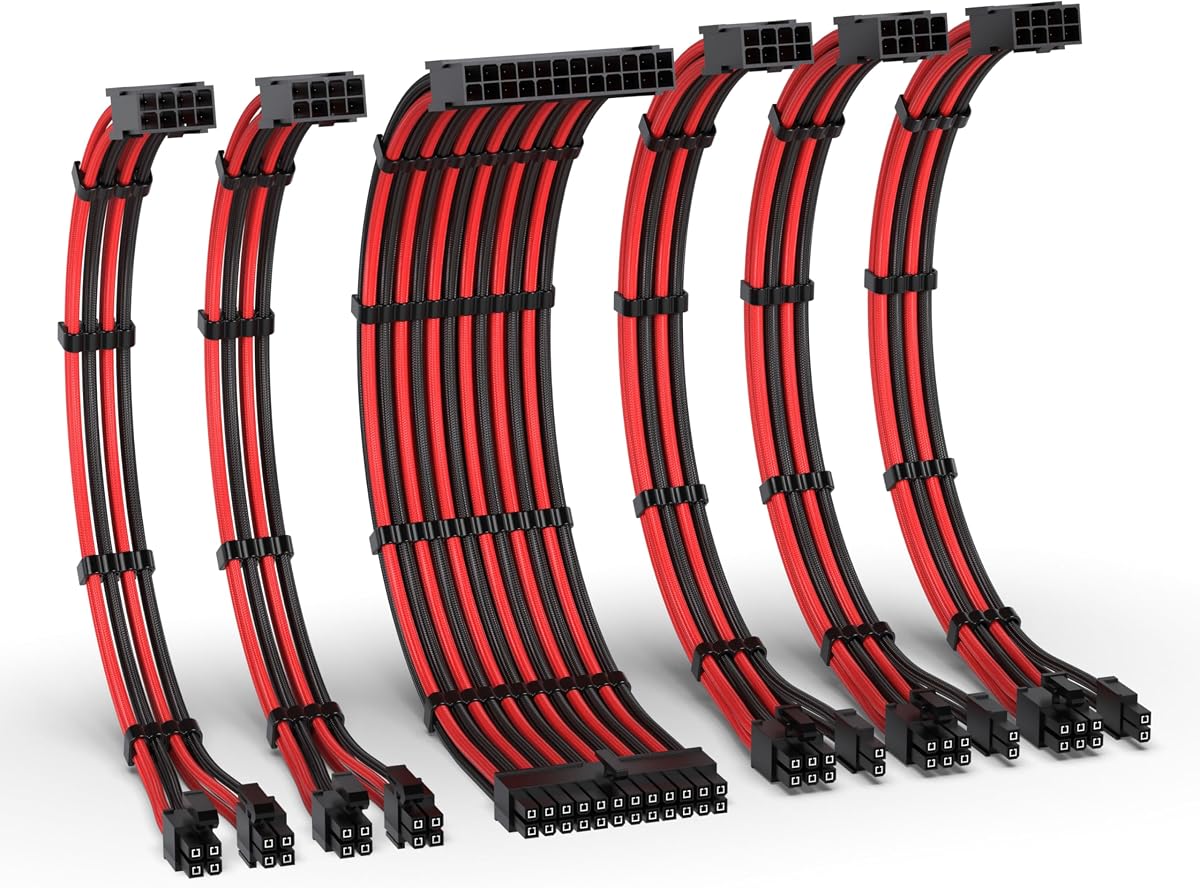
The EZDIY-FAB Black Red Extension Kit differentiates itself through a generous cable count and 16AWG construction. Its 4.6 rating reflects a solid customer reception, while the inclusion of two EPS cables and three PCIe cables gives builders more options for CPU and graphics-card power routing than a typical minimal extension set.
We may earn a commission when you buy through this link, at no additional cost to you.
A single 24-pin ATX extension handles motherboard power, while the two 4+4-pin EPS extensions can support systems with a single CPU connection or provide routing flexibility around the processor area. The three 8-pin PCIe extensions use a 6+2-pin arrangement, allowing them to serve compatible six-pin or eight-pin graphics cards. At 300mm, the leads offer a useful balance between reach and manageable excess inside a case.
The product information states that the 16AWG high-density copper wiring supports over 1000W and is intended to promote stable power during demanding tasks. All-copper alloy terminals are highlighted for conductivity, while the PET sleeving is described as sturdy and resistant to deformation. These details position the kit between a basic cosmetic extension bundle and a higher-end brand-specific replacement ecosystem.
As with any extension set, the extra leads can be a double-edged feature. Systems with a modest power demand may have unused cables that must be routed and stored carefully. The black-red combination is also less neutral than white or black, although it can complement a gaming-themed chassis or components with matching accent colors.
The kit is recommended for builders who expect a power-hungry CPU and GPU, want several 16AWG PCIe options available, or prefer having extra EPS leads for a flexible layout. It is also a good fit for someone creating a black-and-red system without replacing the PSU. Confirm that extension use is appropriate for the power supply and that the included connectors match the hardware before installation.
Three PCIe extensions provide useful flexibility for compatible high-end graphics cards and leave spare options for future changes. Their 6+2-pin ends can also serve six-pin requirements where supported.
The specified 16AWG conductors add a stronger technical foundation than 18AWG extension alternatives in this guide. That makes the bundle more compelling for power-hungry configurations, subject to component and PSU guidance.
We may earn a commission when you buy through this link, at no additional cost to you.
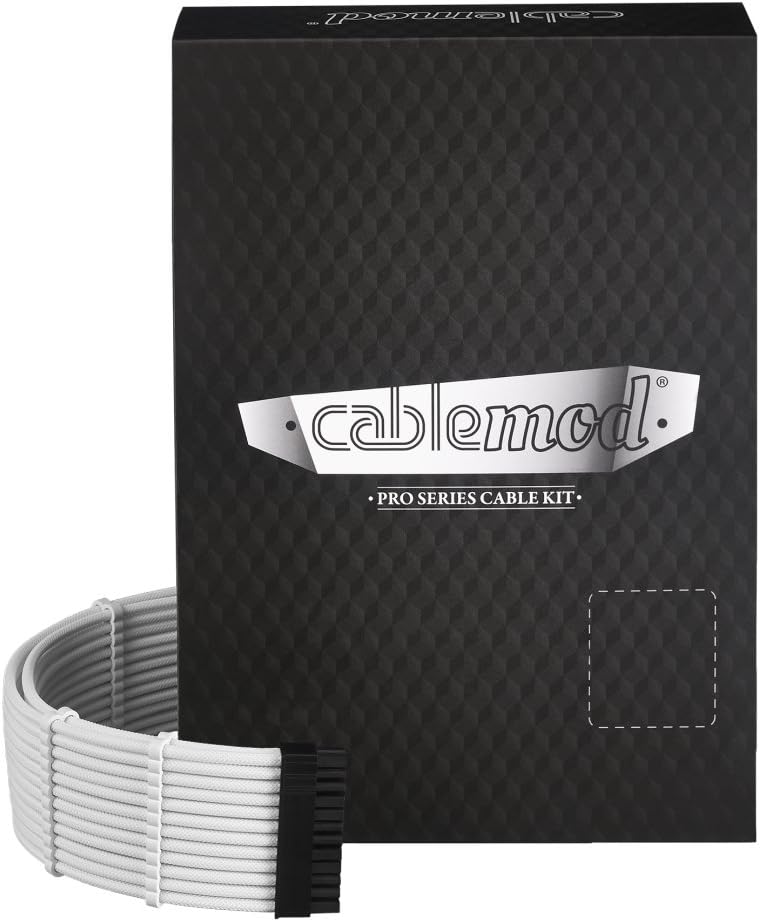
The CableMod RT-Series Pro ModMesh Sleeved Cable Kit offers a crisp white aesthetic for builds using compatible ASUS, Seasonic, or Phanteks Revolt power supplies. Its 4.3 rating is the lowest among the ten products, but the score still indicates a generally positive customer response and does not erase the kit's clear strengths in finish and construction.
We may earn a commission when you buy through this link, at no additional cost to you.
The product information emphasizes thicker wires for a fuller appearance, high-density ModMesh sleeving, vivid color options, and durability. The white version is especially effective when paired with pale cases, white fan components, or a neutral motherboard. Thicker wire can also create the impression of a more substantial cable assembly, which helps a premium replacement set look proportionate inside a large custom chassis.
Closed cable combs arrive pre-installed, removing the need to place every comb before installation. That saves time and helps maintain a consistent visual rhythm from the PSU to each powered component. The closed design can also make cable grouping look more deliberate around a motherboard tray or beneath a power-supply shroud.
Compatibility is the most important drawback. This kit serves a narrower set of branded PSUs than a universal extension package, and the correct model must be selected before ordering. Its listed rating is also lower than those of the other kits, so buyers who place exceptional weight on customer feedback may want to examine recent reviews and the exact connector version carefully.
The kit is best suited to a white-themed custom build whose PSU comes from one of the supported brands. It prioritizes a premium, color-coordinated replacement presentation rather than universal use. If the model matches and the visual goal is a bright, carefully managed interior, the ModMesh construction and pre-installed combs make it a strong candidate.
The thicker wire profile gives the sleeved assembly visual weight that can suit a large showcase case. Combined with the white finish, it creates a deliberate look when visible through a side panel.
Pre-installed closed combs create a consistent starting arrangement without requiring the installer to fit each one individually. They are especially helpful for maintaining even spacing around a tightly routed motherboard connection.
We may earn a commission when you buy through this link, at no additional cost to you.
The Corsair Premium Individually Sleeved Type 4 Gen 4 PSU Cables Pro Kit is a premium black cable set built around a Type 4 Gen 4 connection format. It carries a 4.4 rating and focuses on individually sleeved conductors, clean connector presentation, and in-line capacitors for the principal motherboard, CPU, and graphics-card connections.
We may earn a commission when you buy through this link, at no additional cost to you.
Flexible triple-layer mesh paracord is used to create the individually finished surface. This method gives the cable run a detailed, traditional custom-build appearance and can look especially refined when individual wires are visible around the 24-pin motherboard connector. Heatshrink-free connectors maintain a smooth transition into the hardware, while modular interlocking combs allow the installer to adjust the grouping after the system is assembled.
In-line capacitors on the ATX 24-pin, EPS12V, and PCIe cables are intended to support clean voltage delivery and stable power. Their presence makes the set more than a cosmetic collection, although actual electrical performance will depend on correct installation, the selected PSU, and the connected hardware.
The Type 4 Gen 4 requirement is decisive. This is a specialized replacement kit rather than a universal extension bundle, so buyers need to confirm their exact Corsair PSU model and generation. The all-black appearance is versatile enough for many themes, but it does not offer the white, contrasting, or brightly colored treatment found in some alternatives.
This kit is appropriate for a builder committed to a compatible Corsair ecosystem who wants premium individual sleeving and a professional finish. It is less suitable for someone who has not yet selected a PSU or needs a universal set that can follow a computer through several upgrades. In the right system, the cable finish, connector details, and voltage-focused features create a cohesive premium package.
The cable format is designed for a specific Corsair connection generation. Confirming the PSU model before ordering prevents connector mismatches and preserves the intended electrical and visual integration.
Heatshrink-free connectors and in-line capacitors add functional and visual refinement. The capacitors are intended to support clean voltage delivery, while the smooth connector finish complements the individually sleeved cables.
We may earn a commission when you buy through this link, at no additional cost to you.
The upHere Tri-Color Extension Kit is a flexible universal-style bundle with 16AWG copper wires, high-density nylon sleeving, and a red-white-black treatment. Its 4.6 rating places it among the stronger customer-rated options, while its complete selection of CPU, motherboard, six-pin, and eight-pin PCIe leads gives it broad utility in different desktop builds.
We may earn a commission when you buy through this link, at no additional cost to you.
The package contains one 24-pin ATX extension, one 4+4-pin EPS extension, two eight-pin PCI-E extensions, and two six-pin PCI-E extensions. Every lead measures 300mm, or 11.8 inches according to the listing. Including both six-pin and eight-pin GPU cables can be useful for builds with different graphics-card connection requirements, although newer cards may use other connector formats.
The high-density nylon braiding is described as balancing pliability with enough stiffness to remain shaped around obstacles. Four combs per cable help keep the sleeving aligned and prevent visual bunching. This combination makes the set appropriate for installations where the PSU is separated from the motherboard or graphics card by a chamber, cable bar, reservoir, or other hardware.
The red, white, and black color treatment is the most subjective element. It can produce a lively, coordinated look in a gaming system, especially when those colors appear elsewhere in the case. It will not provide the uninterrupted visual effect of a monochrome set, and unused cables need to be stored without creating an untidy bundle behind the power supply.
The kit is recommended for builders who want 16AWG construction, 300mm reach, and a broad connector assortment without tying the purchase to one PSU brand. It works especially well for colorful builds that already use red, white, and black accents. As always, confirm the power supply's modular outputs, the hardware connector requirements, and the suitability of extension leads before installation.
The high-density braid is designed to remain flexible around tight bends while holding a deliberate curve. That balance makes it easier to route the leads without either excessive stiffness or uncontrolled sagging.
Separate six-pin and eight-pin PCIe cables cover two common graphics-card power configurations. The wider selection can prevent an otherwise compatible build from being held up by a missing connector style.
We may earn a commission when you buy through this link, at no additional cost to you.
The right sleeved cable set depends on electrical fit, connector support, sleeving style, case clearance, and the visual theme of the finished machine. Reviewing those factors before ordering can prevent both connector incompatibility and an underwhelming finished appearance.
An extension cable connects to an existing modular PSU output and adds length between the PSU and the component. A direct replacement is designed to take the place of a specific PSU manufacturer's native modular cable set. Extension kits are generally easier to match to different power supplies, while replacement cables often provide a more integrated result because the connector and sleeving integrate directly with the original PSU ecosystem. Never use a replacement set for a different model or connector generation without explicit manufacturer compatibility.
In short, verify the connection type before considering color or wire gauge.
A complete custom PC may need 24-pin ATX power for the motherboard, 4+4-pin EPS power for the CPU, and PCIe power for the graphics card. Some graphics cards require multiple eight-pin inputs, while others use different connector designs. Check the manual or official specifications for every power-consuming component and make sure the kit includes every required lead. A 6+2-pin PCIe lead is a useful standard because it can serve as six-pin or eight-pin where supported, but it does not solve other proprietary formats.
Create a hardware connector checklist before selecting a bundle.
Wire gauge describes conductor thickness, with lower AWG numbers indicating thicker wire. The extension kits in this guide use either 16AWG or 18AWG conductors. Thicker 16AWG wiring is generally the stronger choice for demanding power builds, while 18AWG can still suit conventional systems. Actual capacity also depends on the PSU, connectors, wire length, thermal conditions, and manufacturer guidance. Cable appearance should not be the only consideration for a high-power computer.
For a demanding build, favor the listed 16AWG option and follow component guidance.
Nylon braid, PET sleeving, ModFlex, ModMesh, and mesh paracord each create a different look and handle routing differently. Soft synthetic braid is easy to bend and can be shaped around tight spaces. ModFlex is associated with a dense, flexible appearance, while ModMesh and paracord offer a more textured finish. PET is highlighted in some kits for heat resistance and resistance to deformation. The sleeve should remain neat after routing, not merely look attractive when straight in its packaging.
Choose a material that bends cleanly and matches the case's visual style.
Connector construction affects both appearance and usability. Heat-shrink-free designs can create a smoother transition between cable and plug, while precision connectors may ease installation in crowded spaces. Gold-plated terminals are included in some kits to support current transfer and reduce connection loss. Regardless of finish, connectors should align correctly, latch securely, and provide sufficient clearance around the motherboard socket, CPU socket, and graphics-card power inputs.
Look for clean construction, secure latches, and adequate socket clearance.
Most of the extension kits listed here use a 300mm cable length, while the others are identified as brand-specific replacement sets. Before purchasing, estimate the distance from the PSU to each connection and add enough slack to bend around obstacles. Excessively short leads can create strain at the connector, while very long leads can crowd the PSU chamber. Pre-bent or shaped cables can help preserve a consistent appearance after a 180-degree turn.
Measure the route first, then allow space for gentle bends and combs.
Cable combs keep sleeved conductors aligned and make a finished installation look more deliberate. Some kits arrive with combs pre-installed, others include several extra sets, and some use fixed closed combs while permitting sliding adjustments. Check whether the comb color matches the sleeve and whether it can be repositioned after routing. A well-placed comb set can make an otherwise standard cable run look significantly more professional.
Include comb placement in your finishing plan, especially around the 24-pin connection.
A coordinated all-white set can transform a light build, while a black-and-red or purple-accented set can support a gaming theme. Before committing to a color, consider the case, motherboard, GPU, fan lighting, and whether the PSU chamber is visible. More important than color is connector accuracy and PSU model compatibility. A less colorful but correctly matched set will serve the build better than a striking bundle that cannot connect safely or cleanly.
Prioritize correct fit, then select the color and texture that complement the build.
Begin with the system powered off and fully disconnected from wall power. Identify each native PSU cable and the component it will serve, then compare the corresponding connector shape and pin count. For an extension kit, connect the extension to a compatible modular PSU output and keep the cable straight during insertion. Do not force a connector, route a cable through a sharp case edge, or use an extension with a PSU whose instructions prohibit it.
Connect the system with the hardware powered down: the 24-pin ATX cable to the motherboard, the EPS connector to the CPU socket, and the appropriate PCIe leads to the graphics card. Follow the component manual when a card requires several power inputs or a particular connector arrangement. Route cables behind the motherboard tray where possible, leave a gentle bend radius near connectors, and avoid placing sleeved cables directly against sharp metal edges or moving fans.
Install or adjust the cable combs after the leads have reached their final positions. Keep each bundle parallel, remove unused excess from view without creating excessive strain, and secure the cables with suitable ties or channels. Inspect connectors periodically for looseness, discoloration, unusual heat, or a change in routing that creates tension. A clean, dry environment and careful handling will help preserve the sleeving, comb fit, and connector finish over time.
No. Sleeving primarily changes the cable's appearance and handling characteristics, but a reputable cable also needs suitable conductors, secure connectors, and correct compatibility. Wire gauge, terminal quality, and the intended power load remain the more important electrical considerations. A sleeved cable should never be selected solely on looks when the power requirements are substantial.
Universal extension kits are designed to work with many modular PSUs, but you should still confirm the connector shapes and the PSU manufacturer's instructions. Some modular designs use different pin arrangements or keyed connectors. Never force an extension into a socket, and verify that the extension is appropriate for the intended equipment before installation.
A 16AWG conductor is thicker than an 18AWG conductor, which is one reason several extension kits highlight 16AWG construction. Thicker wire can be preferable in power-hungry systems, although connector design, length, heat, and PSU quality also matter. Follow the component and PSU manufacturers' guidance rather than treating wire gauge as the only measure of suitability.
A 6+2-pin PCIe cable is designed to function as a six-pin or eight-pin connection by using either the combined six-pin section or the separated two-pin section. Hardware support varies, so check the graphics-card requirements before installation. It is not compatible with every modern connector layout, including some proprietary multi-pin designs.
Cable combs are primarily an organization and appearance accessory. They keep sleeved cables aligned, reduce unwanted spreading, and make a finished build look cleaner. They do not increase the electrical capacity of the conductors or replace correct connector selection and safe routing practices.
You can use sleeved extensions where the connector and manufacturer guidance allow it, but matching connector types is essential. Do not mix cable types to create a custom adapter unless the manufacturer explicitly approves the combination. For brand-specific replacement sets, use the stated compatible PSU model and connector generation.
Plan the route before installing the cables, keeping each bundle parallel and leaving enough slack for a gentle bend. Route around drive cages, fan hubs, radiators, and sharp chassis edges, and keep connectors from being forced sideways. Cable combs and proper ties help keep the bundles aligned without compressing them excessively.
They require little special care, but they should be handled gently during installation. Keep the sleeving away from sharp edges, moving parts, and excessive heat, and periodically check that connectors remain secure. If a cable becomes damaged, discolored, unusually hot, or loose, stop using it and investigate the connection or replace the affected cable.
The EZDIY-FAB All White Extension Kit is a compelling value-focused choice with a 4.8 rating and a coordinated finish. The AsiaHorse Black-Pink Extension Kit stands out for upgraded 16AWG conductors, flexible routing, and a distinctive two-color design, while the CableMod Classic ModFlex Kit delivers a cleaner direct-replacement solution for compatible Corsair power supplies.
Before choosing, prioritize the connector inventory, exact PSU compatibility, and electrical requirements. Wire gauge, sleeving material, bendability, and comb design come next, followed by the color and texture that best complement the finished chassis. A complete set can be more useful than several individually attractive but mismatched cables, so plan the full power-routing layout before ordering.
Product details, customer ratings, prices, and availability can change, so review the current listing before making a final decision. Confirm the connector type, supported PSU models, cable dimensions, and included accessories. With that final verification, the selected kit can improve both cable management and the overall presentation of a custom PC.